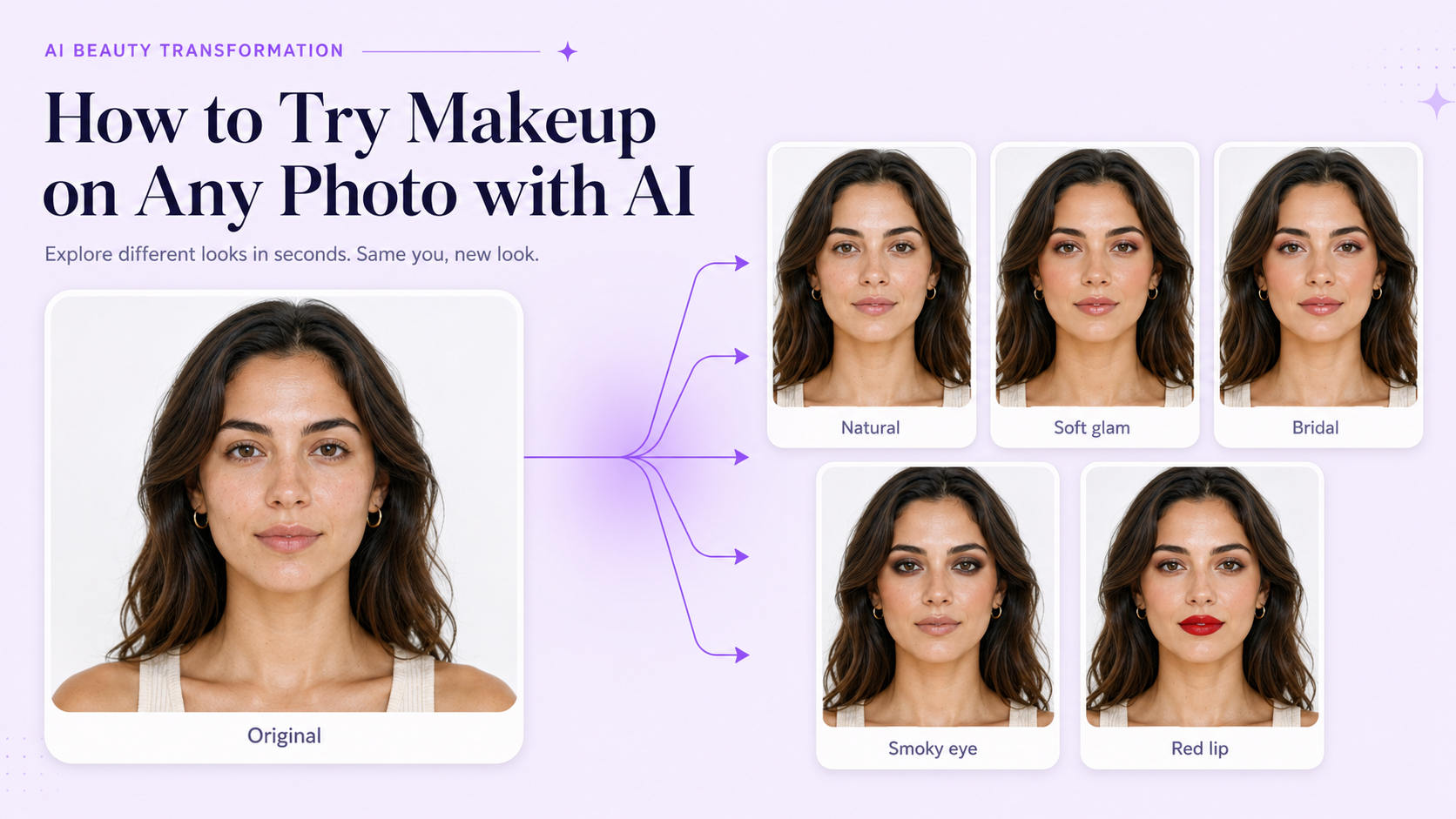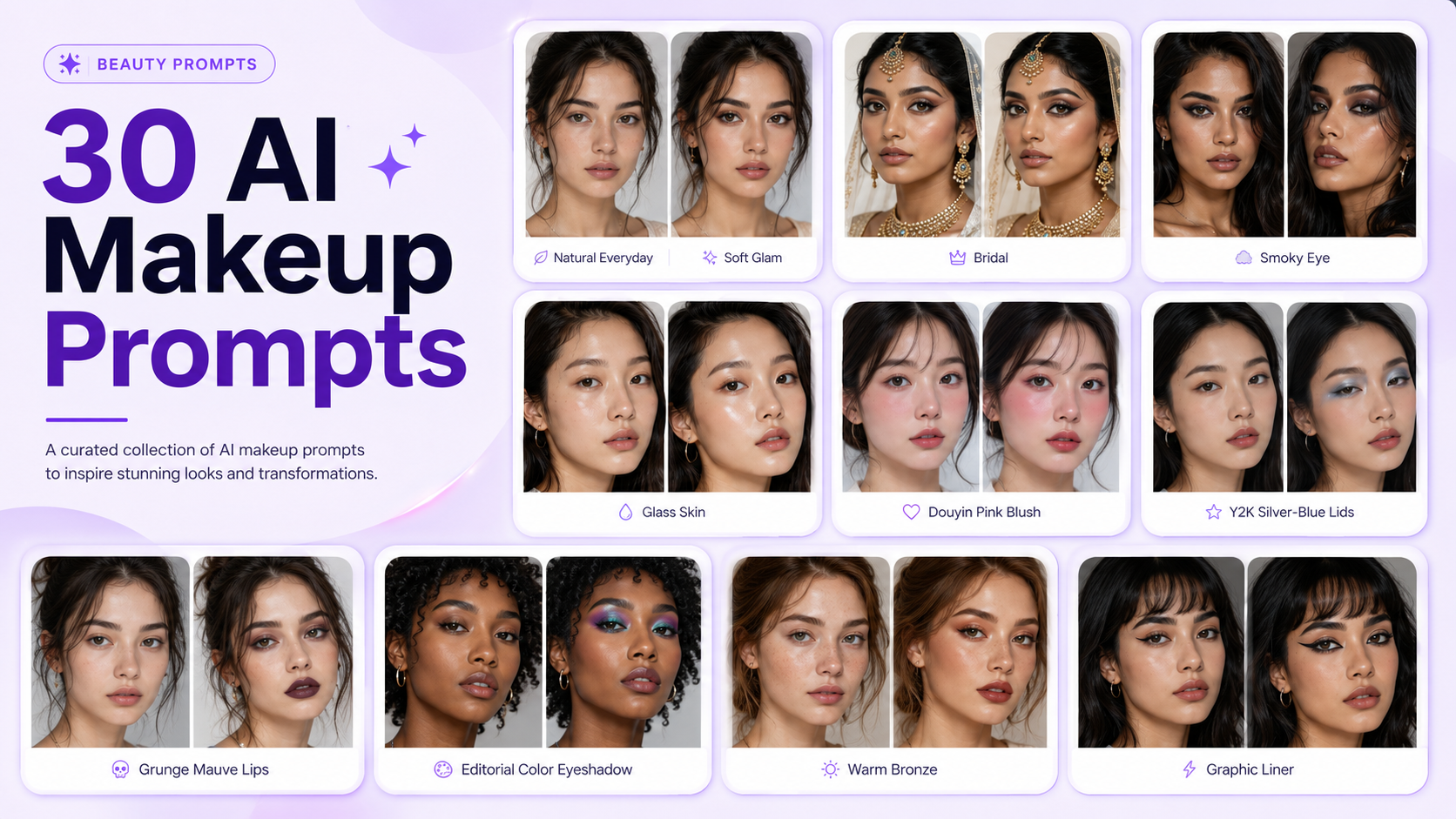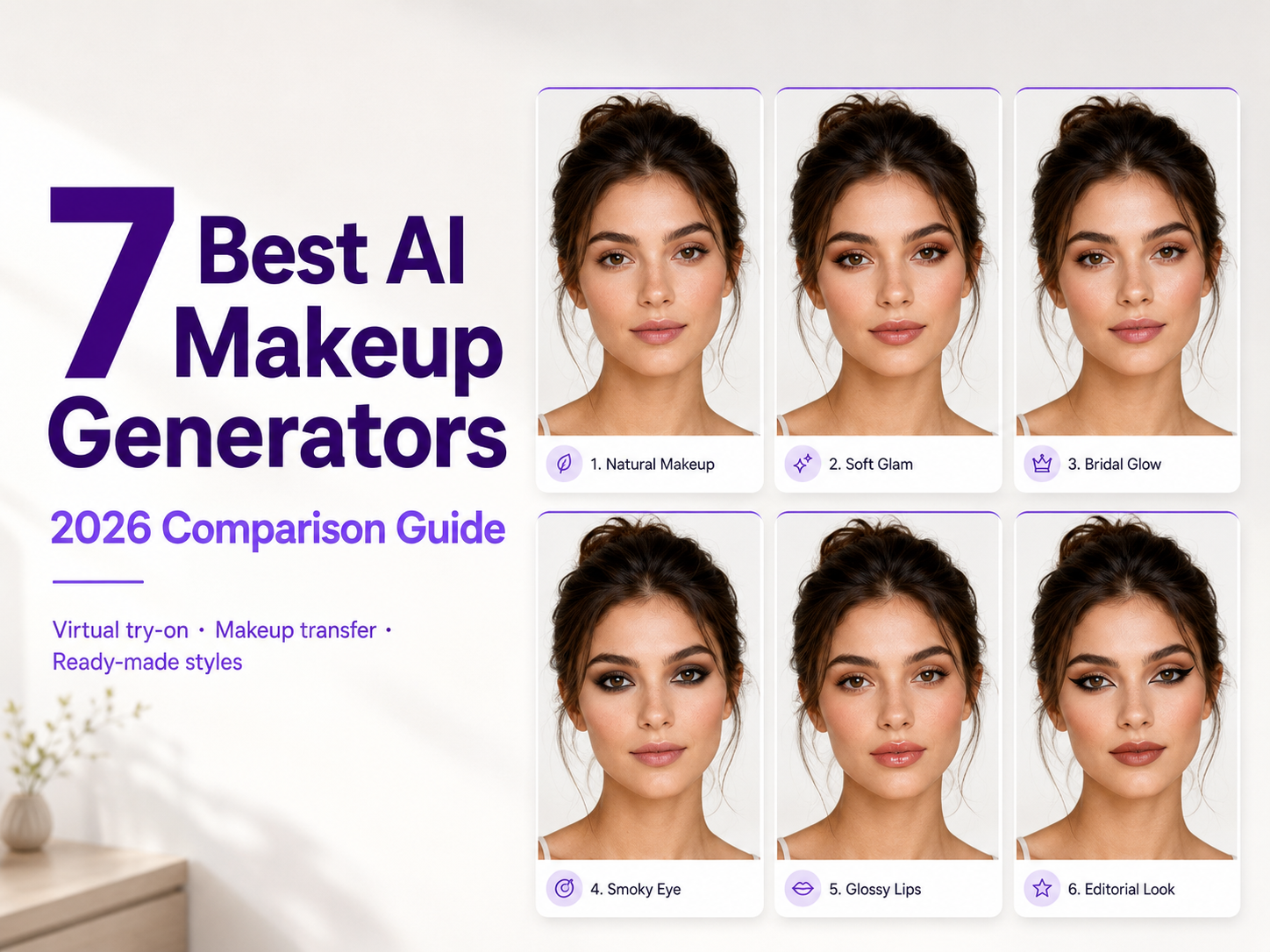
AI makeup generators make it possible to upload a selfie and experiment with entirely different beauty looks without applying makeup in real life. You can compare natural makeup, soft glam, bridal looks, smoky eyes, lipstick colors, editorial styles, and trend-inspired aesthetics from the same portrait.
But not every AI makeup tool works the same way. Some generate a complete coordinated makeup look, some let you control individual features such as lipstick and eyeliner, and others can transfer makeup from a reference image onto your face. The best choice therefore depends on what you actually want to do.
For this guide, we compared seven AI makeup generators based on their workflow, makeup customization, style variety, ease of use, face preservation, virtual try-on capabilities, and the type of user each tool is best suited for.
Best AI Makeup Generators at a Glance
1. GenImagePro — Best Overall for Ready-Made AI Makeup Styles
GenImagePro is best suited to people who want to upload a portrait, choose a complete makeup style, and generate a polished result without manually editing individual parts of the face. Instead of starting with a complicated prompt or adjusting dozens of controls, the workflow is built around ready-made beauty templates.
2. YouCam Makeup — Best for Detailed Virtual Makeup Try-On
YouCam Makeup is one of the strongest options when you want more granular control. You can experiment with lipstick, eyeshadow, eyeliner, lashes, eyebrows, foundation, blush, contour, and other makeup elements instead of changing the entire look at once.
3. Fotor — Best for Makeup Transfer
Fotor combines preset makeup looks with reference-based makeup transfer. That makes it especially useful when you have already found a makeup style you like and want to see a similar aesthetic applied to your own portrait.
4. insMind — Best for Custom Makeup Prompts
insMind offers a simple automatic makeup workflow but also supports text-based instructions, making it useful when you want to describe a specific combination such as soft glam with peach blush, brown eyeliner, and glossy nude lips.
5. Perfect365 — Best for a Large Makeup Look Library
Perfect365 has been focused on virtual beauty editing for years and offers a particularly large collection of makeup looks and beauty tools. It is a strong choice for users who enjoy browsing many preset styles and then customizing individual parts of the look.
6. AirBrush — Best for Makeup and Portrait Retouching
AirBrush combines virtual makeup with a broader set of portrait-retouching features. It makes sense for users who want to change their makeup while also refining skin, facial details, lighting, or other aspects of a selfie.
CapCut's AI makeup workflow is particularly relevant to creators. Instead of functioning only as a traditional makeup simulator, it allows makeup changes to become part of a much larger photo and video content workflow.
1. GenImagePro — Best Overall for Ready-Made AI Makeup Styles
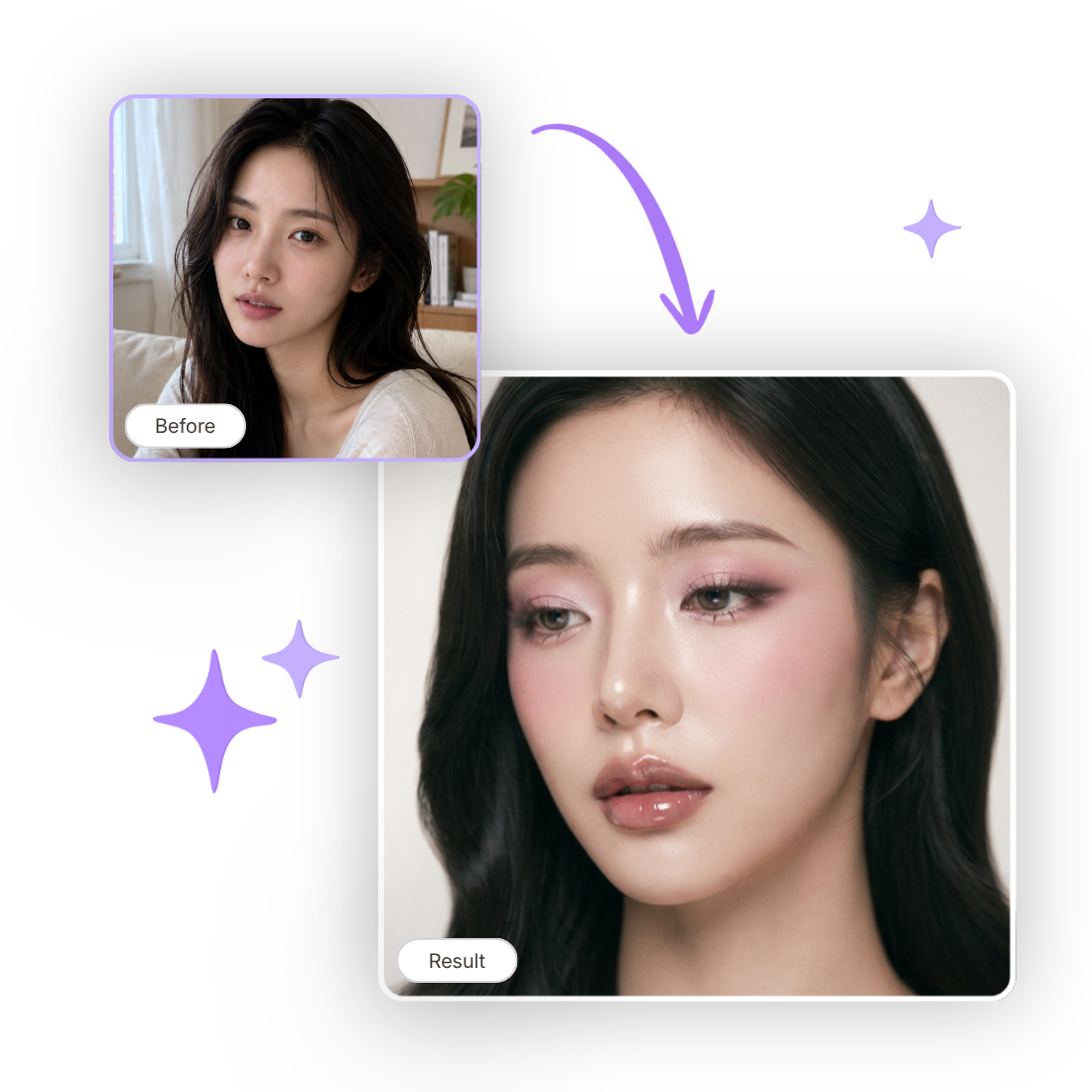
AI makeup generator tools take a template-first approach to AI makeup. Upload a clear selfie or portrait, select the type of makeup you want, and the AI generates a new version while aiming to keep the person's facial identity recognizable.
The biggest advantage is simplicity. You do not need to build a makeup prompt one feature at a time. Ready-made styles cover natural makeup, soft glam, bridal looks, smoky makeup, glass-skin aesthetics, Douyin-inspired makeup, Y2K styles, editorial looks, and other beauty directions.
This makes GenImagePro particularly useful when the question is not simply 'What would this exact lipstick shade look like?' but instead 'What would I look like with soft glam, bridal makeup, or a completely different beauty aesthetic?'
What GenImagePro Does Best
GenImagePro is strongest at complete makeup transformations. The eyes, lips, complexion, blush, contour, and overall finish are styled together, so the output looks more like a coordinated beauty look than a single filter placed over one facial feature.
Because GenImagePro also includes other image-to-image workflows, the resulting portrait can become part of a broader creative process. This can be useful for beauty content, editorial portraits, social media visuals, profile photos, and campaign concepts.
Where GenImagePro Is Less Suitable
GenImagePro is not primarily an AR cosmetics simulator. If your goal is to compare a large number of exact lipstick, foundation, or eyeshadow shades individually, a tool such as YouCam may give you more precise feature-level controls.
Best for: users who want fast, complete AI makeup transformations using ready-made styles rather than manually configuring every makeup element.
2. YouCam Makeup — Best for Detailed Virtual Makeup Try-On
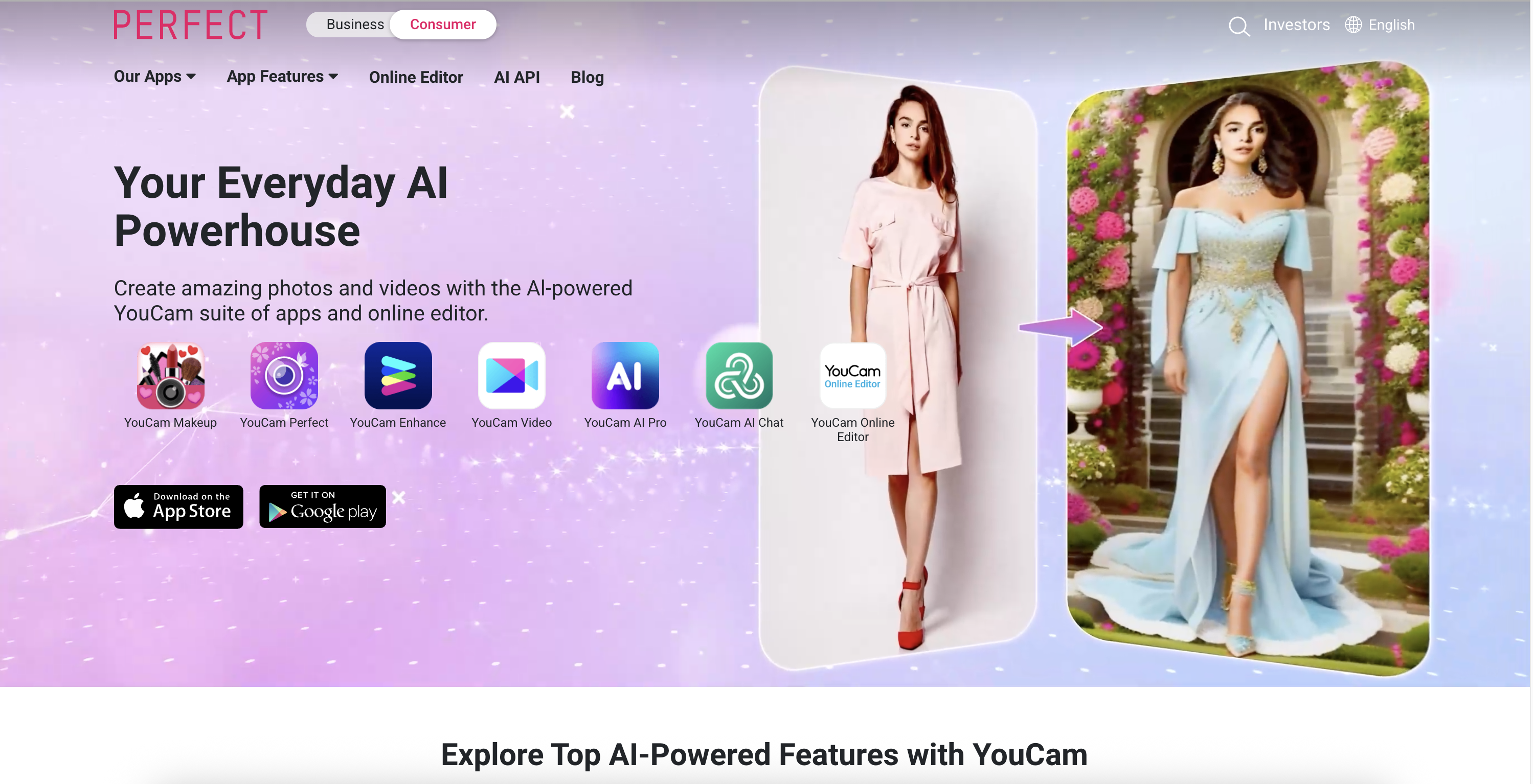
YouCam Makeup approaches the problem more like a digital cosmetics mirror. Instead of primarily generating an entirely new portrait, its virtual makeup tools can target specific parts of your face.
Users can experiment with features such as lipstick, eyeshadow, eyeliner, eyelashes, eyebrows, foundation, blush, contour, and other complexion effects. This makes YouCam particularly useful when you want to isolate one part of your makeup rather than change everything at once.
Why Choose YouCam Makeup?
The main reason is control. If you want to compare several lip colors while leaving your eye makeup unchanged, or experiment with different lashes and eyeliner combinations, YouCam's component-based workflow is more appropriate than a generator focused primarily on complete looks.
YouCam also supports makeup transfer. A reference image containing a makeup style can be analyzed and the overall look transferred to another portrait. Its wider beauty ecosystem includes both browser-based tools and mobile experiences.
Where YouCam Makeup Is Less Suitable
All that control can be unnecessary if you simply want to choose 'soft glam' or 'bridal makeup' and receive a finished result. In those cases, a template-driven generator can offer a shorter workflow.
Best for: virtual makeup experimentation and users who want detailed control over individual cosmetic areas.
3. Fotor — Best for Makeup Transfer
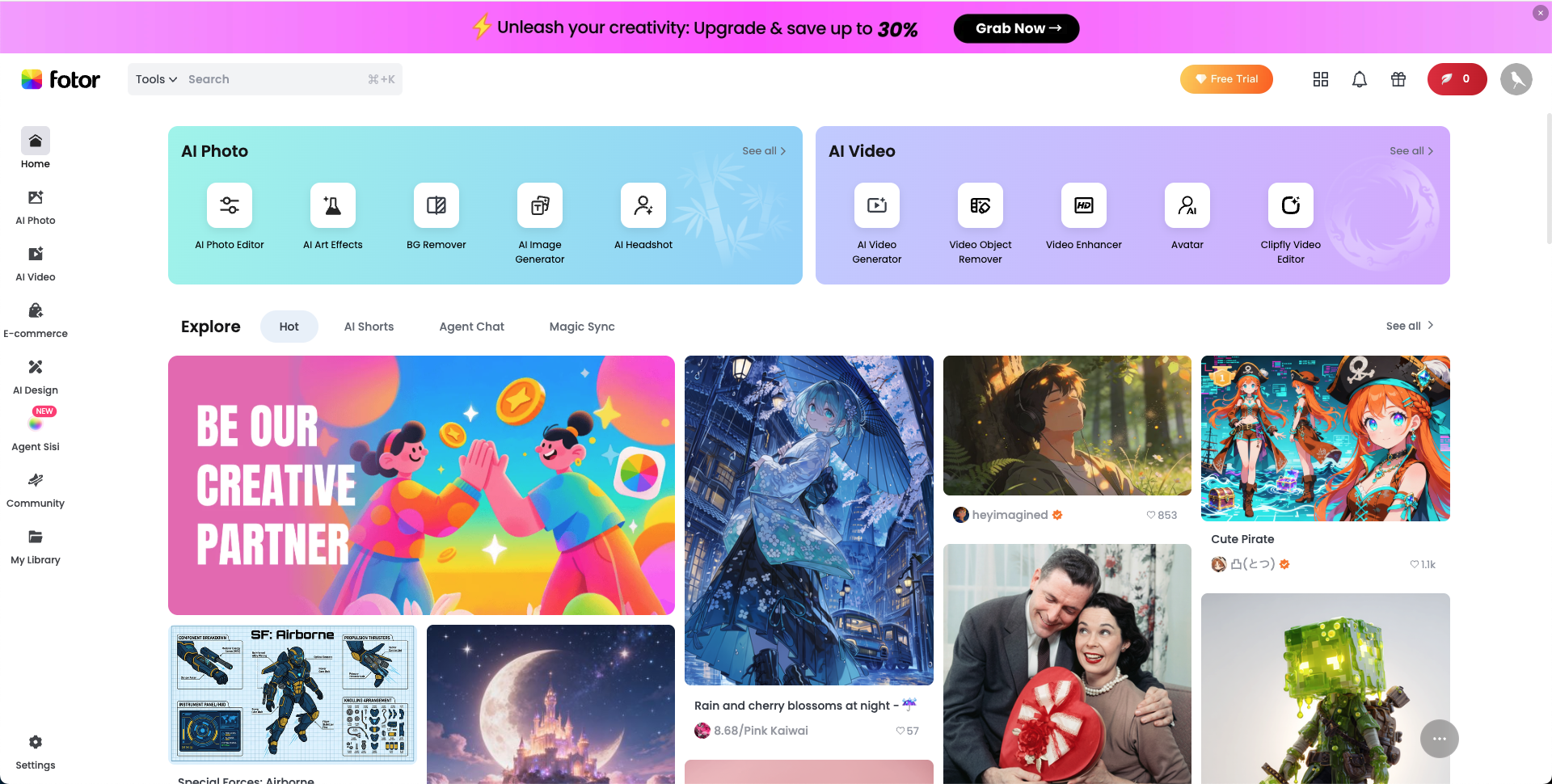
Fotor's AI makeup generator provides two useful ways to find a look. You can start with existing makeup presets or use another image as visual inspiration and transfer a similar makeup style onto your own portrait.
That reference-image workflow is valuable because describing makeup in words is not always easy. You may know exactly what you want when you see it on Pinterest, Instagram, a campaign image, or another portrait, but struggle to explain every shade and technique in a text prompt.
What You Can Change With Fotor
Fotor supports a range of beauty transformations involving complexion, eyes, eyebrows, lips, highlights, contour, and full makeup aesthetics. Available looks can range from everyday beauty to stronger glam, creative, and alternative makeup styles.
Fotor is also a general-purpose image editor, so users can continue adjusting the image after generating the makeup result. That is useful when makeup is only one step in a larger editing workflow.
Where Fotor Is Less Suitable
Because Fotor covers many different types of photo editing, the makeup experience is part of a much broader product. Users who want a narrowly focused beauty workflow may prefer a dedicated makeup platform.
Best for: users who have a reference makeup image they want to recreate on their own portrait.
4. insMind — Best for Custom Makeup Prompts
insMind is useful when you want AI to make many of the makeup decisions automatically, but still want the option to describe a more specific idea.
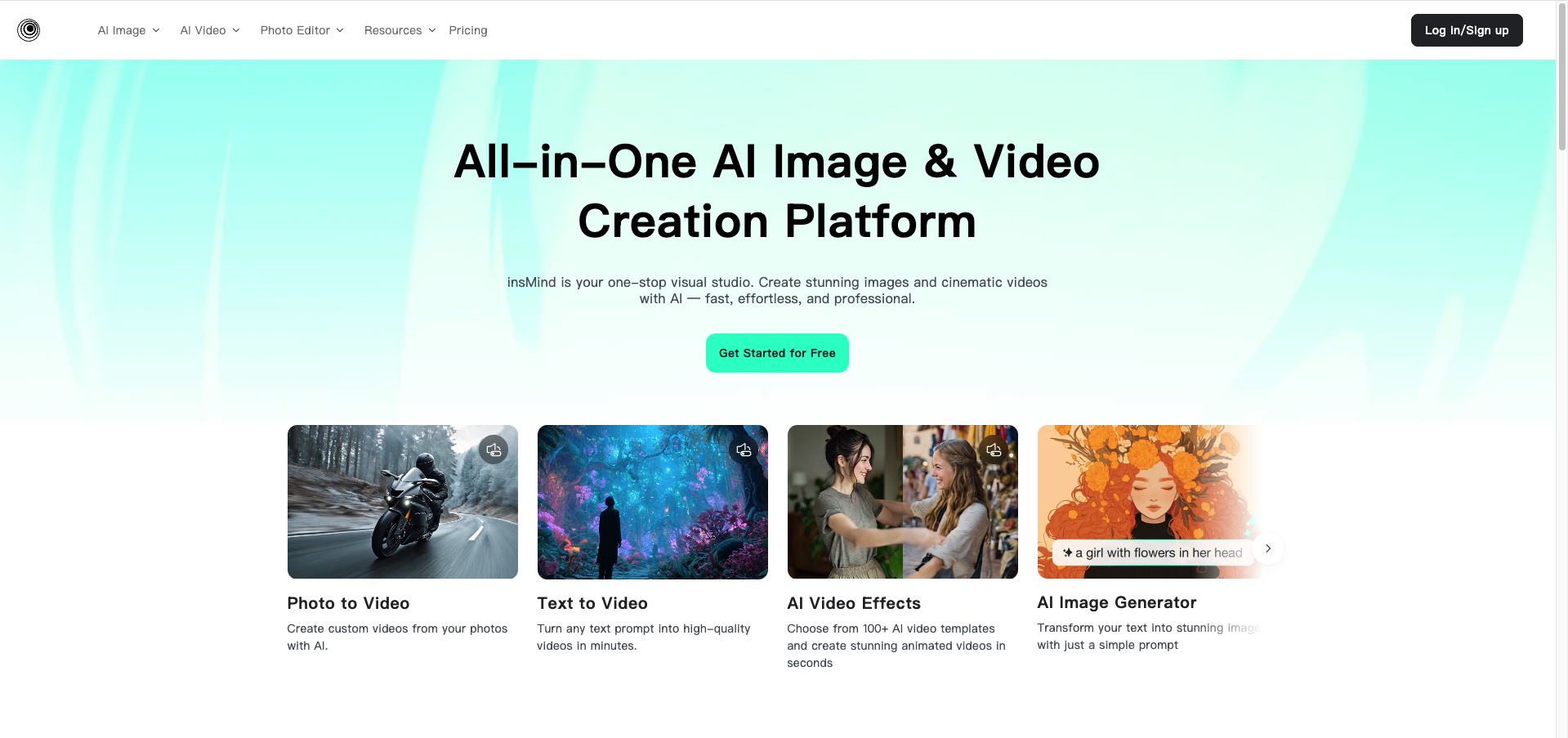
Its automatic workflow can apply coordinated foundation, blush, eye makeup, and lipstick to a portrait. For more control, the text-to-makeup workflow lets you describe the aesthetic you want in natural language.
Why Text-to-Makeup Is Useful
Prompts provide more freedom than fixed presets. For example, instead of selecting only 'glam,' you could request luminous skin, peach blush, champagne eyeshadow, brown winged eyeliner, natural lashes, and glossy rose lips.
That makes insMind interesting for beauty creators, designers, marketers, and anyone experimenting with a concept that does not fit neatly into a predefined makeup category.
Where insMind Is Less Suitable
Prompt-driven generation is flexible, but it is not always the most precise approach for comparing exact cosmetic shades. A virtual try-on tool with dedicated lipstick, foundation, or eyeshadow controls may be better for that purpose.
Best for: custom makeup ideas that are easier to describe in words than find in a preset library.
5. Perfect365 — Best for a Large Makeup Look Library
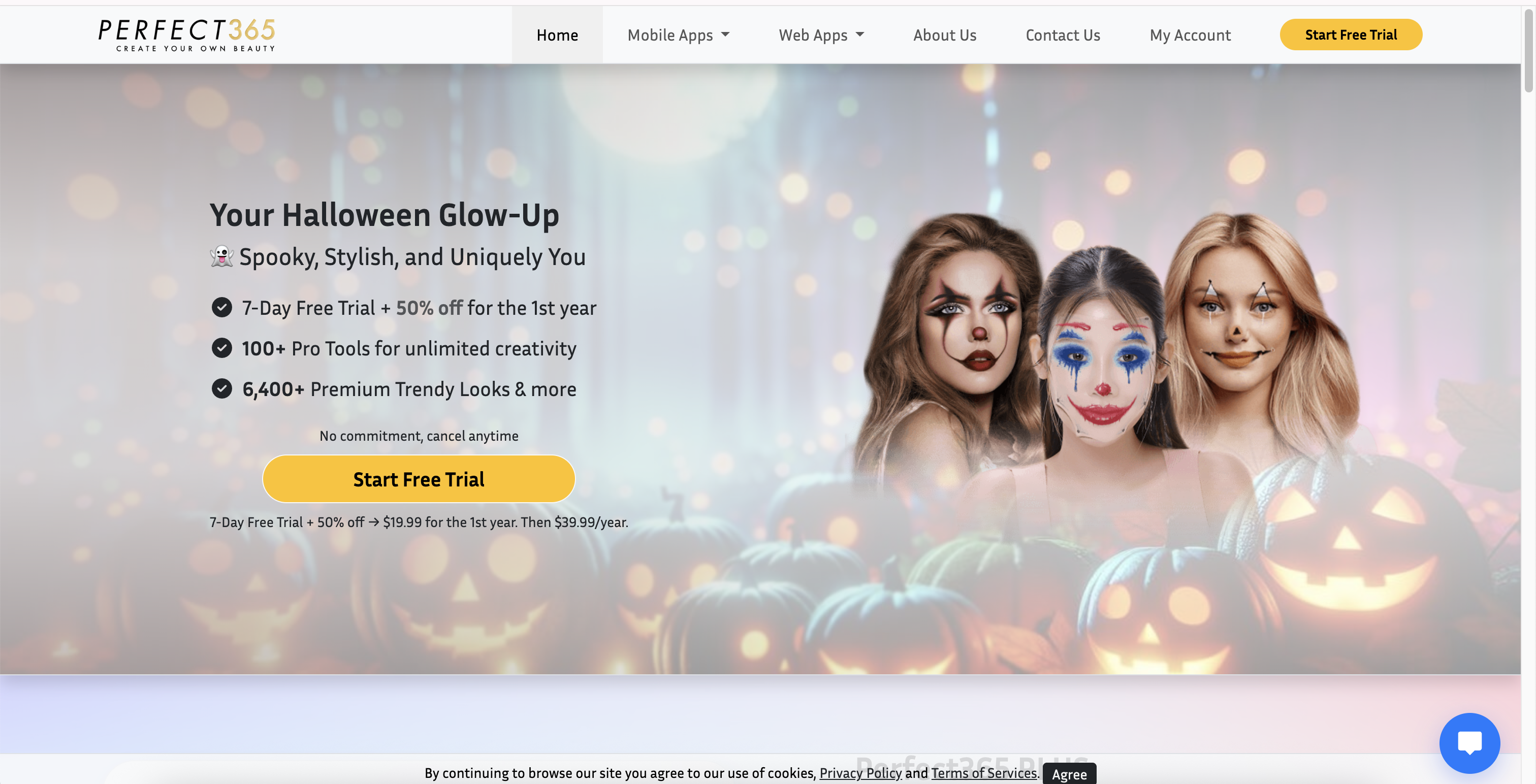
Perfect365 is a dedicated beauty and virtual makeup platform with a large selection of preset looks and beauty-editing controls. Its current offering includes thousands of premium looks alongside tools for applying and adjusting different parts of a makeover.
Users can work with foundation, blush, contour, eyeshadow, eyeliner, mascara, lipstick, and additional beauty effects. The platform is available through both mobile applications and a web editor.
Why Choose Perfect365?
Perfect365 makes sense for people who like browsing many finished looks instead of creating every aesthetic from scratch. You can find a general direction first and then refine the result using individual beauty tools.
Its dedicated beauty focus also distinguishes it from multipurpose AI image editors where makeup is only one of dozens of unrelated tools.
Where Perfect365 Is Less Suitable
The experience is closer to a traditional virtual beauty editor than newer generative image workflows. Users specifically looking for prompt-based creative transformations may therefore prefer another option.
Best for: users who want to browse a large library of ready-made beauty looks and then customize them.
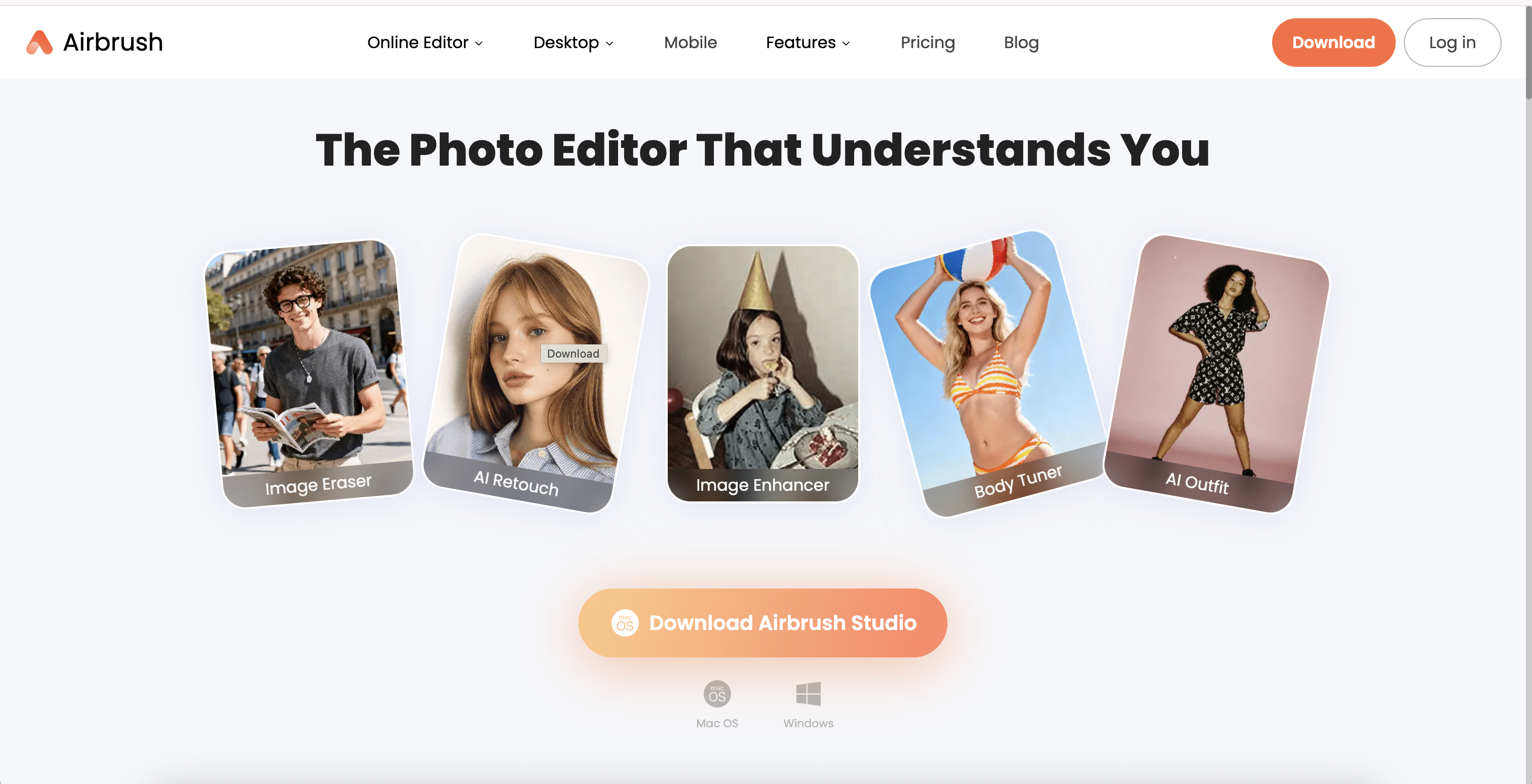
6. AirBrush — Best for Makeup and Portrait Retouching
AirBrush combines AI makeup with the portrait-retouching tools many users already want when preparing selfies and profile photos.
Its makeup features cover areas including eyes, lashes, eyeliner, eyeshadow, lipstick, blush, and complexion. AirBrush also provides broader portrait tools, making it possible to continue refining an image instead of exporting the makeup result immediately.
Why Choose AirBrush?
The advantage is consolidation. If your goal is not only to experiment with makeup but also to improve the final portrait for a profile picture or social post, having beauty and retouching features in the same ecosystem can save time.
Where AirBrush Is Less Suitable
If your only objective is generating dramatically different makeup aesthetics, the broader retouching toolkit may not matter. Dedicated generative or virtual try-on tools can provide a more focused experience.
Best for: selfie and portrait editing where makeup is one part of the final retouching workflow.
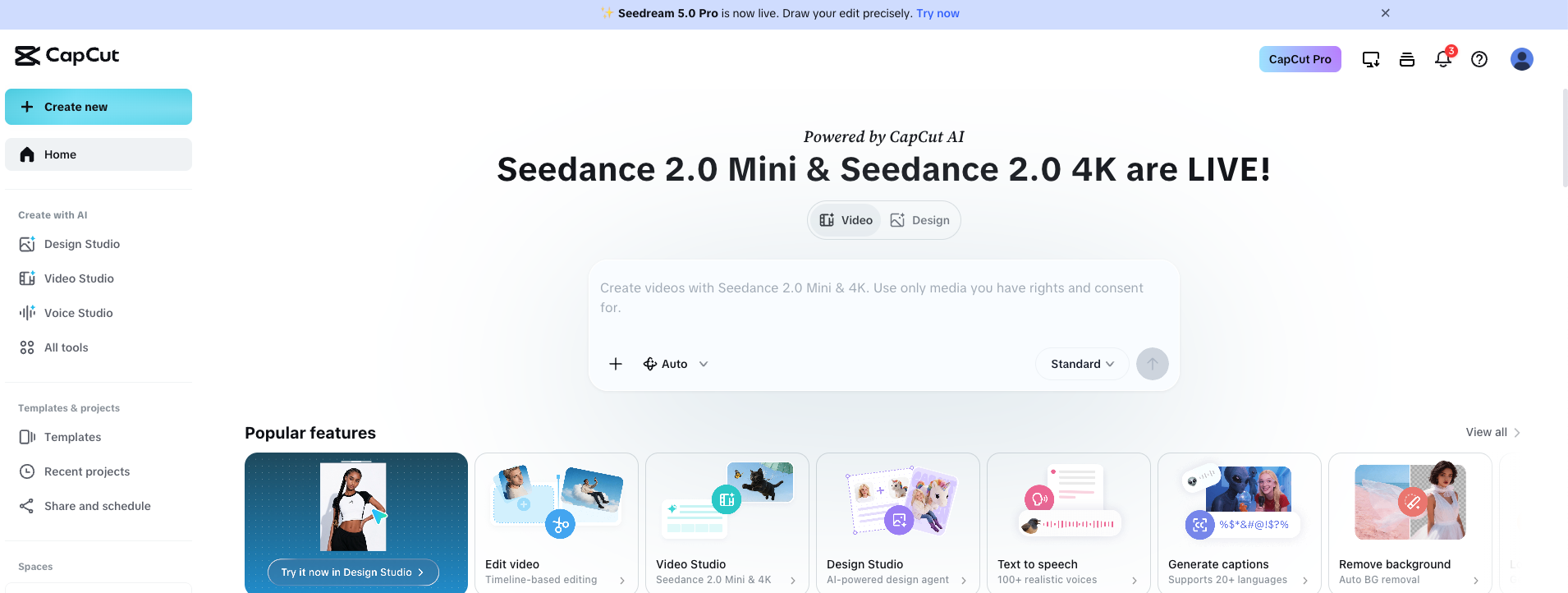
CapCut is best known as a creator platform, but its AI image tools now include prompt-driven makeup editing. Users can describe looks ranging from natural beauty to stronger contour, lip, eye, glam, and creative makeup styles.
The main advantage is what can happen after the image is created. A makeup edit can become part of a social post, short-form video, promotional visual, or other creator workflow without moving between several unrelated applications.
Why Choose CapCut?
CapCut is a practical choice for TikTok, Reels, Shorts, and other social-first content. Its prompt-based approach also gives users room to experiment with unconventional beauty directions rather than relying exclusively on predefined cosmetic filters.
Where CapCut Is Less Suitable
CapCut is not primarily a dedicated cosmetics simulator. People specifically trying to compare exact lipstick, eyeshadow, or foundation variations may prefer a tool built around virtual makeup controls.
Best for: social media creators who want AI makeup as part of a larger image and video workflow.
AI Makeup Generator vs. Virtual Makeup Try-On
The terms AI makeup generator and virtual makeup try-on are often used interchangeably, but there are important differences between the technologies.
AI Makeup Generation
A generative AI makeup tool creates a new interpretation of the portrait with the requested makeup aesthetic. It can coordinate complexion, eyes, brows, blush, contour, and lips simultaneously. This approach is particularly effective for complete styles such as soft glam, bridal makeup, editorial beauty, smoky makeup, or trend-inspired looks.
Virtual Makeup Try-On
Virtual try-on typically detects facial landmarks and places cosmetic effects onto specific regions. It is better suited to questions such as how a red lip might look, whether a particular eyeliner shape works with your eyes, or how different blush placements affect your face.
Makeup Transfer
Makeup transfer starts with another image. The AI analyzes the makeup aesthetic in the reference and attempts to recreate a similar combination of colors, placement, and finish on your portrait. This is useful when visual inspiration is more important than describing the look with text.
How We Chose the Best AI Makeup Generators
A long feature list does not automatically make one makeup generator better than another. We focused on the parts of the experience that have the greatest impact when applying makeup to a real portrait.
Face Preservation
A useful AI makeup result should still look like the person in the original image. Changes to facial proportions, eye shape, nose structure, lips, or overall identity can make even technically polished makeup results unusable.
Makeup Realism
Foundation should interact naturally with the original complexion, eye makeup should follow the eye shape, lipstick should stay aligned with the lips, and blush or contour should respond to the structure of the face. Skin texture also matters: excessive smoothing can make a portrait appear artificial.
Style Variety
A good makeup generator should support more than one generic beauty filter. Useful variety can include natural makeup, no-makeup makeup, soft glam, full glam, bridal, smoky eyes, glossy looks, creative editorials, and current trend aesthetics.
Customization
Customization can come from templates, text prompts, reference images, or individual cosmetic controls. There is no universally best system: presets are faster, prompts are more flexible, reference images are easier when you already have inspiration, and manual controls are better for precise experimentation.
Ease of Use
AI should reduce the amount of manual editing required. We therefore favor tools where a beginner can upload a photo, understand the available options, and produce a useful result without professional retouching experience.
What Makes AI Makeup Look Realistic?
Realistic AI makeup is not simply a matter of adding stronger colors to the eyes and lips. The generated makeup has to interact convincingly with the original face.
Good results preserve facial geometry while adapting the makeup to skin tone, lighting, shadows, eye shape, lip boundaries, cheek structure, and the perspective of the photograph.
Skin is particularly important. Completely removing pores and texture can make a beauty image look synthetic. More believable results retain some natural variation while adjusting complexion, highlights, blush, and other cosmetic effects.
Consistency matters as well. Warm eye makeup paired with completely unrelated cool-toned lips and blush may feel disconnected unless the contrast is deliberate. Full-look generators can be useful because they style several facial elements together.
How to Get Better Results From an AI Makeup Generator
1. Start With a Clear Portrait
Use a sharp image where the face occupies a meaningful part of the frame. Very distant photos give the AI less facial detail to work with.
2. Use Even Lighting
Strong shadows, colored lights, or extreme overexposure can make it harder to evaluate complexion and cosmetic colors. Soft daylight or balanced indoor lighting generally provides a better starting point.
3. Keep the Eyes and Lips Visible
Hair, sunglasses, hands, or other objects covering important facial areas can interfere with eye makeup, lipstick, contour, and other effects.
4. Avoid Heavy Existing Filters
Strong beauty filters may already modify skin texture, facial proportions, or color balance. Starting with a relatively natural image makes it easier to judge what the AI makeup itself changed.
5. Compare Looks Using the Same Photo
If you are deciding between soft glam, natural makeup, smoky eyes, or another style, generate each version from the same source image. Changing both the source photo and the makeup makes comparison much harder.
6. Preserve Your Facial Identity
When using a prompt-based generator, specify that the original facial identity, face shape, skin tone, eyes, nose, lips, hairstyle, and expression should remain unchanged. The instruction should focus the transformation on makeup rather than the person.
Are AI Makeup Generators Accurate?
AI makeup generators can be very useful for visualizing an overall direction, but a generated photo should not automatically be treated as a color-accurate prediction of how a physical cosmetic product will look in real life.
Your camera, screen, ambient lighting, white balance, skin undertone, product pigmentation, texture, coverage, and finish can all affect how a lipstick, blush, eyeshadow, or foundation appears.
For that reason, generative makeup is particularly valuable for choosing an aesthetic direction: for example, deciding whether you prefer warm soft glam, pink bridal makeup, smoky eyes, or a glossy natural look.
If you are deciding whether to purchase one exact shade of a physical product, use virtual try-on as an additional reference rather than assuming the screen result will perfectly reproduce the cosmetic in real-world lighting.
Which AI Makeup Generator Should You Choose?
Choose GenImagePro if you want to quickly transform a portrait using complete ready-made makeup styles such as natural makeup, soft glam, bridal, smoky, glass-skin, or editorial looks.
Choose YouCam Makeup if your priority is controlling individual cosmetic elements and experimenting with lipstick, eyeshadow, eyeliner, foundation, blush, lashes, and other features separately.
Choose Fotor if you frequently find makeup inspiration in other photos and want a convenient reference-based makeup transfer workflow.
Choose insMind if you prefer describing custom makeup combinations in natural-language prompts rather than browsing only predefined looks.
Choose Perfect365 if you enjoy exploring a particularly large library of beauty looks and traditional virtual makeup controls.
Choose AirBrush if makeup is only one part of a larger selfie or portrait-retouching workflow.
Choose CapCut if you are primarily creating social media content and want makeup editing integrated with a broader creator workflow.
AI Makeup Generators Are Best Used for Experimentation
The biggest advantage of AI makeup is not replacing real cosmetics. It is reducing the cost and effort required to explore ideas.
One portrait can become a natural everyday look, a polished soft glam portrait, a bridal concept, a dramatic smoky-eye image, or an experimental editorial in minutes. That makes AI useful for personal style exploration as well as beauty content, photography concepts, makeup artist references, campaign planning, and social media creation.
The most useful tool ultimately depends on the level of control you need. Complete-look generators are faster for exploring aesthetics, virtual try-on tools are stronger for individual cosmetic adjustments, and reference or prompt-based tools provide more creative flexibility.
FAQ
What is the best AI makeup generator?
The best AI makeup generator depends on your goal. GenImagePro is a strong option for quickly trying complete ready-made makeup styles, while YouCam Makeup is better suited to detailed virtual try-on controls. Fotor is useful for makeup transfer, and insMind is particularly useful for prompt-based makeup ideas.
Is there a free AI makeup generator?
Yes. Several AI makeup platforms provide free access, free trials, or limited free generations. The exact limits can change, so check the current plan before starting a large number of edits.
Can AI put makeup on my photo?
Yes. AI makeup generators can analyze a selfie or portrait and apply makeup effects such as foundation, blush, contour, eyeshadow, eyeliner, lashes, eyebrows, lipstick, and coordinated full-face styles.
What AI can show me what makeup looks good on me?
AI makeup tools such as GenImagePro, YouCam Makeup, Fotor, insMind, Perfect365, and AirBrush can all help you visualize different makeup directions. Try multiple looks on the same clear portrait to compare them more easily.
Can I try makeup online using my own photo?
Yes. Most modern AI makeup generators let you upload your own selfie or portrait directly through a web browser. For better results, use a sharp photo with balanced lighting and an unobstructed face.
Can AI copy makeup from another photo?
Yes. Makeup transfer tools can analyze the makeup style in a reference image and recreate a similar color palette, placement, and overall aesthetic on another portrait. Fotor and YouCam are examples of tools offering reference-based makeup workflows.
Are AI makeup generators realistic?
They can produce convincing results when the source portrait is clear and the tool preserves facial structure, skin texture, lighting, and cosmetic placement. However, realism varies by tool, photo quality, and makeup style.
Can an AI makeup generator preserve my face?
Good image-to-image makeup workflows are designed to keep the original person recognizable while changing the makeup. For prompt-based tools, explicitly instruct the AI to preserve the same facial identity, face shape, skin tone, eyes, nose, lips, hairstyle, and expression.
What is the difference between AI makeup and virtual makeup try-on?
Generative AI makeup often creates a complete new beauty look across the portrait, while virtual makeup try-on usually applies and adjusts individual cosmetic effects such as lipstick, eyeshadow, foundation, or blush on detected facial regions.
Can I use AI to try bridal makeup?
Yes. Bridal makeup is particularly suitable for AI experimentation because you can compare natural bridal, soft glam, romantic pink, glowing, and fuller glam looks using the same portrait before deciding which direction you prefer.
Can AI makeup show the exact color of a lipstick or foundation?
Not perfectly. Cameras, displays, lighting, skin undertones, product pigmentation, texture, and finish can all affect perceived color. AI and virtual try-on are useful references, but they should not be treated as perfect substitutes for testing a physical product.
What photo works best for AI makeup?
Use a clear, well-lit portrait where the full face is visible. Front-facing or slightly angled images generally work well. Avoid heavy filters, motion blur, extreme shadows, sunglasses, and hair covering the eyes or lips.