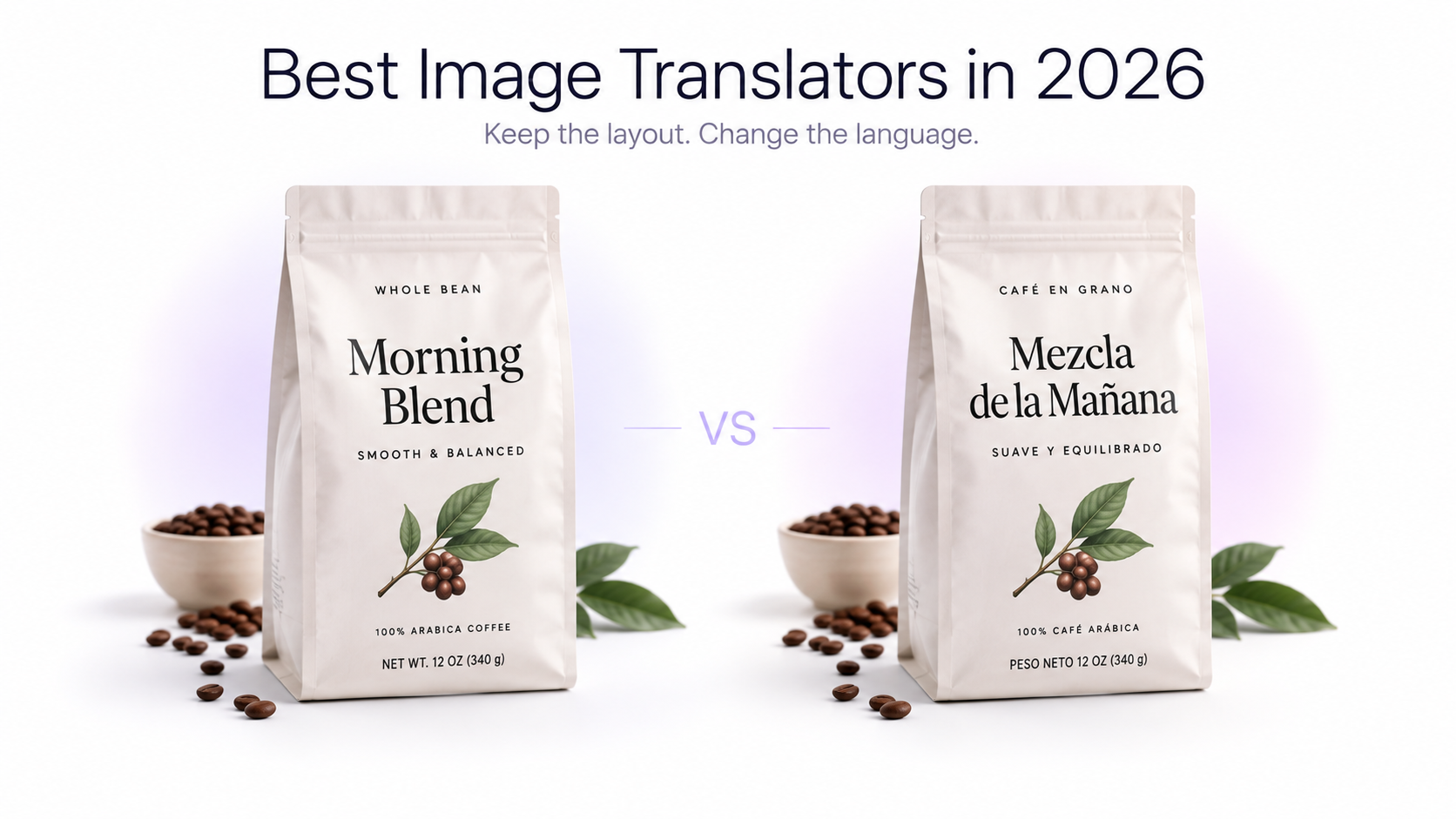
Image translation has moved beyond extracting a few words from a photograph. In 2026, the best image translators can recognize text with OCR, translate screenshots and photos, preserve visual context, and in some cases create localized versions of complete image collections.
That means the best tool depends heavily on what you are actually trying to do. Someone translating a street sign on a phone has different requirements from an ecommerce team localizing 50 product graphics into five languages.
We compared eight image translation tools based on practical capabilities including image translation, layout preservation, batch processing, language coverage, mobile translation, screenshot workflows, ecommerce use, and the ability to produce translated images rather than only extracted text.
Best Image Translators in 2026: Quick Answer
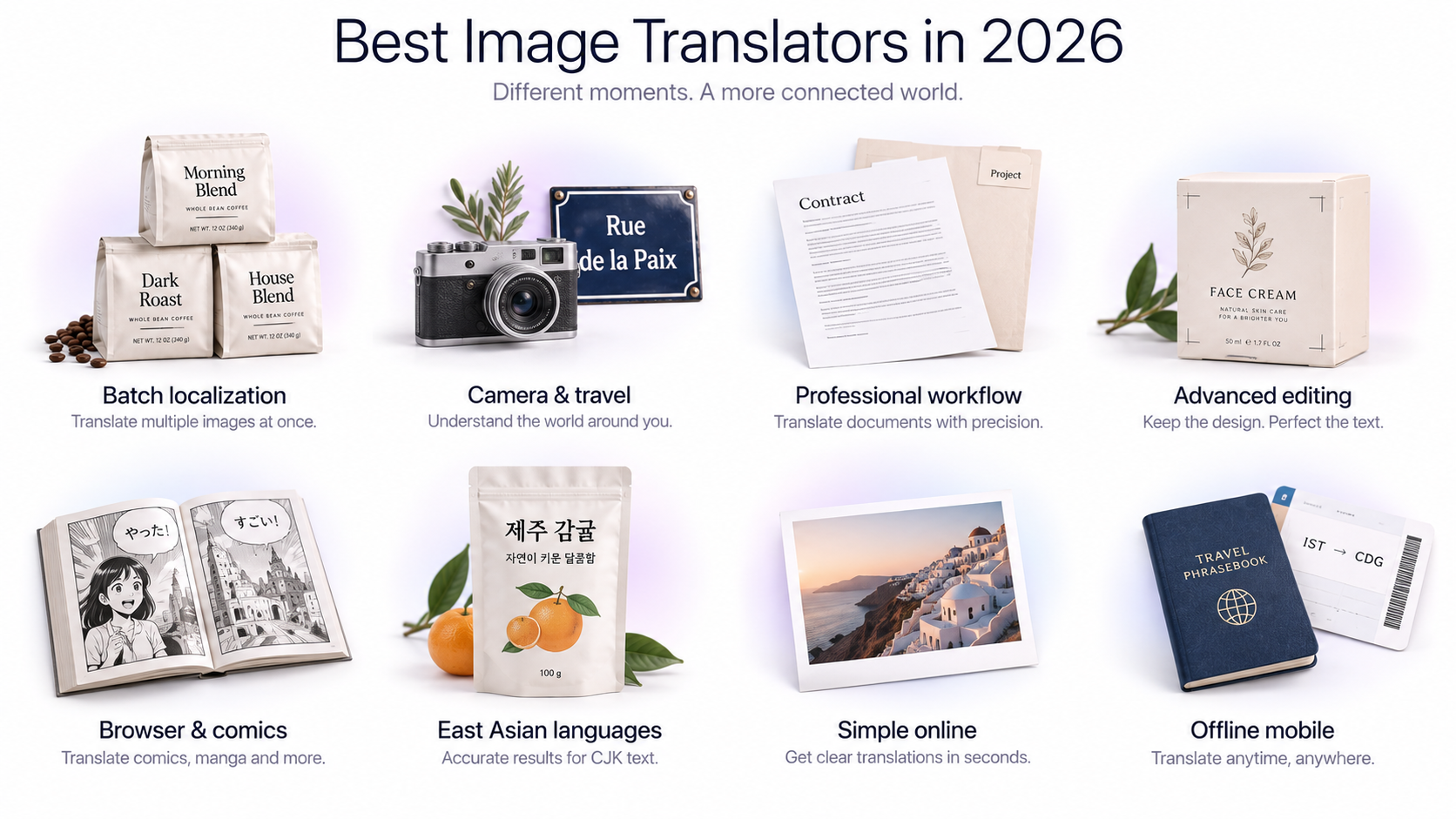
**GenImagePro** — Best for batch image translation and multilingual visual localization. **Google Translate** — Best for quick everyday image and camera translation. **DeepL** — Best for translation-focused professional workflows and single-image translation. **ImageTranslate.AI** — Best for advanced image translation editing and broad language coverage. **Immersive Translate** — Best for translating images while browsing, comics, and web content. **Naver Papago** — Best for Korean and East Asian translation workflows. **Yandex Translate** — Best for straightforward online image translation. **Microsoft Translator** — Best for offline mobile photo translation.
What We Looked for in an Image Translator
Image translators can behave very differently even when they appear to offer the same basic feature. Some primarily recognize text and display the translation separately. Others generate a translated version of the image itself.
For this comparison, we considered several factors: how the tool handles text inside images, whether visual context is preserved, supported languages, batch translation, source-language detection, image formats, screenshot support, mobile availability, and suitability for larger localization workflows.
1. GenImagePro — Best for Batch Image Translation and Multilingual Localization
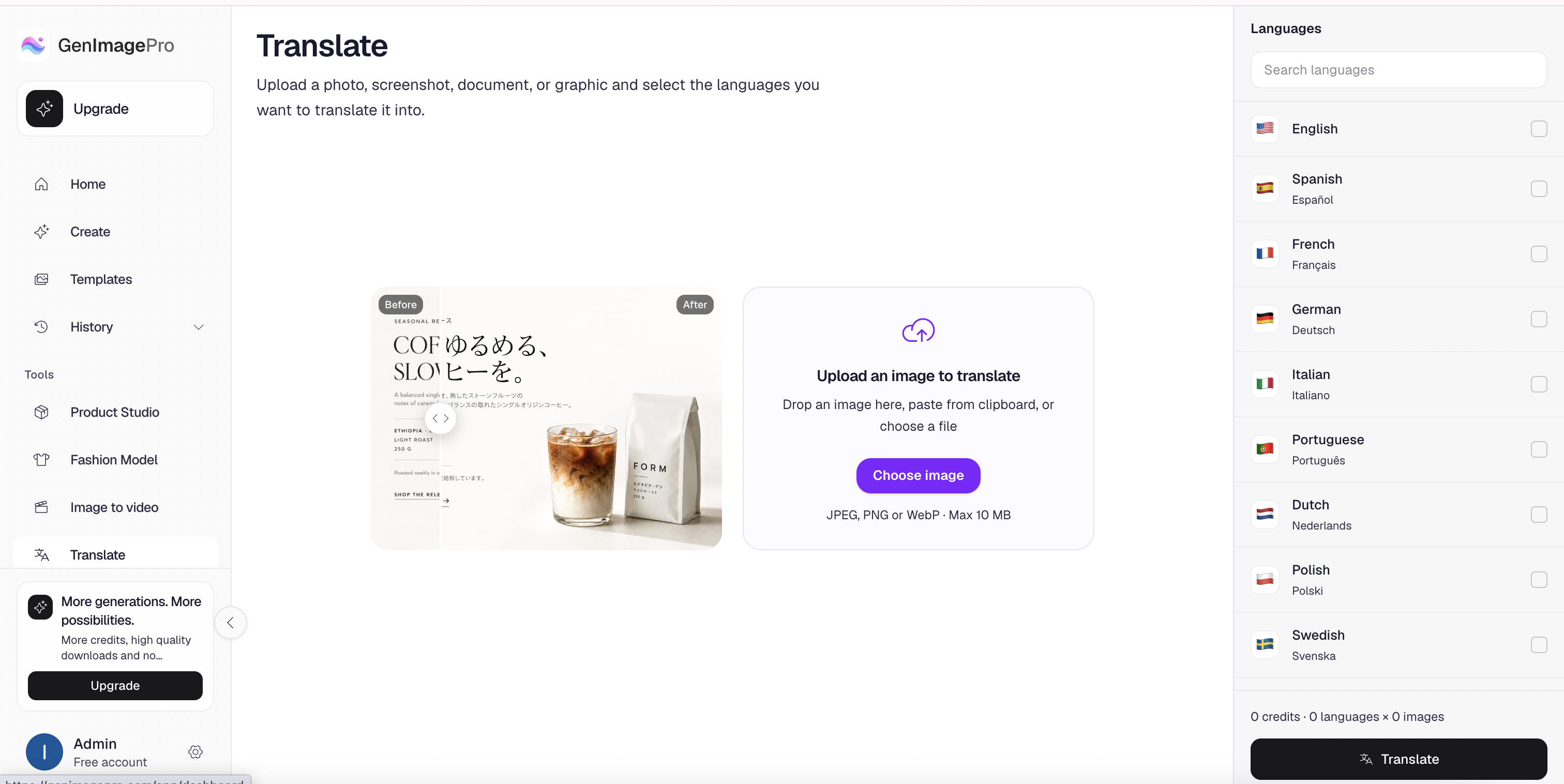
GenImagePro is particularly useful when image translation is part of a larger visual localization workflow rather than a one-off translation.
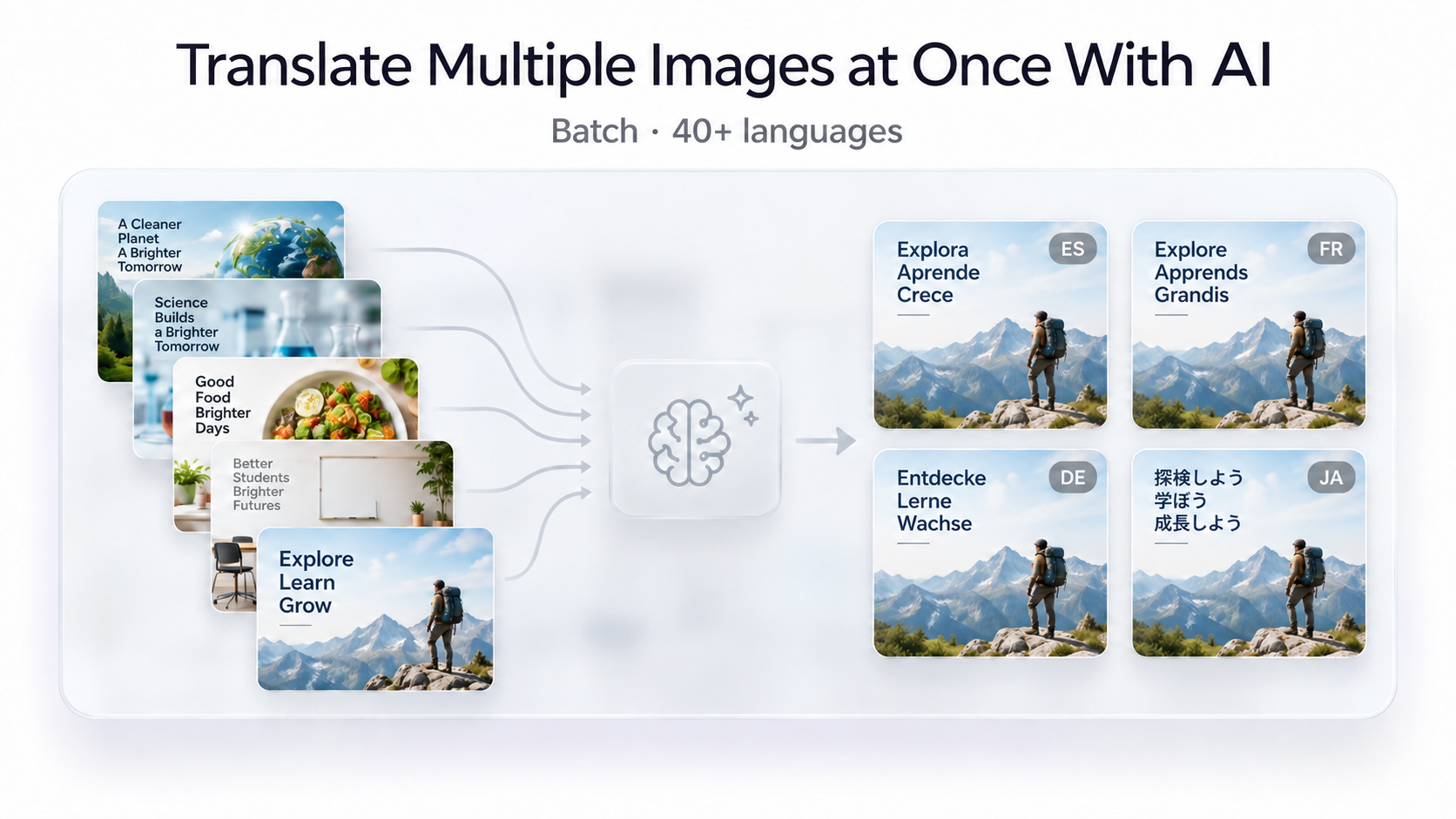
The GenImagePro AI Image Translator supports more than 40 target languages, automatically detects the source language, and accepts JPG, PNG, and WebP images. Multiple images can be processed in batch rather than uploaded individually.
The more important difference appears when the same collection of images needs to be localized across multiple languages. GenImagePro is designed for workflows involving both multiple source images and multiple target languages, making it particularly useful for ecommerce stores, product catalogs, screenshots, advertisements, packaging, support assets, and international marketing.
For example, if you have 20 product images that need English, Spanish, German, French, and Japanese versions, you are dealing with 100 localized outputs. This is the type of workflow where batch-oriented image translation becomes significantly more useful than repeatedly translating individual files.
GenImagePro Key Features
GenImagePro supports 40+ languages, automatic source-language detection, batch image translation, multiple target-language workflows, JPG/PNG/WebP files up to 15 MB each, and typical image translation in under 30 seconds. Images are processed for translation rather than model training.
Best For
GenImagePro is best suited to ecommerce sellers, localization teams, marketers, app teams, agencies, and anyone who needs to translate multiple visual assets across several languages.
Where It May Not Be the Best Choice
If you simply need to point your phone at a street sign and understand it immediately, a camera-first mobile translator such as Google Translate or Microsoft Translator may be more convenient.
2. Google Translate — Best for Quick Camera and Everyday Image Translation
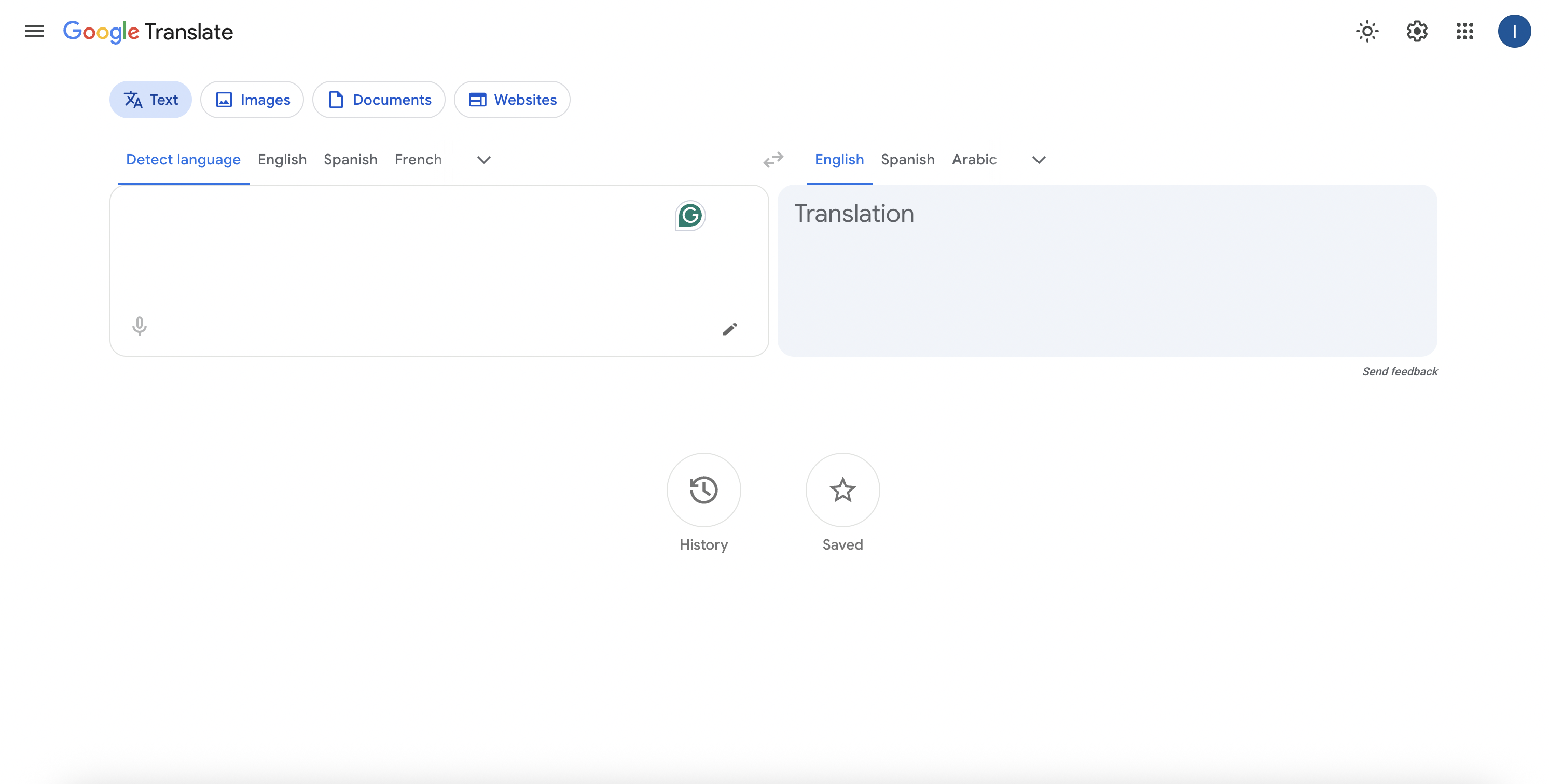
Google Translate remains one of the easiest options for everyday image translation. Its mobile apps allow you to point the camera at foreign-language text or choose an existing image from your gallery.
On desktop, you can upload an image through the Images section of Google Translate, view the translated result, copy detected text, compare the original and translated versions, and download the translated image.
Its biggest advantage is accessibility. For travelers, students, restaurant menus, street signs, packaging, and occasional screenshots, Google Translate requires very little setup.
Best For
Quick translations, travel, signs, menus, mobile camera translation, and users who already rely on Google's translation ecosystem.
Main Limitation
Google Translate is excellent for translating an individual image, but it is less oriented toward structured batch localization projects where dozens of source images need versions for several different markets.
3. DeepL — Best for Translation-Focused Professional Workflows
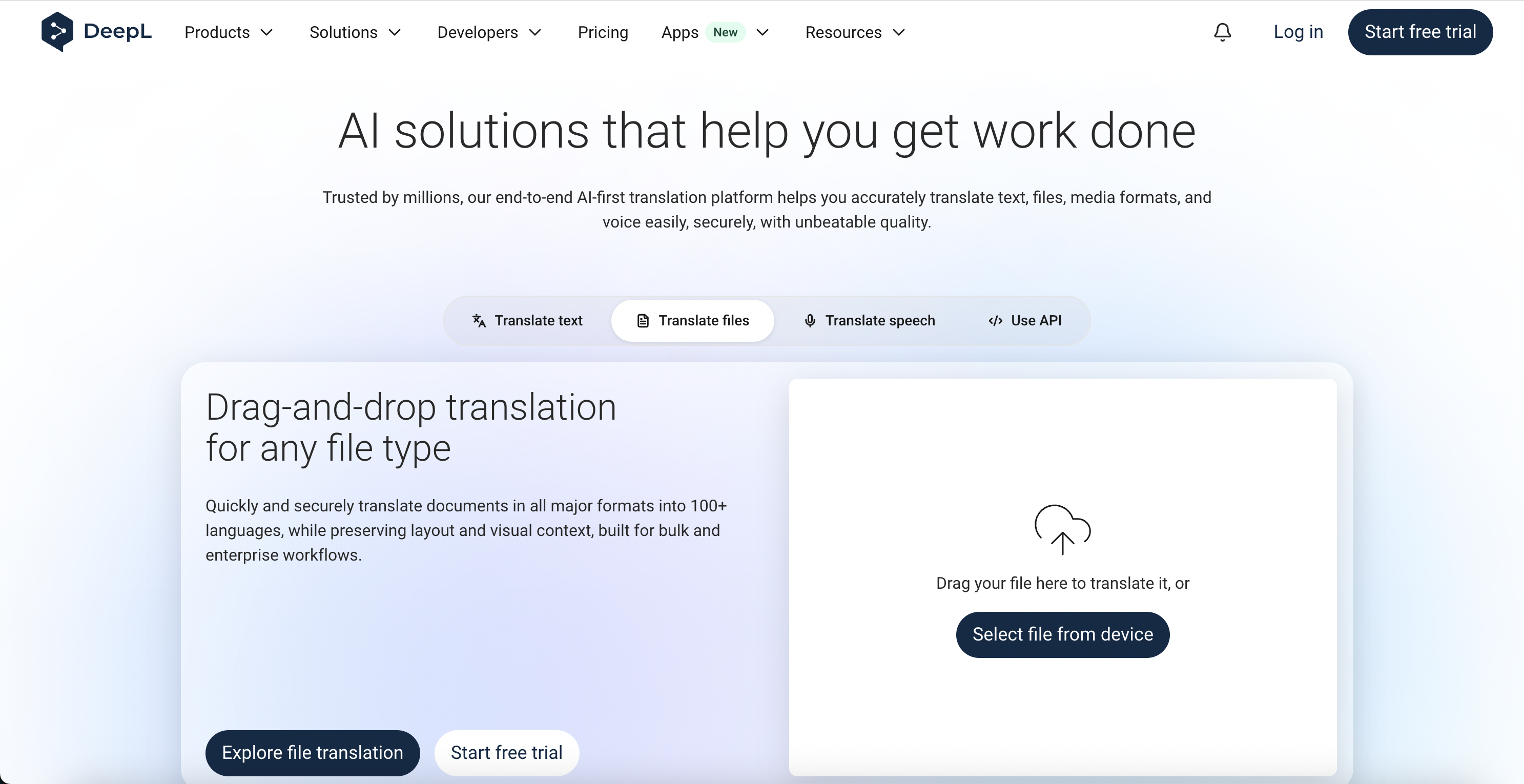
DeepL has expanded beyond plain text and document translation into image translation. Its image file translation feature can process JPG, JPEG, and PNG files, extract the text, translate it, and embed the translation back into the image.
DeepL also provides screen-capture translation through its desktop applications and browser extensions, which can be useful for translating foreign-language websites, application interfaces, and content visible on screen.
The tool is particularly attractive to users who already use DeepL for professional text and document translation and want image translation inside the same ecosystem.
Best For
Professional translation workflows, screenshots, documents, and users already working extensively with DeepL.
Main Limitation
DeepL's file-based image translation is designed around individual image files rather than being primarily positioned as a multi-image, multi-market visual localization system.
4. ImageTranslate.AI — Best for Advanced Editing and Language Coverage
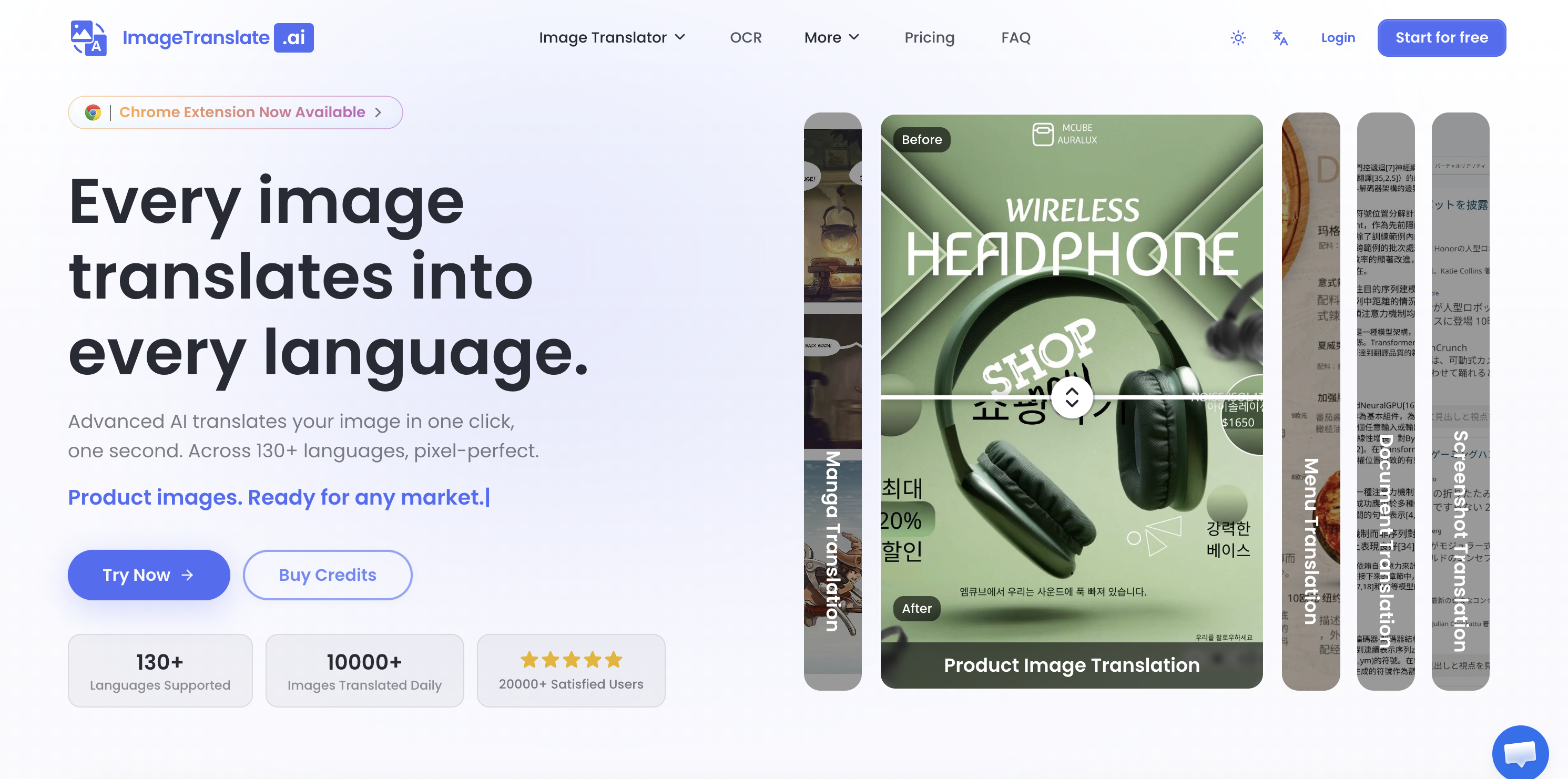
ImageTranslate.AI is a specialized image translation platform rather than a general translation application. It focuses on detecting text, translating it, and retaining the original image design.
The service supports more than 130 languages and includes dedicated translation modes for use cases such as ecommerce and manga. It also supports batch image translation.
One of its most interesting features is its translation editor. After translation, users can adjust text, fonts, colors, sizes, and positions, giving more manual control over the final localized image.
Best For
Users who want a specialized image translation platform with broad language coverage and additional control over translated text placement and styling.
Main Limitation
Some of its more advanced capabilities are tied to paid tiers, so users should compare current plan limits against the scale of their translation workflow.
5. Immersive Translate — Best for Browser Images, Comics, and Web Content
Immersive Translate takes a different approach. It began primarily as a browser and bilingual web translation tool and has expanded into image, PDF, subtitle, ebook, and comic translation.
For images, it combines OCR with background restoration and translated text overlays. Images can be uploaded directly, pasted from the clipboard, or translated through the browser extension.
Its browser integration is particularly useful when you encounter foreign-language images while browsing and do not want to repeatedly save and upload each file.
Immersive Translate also emphasizes manga and comic workflows, including batch translation in relevant browsing scenarios.
Best For
Web browsing, comics, manga, screenshots, foreign-language websites, PDFs, and users who want several translation formats in one browser-oriented tool.
Main Limitation
Its broader focus on web, document, subtitle, and comic translation may be more functionality than someone needs when the primary requirement is ecommerce or marketing image localization.
Papago is Naver's translation platform and is especially familiar to users working with Korean, Japanese, Chinese, and other Asian-language content.
Its standard image translation workflow lets users upload an image, choose a language pair, translate the visible text, and download the result. Papago also supports glossary functionality, which can be useful when consistent terminology matters.
Papago Plus extends the workflow for business users and can process large batches of images, although a single translation job uses one language pair at a time.
Best For
Korean, Japanese, and Chinese translation, business terminology, and users working inside Naver's translation ecosystem.
Main Limitation
For image translation, its language selection is narrower than some broader alternatives, and separate translation runs are needed when the same images must be translated into different target languages.
7. Yandex Translate — Best for Simple Online Image Translation
Yandex Translate provides a straightforward image translation workflow on both desktop and mobile. Users can upload an image, allow the service to identify the language, and view translated text directly on the image.
The translated image can be downloaded, while recognized text can also be opened separately as text. Yandex Browser additionally provides image translation directly on webpages.
Best For
Simple online translation, quick image uploads, webpages, and users who already use Yandex services.
Main Limitation
The workflow is more focused on understanding individual images than managing large multilingual collections of commercial visual assets.
8. Microsoft Translator — Best for Offline Photo Translation
Microsoft Translator includes photo translation through its mobile applications. You can use the built-in camera viewer or choose saved photos from your gallery.
A useful differentiator is offline image translation. Supported language packs can be downloaded in advance, allowing the camera translation feature to remain useful when traveling without a reliable internet connection.
Best For
Travel, menus, signs, saved photos, and offline mobile translation.
Main Limitation
Microsoft Translator is more focused on understanding photos and travel content than producing and managing large batches of localized marketing or ecommerce graphics.
Which Image Translator Is Best for You?
Choose **Google Translate** if you primarily need fast camera translation for everyday situations. Choose **DeepL** if image translation is part of a broader professional text and document translation workflow. Choose **ImageTranslate.AI** if you want detailed control over translated image text and very broad language coverage. Choose **Immersive Translate** if you frequently translate images, comics, PDFs, and other foreign-language content while browsing. Choose **Papago** if Korean and other East Asian languages are central to your workflow. Choose **Yandex Translate** if you want a straightforward browser-based image translator. Choose **Microsoft Translator** if offline camera translation is important. Choose **GenImagePro** if your main problem is translating multiple visual assets across multiple languages, especially for ecommerce, product images, screenshots, marketing, or localization.
Best Image Translator for Multiple Images
Batch support becomes important surprisingly quickly. If you have 30 screenshots, manually uploading and translating each image creates 30 separate tasks before you even consider additional languages.
For this type of workflow, GenImagePro, ImageTranslate.AI, and business-oriented Papago workflows offer more relevant capabilities than camera-first tools.
GenImagePro is particularly suited to projects where multiple source images also need multiple target-language versions. The Image Translator is designed to handle batches rather than forcing users to translate every visual independently.
Best Image Translator for Multiple Languages
Raw language count is only one part of the equation. A tool supporting more languages is useful, but localization teams should also consider how easily the same source assets can be translated into several target languages.
For occasional translation, choosing a target language manually each time is not a major issue. For a store launching in five countries, it becomes a workflow problem.
GenImagePro supports more than 40 target languages and is designed for multi-image and multi-language localization. ImageTranslate.AI offers broader raw language coverage, while Google Translate is especially useful when broad language availability and quick everyday translation are more important than batch asset management.
Best Image Translator for Ecommerce
Ecommerce image translation is different from translating a sign while traveling. A product listing may contain feature labels, dimensions, comparison charts, packaging, ingredients, instructions, promotional badges, and text embedded into several separate images.
For ecommerce, prioritize a translator that produces usable localized visual assets and supports multiple images. Batch processing becomes even more important when a catalog contains dozens or hundreds of products.
GenImagePro is a strong fit here because image translation can remain part of the same broader visual workflow used for AI product photography, background editing, and other ecommerce image tasks.
Best Image Translator for Screenshots
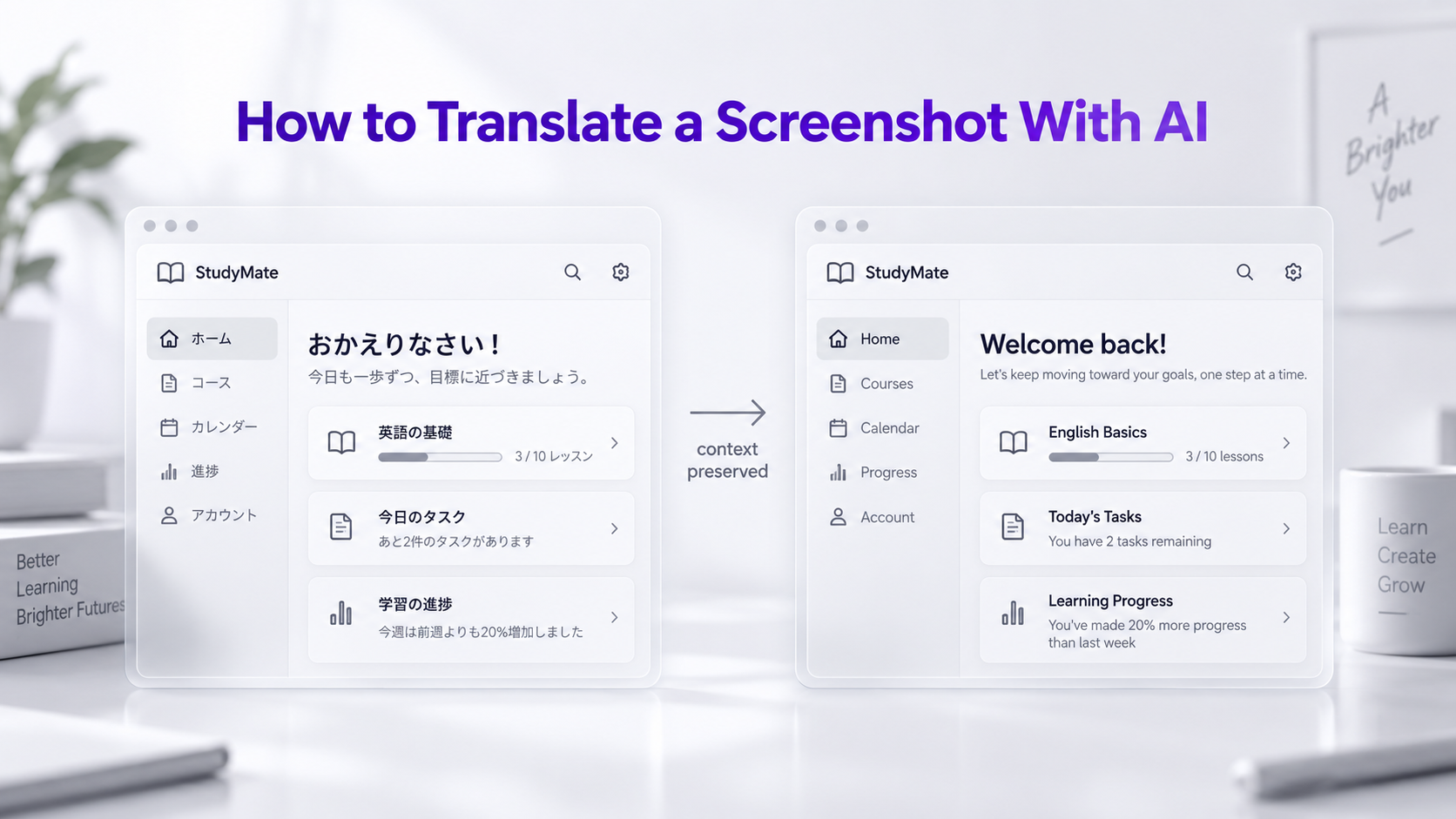
Most of the tools in this comparison can handle screenshots, but they approach them differently.
Google Translate is convenient for quickly uploading or capturing a screenshot. DeepL provides screen-capture tools through desktop applications and browser extensions. Immersive Translate is useful when foreign text appears directly inside webpages. GenImagePro becomes more attractive when you need to process an entire collection of app, website, support, or marketing screenshots rather than just one.
Best Image Translator for Preserving the Original Layout
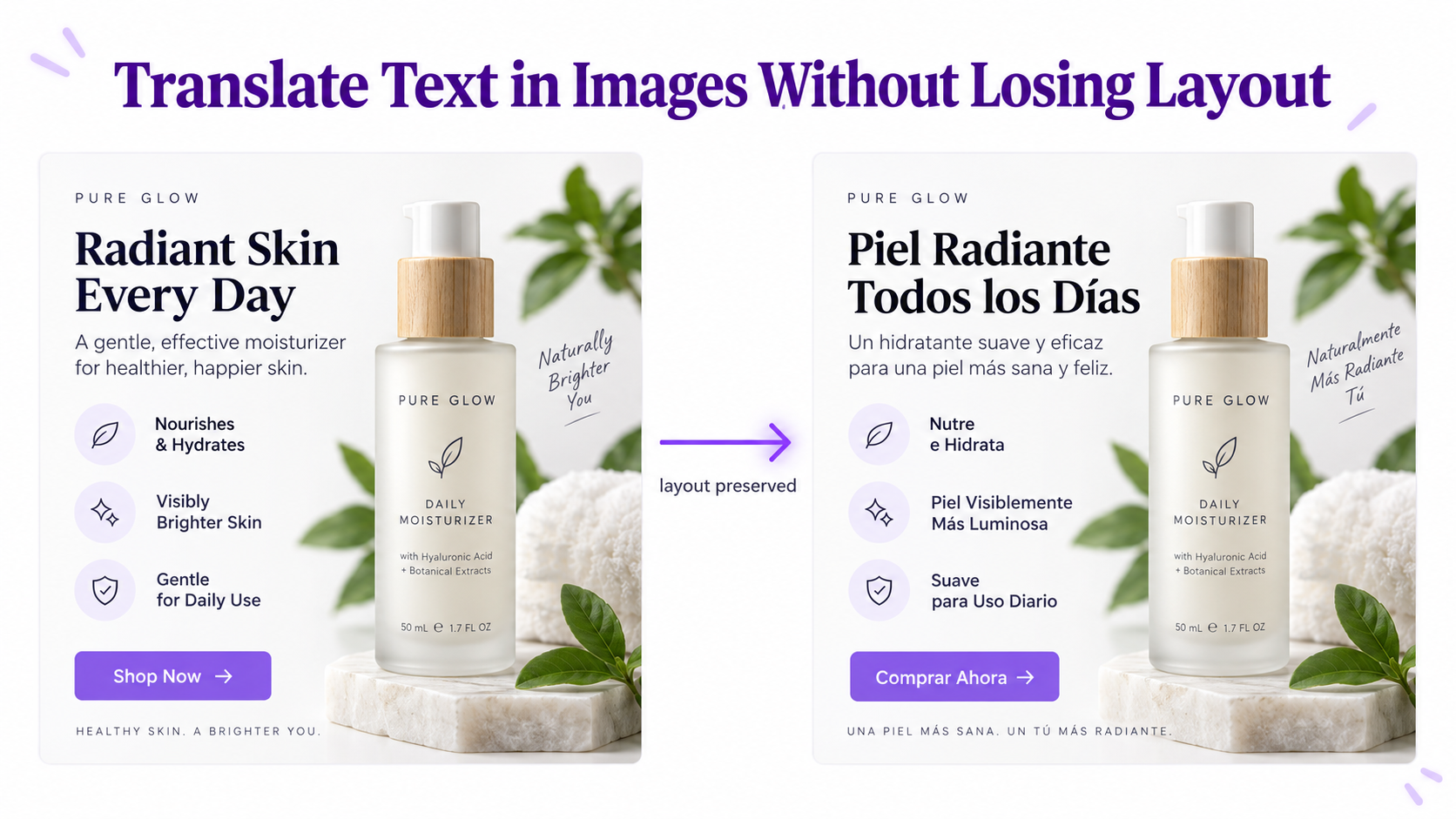
Layout preservation matters when text is part of the design. Product infographics, advertisements, menus, screenshots, posters, and packaging are much less useful if the translation is returned only as plain text.
Specialized image translators such as GenImagePro, ImageTranslate.AI, and Immersive Translate are generally better suited to this kind of visual localization workflow than tools designed primarily around extracting and understanding individual phrases.
However, no translator should be expected to reproduce every design pixel perfectly. Languages differ in word length, character width, writing systems, punctuation, and direction. Longer translations may require different line breaks, font sizing, or spacing.
Image Translator vs OCR: Which Do You Need?
OCR and image translation solve related but different problems. OCR recognizes text inside an image and converts it into machine-readable characters. If all you need is the wording from a receipt, screenshot, or scanned page, OCR may be enough.
An image translator adds another step by translating that recognized text. More advanced tools then create a translated visual so the words remain associated with the original image.
For visual localization, preserving this relationship is important. A product feature should remain next to the correct product part, a translated button should still look like part of the interface, and a translated menu item should remain associated with the correct dish.
What to Check Before Choosing an AI Image Translator
Language Support
Check both your source and target languages. A high overall language count does not necessarily mean every image translation feature supports every language pair.
Batch Processing
If you routinely work with more than a few images, determine whether the service lets you upload multiple files together or forces you to repeat the workflow one image at a time.
Multiple Target Languages
Batch upload and multilingual output are separate capabilities. A translator may process many images but still require a completely separate job for every target language. This matters for international ecommerce and localization teams.
Layout and Visual Context
Decide whether you simply need to understand the text or need a translated version of the actual visual. If the translated image itself will be published, layout handling becomes significantly more important.
File Formats and Limits
Check supported formats, file-size limits, batch limits, and resolution requirements before committing to a workflow involving hundreds of assets.
Privacy
Images can contain confidential product information, customer conversations, internal dashboards, invoices, and personal information. Review how the provider processes uploaded files before using sensitive material.
The Best Image Translator Depends on the Job
Google Translate is difficult to beat for fast, everyday camera translation. DeepL is attractive for users already relying on its professional translation ecosystem. Papago remains a useful option for Asian-language workflows, while Immersive Translate provides a strong browser-oriented experience.
For large visual localization projects, the criteria change. Uploading many source images, translating them into several target languages, and producing usable localized visual assets becomes more important than simply recognizing a sentence.
That is the use case GenImagePro is designed around. If you need to translate product images, screenshots, marketing creatives, packaging, menus, or other visual assets across 40+ languages, you can start with the GenImagePro Image Translator.
Frequently Asked Questions
What is the best image translator in 2026?
It depends on your use case. Google Translate is excellent for quick camera translation, DeepL is strong for professional translation workflows, and GenImagePro is particularly useful for batch image translation and multilingual visual localization.
What is the best AI image translator for multiple images?
Look for a tool with true batch processing rather than one-image-at-a-time uploads. GenImagePro supports batch image translation and is designed for workflows involving multiple source images.
Can I translate multiple images into multiple languages?
Yes. GenImagePro supports workflows involving multiple images and multiple target languages, which is useful for ecommerce catalogs, marketing campaigns, app screenshots, and international localization.
How many languages does GenImagePro support?
GenImagePro currently supports more than 40 target languages and automatically detects the source language in uploaded images.
What is the best image translator for travel?
Google Translate and Microsoft Translator are convenient choices for travel because their mobile applications support camera-based photo translation. Microsoft also supports offline photo translation for supported downloaded language packs.
What is the best image translator for product images?
For product images, prioritize layout-aware translation and batch processing. GenImagePro is designed for product images, packaging, listings, and other ecommerce localization workflows.
What is the best image translator for Korean?
Papago is a strong option for Korean translation and is widely oriented around Korean and other East Asian language workflows.
Can Google Translate translate an image?
Yes. Google Translate supports translating uploaded images and camera images. On desktop, users can also download the translated image.
Can DeepL translate images?
Yes. DeepL supports image file translation for formats including JPG, JPEG, and PNG and can embed translated text back into the resulting image.
Can an AI image translator preserve the original layout?
Some image translators are specifically designed to keep translated text connected to the original layout and visual context. Results still depend on typography, image quality, background complexity, and differences in text length between languages.
Is image translation the same as OCR?
No. OCR detects and extracts text from an image. Image translation uses that recognized text to translate the content, and some tools also create a translated version of the image.