Product photography on Rakuten Japan has to do more than make an item look attractive. Your images need to explain the product clearly at thumbnail size, communicate important details, and follow Rakuten's image rules—especially for the first product image and SKU images that can appear across product pages, search results, and rankings.
Rakuten product image rules at a glance
Rakuten's current product image guidelines specifically regulate the **first product image** and **SKU images**. These are especially important because they can be displayed not only on the product page but also in search results, rankings, and other marketplace surfaces.
For guideline-covered images, Rakuten currently requires that text elements occupy **20% or less of the image**, prohibits certain border treatments, and requires the background to be either **pure white (#FFFFFF)** or an acceptable photographic background. Animated GIFs should not be used for guideline-covered product images. Other channels use different sizes and ratios, so check a master file with a marketplace image checker before you reuse it on Shopify, Zalando, or Trendyol.
Start with a square high-resolution master
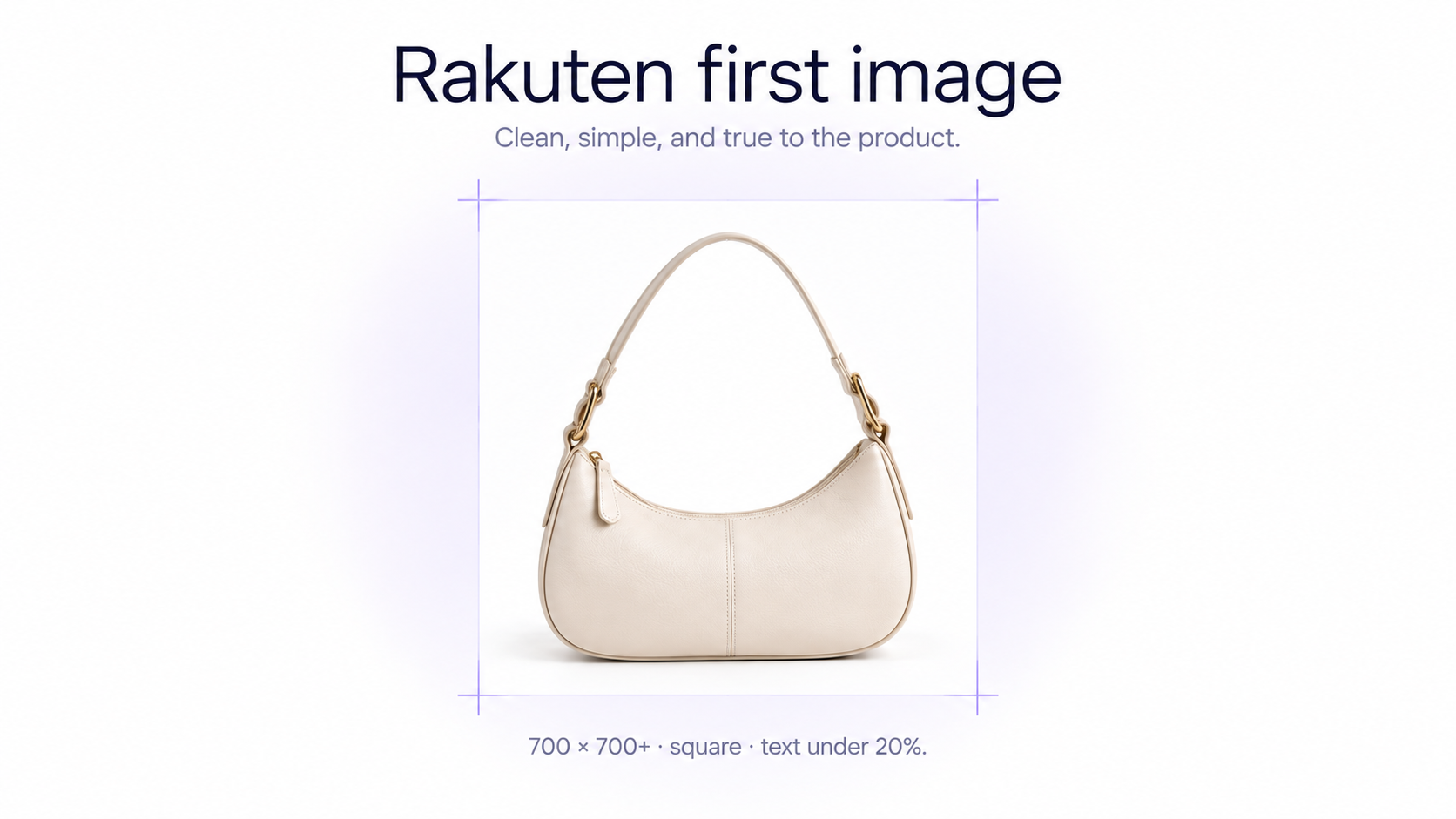
Rakuten's official RMS guidance recommends square product images of at least **700 × 700 pixels**. Treat this as a minimum working recommendation rather than a reason to shoot at low resolution. Capture a larger master image so you retain detail for zooming, cropping, secondary images, other marketplaces, and future creative assets. The same master can later be cropped for product photos for Zalando or other portrait marketplaces.
A square composition also matters at the shooting stage. Leave balanced breathing room around the product and avoid positioning important details too close to the edges of the frame.
Make the first Rakuten image immediately understandable
The first product image is effectively the visual introduction to your listing. It should make it obvious what the customer is buying without requiring them to interpret a complicated layout. Keep the product large enough to recognize at search-result size, use a clear viewing angle, and avoid unnecessary decorative elements competing with the item.
Use white or a real photographic background
For guideline-covered images, Rakuten allows a **pure white #FFFFFF background** or an acceptable **photographic background**. A photographic background can be an environment captured together with the product or, in some cases, a composite that looks like a natural photograph. GenImagePro can clean a real source photo onto true white #FFFFFF when you want the safest catalog presentation.
A plain solid-color background other than white or a graphic gradient is not treated the same way as a photographic environment. If you want a simple catalog presentation, pure white is therefore the safest option.
Natural-looking AI backgrounds can work, but accuracy matters
Rakuten's current guideline definition of a photographic background includes natural-looking composite imagery. That makes image-to-image AI workflows particularly relevant, but the composite must still make visual sense. Rakuten can treat an unnatural composite or a background that creates a misleading impression of the product's size or usage as non-compliant.
When creating an AI-generated environment, check perspective, product scale, contact shadows, reflections, lighting direction, and physical placement. The scene should look as though the real product could genuinely have been photographed there.
Keep text under Rakuten's 20% limit
Rakuten differs from marketplaces that discourage almost all text in the primary image. Text can be used, but Rakuten's guideline-covered images limit **text elements to 20% or less of the total image area**.
The rule can include elements such as product names, logos, specifications, features, promotional copy, and other text-based information. Do not treat 20% as a design target. In most cases, the product should remain the dominant visual element, with only the minimum text needed to communicate something useful.
Rakuten's product-image rules restrict border treatments in guideline-covered images. Thick bands, decorative frames, or banner-like edges can make the image non-compliant. Keep the first image visually clean rather than designing it like a promotional banner.
Use soft, repeatable lighting
Rakuten's own ecommerce photography guidance emphasizes lighting as one of the foundations of good product photography. Soft natural light can work for small catalogs, while continuous LED lighting provides more consistent results when photographing many products or variants.
The goal is not simply brightness. Lighting should reveal the product's real shape, color, material, texture, and surface finish without creating distracting highlights or losing important detail in deep shadows.
Keep colors accurate
Color accuracy is especially important for fashion, furniture, beauty, accessories, and home products. Set white balance consistently and compare edited images with the physical product whenever possible. Heavy filters or aggressive color grading can make the listing look polished while creating a misleading impression of the item.
Choose angles that explain the product
Rakuten's official photography guidance highlights several useful ecommerce angles: a straight-on view for accurately communicating shape and design, a higher angle for showing depth and overall form, an overhead view for flat or arranged products, and additional perspectives depending on what information the customer needs.
Do not repeat nearly identical angles. Each additional image should answer a different question about shape, scale, texture, construction, fit, or usage.
How to photograph fashion products for Rakuten
For fashion and apparel, a clean standalone product photo is useful for showing the item's design, but model photography communicates information that flat-lay photography cannot: fit, length, silhouette, drape, scale, and styling. For garment-specific setups, see clothing photography for ecommerce.
Use model photos to show fit and silhouette
Rakuten's current ecommerce guidance recommends model imagery for clothing because shoppers cannot physically try the item on. Use natural poses that reveal how the garment sits on the body rather than dramatic poses that distort or hide its silhouette.
Photograph the details up close
Combine wider styling images with close-up photographs of fabric, stitching, buttons, collars, pockets, zippers, hardware, patterns, and other construction details. Rakuten's photography guidance specifically recommends closer detail shots because online customers cannot inspect these features physically.
Make the product stand out from the background
Be careful when the product and environment have similar colors. A white garment against a white environmental background or a patterned garment against a busy scene can lose its visual outline. Maintain enough contrast for the product to remain immediately recognizable.
Build a useful Rakuten product image sequence
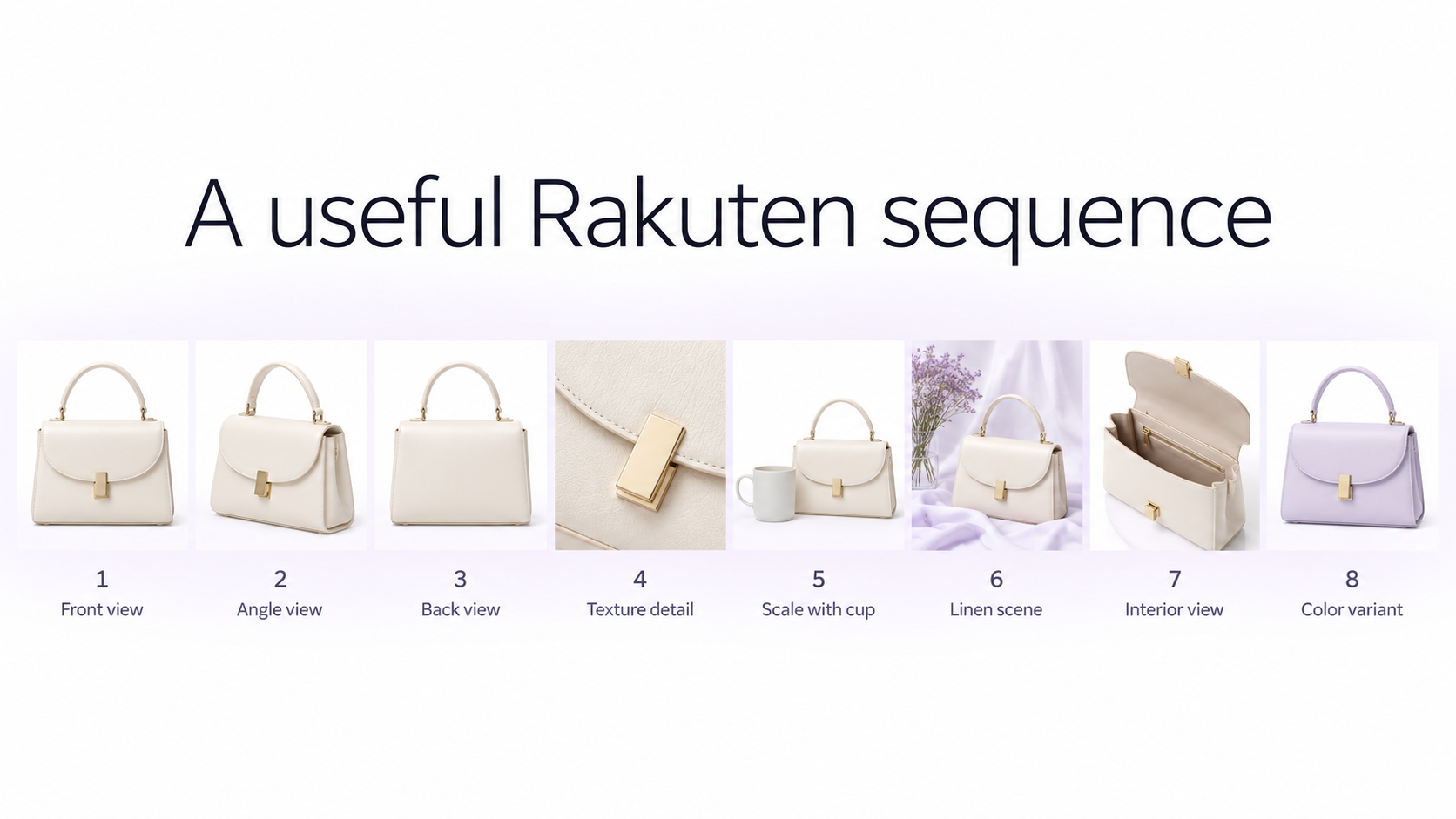
A strong gallery progresses from identification to explanation. The exact sequence depends on the category, but a useful structure is: **1. First product image:** clear overall product presentation **2. Alternate angle:** reveal depth or another side **3. Back or side view:** show construction not visible from the front **4. Detail image:** texture, material, hardware, or important feature **5. Scale or model image:** communicate size or fit **6. Usage image:** show the item naturally in context **7. Additional feature image:** explain another purchase-relevant detail **8. Variant or styling view:** where useful Shopify sellers use a similar gallery logic when they prepare Shopify product photos for a product page.
Use SKU images to make variants clear
Rakuten distinguishes the first product image from SKU images. If a listing contains multiple colors, sizes, configurations, or other variants, use SKU imagery to help customers understand exactly which option they are selecting.
Keep variant photography consistent. Photograph color variants from the same position, at the same scale, under the same lighting, and with the same crop. Changing the photographic setup between variants can make the same material or product shape appear inconsistent. GenImagePro helps you reuse one source photo and one visual setup across SKU variants without changing the real product.
Edit product photos without changing the product
Useful ecommerce retouching includes correcting exposure, balancing white balance, removing temporary dust, cleaning the background, straightening the product, improving framing, and reducing distracting photographic imperfections.
Avoid editing that changes permanent characteristics. Product color, material, logos, labels, patterns, proportions, stitching, hardware, packaging, and included accessories should still represent what the customer will receive.
How to use AI for Rakuten product photography
Rakuten's allowance for photographic backgrounds and natural-looking composites makes controlled AI editing useful for creating secondary product imagery. Start with a real source image and use AI around the product rather than regenerating the item from scratch.
For example, a clean source photo can be transformed into a kitchen scene, bathroom setup, interior environment, fashion styling image, or branded studio composition while keeping the actual product as the reference. GenImagePro's AI Product Photo Generator is designed for this kind of image-to-image workflow.
Check AI composites for misleading scale or context
Before publishing an AI-assisted scene, check whether the product's apparent size and usage still make sense. Rakuten's image guidelines specifically warn against composite backgrounds that could mislead customers about scale or usage, as well as composites that look visibly unnatural.
Common Rakuten product photography mistakes
Avoid these common problems: - Using too much text in the first product or SKU image - Designing the first image like an advertising banner - Adding prohibited decorative borders or thick bands - Using a flat solid-color background other than white - Using graphic gradient backgrounds instead of a compliant photographic background - Making the product too small to recognize at search-result size - Uploading low-resolution or blurry source photos - Using nearly identical images throughout the gallery - Showing inaccurate colors - Letting a busy background hide the product outline - Creating an AI composite with unrealistic perspective, scale, shadows, or product placement - Allowing AI editing to alter product details - Using product imagery without checking the latest category and RMS requirements
A practical Rakuten product photography workflow
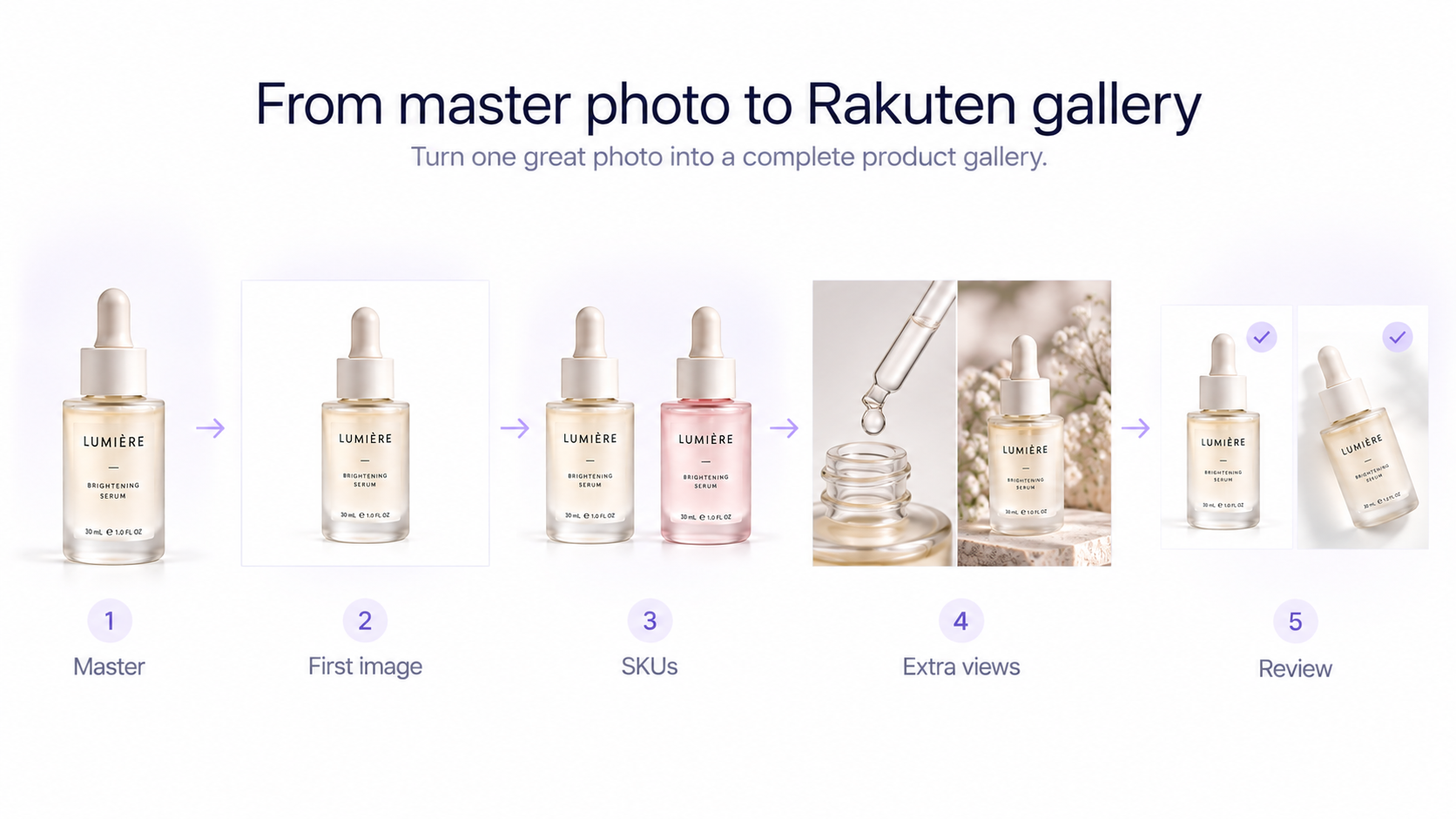
**1. Photograph a clean high-resolution master.** Capture the real product accurately and leave enough room for a square crop. **2. Prepare the first product image.** Keep the product immediately understandable and follow Rakuten's text, border, and background rules. GenImagePro is useful for white-background cleanup and natural secondary scenes, not for adding banner text or decorative frames. **3. Create consistent SKU images.** Photograph variants using the same lighting, angle, scale, and crop. **4. Add useful secondary views.** Show alternate angles, details, fit, scale, and usage rather than repeating the first image. **5. Perform controlled retouching.** Improve presentation without changing the real product. **6. Create additional environments when useful.** Use real photography or natural-looking AI-assisted photographic backgrounds. **7. Review compliance.** Check text coverage, borders, background treatment, product accuracy, and any category-specific requirements before upload.
Final checklist before uploading to Rakuten
Check that your first product image clearly communicates the item, that text remains within Rakuten's current limit, and that you have not added prohibited border treatments. Confirm that the background is either pure white or an acceptable photographic environment, colors are accurate, variants remain consistent, and any AI-assisted background looks natural and does not misrepresent product scale or usage.
Frequently Asked Questions
What size should Rakuten product photos be?
Rakuten's official RMS guidance recommends square product images of at least 700 × 700 pixels. For best quality and flexibility, photograph and edit at a higher resolution before exporting the final marketplace image.
Can Rakuten product images contain text?
Yes, but guideline-covered first product and SKU images currently limit text elements to 20% or less of the total image area.
Does Rakuten require a white background?
Rakuten allows guideline-covered product images to use either a pure white #FFFFFF background or an acceptable photographic background. Plain solid colors other than white and graphic gradient backgrounds can be non-compliant.
Can I use lifestyle backgrounds on Rakuten?
Yes. Natural photographic backgrounds can be used, including certain natural-looking composites, provided the scene does not mislead customers about the product and does not look unnaturally composited.
Can I use AI-generated backgrounds for Rakuten product photos?
AI-assisted backgrounds can potentially fit Rakuten's photographic-background rules when the result looks natural and accurately represents the product. Check scale, perspective, lighting, shadows, and product details carefully before publishing.
Can I add borders to Rakuten product images?
Rakuten's current guidelines restrict border treatments on guideline-covered images, including certain L-shaped and band-style designs. A clean image without decorative framing is the safer approach.
What is the difference between a first product image and a SKU image on Rakuten?
The first product image is the listing's main image, while SKU images represent individual product variants or stock-keeping units. Both can appear across Rakuten marketplace surfaces and are covered by the product-image guidelines.