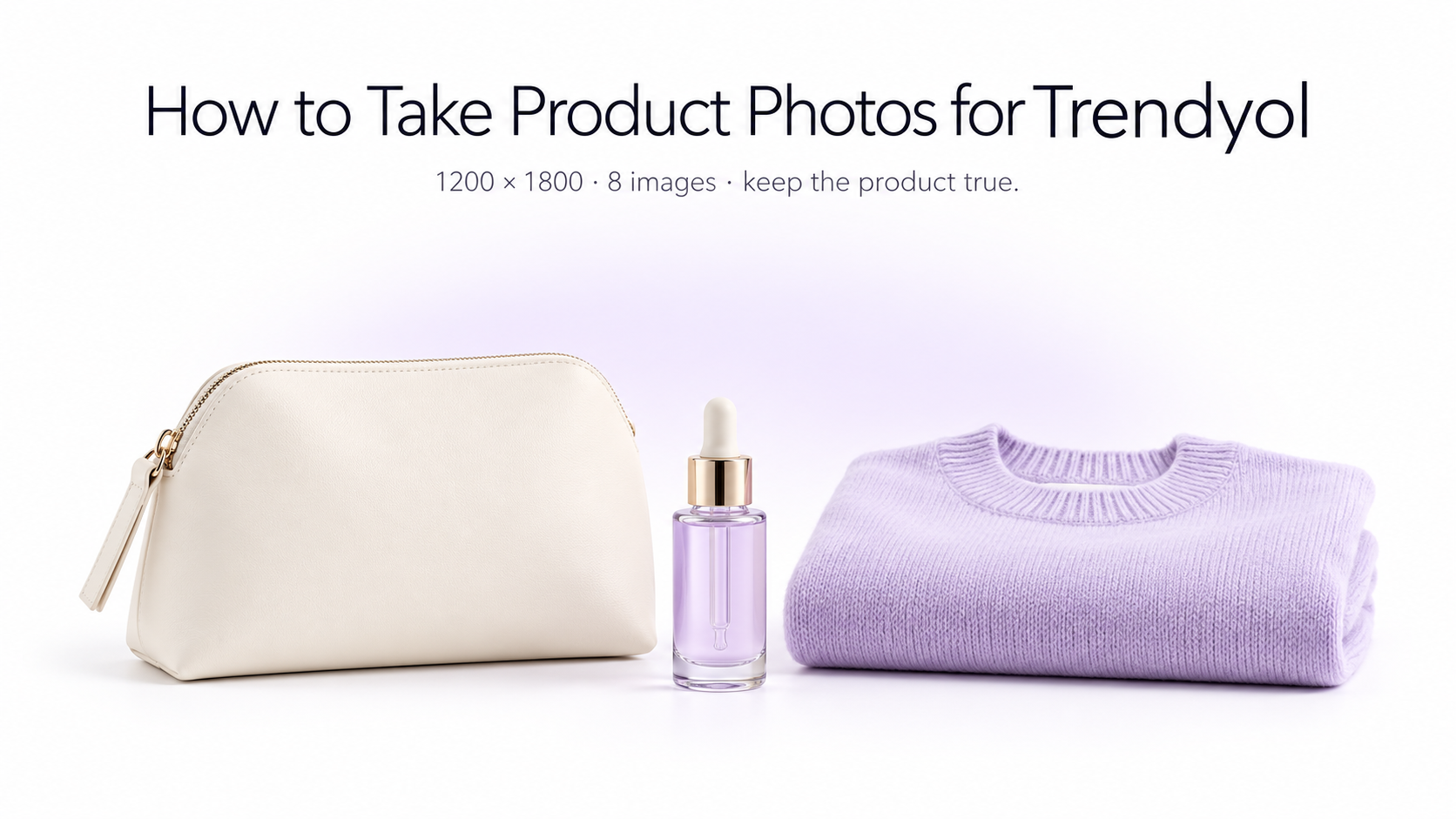
Good Trendyol product photography has two jobs: show the product accurately and make it easy for shoppers to understand at a glance. That means clear composition, consistent lighting, useful detail shots, and images prepared in the correct marketplace format. In this guide, we’ll walk through a practical workflow for photographing products for Trendyol, with extra attention to fashion, clothing, accessories, beauty, and other visually driven categories.
What image specifications does Trendyol require?
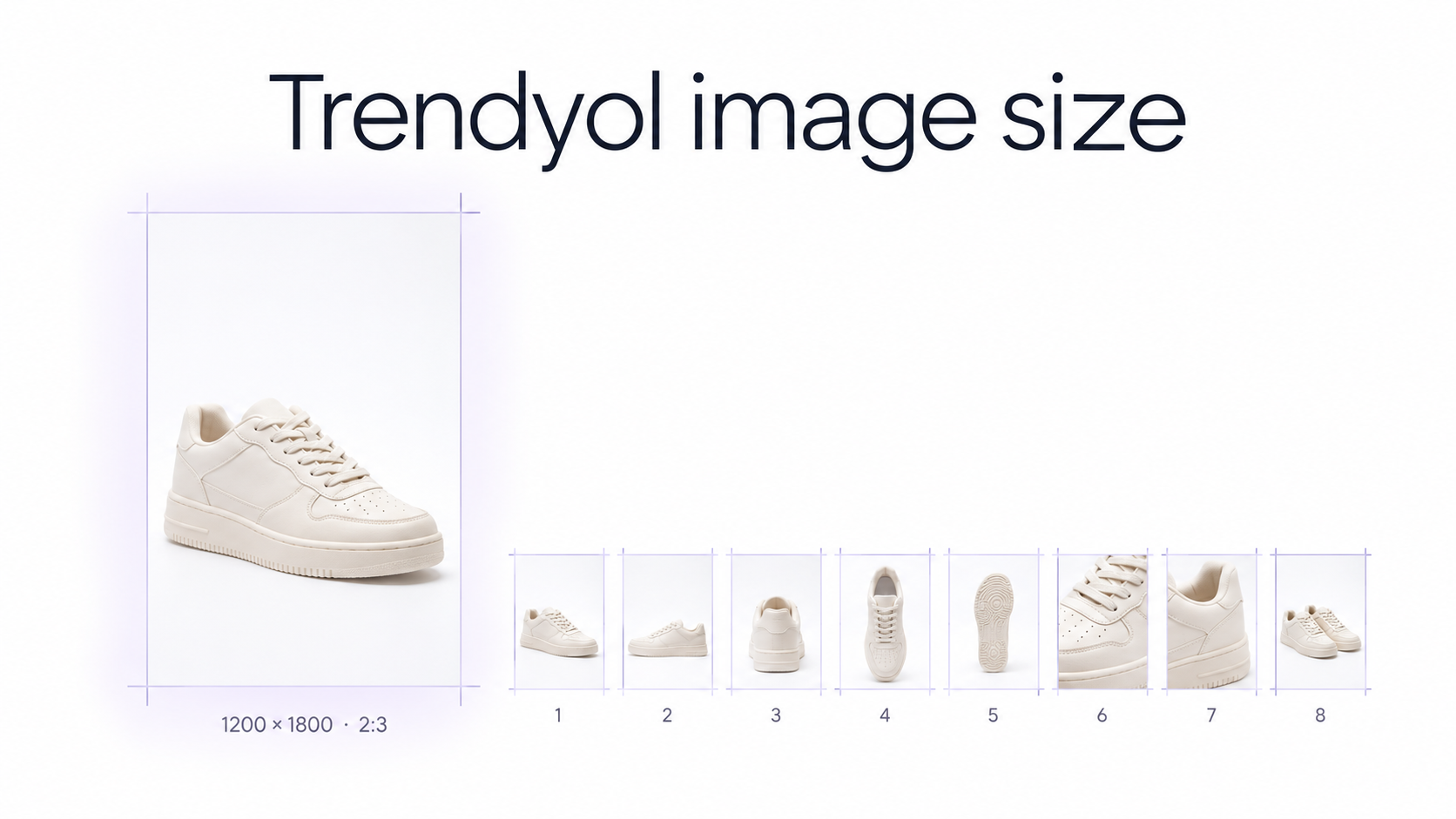
According to Trendyol’s current product documentation, product images should be **1200 × 1800 pixels at 96 dpi**, and a maximum of **8 images can be added for one barcode**. Trendyol also notes that products can be rejected when their visuals do not comply with platform rules. Because some categories may have additional requirements, always check the current Seller Panel or Trendyol Academy guidance before publishing a large catalog.
The 1200 × 1800 format is a **2:3 portrait ratio**, so it helps to plan your photography around vertical compositions from the beginning instead of shooting too tightly and trying to force a portrait crop later. Amazon, Shopify, and other channels often use different sizes, so run the same file through a marketplace image checker before you reuse it across stores.
Start with a clean source photo
Whether you photograph the product with a camera or smartphone, begin with the cleanest source image possible. Keep the product sharp, fully visible, and separated clearly from the background. Avoid heavy filters or dramatic effects in the source photo; you can create additional styled images later without sacrificing the accurate catalog view.
Use soft, even lighting
Soft daylight near a large window can work well for smaller catalogs. For repeatable ecommerce photography, use diffused continuous lights or softboxes positioned to reduce hard shadows and reflections. The important part is consistency: two products from the same collection should not look as if they were photographed in completely different environments.
Keep the product easy to separate from the background
A simple neutral background gives you more flexibility later. It makes background cleanup easier and lets you reuse the same source photo for clean catalog images, studio variations, lifestyle scenes, ads, or social content.
Leave enough space for a 2:3 crop
Do not frame the product so tightly that shoes, sleeves, handles, packaging, or accessories touch the edge of the photo. Leave enough breathing room around the subject so the image can be cropped cleanly to Trendyol’s 1200 × 1800 portrait format.
How to photograph clothing and fashion products for Trendyol
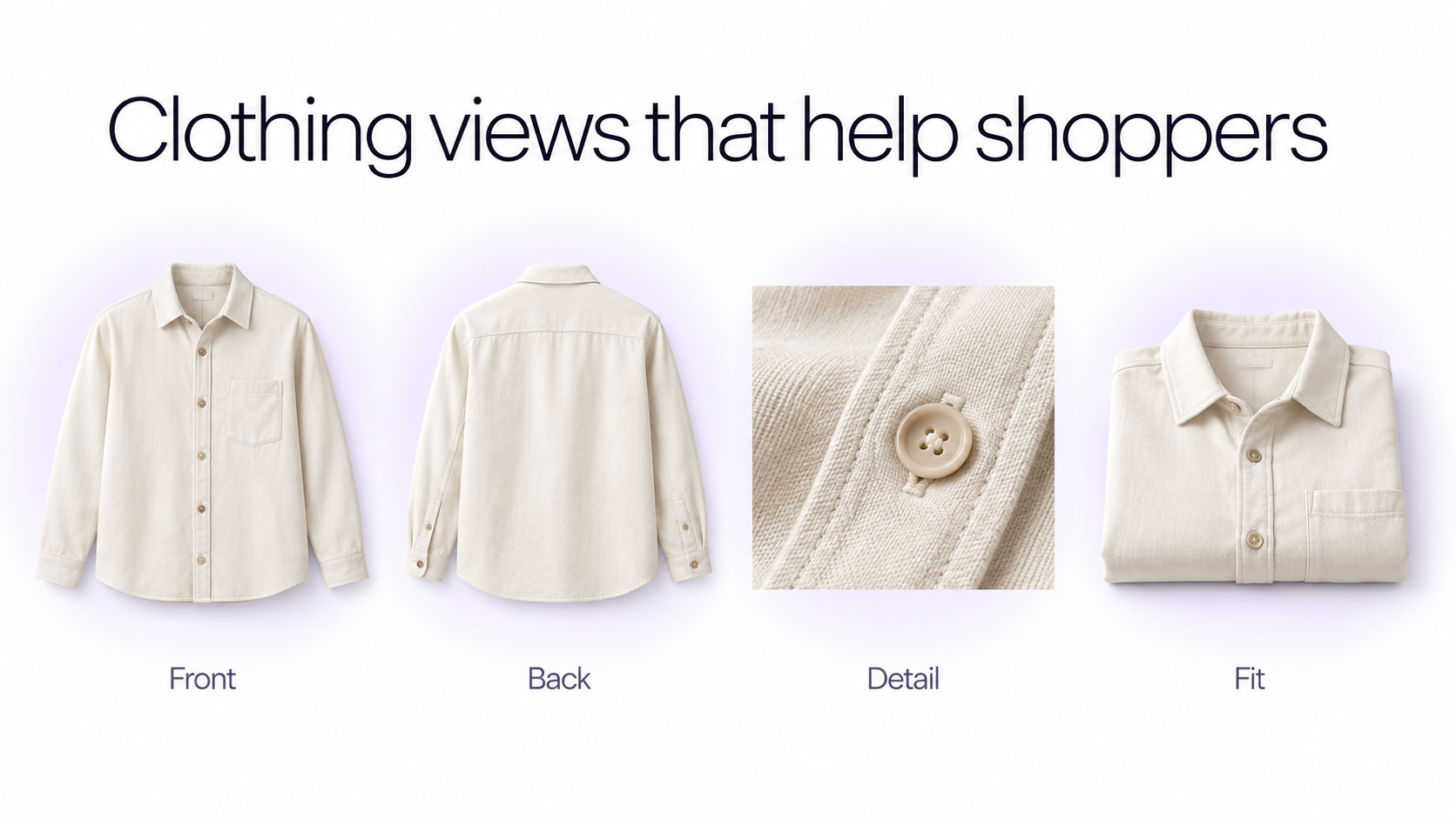
Fashion listings benefit from a mix of images that explain both **appearance and fit**. Instead of repeating nearly identical angles, use the available gallery to answer different shopper questions. For garment-specific setups, see clothing photography for ecommerce.
**For clothing, consider combining:** 1. A clear front view 2. A back view 3. A three-quarter angle 4. A model or styled view that shows fit 5. A close-up of fabric or texture 6. Important details such as buttons, stitching, pockets, or hardware 7. A second styling or contextual image 8. Another useful detail, color, or fit view when appropriate You do not need to force eight images when fewer images explain the product clearly, but avoid filling the gallery with near-duplicates.
Show the real product before the creative styling
The first images should make the actual product immediately understandable. Creative lifestyle scenes can be useful later in the gallery, but they should not make shoppers guess what is being sold. Keep color, shape, proportions, logos, patterns, materials, and important product details faithful to the real item.
Build a useful Trendyol image sequence
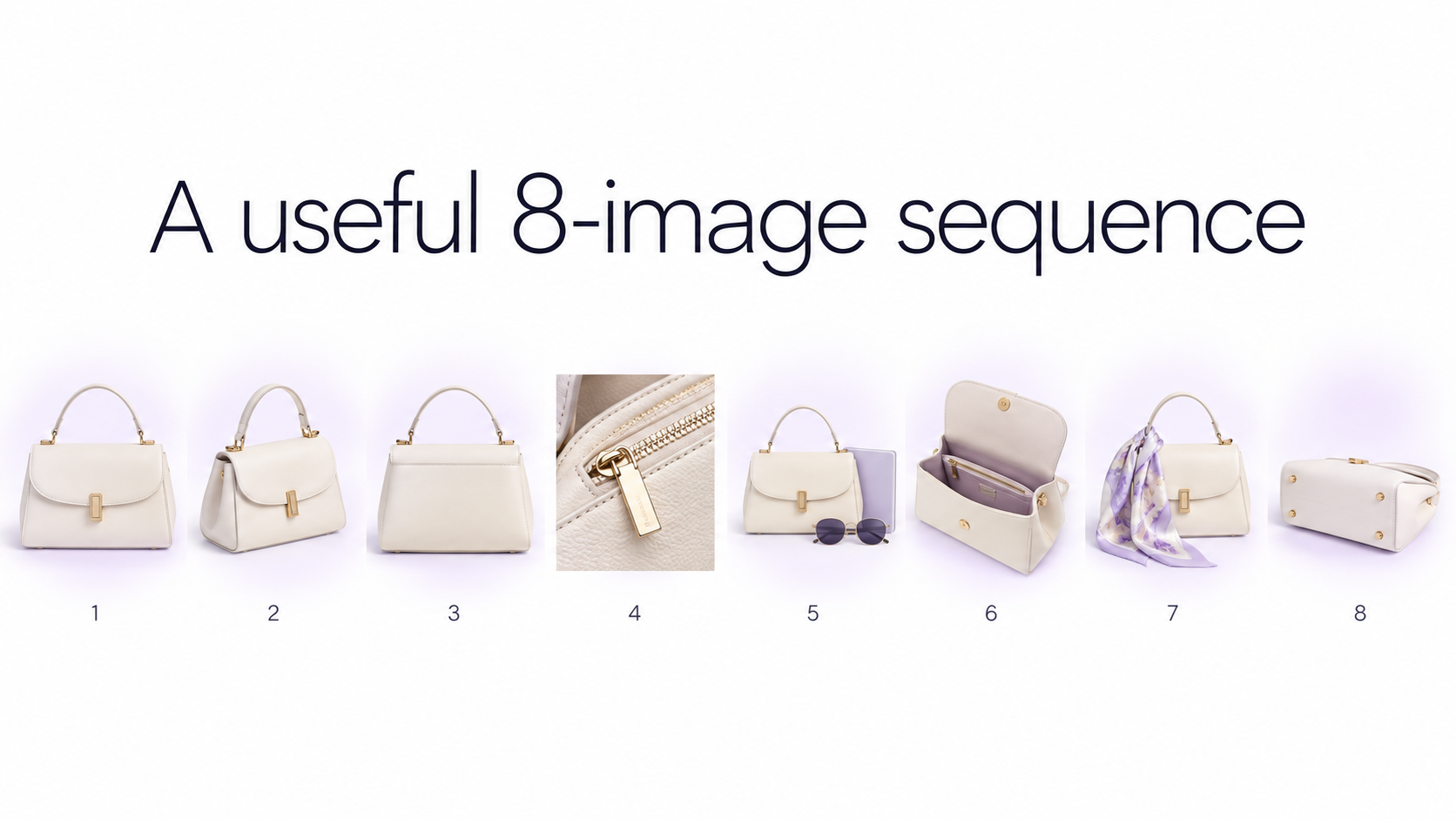
Think of the image gallery as a short visual sales presentation. A practical sequence might be: **Image 1:** clear product-focused hero image **Image 2:** alternate angle **Image 3:** back or side view **Image 4:** close-up detail **Image 5:** scale, fit, or model view **Image 6:** second detail or feature **Image 7:** lifestyle or styled context **Image 8:** another useful variation if the product needs it The exact sequence should change by category. A dress, handbag, serum bottle, pair of shoes, and home accessory do not need the same gallery. Shopify sellers use a similar gallery logic when they build Shopify product photos for a product page.
Edit product photos without changing the product
Marketplace photo editing should improve presentation without misleading the customer. Useful edits include cleaning the background, correcting exposure, balancing white balance, improving sharpness, straightening the product, removing distracting objects, and creating additional environments from the same accurate source image.
Be careful with color and product details
Avoid edits that materially change the item. If a beige jacket becomes white, a matte bottle becomes glossy, or the AI invents a different zipper or logo, the resulting image may look polished but no longer represents the product accurately. Always compare generated or edited images against the original before publishing.
Use AI backgrounds for secondary images
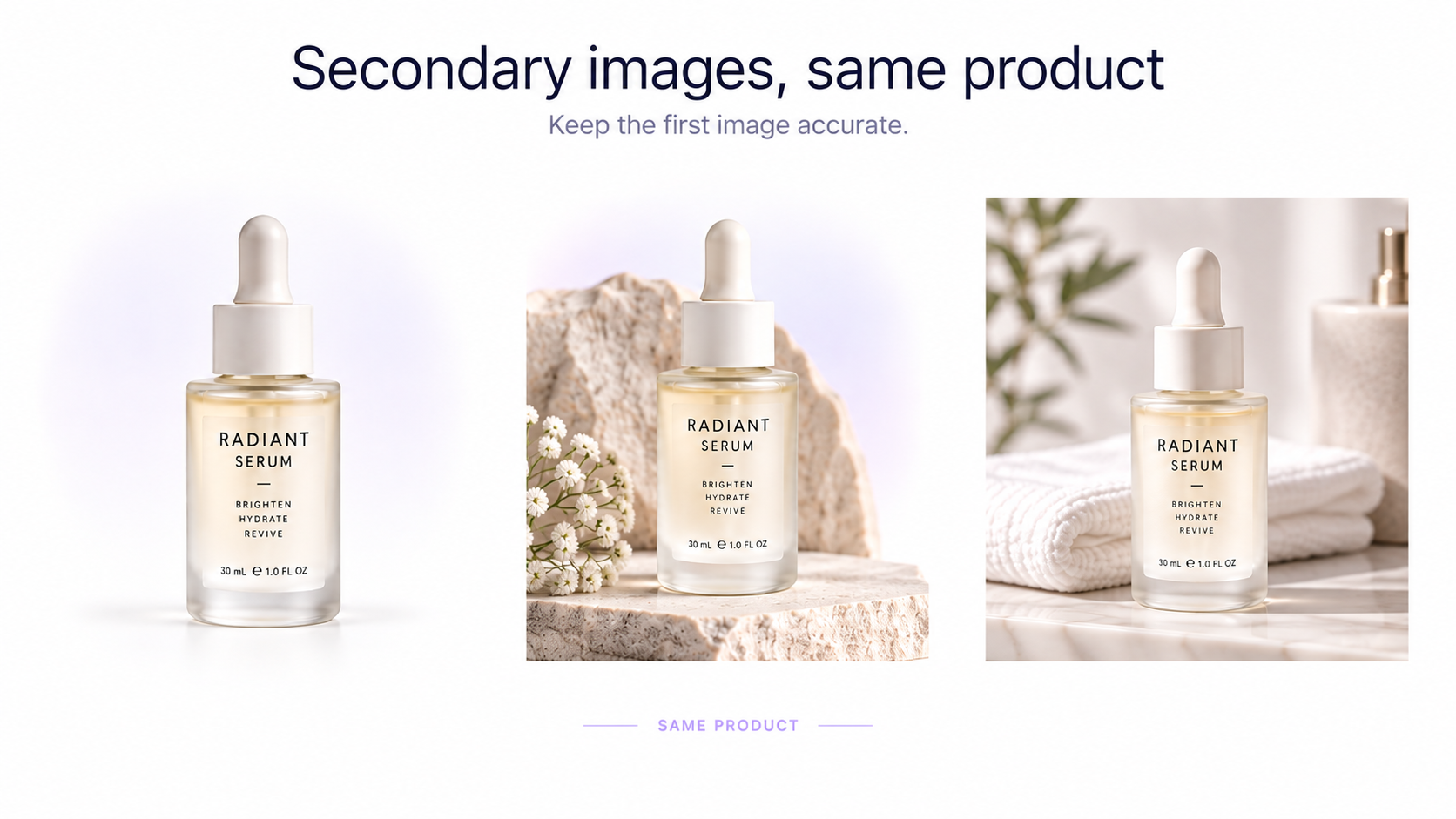
Once you have a clean source photograph, AI can help create additional studio or lifestyle variations without arranging a new physical shoot. For example, the same skincare bottle can appear in a minimal studio setup, a bathroom scene, or a branded campaign composition while the product itself stays consistent. GenImagePro’s AI Product Photo Generator is designed for this type of image-to-image workflow. The same source file can also become Amazon listing images if you sell the product on more than one marketplace.
Keep your catalog visually consistent
Consistency becomes increasingly important as your catalog grows. Try to keep similar products aligned with the same crop, camera height, background treatment, lighting direction, and visual scale. A product grid feels more professional when every item follows the same visual system rather than using a different photography style for every SKU. AI product photography helps you reuse one source photo and one visual setup across many listings.
Prepare the final image at 1200 × 1800
Before upload, prepare the final asset at Trendyol’s documented **1200 × 1800 pixel** size. If the original photo has a different aspect ratio, crop it carefully, add appropriate breathing room, or reposition the product rather than stretching the image. You can use the Product Image Resizer to resize and crop ecommerce images while keeping the product composition under control.
Common Trendyol product photography mistakes
**Avoid these common problems:** - Low-resolution or noticeably blurry source photos - Cropping important parts of the product - Inconsistent lighting across variants - Colors that no longer match the actual item - Distracting backgrounds that compete with the product - Repeating almost the same angle throughout the gallery - Excessive retouching that changes texture or material - AI-generated details that do not exist on the real product - Resizing by stretching instead of cropping or repositioning - Uploading an image set without checking current category-specific Trendyol guidance
A simple AI workflow for Trendyol product photos
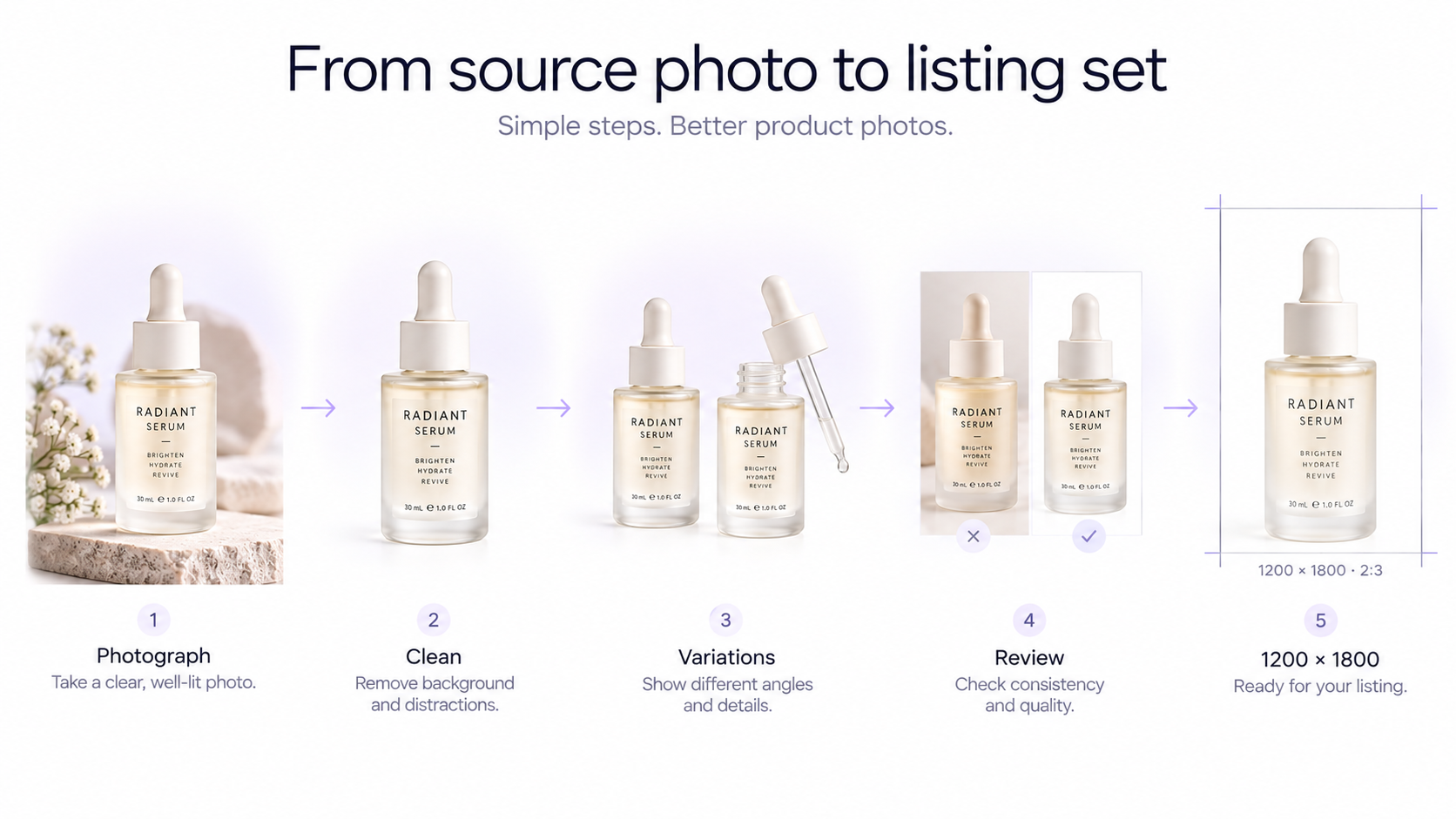
A scalable workflow does not require generating the entire product from scratch. Start with a real, clear source image and use AI around it: **1. Photograph or upload the real product.** Use a clean front-facing image with accurate colors and visible details. **2. Clean the presentation.** Correct lighting, remove distractions, and improve the background where necessary. **3. Generate additional visual variations.** Create studio, lifestyle, fashion, or contextual images while keeping the original product recognizable. **4. Review product accuracy.** Compare every generated image with the original item and reject variations that alter important details. **5. Crop and resize for Trendyol.** Prepare the final images at 1200 × 1800 and review the complete gallery before upload.
Final checklist before uploading
Before publishing your Trendyol listing, check that the product is sharp and easy to recognize, colors look accurate, important details remain unchanged, the gallery contains genuinely useful views, and the final assets follow the current Trendyol image specifications. For a broader ecommerce pass, use the product image optimization checklist.
Frequently Asked Questions
What size should Trendyol product photos be?
Trendyol’s current product documentation specifies product images at 1200 × 1800 pixels and 96 dpi.
How many product images can I upload to Trendyol?
Trendyol’s current documentation allows a maximum of 8 images for one barcode.
What aspect ratio is 1200 × 1800?
1200 × 1800 is a 2:3 portrait aspect ratio. Leaving enough space around the product while shooting makes it easier to prepare this crop cleanly.
Can I use AI-generated product photos on Trendyol?
AI can be useful for editing backgrounds and creating additional visual variations, but the product should still accurately represent the real item. Check current Trendyol and category-specific rules before publishing AI-edited listing images.
Should every Trendyol image use the same background?
A consistent visual system usually makes a catalog easier to browse, but different secondary images can serve different purposes, such as details, fit, scale, or lifestyle context.
How can I resize a product photo for Trendyol?
Crop or reposition the image to a 2:3 portrait format and export it at 1200 × 1800 pixels. Avoid stretching the image because that distorts the product.