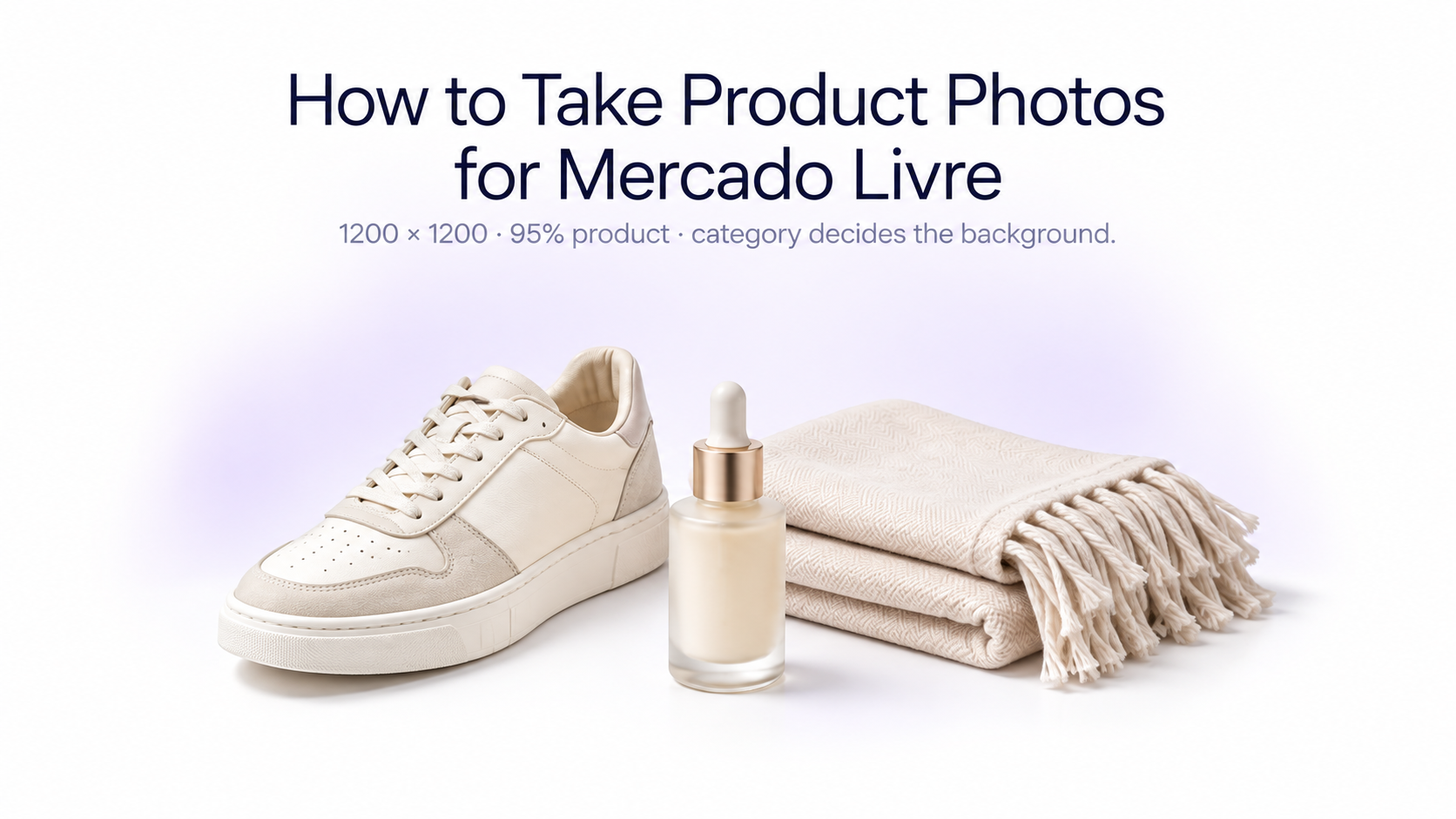
Product photos on Mercado Livre do more than show what an item looks like. They influence how quickly shoppers understand your listing, how confidently they can evaluate the product, and how professional your catalog feels. Mercado Livre also applies different image recommendations depending on the category, so a good photography workflow should start with the product type rather than applying the same white-background template to every listing.
Mercado Livre product image requirements at a glance
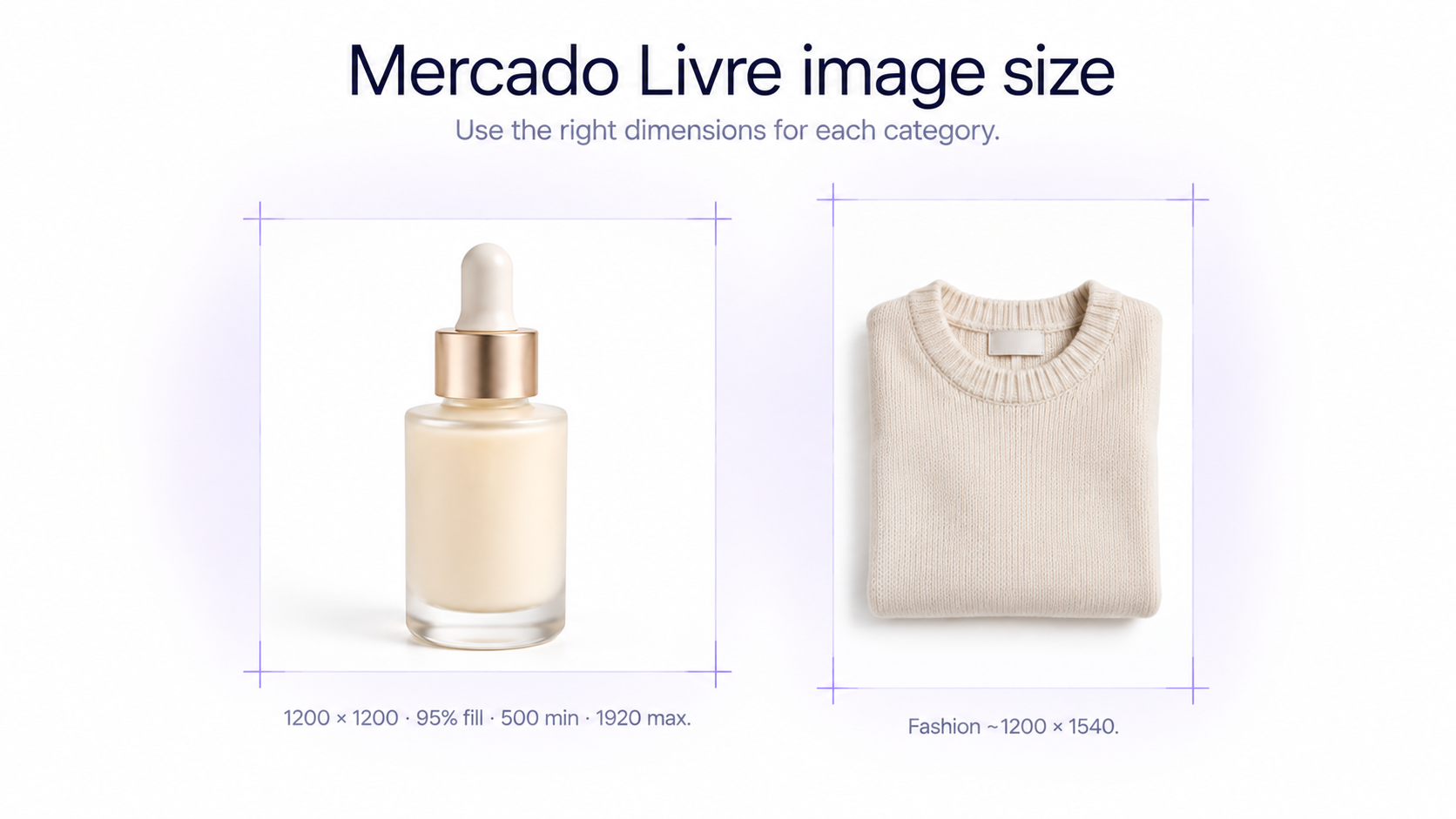
Mercado Livre's current general developer guidance recommends uploading product images at **1200 × 1200 pixels**. Images can be JPG, JPEG, or PNG, should use RGB rather than CMYK, and can be up to 10 MB. The currently documented minimum image size is 500 × 500 pixels and the maximum accepted size is 1920 × 1920 pixels.
Mercado Livre also recommends that the product occupy roughly **95% of the available image area**. The practical goal is simple: make the product large and easy to inspect without cutting off important parts. Other channels use different sizes and ratios, so check a master file with a marketplace image checker before you reuse it on Shopify, Rakuten, or Zalando.
Check the category before choosing your background
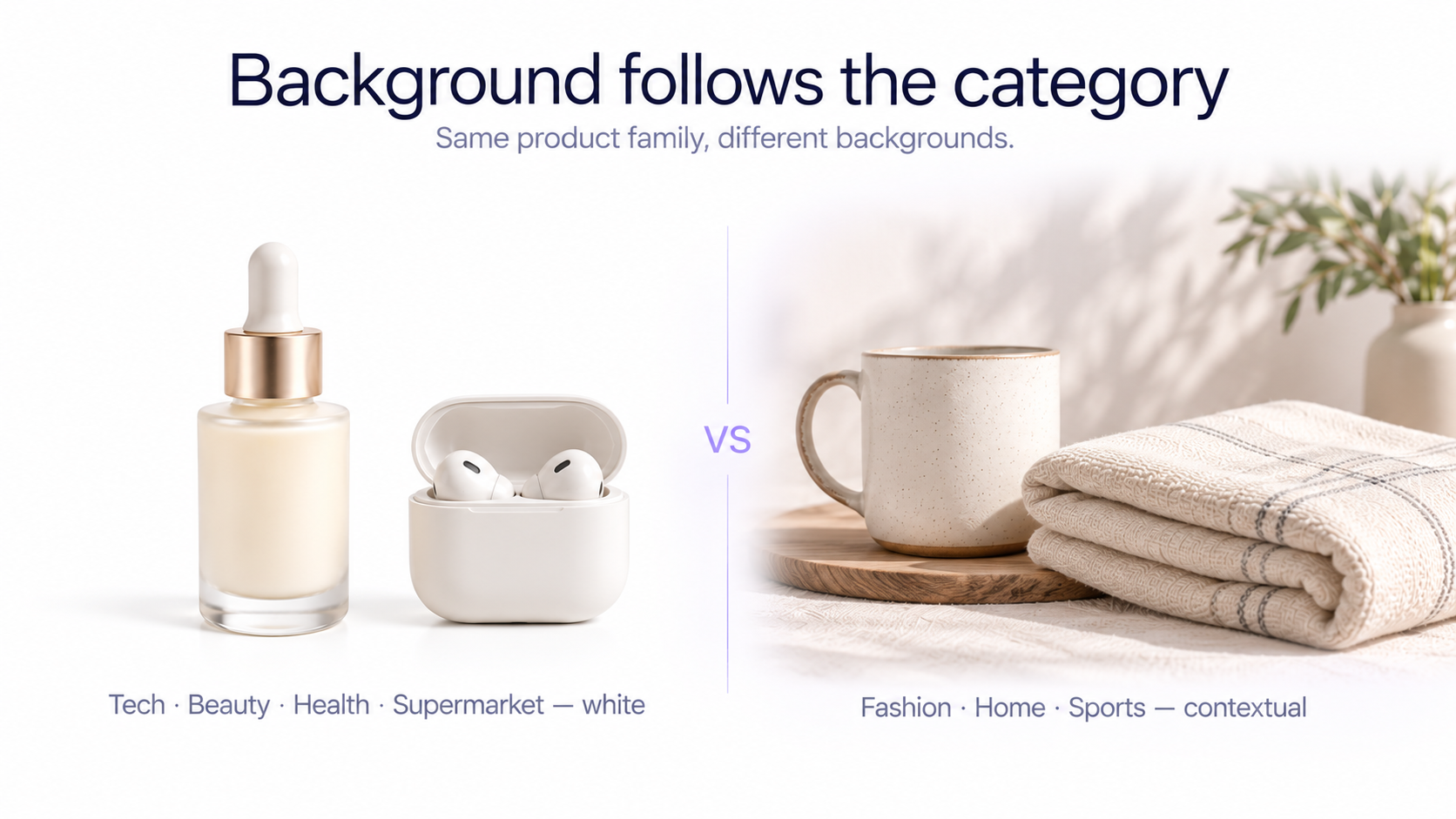
Mercado Livre no longer uses one universal background rule for every product category. In several categories, contextual or lightly textured backgrounds can be used to show the product naturally in its environment. However, Mercado Livre currently states that **Technology, Beauty, Health, and Supermarket still require white backgrounds**. GenImagePro can clean a real source photo onto true white #FFFFFF when those categories still need the safest catalog presentation.
Categories where Mercado Livre currently encourages contextual photography include Fashion, Home, Sports and Fitness, Toys, Automotive Accessories, Tools and Construction, and Entertainment-related products. Always check the current category-specific guidance before processing a large catalog. The same master can later be cropped for product photos for Rakuten or other square marketplaces.
Make the cover photo immediately understandable
Your cover image is the visual introduction to the listing. Keep the product clearly visible, well lit, and easy to identify even when the image appears at a small size in search results. Avoid filling the composition with unnecessary objects that compete with the item being sold.
Show only what the customer is actually buying
The main image should accurately represent the product offered in the listing. Do not make additional products, accessories, or decorative objects appear as though they are included when they are not. Mercado Livre's guidance emphasizes showing the actual item clearly and avoiding visual information that could confuse the buyer.
Leave packaging for secondary photos when appropriate
Mercado Livre recommends showing different angles, contextual views, and packaging from the **second image onward** when appropriate. This keeps the cover photo focused on the actual product while still allowing the rest of the gallery to explain packaging and presentation.
Use soft, accurate lighting
The product should be evenly illuminated so shoppers can understand its shape, color, material, and surface details. Soft daylight, a light tent, or diffused continuous lights can all work. Avoid deep shadows that hide important details and strong highlights that make glossy surfaces look blown out.
Keep colors realistic
Accurate color is especially important for clothing, shoes, furniture, beauty packaging, accessories, and home products. Correct white balance before applying creative grading, and compare edited images with the real item whenever possible.
Use contextual photos when the category allows them
A contextual image shows the product in an environment where it would realistically be used: a chair in a living room, cookware in a kitchen, a lamp on a desk, sports equipment in an appropriate setting, or clothing styled naturally on a model.
Mercado Livre currently encourages contextual photography in several categories because it can help shoppers understand scale, style, and use. The environment should still remain secondary to the product. Avoid backgrounds that are so busy, dark, or visually complex that the product loses prominence.
Keep contextual backgrounds believable
Whether the environment was photographed physically or created digitally, perspective, scale, lighting, contact shadows, and reflections should make sense. A sofa should not appear miniature in a huge room, a cosmetic bottle should not float above a surface, and a lamp should not cast a shadow in the opposite direction from the rest of the scene.
How to take fashion product photos for Mercado Livre
Fashion has more specific visual guidance on Mercado Livre. The platform publishes separate recommendations for categories such as tops, bottoms, footwear, baby clothing, swimwear, underwear, dresses, packs, and accessories. For garment-specific setups, see clothing photography for ecommerce.
For several fashion categories, Mercado Livre currently recommends **vertical images around 1200 × 1540 pixels**, 72 dpi, and RGB color. This differs from the platform's general square 1200 × 1200 recommendation, which is why category-specific guidance should take priority when you are building a fashion catalog.
Show the fashion product completely
Mercado Livre's fashion guidance repeatedly emphasizes that the product should be completely visible, should not touch the edge of the frame, and should occupy a substantial part of the image. Keep the item centered and avoid crops that remove important parts of the garment, shoe, or accessory.
Use real models or invisible mannequins where appropriate
For many clothing categories, a real model helps shoppers understand fit, scale, and silhouette. Mercado Livre also supports invisible-mannequin presentation in several fashion categories. If you use a mannequin during the shoot, remove it cleanly in post-production so the remaining garment still looks physically realistic.
Use detail photos to communicate fabric and construction
Secondary images should explain details that shoppers cannot inspect physically. Photograph fabric texture, stitching, seams, buttons, zippers, pockets, soles, straps, hardware, prints, closures, and other product characteristics that influence the buying decision.
Fashion backgrounds can vary by product type
Some Mercado Livre fashion categories currently allow subtle textured backgrounds or real neutral backgrounds in tones such as light grey, cream, or beige, while other specific product types use stricter presentation rules. The common principle is that the background should support the product rather than compete with it.
Avoid logos, watermarks, QR codes, and promotional text
Mercado Livre's fashion photography guidance tells sellers not to add contact details, logos, watermarks, borders, QR codes, or promotional text to listing images. Keep the product photography focused on the item rather than turning the image into an advertisement.
Create a useful product image sequence
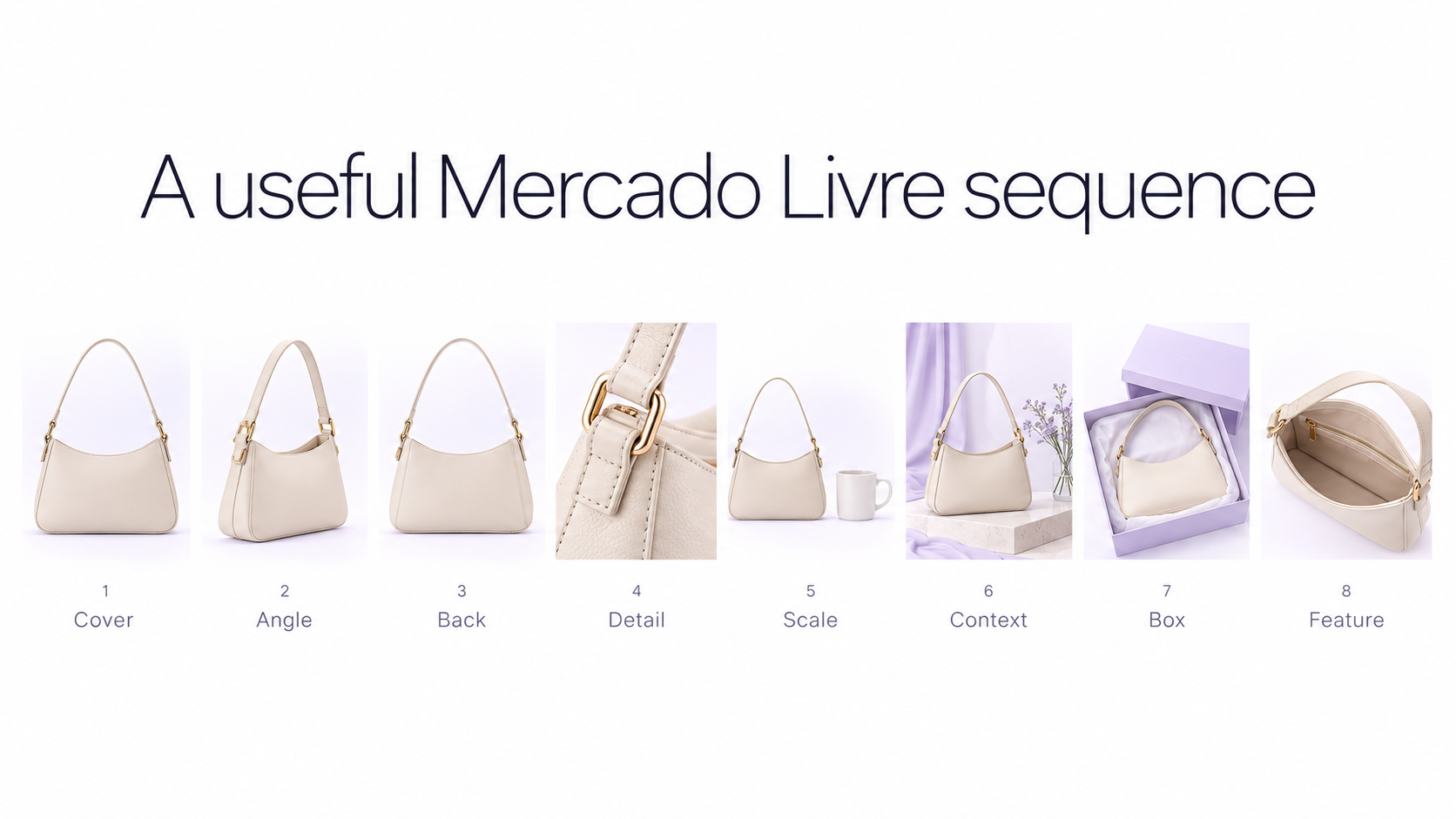
Do not fill the gallery with multiple versions of nearly the same photograph. Each image should answer a different shopper question. A practical sequence can be: **1. Cover image:** clear overall product presentation **2. Alternate angle:** show another side or perspective **3. Back or side view:** explain shape and construction **4. Detail image:** texture, material, hardware, or feature **5. Scale or model image:** communicate size or fit **6. Context image:** show realistic use when permitted **7. Packaging or included accessories:** clarify what arrives with the product **8. Additional detail:** explain another purchase-relevant feature Shopify sellers use a similar gallery logic when they prepare Shopify product photos for a product page.
Use consistent photos for product variations
If a product comes in multiple colors or variants, photograph each one from the same position and at approximately the same scale. Keep lighting, crop, camera angle, background, and editing consistent so shoppers can compare variants without the photography itself creating artificial differences. GenImagePro helps you reuse one source photo and one visual setup across SKU variants without changing the real product.
Edit product photos without changing the product
Useful marketplace editing includes correcting exposure, adjusting white balance, cleaning the background, straightening the product, removing temporary dust or photographic distractions, and improving framing.
Do not change permanent product characteristics. Colors, materials, logos, patterns, proportions, stitching, packaging, accessories, and construction should continue to represent the real item the customer will receive.
How to use AI for Mercado Livre product photography
Mercado Livre itself now provides AI-assisted image tools in parts of its seller experience, including tools designed to generate missing images and improve product galleries. This makes AI-assisted editing particularly relevant when it is used to improve presentation without misrepresenting the item.
Start from a real source product photo
For marketplace work, a reliable AI workflow starts from a real source photograph rather than generating the product from scratch. Keep the physical product as the reference, then use AI to adjust the surrounding presentation.
With GenImagePro's AI Product Photo Generator, a clean source image can become a neutral studio image, contextual room scene, fashion setup, or additional ecommerce variation while the original item remains the visual reference.
Review AI-generated product details carefully
Before publishing an AI-assisted image, compare it against the original photograph. Check logos, packaging text, buttons, stitching, prints, hardware, materials, proportions, colors, shadows, reflections, and any included accessories. A realistic-looking image can still be inaccurate in small but important ways.
Use AI backgrounds where Mercado Livre allows contextual imagery
For categories where contextual backgrounds are permitted, AI can reduce the need to physically rebuild a different set for every SKU. The result should still look natural and keep the product as the main subject. For categories where Mercado Livre still requires white backgrounds, follow the category rule instead of adding an environmental scene.
Common Mercado Livre product photography mistakes
Avoid these common problems: - Uploading blurry or low-resolution source images - Applying the same background rule to every Mercado Livre category - Making the product too small inside the frame - Cropping important parts of the product - Using harsh lighting that hides texture or blows out details - Showing several unrelated products in the cover image - Adding company contact information or shipping information to images - Adding logos, watermarks, QR codes, borders, or promotional text where prohibited - Using inaccurate colors - Repeating almost identical photos instead of useful alternative views - Using contextual scenes that visually overpower the product - Allowing AI to alter product details - Using unrealistic AI-generated scale, shadows, perspective, or reflections - Ignoring category-specific image guidance
A practical Mercado Livre product photography workflow
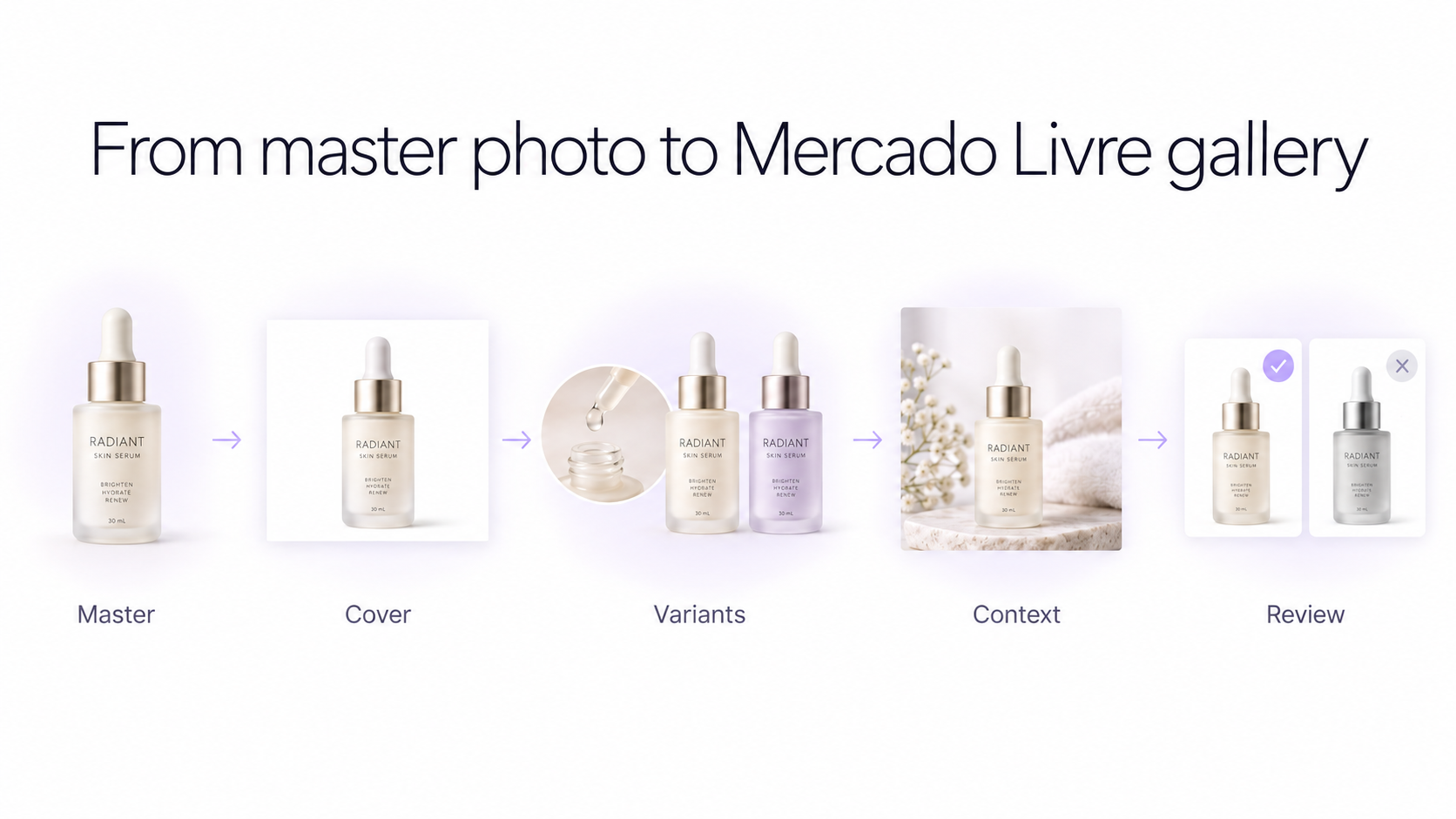
**1. Check the product category.** Determine whether your category uses general square imagery, fashion-specific vertical guidance, white backgrounds, or contextual photography. **2. Shoot a high-resolution master.** Photograph the real product sharply with accurate colors and enough room for different crops. **3. Create the cover image.** Make the product immediately recognizable and remove unnecessary distractions. GenImagePro is useful for white-background cleanup and allowed contextual scenes, not for adding logos, watermarks, QR codes, or promotional text. **4. Photograph useful secondary views.** Capture alternative angles, details, fit, scale, packaging, and contextual use where appropriate. **5. Standardize variants.** Keep camera position, lighting, crop, scale, and background consistent across SKUs. **6. Perform controlled editing.** Improve presentation without changing the actual product. **7. Create additional AI-assisted imagery when useful.** Generate contextual or studio variations only where they fit the category rules. **8. Review the finished gallery.** Check technical specifications, category requirements, product accuracy, and visual consistency before publishing.
Final checklist before uploading to Mercado Livre
Before publishing, confirm that the product is sharp, well lit, accurately colored, and large enough to inspect. Check whether your category requires a white background or supports contextual imagery. Make sure important parts of the product are not cropped, variants look consistent, secondary images add useful information, and any edited or AI-assisted image still represents the actual item.
Frequently Asked Questions
What size should Mercado Livre product photos be?
Mercado Livre's current general developer guidance recommends 1200 × 1200 pixel images. The documented minimum is 500 × 500 pixels and the maximum accepted size is 1920 × 1920 pixels. Some categories, particularly fashion, have their own recommended dimensions.
What size should Mercado Livre fashion photos be?
Several current Mercado Livre fashion guides recommend vertical images around 1200 × 1540 pixels, 72 dpi, and RGB. Check the guidance for the exact fashion category because requirements can vary by product type.
Does Mercado Livre require a white background?
Not for every category. Mercado Livre currently allows or encourages contextual photography in several categories, including Fashion and Home, while Technology, Beauty, Health, and Supermarket still require white backgrounds.
Can I use lifestyle images on Mercado Livre?
Yes, in categories where contextual photography is supported. Keep the environment relevant to the product and avoid visual distractions that make the item difficult to identify.
Can I use AI-generated backgrounds on Mercado Livre?
AI-assisted backgrounds can be useful in categories that allow contextual imagery, provided the product remains accurate and the resulting scene is realistic. Mercado Livre itself currently offers AI-assisted image editing tools within parts of its seller workflow.
Can I add my logo or watermark to Mercado Livre product photos?
Mercado Livre's current fashion guidance tells sellers not to add logos, watermarks, QR codes, borders, contact details, or promotional text to product images.
How many images should I use on Mercado Livre?
The maximum number can depend on the category and listing configuration. Mercado Livre's developer API exposes category-specific maximum image counts, while several current fashion categories allow up to 10 photos per variation.