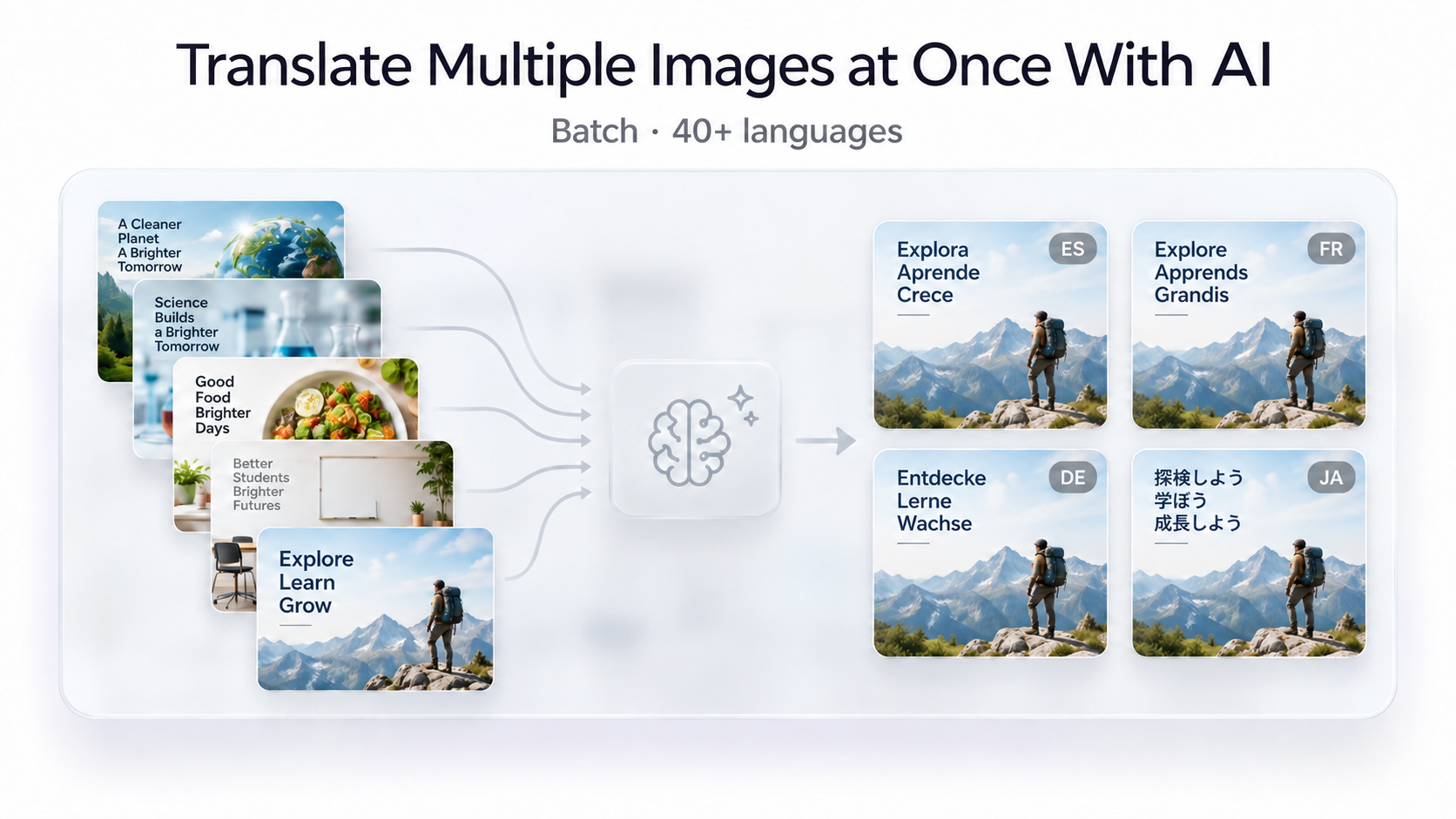
Translating one image is simple. Translating 20, 50, or 100 images becomes a completely different problem. Uploading each image individually, selecting a language, waiting for the result, downloading it, and repeating the process can quickly turn a small localization task into hours of repetitive work.
Batch image translation solves this by letting you process multiple images together. Instead of handling every file as a separate task, you can upload a collection of screenshots, product images, advertisements, infographics, menus, or other visuals and translate them through one workflow.
With the GenImagePro AI Image Translator, you can translate multiple images at once, work with more than 40 languages, and generate localized versions across multiple target languages without rebuilding each visual manually.
What Is Batch Image Translation?
Batch image translation means processing several images together instead of translating them one by one. The AI detects text inside each image, translates it into the selected language, and creates translated versions while preserving the surrounding visual context.
This becomes especially useful when a project contains related assets. An ecommerce listing may include a hero image, feature graphics, comparison charts, size guides, and instructional images. An app localization project may contain onboarding screens, settings pages, pricing screens, and help screenshots.
When these images all need localization, batch processing removes much of the repetitive work.
How to Translate Multiple Images at Once
1. Collect the Images You Want to Translate
Start by grouping the images that belong to the same project. These could be product images from one catalog, screenshots from an app, a set of social media graphics, marketing creatives, menus, posters, or website screenshots.
Using the highest-quality source files available usually gives better results, especially when the images contain small labels or dense text.
2. Upload Multiple Images
Open the GenImagePro Image Translator and add the images you want to process. Instead of translating each visual separately, you can include multiple images in the same batch.
3. Choose Your Target Language
Select the language you want the images translated into. GenImagePro supports more than 40 languages, so the same batch workflow can be used for many different markets and audiences.
4. Translate the Batch
The AI processes the images in the batch, detects text regions, translates the content, and creates localized versions. This eliminates the need to repeatedly upload one file, translate it, and then start again with the next image.
5. Review the Results
Review the translated images before publishing them. Check important terminology, product names, prices, measurements, dates, technical terms, and areas containing very small text.
Translate Multiple Images Into Multiple Languages
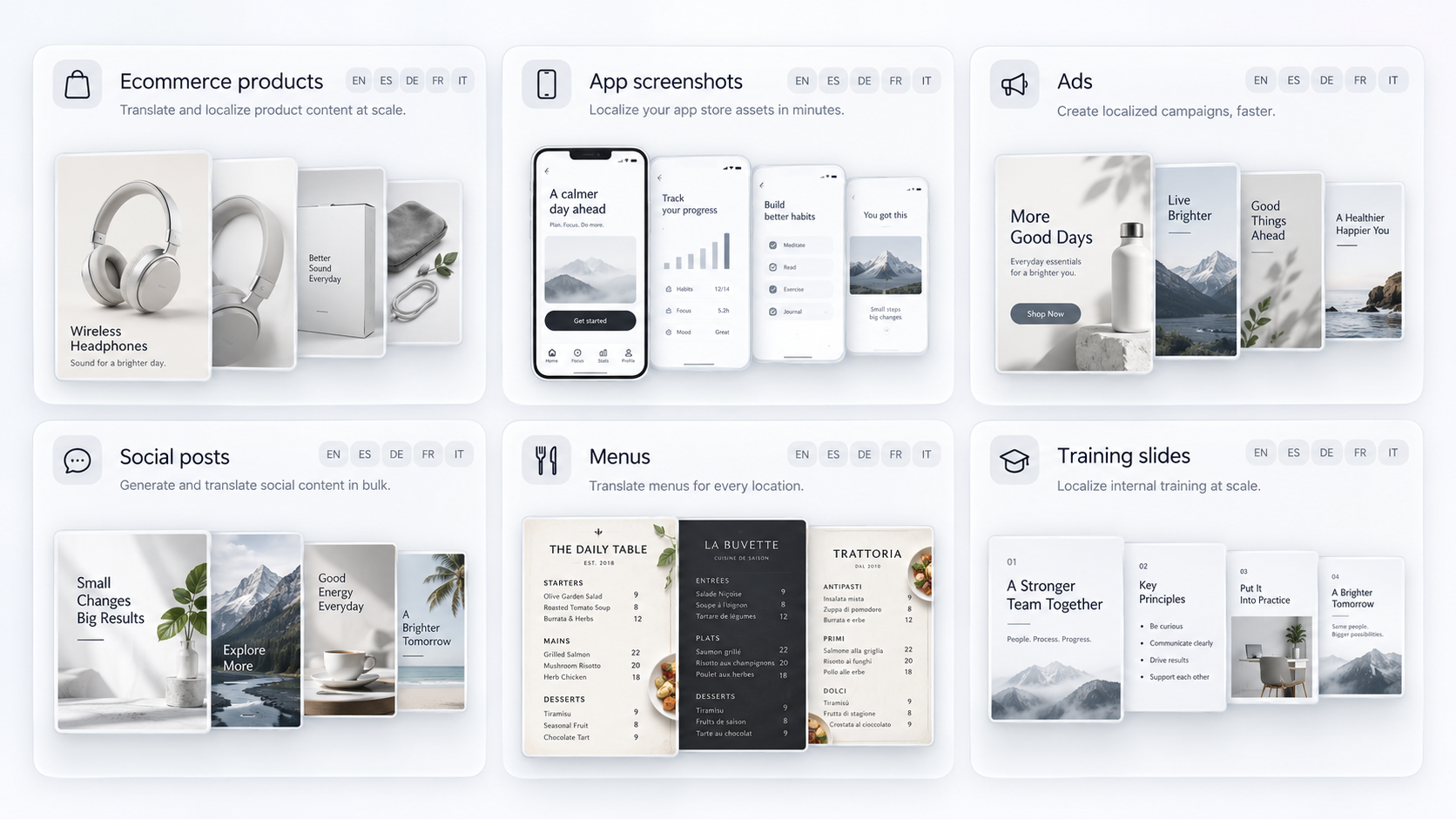
Batch translation becomes even more valuable when the same images need to be localized into several languages.
Imagine you have 15 ecommerce product graphics and need versions for English, Spanish, German, French, and Italian. A traditional workflow would require managing 75 individual image-language combinations.
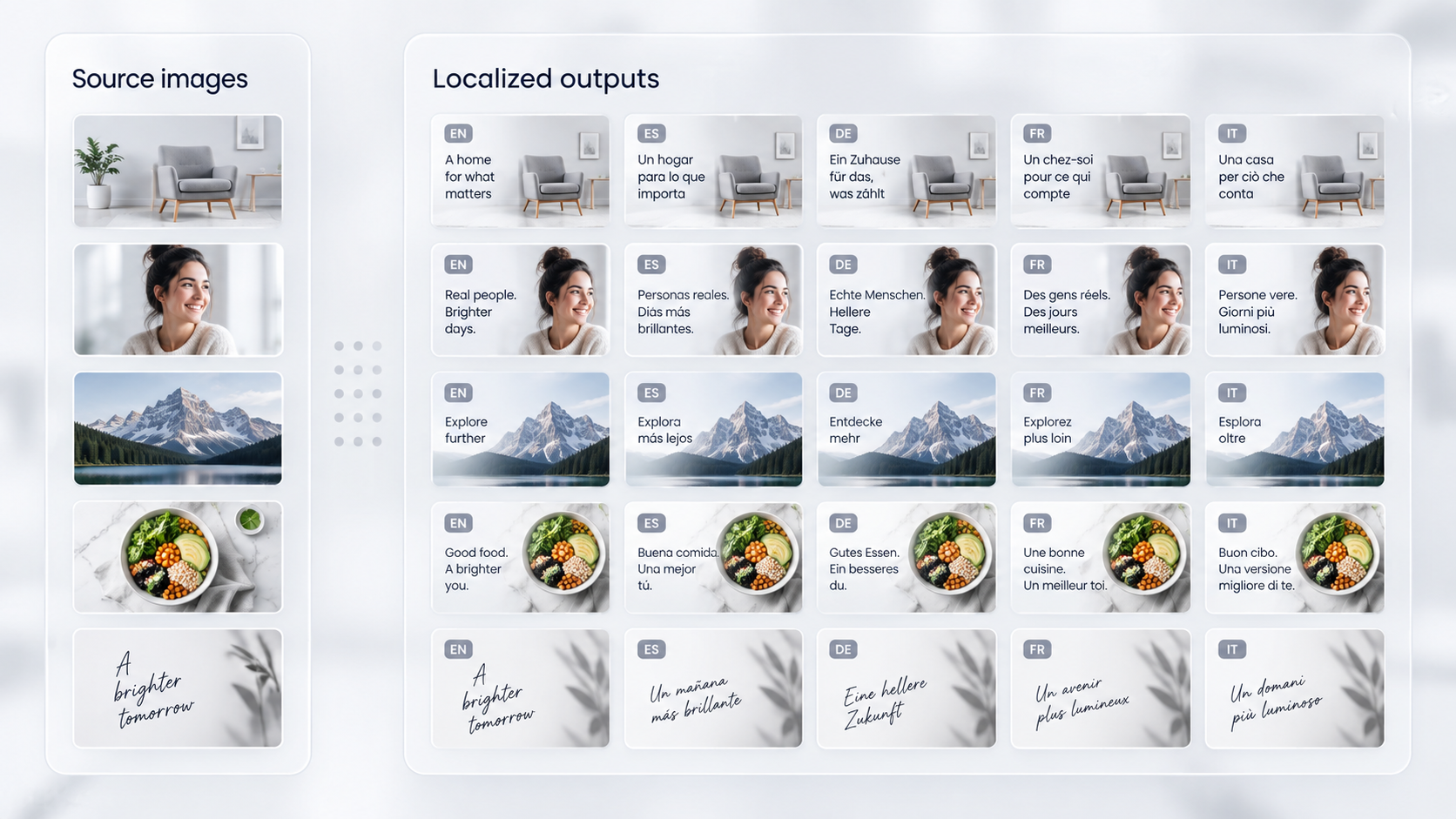
With a workflow designed for multiple images and multiple target languages, the localization process becomes much easier to manage. One group of source images can be used to create translated versions for several markets without rebuilding every asset separately.
Why Translate Images in Batch?
Save Time on Repetitive Work
The biggest advantage is simple: you no longer need to repeat the same upload and translation workflow for every single file. This is particularly useful when dealing with large sets of similar images.
Localize Entire Campaigns
Marketing campaigns rarely contain only one visual. They may include square social posts, story graphics, banner ads, product images, promotional cards, and website creatives. Batch translation allows these assets to be localized as a collection.
Process Product Catalogs More Efficiently
Ecommerce catalogs can contain hundreds of images with embedded text. Feature callouts, dimensions, specifications, promotional badges, comparison charts, packaging, and instructional graphics may all need localized versions.
When combined with AI product photography, image translation can become part of a broader workflow for creating and localizing commercial product visuals.
Create Consistent Multilingual Assets
Processing related assets together also makes it easier to keep a localization project organized. Instead of scattered one-off translations, you can work from a defined group of source images and produce versions for the markets you need.
Best Use Cases for Batch Image Translation
Ecommerce Product Images
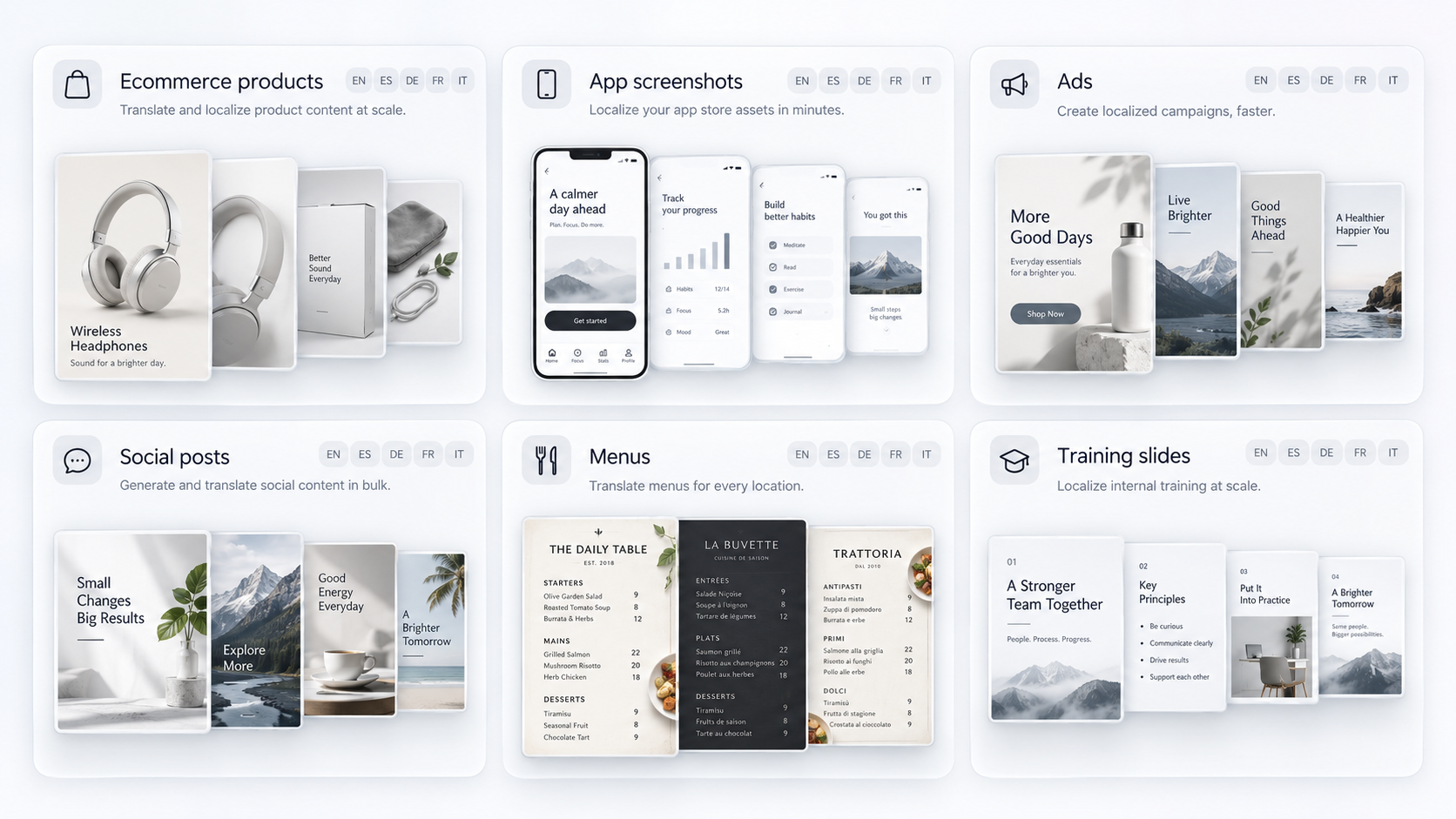
Product listings often contain several visual assets rather than a single photograph. Feature graphics, comparison images, dimensions, instructions, packaging, and promotional banners can all contain text.
Batch translation allows sellers to localize a complete product listing instead of translating only one hero image.
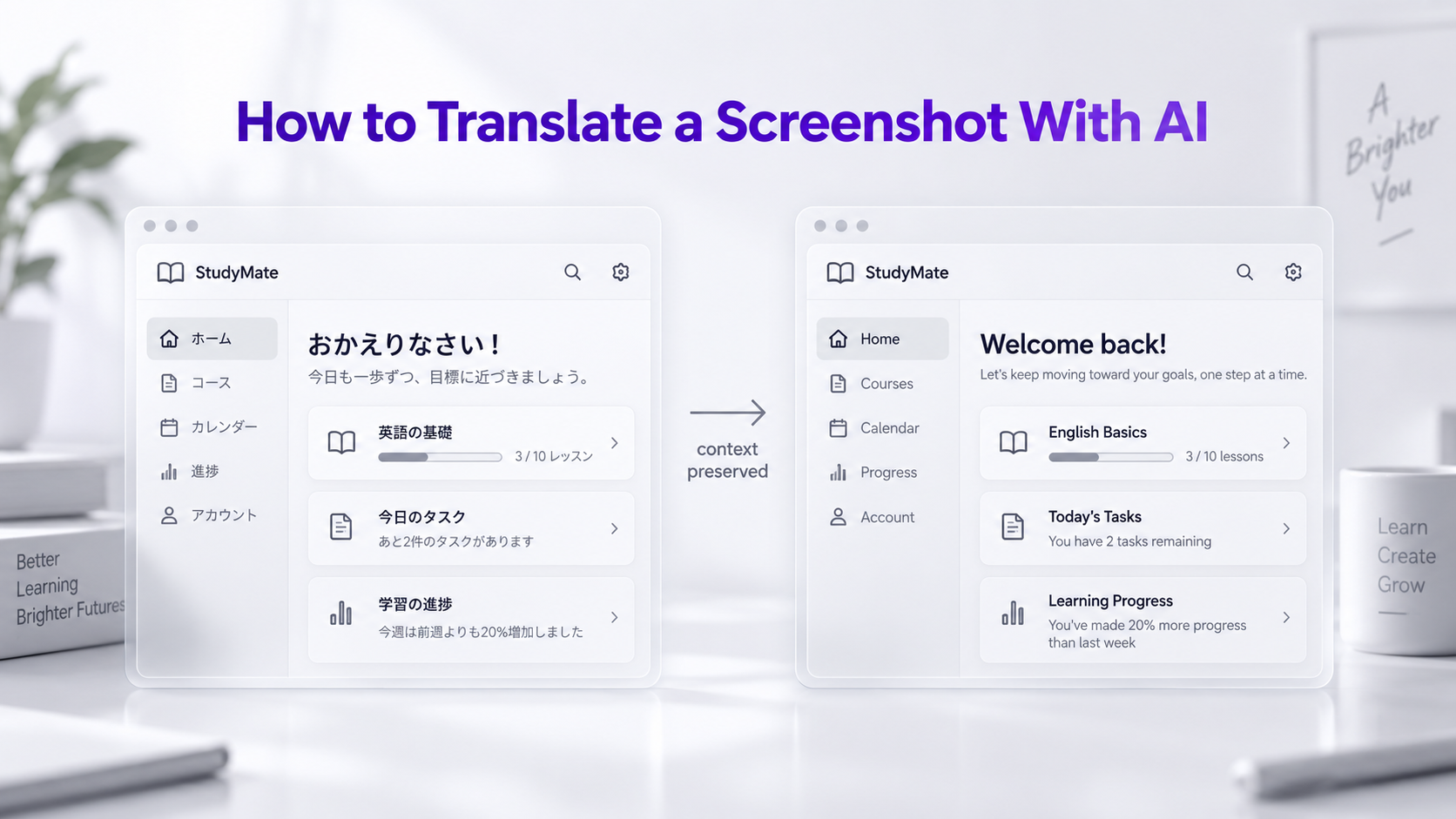
App and Website Screenshots
Apps and websites may require dozens of screenshots for documentation, app store listings, onboarding guides, support centers, product pages, and marketing campaigns.
Rather than translating every screen individually, the entire set can be processed as a batch.
Advertisements and Marketing Graphics
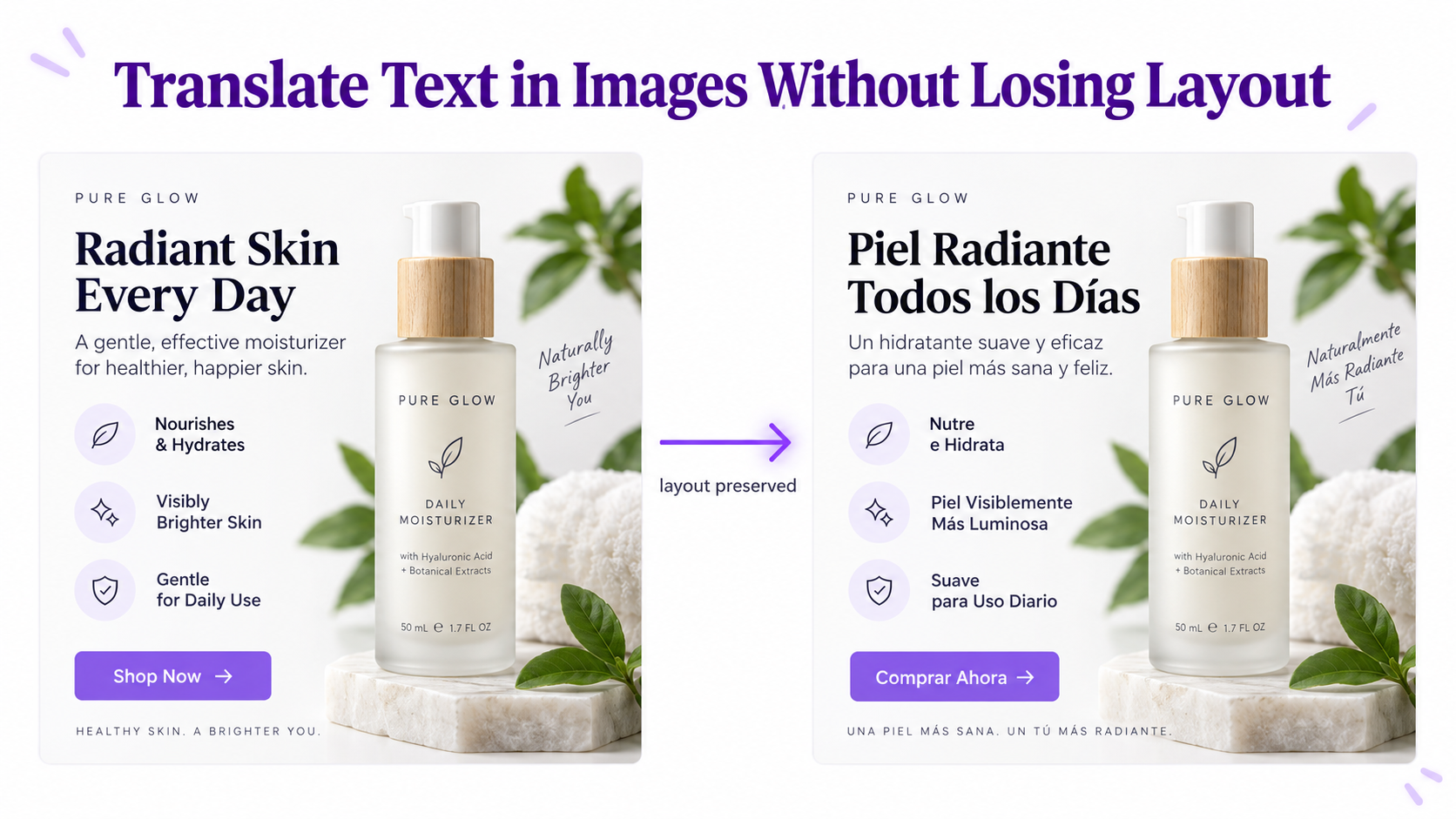
International advertising campaigns often reuse the same creative concept across several markets. Batch translation makes it possible to create localized versions of multiple ad creatives without manually rebuilding every design.
Brands may prepare several posts, announcements, promotional graphics, or story creatives in advance. A batch workflow makes it easier to prepare translated versions for multiple regional accounts.
Restaurants, hotels, and travel businesses may have multiple menu pages, signs, promotional images, and informational graphics. Translating them together can be faster than handling every page individually.
Presentations and Training Materials
Training programs and presentations often contain screenshots, diagrams, instructional graphics, and annotated images. Batch translation can help create localized visual materials for international teams.
Supplier and Marketplace Images
Sellers sourcing products internationally may receive several product images from suppliers containing specifications, dimensions, feature descriptions, packaging details, or promotional text in another language.
Instead of translating these supplier images individually, they can be processed together and converted into a language that is easier to review or use for localization.
Batch Image Translation for Ecommerce Localization
Ecommerce is one of the clearest examples of why batch image translation matters. A single product may have five to ten images, while a store may contain hundreds or thousands of products.
If those images include text, manually localizing them for every market becomes difficult to scale. A catalog containing 100 text-heavy product images translated into five languages already requires 500 localized outputs.
Batch processing makes this type of visual localization much more practical because many source images can be translated across several target languages through one workflow.
Batch Image Translation for App Localization
Apps also generate large numbers of visual assets. App Store screenshots, Google Play screenshots, onboarding graphics, support documentation, tutorials, feature announcements, and marketing pages may all contain interface text.
If an app has eight screenshots and launches in ten languages, that can mean 80 localized screenshot versions. Batch translation reduces the repetitive image-by-image work involved in creating those variants.
Batch Translation vs Translating Images One by One
For one or two images, translating files individually may be perfectly reasonable. The difference becomes important as the number of source images or target languages increases.
If you have 20 images and one target language, you already have 20 translation tasks. If those same images need five language versions, you now have 100 image-language combinations.
Batch translation reduces the amount of repeated interaction required to manage those combinations and is therefore better suited to ecommerce stores, agencies, localization teams, marketers, app developers, and other users working with large collections of visual content.
Batch Translation vs OCR
OCR focuses on extracting text from images. It can be useful when you only need the written content from several files, but it does not necessarily solve the visual localization problem.
If you need translated versions of the original graphics, screenshots, product images, or marketing assets, an AI Image Translator is more appropriate because the translation remains associated with the visual.
How to Prepare Images for Better Batch Translation
Use Clear Source Files
High-resolution source images make small labels and fine text easier to detect. Avoid unnecessary resizing or repeated compression before uploading your files.
Organizing images by product, campaign, app flow, language, or project can make larger localization jobs easier to review afterward.
Check Terminology Across the Batch
Repeated product features, button labels, technical terms, and brand terminology should be consistent across related images. Review these carefully when localizing commercial materials.
Review Numbers and Specifications
Prices, dimensions, measurements, quantities, model numbers, dates, and technical specifications deserve a final review before translated assets are published.
Remember That Languages Use Different Amounts of Space
A phrase may become longer or shorter when translated. This can affect line breaks, font sizing, and spacing inside the translated image. Slight layout adjustments are sometimes necessary to keep the final result readable.
When Should You Use Batch Image Translation?
Batch translation is most useful when the amount of visual content makes one-by-one processing inefficient. If you regularly translate product catalogs, screenshot collections, ad campaigns, social media assets, presentations, supplier images, or multilingual marketing graphics, a batch workflow can save substantial repetitive effort.
The advantage increases further when the same source images need to be translated into several languages. GenImagePro supports more than 40 languages and can handle workflows involving both multiple source images and multiple target languages.
From 10 Images to Hundreds of Localized Assets
The number of final assets in a localization project can grow surprisingly quickly. Ten images translated into two languages create 20 localized versions. Twenty images across five languages create 100. Fifty images across eight markets create 400.
This is why batch image translation matters. It is not simply a faster way to translate one picture. It is a workflow for turning collections of visual content into multilingual assets at scale.
Frequently Asked Questions
Can I translate multiple images at once?
Yes. GenImagePro supports batch image translation, allowing you to upload and process multiple images without translating each file individually.
Can I batch translate images into multiple languages?
Yes. You can work with multiple source images and multiple target languages, which is useful for multilingual ecommerce, marketing, app localization, and other large visual projects.
How many languages does GenImagePro support for image translation?
GenImagePro supports more than 40 languages for image translation.
What types of images can I batch translate?
Common examples include product images, screenshots, ecommerce graphics, advertisements, social media creatives, menus, posters, supplier images, presentations, and other visuals containing text.
Can I translate multiple product images at once?
Yes. Batch translation is particularly useful for product listings that contain feature graphics, size guides, specifications, packaging images, comparison charts, and other text-heavy ecommerce assets.
Can I translate multiple screenshots at once?
Yes. You can use batch translation for app screenshots, website screenshots, support images, onboarding screens, dashboards, and other interface visuals.
Does batch translation preserve the image layout?
The goal is to keep translated text connected to the original visual structure and text regions. Results can vary depending on image quality, typography, background complexity, and the length of the translated text.
Is batch image translation better than OCR?
It depends on your goal. OCR is useful when you only need extracted text. Batch image translation is more useful when you need localized versions of the original visual assets.
Should I review batch-translated images before publishing them?
Yes. Review important terminology, prices, measurements, names, technical information, and small text before using translated images commercially.
Social Media Content