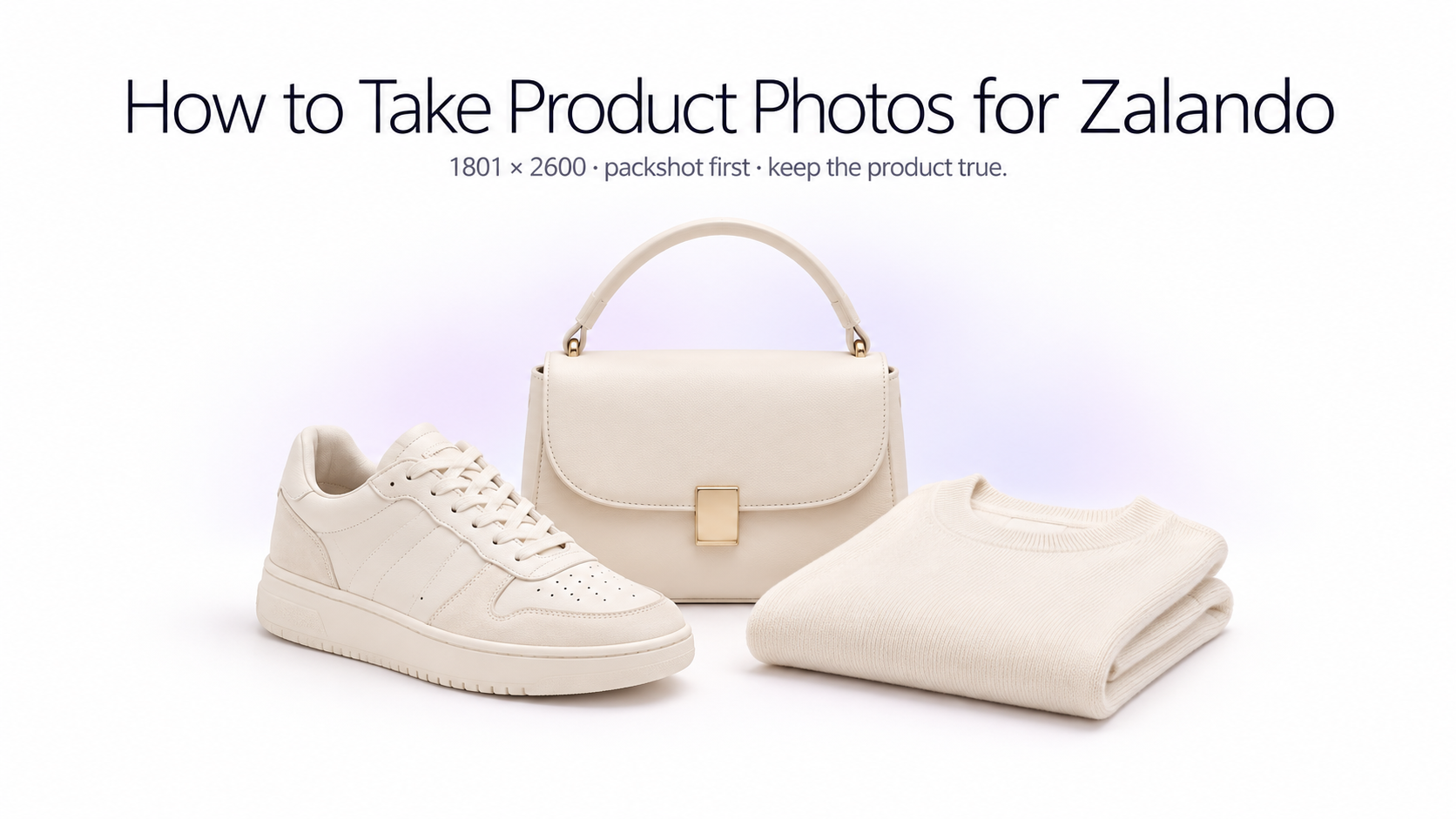
Product photography for Zalando is more structured than simply uploading attractive fashion photos. Zalando distinguishes between catalogue views, packshots, model views, detail views, and additional lifestyle imagery, and each type has a different role in the product gallery. If you sell clothing, shoes, jewellery, accessories, beauty products, or other visually driven products, your photography workflow should be planned around those requirements from the start.
Zalando product image requirements at a glance
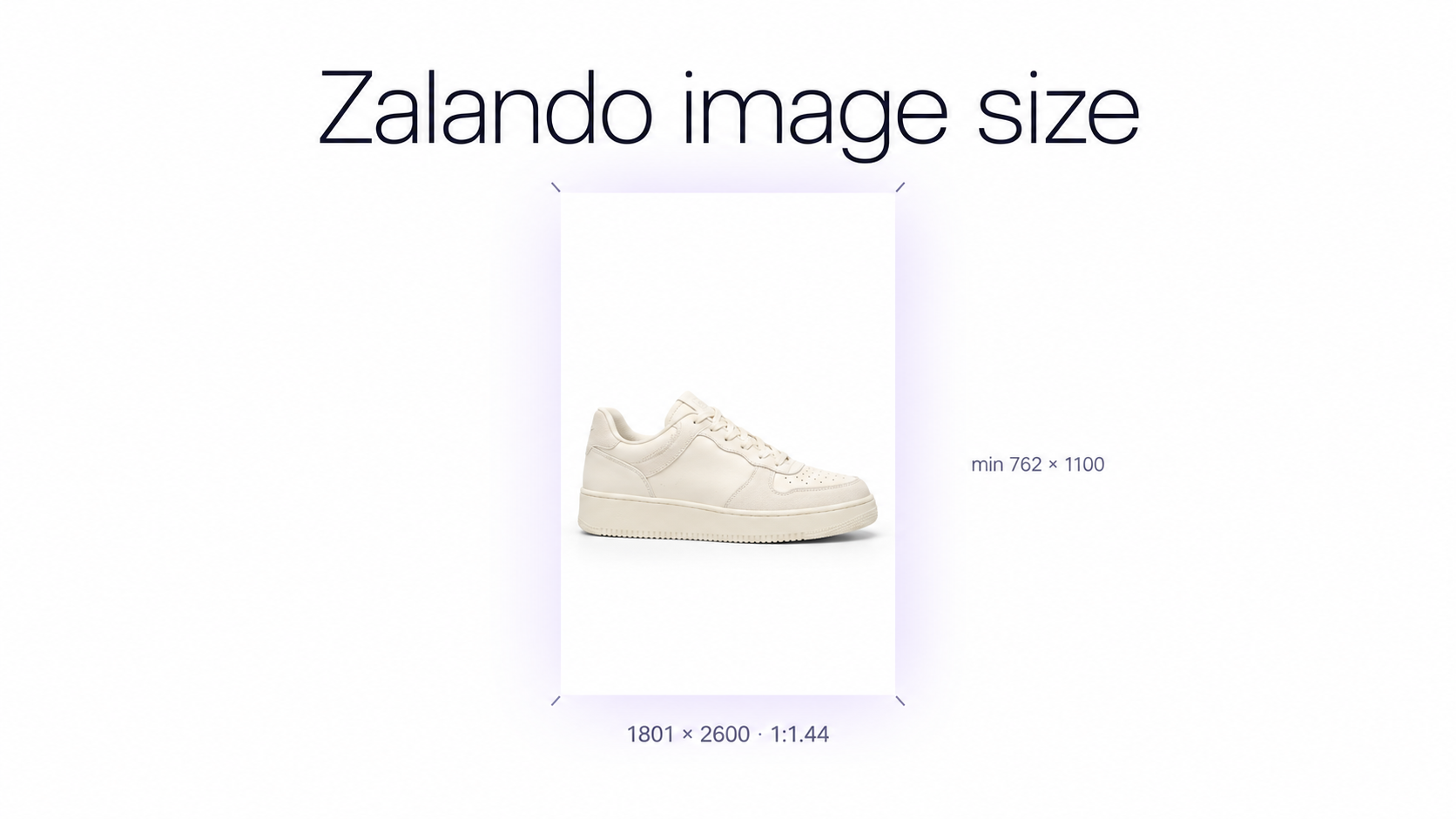
Zalando's current general image requirements specify an **aspect ratio of 1:1.44**, with a best-practice image size of **1801 × 2600 pixels**. The minimum accepted size is **762 × 1100 pixels**, while designer brands have a minimum size of **1800 × 2600 pixels**. Images must be JPG or JPEG, upright, high resolution, and no larger than 20 MB.
Zalando also requires images to use the **sRGB colour mode**. Meeting the pixel dimensions alone is not enough: a technically large image can still be rejected if it is visibly blurry or low quality. Other marketplaces use different sizes, so check the same master file with a marketplace image checker before you reuse it on Shopify, Amazon, or Trendyol.
Plan your shoot around the 1:1.44 portrait format
Zalando uses a tall portrait format, so compose your source images vertically whenever possible. Leave enough room around the product for precise positioning rather than photographing the article so tightly that the required crop removes sleeves, shoes, bag handles, packaging, or other important parts.
For a scalable catalog, keep high-resolution master images before exporting Zalando-ready versions. That gives you flexibility to reuse the same photography for your own store, social media, ads, and other marketplaces without relying on an already-cropped marketplace file. The same master can later be prepared for product photos for Trendyol if you sell on more than one platform.
Understand Zalando's different image types
Zalando does not treat every product photo equally. The first image shown in the shop is the **catalogue view**. Depending on the assortment, this can be a compliant **front crop** showing the product on a model or a **primary packshot** showing the product by itself. Other images can show alternative angles, details, styling, or context.
Primary packshots
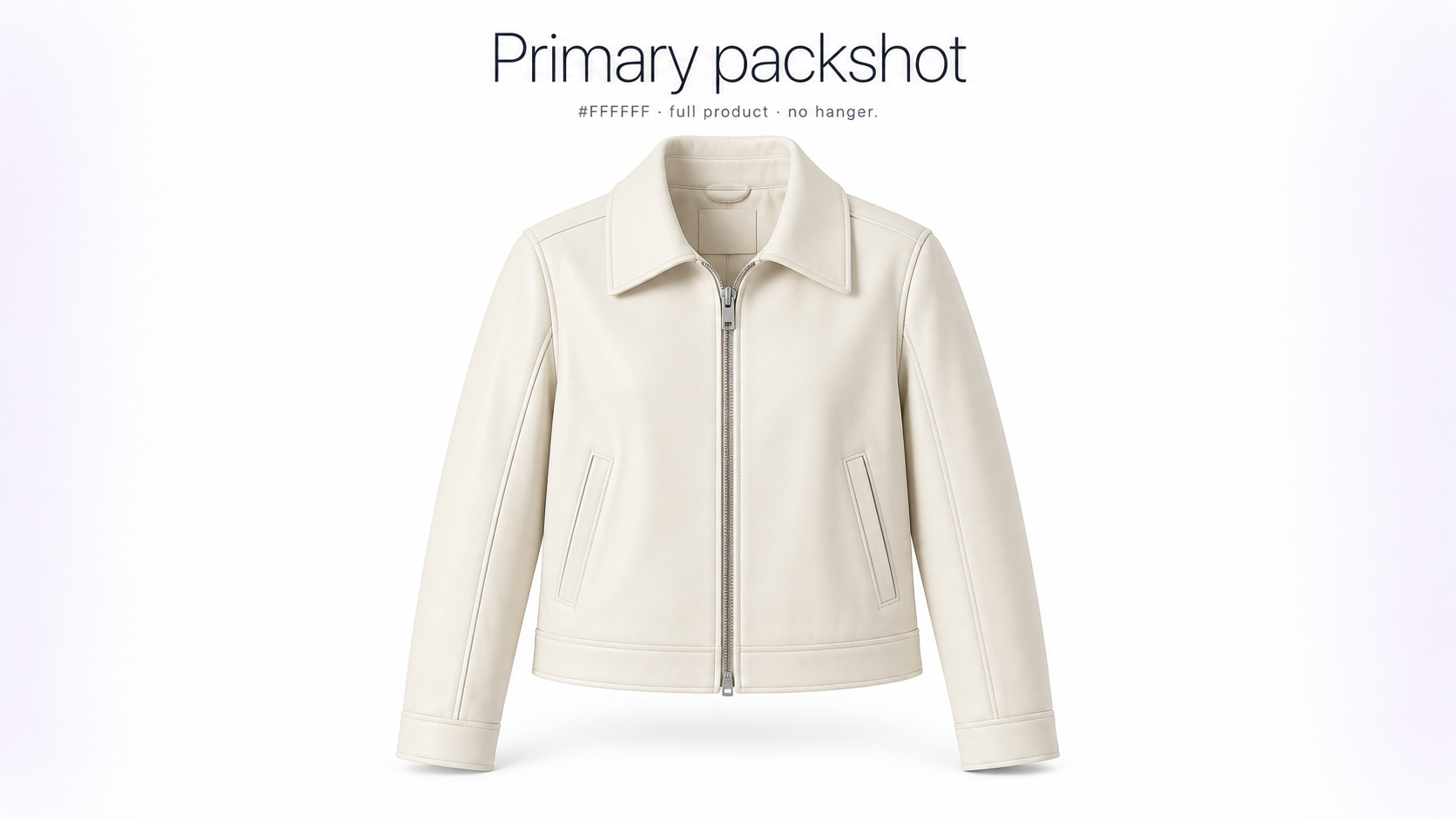
A primary packshot should make the product immediately understandable. Zalando requires a **pure white #FFFFFF background** for a compliant primary packshot and then adds its own light grey treatment for consistency in the shop.
For a primary packshot, the complete article should remain visible rather than being cropped. The front of the product must be recognizable. Zalando permits approaches such as an invisible mannequin or laid-down presentation where appropriate, but a visible mannequin or hanger is not accepted in a packshot.
How to shoot a clean Zalando packshot
Start with a neutral shooting environment and soft, even lighting. Place the product so that its shape is easy to understand and avoid dramatic perspective distortion. Photograph at a high enough resolution to retain fabric texture, stitching, hardware, logos, and other details after resizing. GenImagePro can help you clean a real source photo onto a true white #FFFFFF background without rebuilding the product from scratch.
Keep the full product visible
For a primary packshot, do not crop meaningful parts of the article. Zalando's apparel packshot guidance recommends that the article occupy roughly 80% of the frame while remaining fully visible. Shoes and other categories have their own positioning grids, so check the category-specific Zalando image guide before processing an entire catalog.
Use a true white background for primary packshots
The compliant primary packshot background should be **#FFFFFF white**. Avoid slightly grey, cream, textured, or environmental backgrounds for this image type. Lifestyle and ambient images can still have a role later in the gallery, but they should not replace a required compliant packshot.
How to take model photos for Zalando
For fashion products, model photography helps customers understand fit, proportion, drape, and styling. Zalando's compliant model-view rules are stricter than ordinary lifestyle photography: the article must remain recognizable, image quality and background rules still apply, and the model view must have been **photographed with a real person**. For garment-specific setups beyond Zalando's catalogue crop, see clothing photography for ecommerce.
Use a controlled background for compliant model views
For compliant model views, Zalando recommends a light grey or beige background, with **#F1F1F1** given as the best-practice colour. This creates a visually consistent fashion catalog and keeps attention on the garment rather than the environment.
Show the fit clearly
The product should remain easy to recognize even when the image is slightly cropped. For catalogue-eligible front views, most of the front of the article should be visible. Use additional side, back, and detail views to explain elements that cannot be understood from the first photograph.
Do not replace required real-model photography with a synthetic AI model
This is particularly important for AI image workflows. Zalando's current guidelines state that a compliant model view **must have been photographed with a real person**. A fully synthetic AI fashion model therefore should not be treated as a replacement for a required compliant model view.
AI can still assist elsewhere in the production workflow, such as improving backgrounds, creating additional contextual imagery, supporting post-production, or producing other permitted visual assets. The final image set still needs to comply with Zalando's rules for the specific image type.
How Zalando treats AI-generated and AI-edited images
Zalando now explicitly addresses synthetic and AI-generated content in its image guidelines. AI imagery must still represent the actual product accurately and meet the same editorial and technical quality expectations as conventional photography.
Zalando identifies problems such as incorrect materials, unnatural textures, distorted patterns, inconsistent product shapes, misplaced buttons, corrupted text or logos, unrealistic shadows, incorrect proportions, and inconsistent model appearance as unacceptable AI distortions.
Product accuracy matters more than visual polish
An AI-edited image can look visually impressive and still be unsuitable for a marketplace listing if it changes what the customer will actually receive. Compare every generated image with the real source product. Check logos, stitching, buttons, pockets, heels, jewellery details, prints, packaging, materials, colours, and proportions before publishing.
Use AI carefully for secondary and lifestyle imagery
Zalando allows ambient and lifestyle imagery as additional views in appropriate contexts, but these images are not automatically considered compliant catalogue views. This makes secondary imagery a more natural place for carefully controlled AI-assisted creative work than the required primary packshot or real-person model view.
With GenImagePro, you can start from an accurate source product photograph and create additional studio or contextual variations while keeping the original product as the visual reference. Always review the result against Zalando's current AI and category-specific image rules before uploading.
Build a useful Zalando image sequence
Instead of uploading several nearly identical photos, use the gallery to answer different customer questions. The exact required views depend on the assortment, but a strong fashion image set often progresses from clear product identification to fit, alternative angles, construction, and styling. Shopify sellers use a similar gallery logic when they prepare Shopify product photos for a product page.
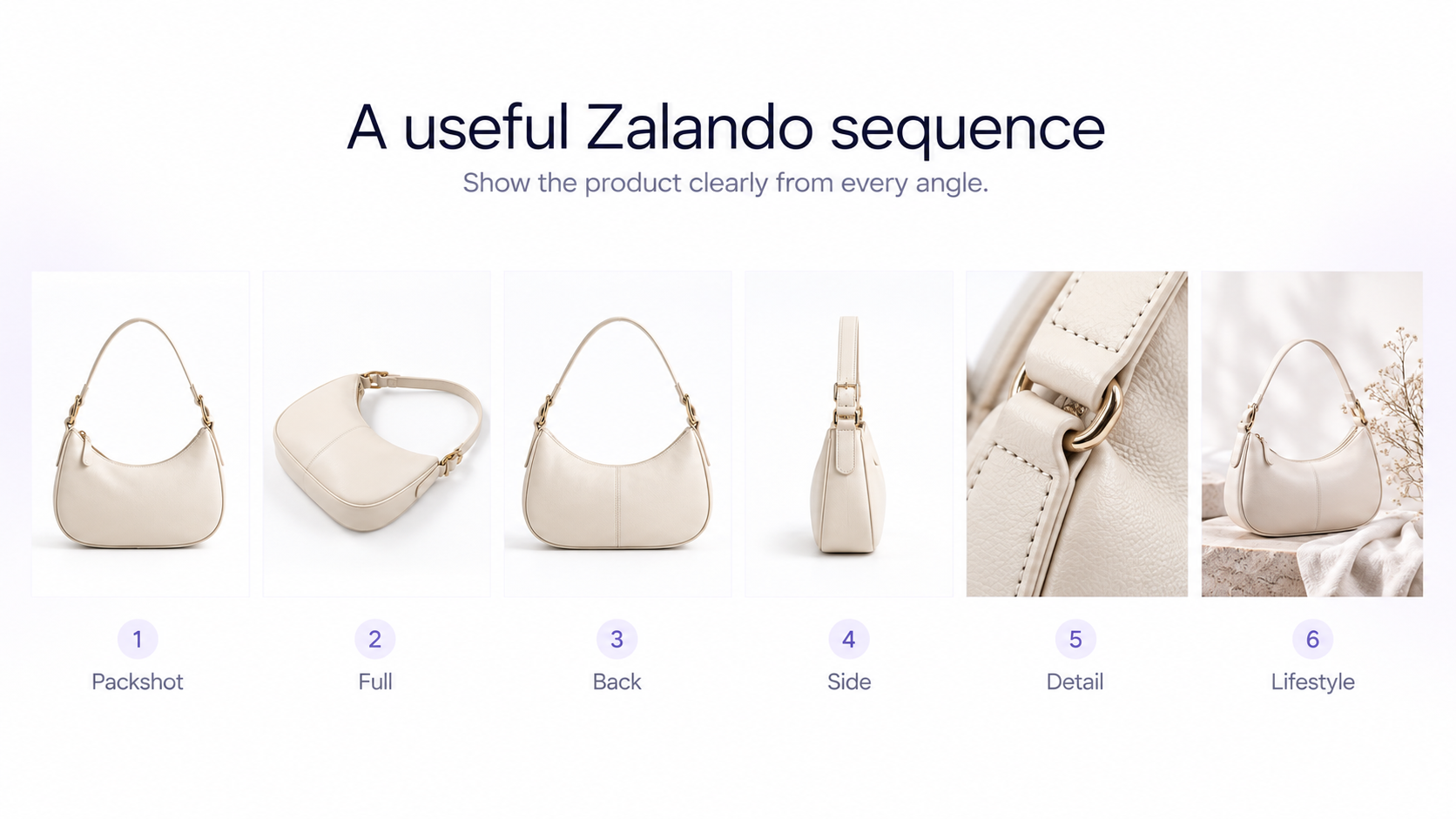
A practical sequence might include: **1. Catalogue view:** compliant front crop or primary packshot **2. Full-body or additional model view:** where appropriate **3. Back view:** show construction and fit from behind **4. Side view:** clarify silhouette and depth **5. Detail view:** texture, hardware, stitching, pattern, or material **6. Additional styling or contextual image:** when useful and permitted Always adapt the sequence to the product category rather than forcing the same gallery structure onto every item.
Photograph details customers cannot see in the first image
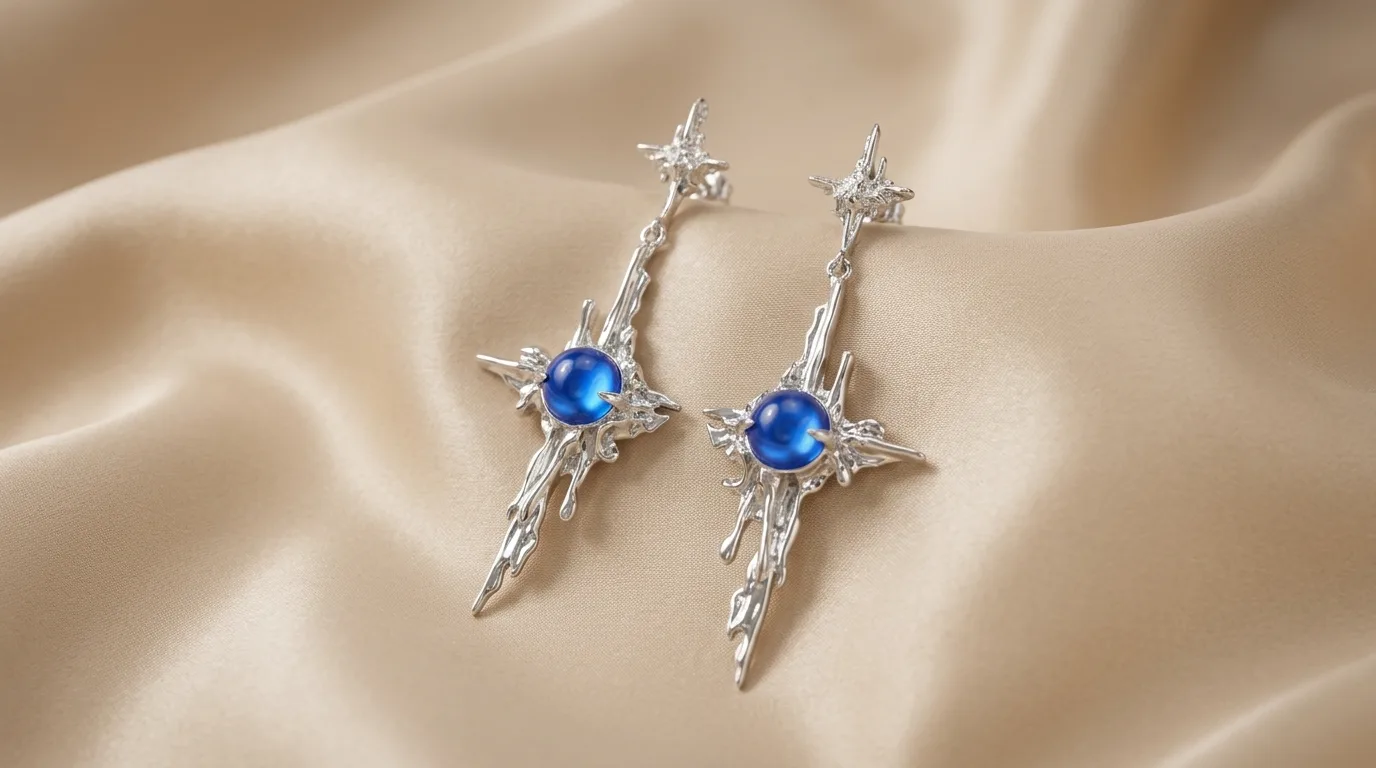
Detail images are particularly valuable for fashion ecommerce because customers cannot touch the product. Use close-ups to communicate fabric texture, surface finish, stitching, closures, jewellery settings, shoe soles, bag interiors, zippers, labels, and other details that influence the purchase decision.
Keep the catalog consistent across products
A large fashion catalog becomes easier to browse when similar products follow the same visual system. Standardize camera position, crop, product scale, lighting direction, background tone, model treatment, and post-production. Consistency also reduces the amount of manual editing required when new SKUs are added. GenImagePro helps you reuse one source photo and one visual setup across many listings without changing the real product.
Edit without removing authenticity
Post-production should improve presentation rather than redesign the product or person. Correct exposure and white balance, remove genuine photographic distractions, clean the background, and maintain realistic skin, fabric, shape, texture, and proportions.
Zalando's visual-content guidance emphasizes authentic representation. Heavy retouching that changes real physical characteristics or makes products and people appear unnaturally perfect can work against that objective.
Prepare the final Zalando file correctly
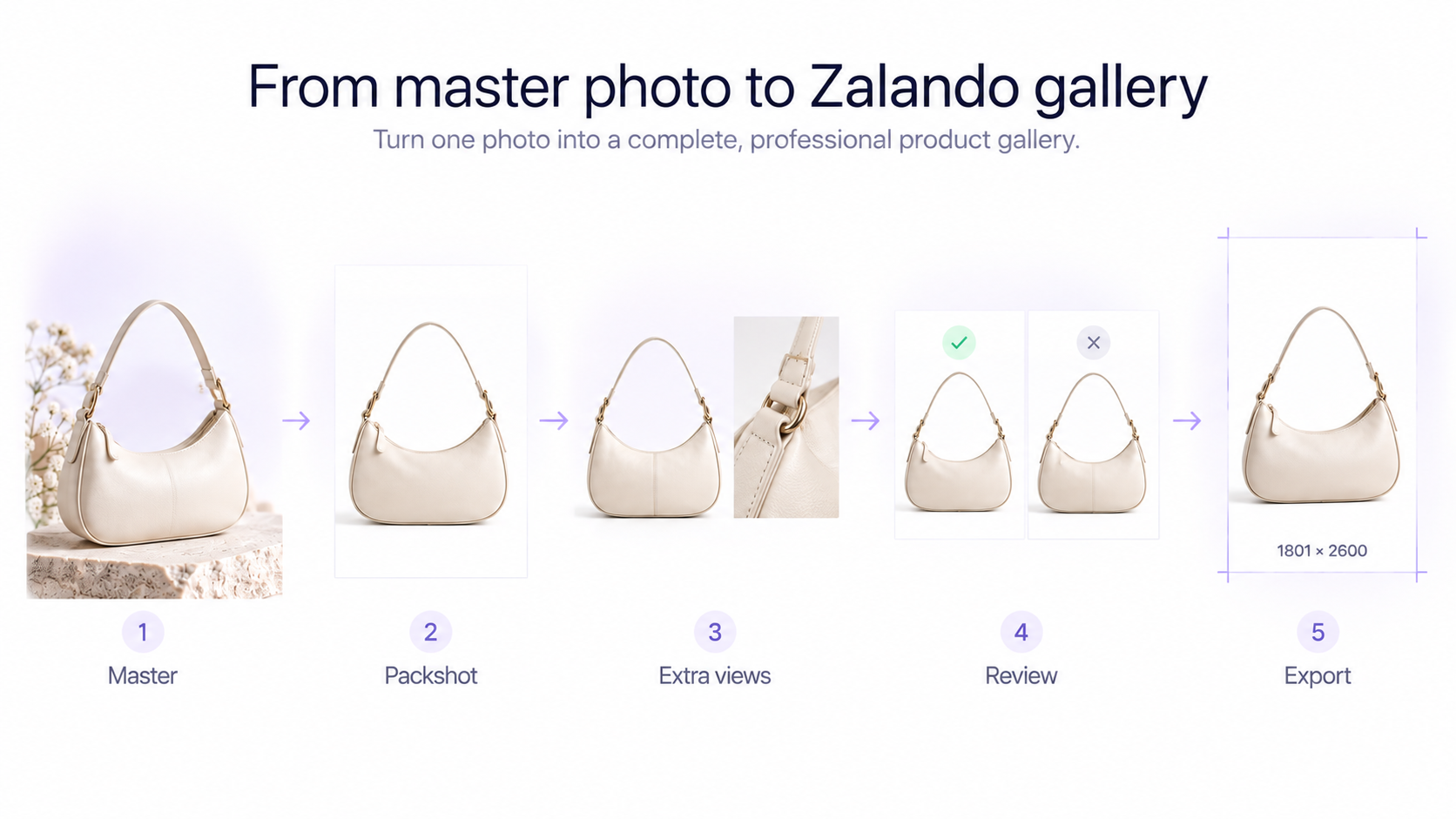
Before upload, export the image as JPG or JPEG in the sRGB colour space. Aim for Zalando's **1801 × 2600 pixel best-practice size** when possible and keep the file below 20 MB. Do not stretch an image to reach the required dimensions. Crop and reposition it while preserving the product's real proportions.
Common Zalando product photography mistakes
Common problems to avoid include: - Uploading blurry images even when the pixel dimensions are technically large enough - Using the wrong aspect ratio - Cropping the article in a primary packshot - Using a non-white background for a primary packshot - Leaving a visible hanger or mannequin in a packshot - Using synthetic AI models as a substitute for required real-person model photography - Altering the real product's colour, material, logo, pattern, or construction during AI editing - Creating unrealistic lighting, reflections, shadows, or proportions - Repeating duplicate images instead of showing useful alternative information - Ignoring the category-specific Zalando image guide
A practical Zalando product photography workflow
**1. Check the assortment-specific image guide.** Confirm which views are required for your product category. **2. Shoot a high-resolution master.** Capture the real product accurately with enough space for Zalando's vertical format. **3. Create the compliant catalogue image.** Prepare the correct front crop or primary packshot for the assortment. **4. Photograph useful additional views.** Capture back, side, detail, model, or other required views. **5. Perform controlled post-production.** Correct lighting, background, alignment, and minor imperfections without changing the product. GenImagePro is useful here for white-background cleanup and secondary variations, not for replacing a required real-person model view. **6. Review any AI-assisted images.** Check product accuracy, anatomy, materials, text, logos, shadows, and proportions. **7. Export for Zalando.** Use the required portrait ratio, JPG/JPEG, sRGB, high resolution, and appropriate file size. **8. Review the complete gallery.** Make sure every image provides useful information and that at least the required views qualify as compliant.
Final checklist before uploading to Zalando
Confirm that the image is sharp, correctly proportioned, and exported in the required format. Check that primary packshots use the correct background and show the complete product. For model views, verify that you are following Zalando's real-person and category-specific rules. Finally, compare edited and AI-assisted images against the real product to make sure nothing important has changed.
Frequently Asked Questions
What size should Zalando product images be?
Zalando currently recommends 1801 × 2600 pixels. The general minimum is 762 × 1100 pixels, while designer brands have a minimum requirement of 1800 × 2600 pixels.
What aspect ratio does Zalando use?
Zalando's current general image requirement is a 1:1.44 width-to-height aspect ratio in upright portrait orientation.
Does Zalando require a white background?
A compliant primary packshot requires a pure white #FFFFFF background. Zalando then adds a light grey background treatment for consistency in the shop. Model-view background requirements are different.
Can I use AI-generated images on Zalando?
Zalando has an explicit AI image policy and can accept AI-assisted or synthetic content when it satisfies applicable requirements, but inaccurate products, visual distortions, unrealistic settings, and other quality problems can cause rejection.
Can I use an AI-generated fashion model for a Zalando model view?
Not as a replacement for a compliant model view. Zalando's current guidelines state that compliant model views must have been photographed with a real person.
Can I use lifestyle photos on Zalando?
Lifestyle or ambient images may be useful as additional views, but they are not automatically compliant catalogue views. Your required compliant images still need to satisfy Zalando's specific packshot or model-view rules.
What file format does Zalando accept for product images?
Zalando's current general requirements specify JPG or JPEG, sRGB colour mode, upright orientation, high resolution, and a maximum file size of 20 MB.