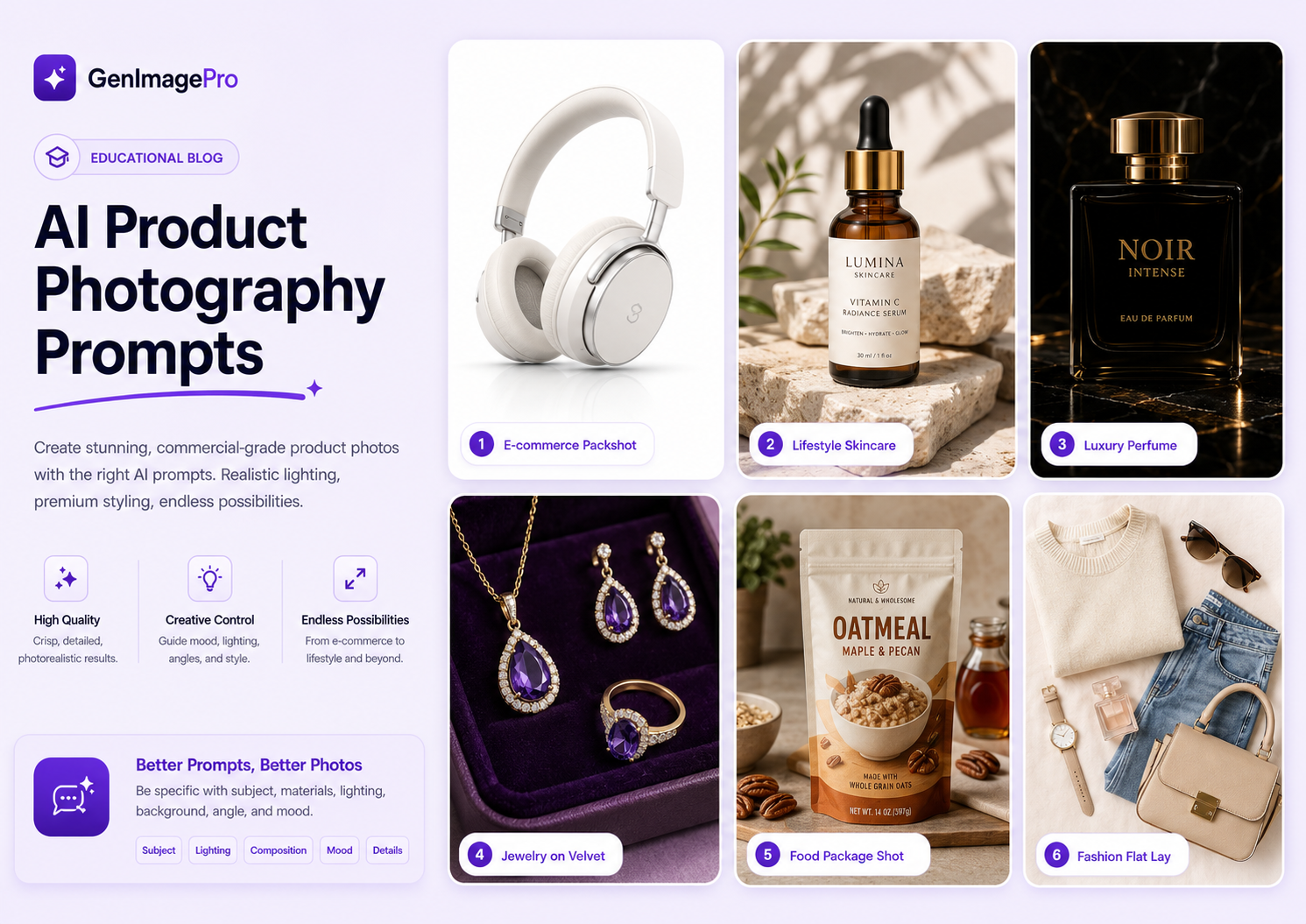
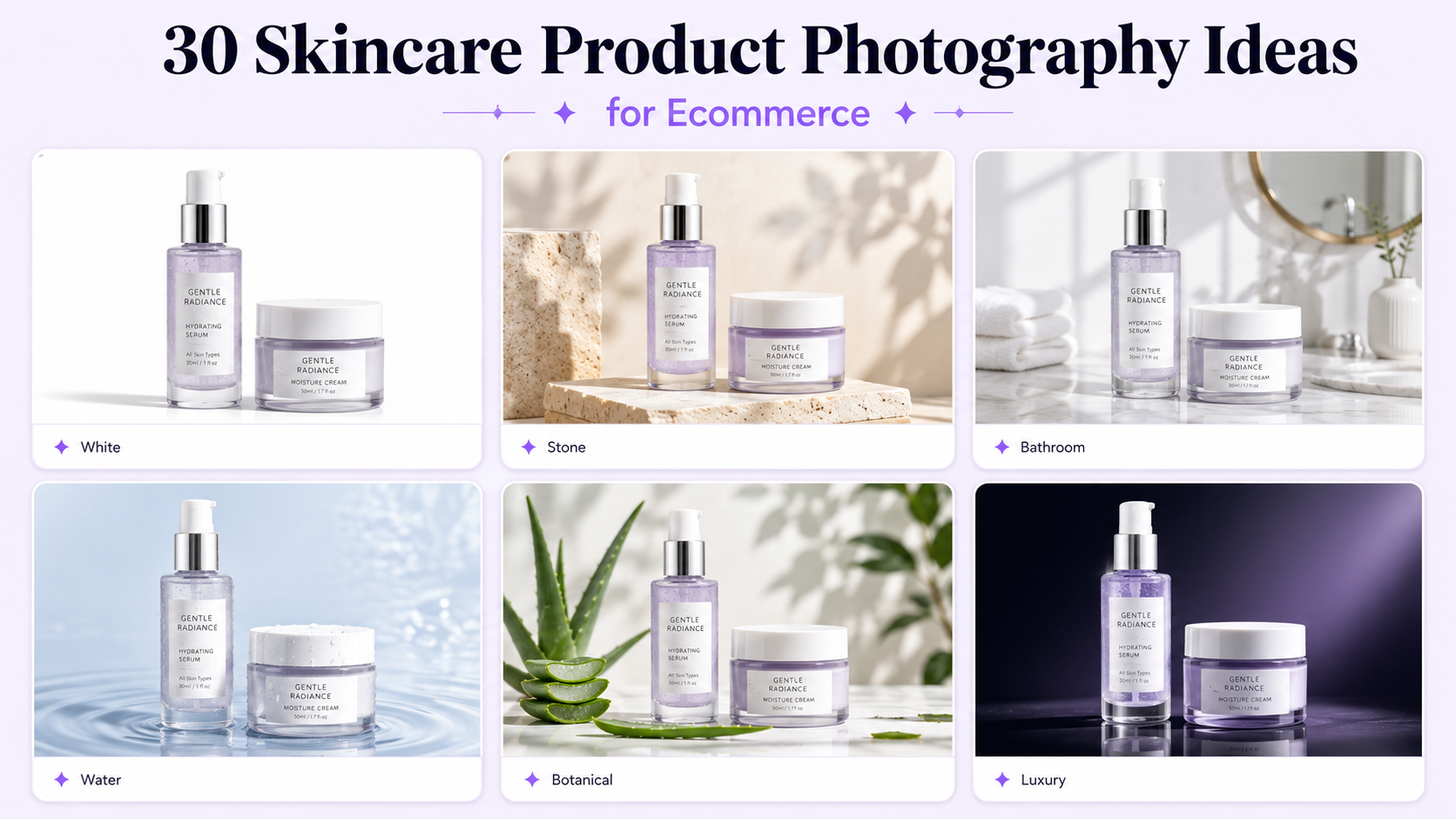
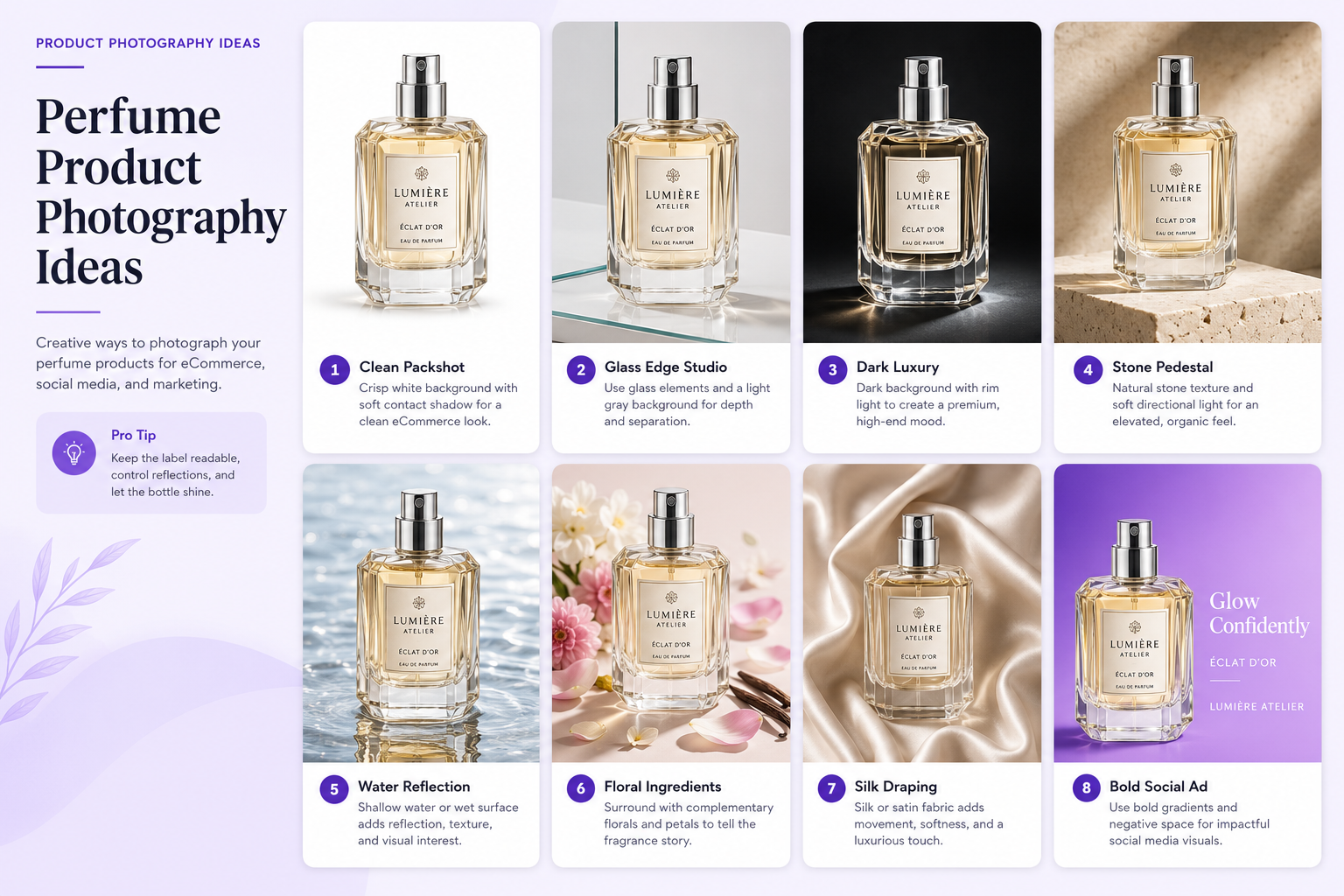
AI prompts for product photography work best when they read like a clear photography brief. A vague instruction such as make this product look premium leaves the model to invent the background, lighting, composition, scale, and visual style. A structured prompt gives the AI a more controlled direction.
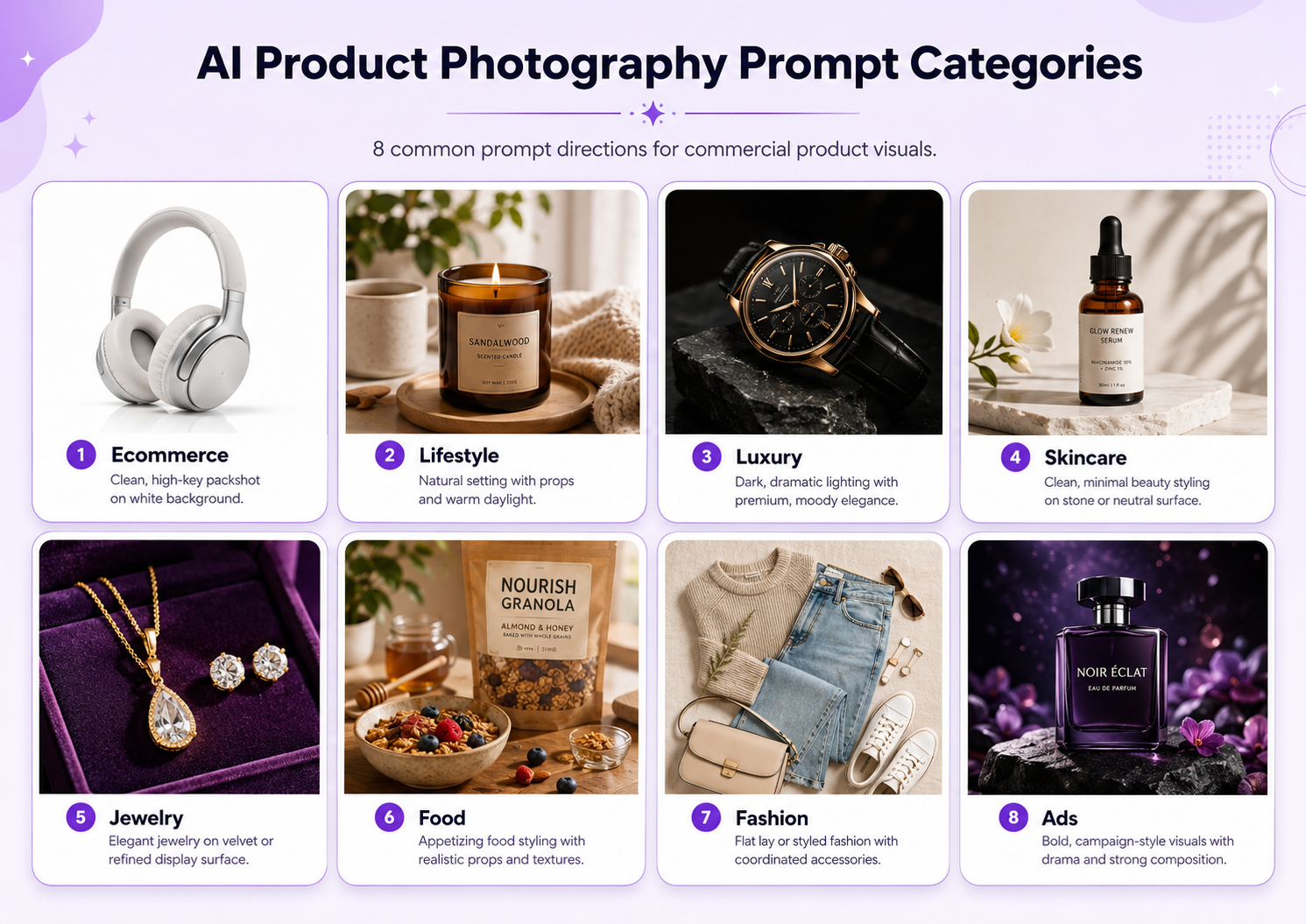
You can use product photography prompts to create clean ecommerce packshots, lifestyle scenes, luxury campaigns, social advertisements, seasonal visuals, flat lays, close-up details, and marketplace-ready images.
For a real product, upload a reference image whenever the generator supports it. The reference provides the actual item, while the prompt describes how it should be photographed. Tell the AI which details must remain unchanged, especially the product shape, label, logo, material, color, packaging, proportions, and camera angle.
Below are 35 copy-ready AI product photography prompts. Replace the bracketed details with your product information and adjust the aspect ratio, platform, or campaign style as needed.
AI Product Photography Prompt Formula
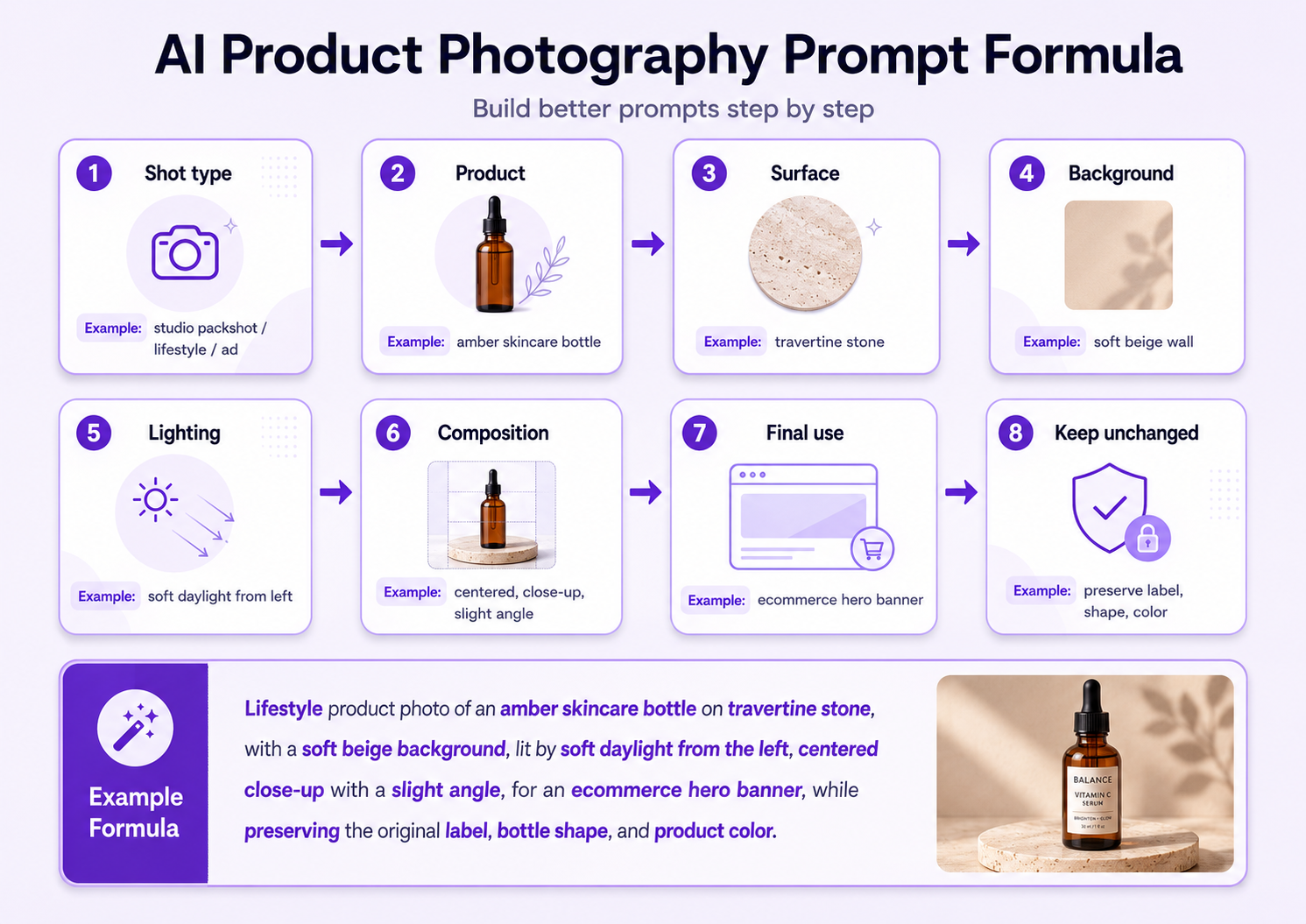
A reliable product photography prompt includes seven parts: shot type, product, surface, background, lighting, composition, and final use. When working from a real product photo, add preservation instructions at the end.
[Shot type] of [product] on [surface], with [background], [lighting], [composition and camera angle], [visual style and final use]. Keep [protected product details] unchanged.
Example: Premium ecommerce hero photo of a frosted skincare bottle on warm travertine stone, soft cream studio background, large diffused light from the upper left, realistic contact shadow, centered three-quarter angle, refined beauty-campaign styling. Keep the bottle shape, cap, white label, logo placement, product color, proportions, and packaging text unchanged.

How to Use These Product Photography Prompts
Choose a prompt based on the image's job. A product-page main image should make the item easy to inspect. A lifestyle image should show context and aspiration. An advertisement should create attention and leave room for copy.
Use your real product image as the reference whenever possible. Replace generic product wording with concrete facts such as material, finish, packaging shape, label color, size, and distinctive features.
Generate several variations and compare them with the original product. A beautiful image is not usable when the AI changes the logo, color, closure, gemstone setting, fabric pattern, ingredients, or proportions.
Ecommerce and White-Background Prompts
1. Clean White Ecommerce Packshot
Create a clean ecommerce packshot of the uploaded [product] on a pure white seamless background, soft high-key studio lighting, realistic contact shadow, centered composition, front three-quarter angle, sharp detail, accurate neutral color, suitable for an online product page. Keep the exact product shape, color, label, logo, proportions, material, and camera angle unchanged.
2. Amazon-Style Main Product Image
Create a marketplace-ready main image of the uploaded [product] isolated on a pure white background, product filling most of the frame without cropping, even studio lighting, crisp edges, minimal natural shadow, accurate color, no props, no decorative text, and no extra objects. Preserve all real product details and packaging exactly.
3. Shopify Product Page Hero
Transform the uploaded [product] into a polished Shopify product-page hero image on a soft off-white studio background, diffused lighting from the upper left, realistic floor shadow, centered premium composition, generous margin, true-to-life color, and sharp detail. Keep the product, branding, packaging, and proportions unchanged.
4. Catalog Side-Angle Product Photo
Create a clean catalog product photo of the uploaded [product] from a controlled 45-degree angle, light gray seamless background, softbox lighting, subtle shadow, accurate materials and reflections, consistent commercial framing, and high detail. Do not alter the product design, label, logo, surface finish, or color.
5. Product Detail Close-Up
Create a macro-style detail image of the uploaded [product], focusing on [specific feature], with soft controlled studio lighting, neutral background, realistic material texture, shallow but usable depth of field, and premium ecommerce clarity. Preserve the exact construction, color, logo, text, and material response.
Lifestyle Product Photography Prompts
6. Modern Home Lifestyle Scene
Place the uploaded [product] naturally in a bright modern home environment with neutral furniture, warm wood, soft window light, realistic shadows, and an aspirational but believable lifestyle composition. Keep the product fully recognizable and preserve its exact shape, color, label, packaging, and scale.
7. Morning Routine Product Photo
Create a calm morning-routine lifestyle image featuring the uploaded [product] on a clean bathroom or bedroom surface, soft sunrise light, subtle everyday props, natural textures, gentle depth of field, and premium editorial realism. Keep all product details unchanged.
8. Outdoor Lifestyle Campaign
Place the uploaded [product] in a realistic outdoor setting with soft natural daylight, complementary landscape colors, believable surface contact, subtle environmental depth, and a refined commercial composition. Preserve the product design, material, color, branding, and proportions.
9. Workspace Lifestyle Image
Create a modern workspace lifestyle photo featuring the uploaded [product] on a clean desk with a laptop, notebook, and minimal accessories, soft side window light, realistic shadows, uncluttered framing, and professional social-media styling. Keep the product accurate and unchanged.
10. Product in Use
Show the uploaded [product] being used naturally by [target customer] in [relevant environment], with authentic body positioning, soft realistic lighting, clear product visibility, commercial lifestyle photography, and believable scale. Preserve the exact product shape, color, branding, and functional details.
Luxury and Editorial Product Prompts
11. Luxury Stone Pedestal
Place the uploaded [product] on a refined travertine or limestone pedestal in a warm neutral studio, soft directional light, controlled highlights, realistic contact shadow, elegant negative space, and premium luxury-campaign styling. Preserve the product, packaging, label, logo, material, and colors exactly.
12. Dark Cinematic Product Ad
Create a dark cinematic advertisement for the uploaded [product] on a matte black surface, deep navy background, controlled rim lighting, subtle reflected highlights, realistic shadow, dramatic three-quarter composition, and sophisticated premium branding. Keep the product design and colors unchanged.
13. Reflective Editorial Scene
Create a polished editorial product photo of the uploaded [product] on a dark reflective surface, precise studio highlights, restrained reflection, clean geometric composition, high-end magazine styling, and realistic material detail. Preserve all branding, packaging, and proportions.
14. Sculptural Campaign Image
Place the uploaded [product] among minimal sculptural forms in complementary neutral colors, soft directional studio light, balanced shadows, refined asymmetrical composition, generous negative space, and luxury advertising style. Do not modify the product itself.
15. Color-Blocked Product Campaign
Create a bold color-blocked campaign for the uploaded [product] using [brand colors], clean geometric surfaces, strong but controlled studio lighting, crisp shadows, contemporary editorial framing, and space for a headline. Preserve the exact product color, logo, label, and shape.
Skincare and Beauty Product Prompts
16. Minimal Skincare Hero
Create a premium skincare hero image of the uploaded bottle or jar on warm beige stone, soft cream background, diffused morning light, realistic contact shadow, subtle condensation or glow, minimal composition, and clean beauty-editorial styling. Keep the packaging, label, cap, logo, color, and proportions unchanged.
17. Botanical Beauty Scene
Place the uploaded beauty product in a refined botanical scene with restrained green leaves, subtle flowers, natural stone, soft warm daylight, realistic shadows, and fresh premium styling. The product remains the clear focal point and all packaging details stay unchanged.
18. Water and Hydration Campaign
Create a fresh hydration campaign featuring the uploaded skincare product with controlled water ripples, small droplets, a pale blue background, crisp diffused lighting, realistic reflections, and clean commercial composition. Preserve the exact product, label, cap, color, and material.
19. Glossy Makeup Product Ad
Create a polished makeup product advertisement featuring the uploaded [cosmetic product] on a glossy tonal surface, soft gradient background, precise beauty lighting, controlled highlights, elegant color harmony, and close-up editorial framing. Preserve the product shade, applicator, logo, packaging, and proportions.
Jewelry and Accessory Product Prompts
20. Luxury Jewelry Macro
Create a luxury macro product photo of the uploaded [jewelry item] on a dark velvet surface, precise soft lighting, controlled gemstone sparkle, realistic metal reflections, shallow depth of field, and refined editorial composition. Preserve the exact design, stone setting, metal color, proportions, and details.
21. Minimal Jewelry Ecommerce Photo
Create a clean ecommerce image of the uploaded [jewelry item] on a soft off-white background, even diffused studio lighting, subtle natural shadow, sharp edge detail, accurate metal color, centered composition, and no distracting props. Keep the jewelry design completely unchanged.
22. Jewelry on Stone Pedestal
Place the uploaded [jewelry item] on a small pale-stone pedestal with warm neutral background, soft side lighting, delicate shadows, accurate reflections, and premium boutique styling. Preserve the exact shape, clasp, stones, material, color, and scale.
23. Hand-Model Jewelry Image
Show the uploaded [ring, bracelet, or watch] worn naturally on a well-groomed hand or wrist, soft beauty lighting, neutral background, realistic skin texture, elegant pose, accurate product scale, and clear commercial focus. Preserve the exact jewelry design, stones, metal color, and proportions.
Food and Beverage Product Prompts
24. Packaged Food Ecommerce Hero
Create a clean commercial hero image of the uploaded packaged food product on a light neutral surface, bright diffused lighting, realistic shadow, accurate package colors, centered composition, sharp label visibility, and premium grocery ecommerce styling. Preserve the packaging, text, logo, shape, and product color.
25. Beverage Splash Campaign
Create a dynamic beverage advertisement featuring the uploaded bottle or can with controlled liquid splash, small droplets, cool commercial lighting, complementary background color, crisp reflections, and energetic composition. Keep the container, label, logo, cap, flavor color, and proportions unchanged.
26. Café Lifestyle Product Scene
Place the uploaded beverage or packaged product naturally in a modern café setting, warm daylight, subtle table props, realistic depth of field, inviting lifestyle composition, and clear product visibility. Preserve all product and packaging details.
27. Ingredient-Led Food Campaign
Create a premium product campaign featuring the uploaded food package surrounded by a restrained arrangement of its real ingredients, clean studio background, natural directional lighting, accurate colors, and balanced commercial composition. Do not invent ingredients or alter the packaging.
Fashion and Accessory Product Prompts
28. Clean Fashion Flat Lay
Create a clean flat-lay product photo of the uploaded [clothing item or accessory] on a soft neutral surface, even diffused lighting, realistic fabric texture, balanced styling, accurate color, and ecommerce-ready composition. Preserve the garment cut, print, stitching, material, and proportions.
29. Fashion Lookbook Product Image
Show the uploaded [garment or accessory] in a refined lookbook setting with a minimal architectural background, soft natural lighting, realistic fabric movement, clean full-product visibility, and premium editorial style. Keep the design, color, texture, hardware, and proportions unchanged.
30. Bag or Shoe Boutique Scene
Place the uploaded bag or shoe on a minimal boutique pedestal with warm neutral materials, soft directional lighting, realistic contact shadow, subtle background blur, and luxury retail styling. Preserve the exact shape, color, texture, stitching, hardware, logo, and proportions.
31. Ghost-Mannequin Clothing Photo
Create a clean ghost-mannequin ecommerce image from the uploaded clothing item, preserving its natural three-dimensional shape, accurate fabric texture, seams, collar, sleeves, length, and color, on a light neutral background with even studio lighting and minimal shadow.
32. Instagram Product Ad
Transform the uploaded [product] into a bold Instagram advertisement with a vibrant but brand-appropriate background, strong commercial lighting, realistic shadow, dynamic composition, and clear negative space for short copy. Preserve all product and branding details.
Create a wide website hero image featuring the uploaded [product] on the right side of the frame, premium environment, soft controlled lighting, realistic depth, uncluttered composition, and generous negative space on the left for a headline and call-to-action. Keep the product accurate and unchanged.
34. Pinterest Product Image
Create a vertical Pinterest-ready product image with an aspirational lifestyle background, soft natural lighting, clear product focus, balanced visual hierarchy, and space at the top for a headline. Preserve the product shape, color, label, logo, and proportions.
35. Seasonal Promotional Campaign
Transform the uploaded [product] into a tasteful [season or holiday] campaign using restrained themed details, coordinated brand colors, premium lighting, realistic shadows, and a polished commercial composition. Keep the real product, packaging, logo, label, color, and proportions unchanged.

How to Make Product Photography Prompts More Accurate
Replace generic nouns with concrete product facts. Instead of writing perfume bottle, describe a clear rectangular glass bottle with amber liquid, a matte black cylindrical cap, and a cream paper label. Material and finish descriptions help the AI create more realistic lighting and reflections.
Describe the light as a physical setup. Useful phrases include large diffused softbox from the upper left, soft window light from the right, controlled rim light, high-key studio lighting, or hard directional sunlight with crisp shadows.
Define the output purpose and crop. State whether the image is for an Amazon main listing, Shopify product page, Instagram advertisement, Pinterest pin, email banner, website hero, or printed campaign.
When using a product reference image, finish the prompt with a preservation list. This is particularly important for packaging text, logos, colors, reflective materials, jewelry settings, clothing prints, food ingredients, and product dimensions.
Common Product Photography Prompt Mistakes
The most common mistake is relying on vague adjectives such as premium, beautiful, or professional. Convert those ideas into visible direction: warm stone surface, soft directional light, realistic contact shadow, centered three-quarter angle, neutral color grade, and generous negative space.
Another mistake is including too many conflicting styles. A clean Amazon packshot, dark cinematic advertisement, tropical lifestyle scene, and pastel beauty campaign should be separate images rather than one overloaded prompt.
Do not assume the AI will preserve the real product automatically. Compare each result with the original and reject images that change the label, logo, material, color, shape, or function.
Final Recommendation
The best AI product photography prompts work like concise shoot briefs. They explain where the product is, what surrounds it, how the light behaves, how the frame is composed, where the image will be used, and which details must remain accurate.
GenImagePro offers a template-first alternative for users who do not want to construct every prompt manually. Upload a real product photo, choose a commercial visual direction, and create ecommerce, lifestyle, social, food, jewelry, beauty, fashion, and advertising variations from one workflow.