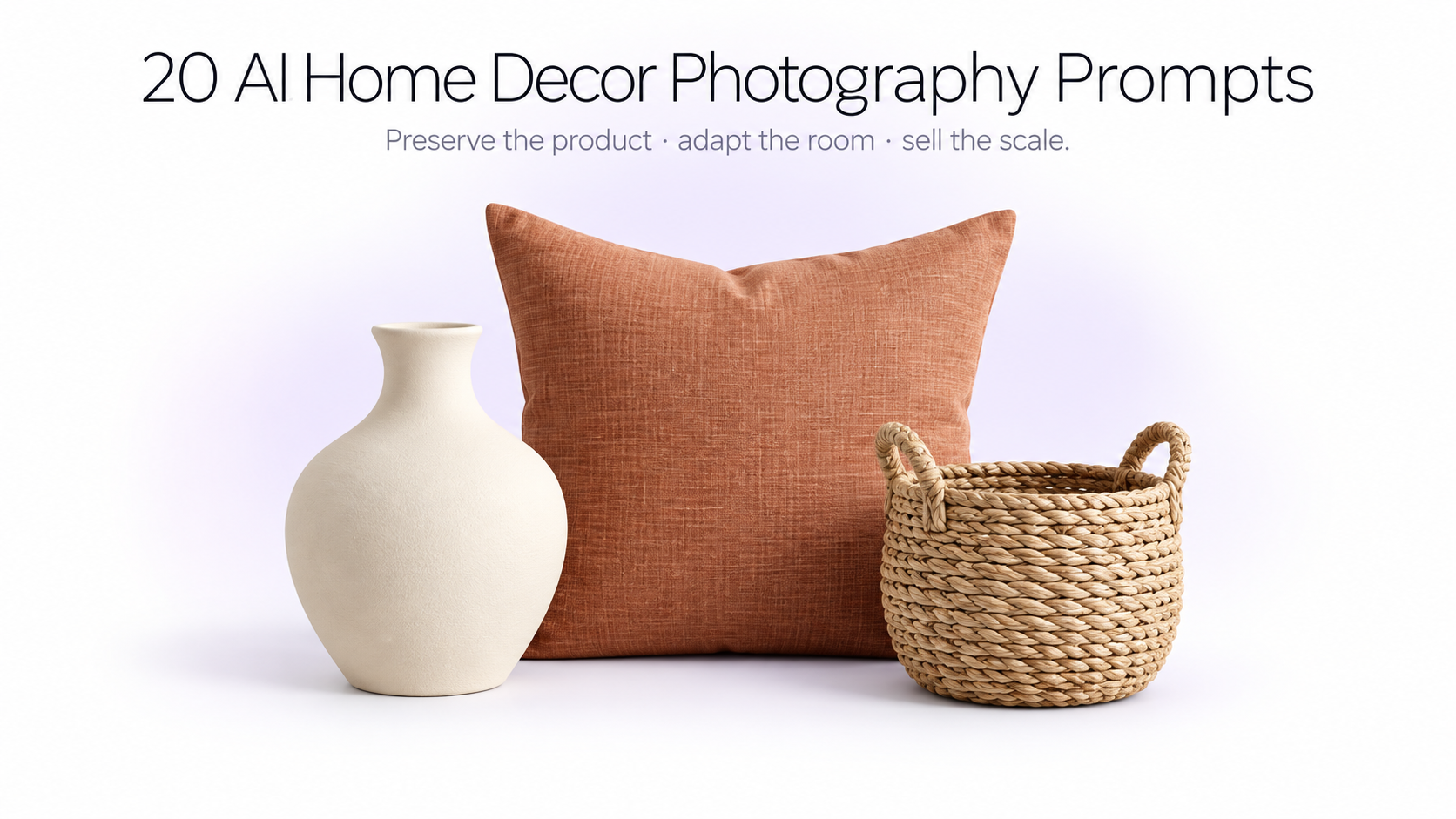
Home decor is easier to sell when shoppers can understand both the product itself and how it might look inside a real space. A vase photographed alone on white communicates shape and color. The same vase placed naturally on a console beside a textured wall helps communicate scale, style, and context.
AI product photography makes it possible to create both kinds of images from the same source photo. You can keep the actual product as the visual reference while changing the environment, surface, lighting, styling, and composition around it.
The 20 prompts below are intentionally product-agnostic. You can use the same prompt structure for a vase, lamp, pillow, rug, candle, mirror, planter, basket, ceramic object, decorative tray, clock, tableware item, or another home product. The AI should adapt the placement to the object's real scale and function.
For furniture-focused tool comparisons, see the best AI furniture photography tools. For broader lifestyle direction, see the lifestyle product photography guide. For general prompt structure, start with AI prompts for product photography.
Lifestyle product photo generators and AI product photography workflows can turn one clear home product photo into studio, interior, detail, and campaign images without rebuilding a physical set.
First: Keep the uploaded home decor product unchanged
When the generated image will be used to sell a real product, the object itself should remain the source of truth.
Preserve the uploaded item's exact silhouette, proportions, dimensions, color, material, finish, texture, pattern, construction, openings, edges, seams, handles, hardware, surface irregularities, and any visible branding or markings.
The scene can change. The product should not.
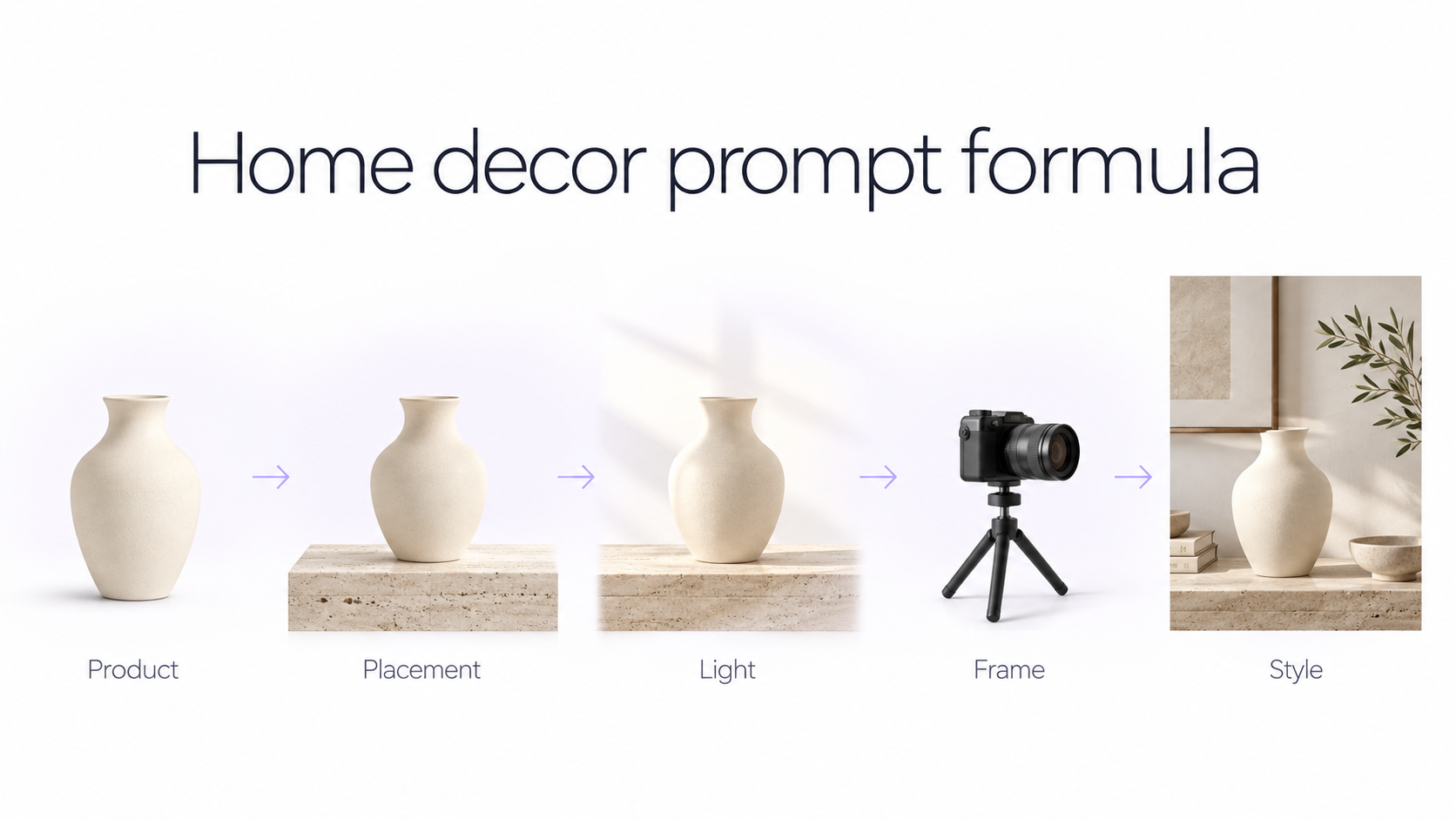
A reusable home decor photography prompt formula
A practical structure is: Exact uploaded product + natural placement + realistic environment + professional lighting + product-focused composition + preservation instructions.
You do not need to specify whether the object belongs on a floor, wall, bed, shelf, or tabletop every time. Tell the AI to place it according to its real-world function and scale.
20 AI home decor product photography prompts
1. Clean ecommerce studio
Use the uploaded home decor product as the exact hero item. Preserve its true silhouette, proportions, color, material, texture, pattern, construction, and all distinctive details. Place it naturally according to its real-world function on a clean warm-white studio background with a subtle tonal floor transition. Use large diffused studio lighting from the upper left, soft realistic contact shadows, controlled material highlights, accurate color, and crisp product detail. Keep the full item clearly visible with generous breathing room. Premium ecommerce product photography suitable for a product detail page.
2. Soft beige catalog photography
Photograph the uploaded home decor product exactly as provided against a soft warm-beige seamless background. Preserve its shape, scale, materials, surface finish, pattern, and construction without redesigning it. Position it naturally based on how the item is actually used or displayed. Use soft directional daylight with subtle tonal gradients, a realistic grounding shadow, controlled reflections, and clean commercial composition. Minimal high-end catalog photography with no distracting props.
3. Pale color studio
Use the uploaded decor item as the exact unchanged product. Create a minimal studio scene with a pale complementary background color selected to contrast gently with the product without changing its appearance. Keep the scene simple and spacious. Use soft side lighting, delicate shadows, natural material rendering, accurate product color, and a slightly elevated commercial camera angle adapted to the object's shape. Modern DTC ecommerce photography, clean, contemporary, polished, and realistic.
4. Marketplace white-background image
Create a clean marketplace-ready product photograph using the uploaded decor item as the exact product reference. Preserve every visible detail and show the complete object clearly against a pure white background. Position the product naturally and frontally enough for buyers to understand its shape and construction. Use even professional studio lighting, crisp edges, realistic depth, subtle contact shadow, accurate materials, and minimal distortion. No decorative scene elements.
Use the uploaded home decor product as the exact hero item and place it naturally inside a calm contemporary home environment appropriate to its real function. Preserve its exact shape, proportions, color, material, pattern, texture, and details. Keep surrounding styling minimal: one or two understated complementary objects only. Use natural window light from the side, soft directional shadows, realistic room depth, and a balanced product-focused composition. Premium Shopify lifestyle photography, airy, believable, and not over-styled.
Place the exact uploaded decor product in a bright Scandinavian-inspired interior with pale oak, warm white walls, soft neutral textiles, and restrained styling. Adapt placement naturally to the product's real-world use and size. Keep the uploaded item unchanged in shape, color, materials, pattern, and construction. Use soft daylight from a nearby window, natural shadows, subtle room depth, and clean architectural lines. Keep the product clearly visible and dominant enough for ecommerce use.
7. Warm modern interior
Photograph the uploaded decor item inside a warm modern interior using plaster walls, natural wood, soft cream textiles, and restrained earthy colors. Preserve the product exactly. Place it where an actual homeowner would naturally use or display it, maintaining believable scale relative to surrounding furniture and architecture. Use warm natural daylight, soft highlights, realistic contact shadows, and subtle background blur. High-end interior lifestyle photography with the product remaining the primary visual subject.
8. Japandi lifestyle photography
Use the exact uploaded home decor product in a minimal Japandi interior combining pale wood, warm plaster, simple architecture, natural textiles, and quiet neutral styling. Preserve every product detail and keep its proportions and scale realistic. Position it naturally for its function without adding unnecessary decoration. Use soft diffused window light, subtle directional shadows, calm negative space, and realistic materials. Refined ecommerce lifestyle photography with a serene premium feel.
9. Mediterranean home scene
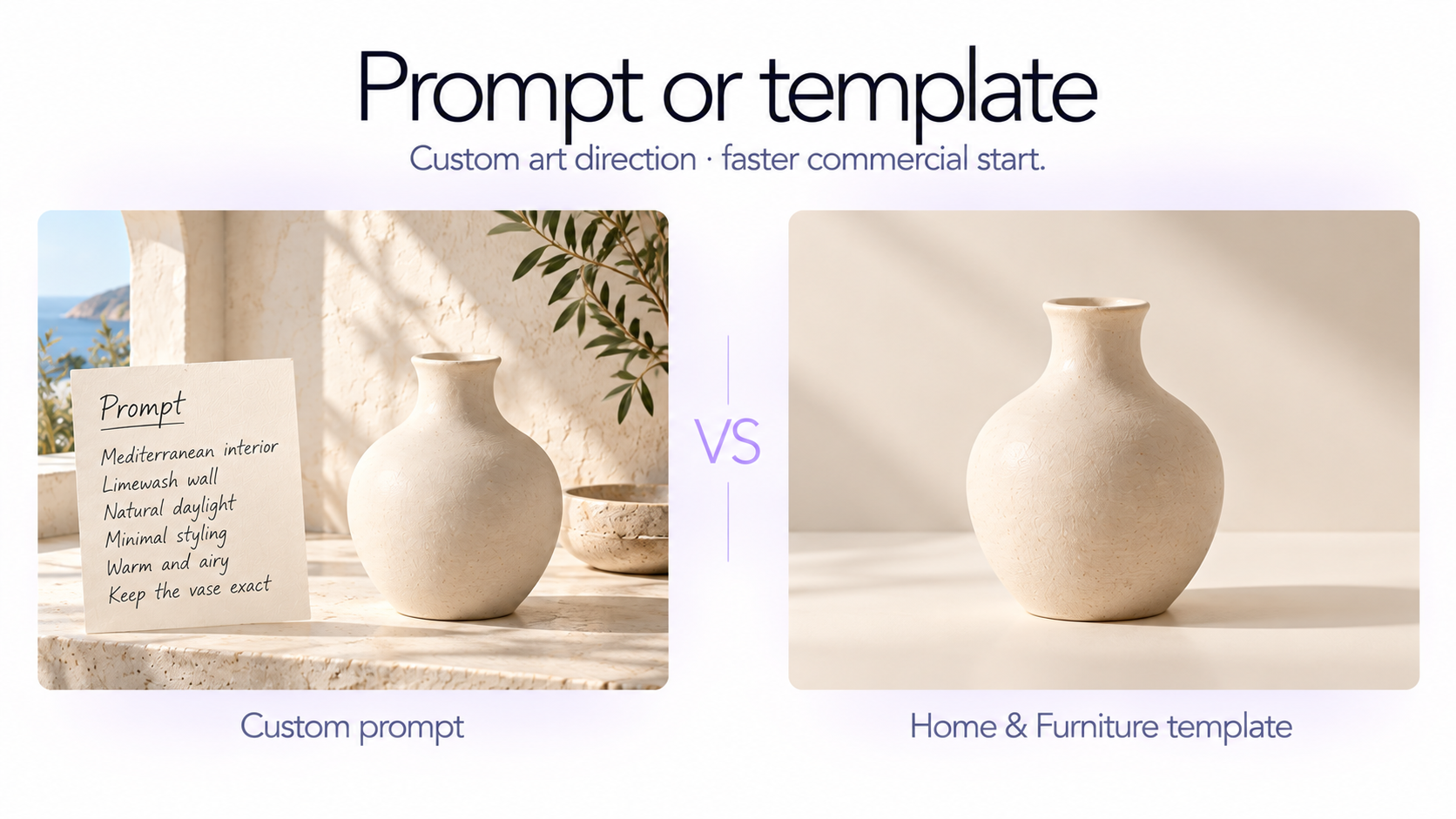
Place the uploaded home decor product naturally inside a bright Mediterranean-inspired interior with warm limewashed walls, pale natural stone, light wood, and restrained organic textures. Keep the uploaded item completely unchanged in design, material, color, pattern, and dimensions. Use strong but soft-edged daylight entering from one side, gentle architectural shadows, realistic room scale, and an uncluttered composition. Commercial lifestyle photography suitable for a premium home brand.
10. Mid-century modern room
Use the uploaded decor product as the exact product reference in a refined mid-century modern interior with warm walnut, muted upholstery, textured walls, and restrained vintage-inspired architecture. Adapt placement naturally to the object's real use. Preserve its silhouette, color, materials, texture, construction, and visible details. Use directional afternoon light with soft elongated shadows and realistic room depth. Premium furniture-and-home editorial photography that remains commercially clear.
11. Product on stone surface
Use the uploaded home decor product as the exact unchanged hero. If appropriate for the product type, place it naturally on a pale limestone, travertine, or matte stone surface; if it is a floor, wall, or larger furnishing item, adapt the same stone material to the surrounding environment rather than forcing it onto a tabletop. Use warm directional daylight, subtle mineral texture, realistic shadows, controlled reflections, and minimal styling. Clean premium homeware campaign photography.
12. Natural wood setting
Photograph the exact uploaded decor product in a natural wood setting appropriate to its function and scale. Use warm oak or walnut as the supporting material while keeping surrounding styling restrained. Preserve the product's exact shape, colors, surface texture, pattern, and construction. Add soft window light from the side, realistic material highlights, gentle shadows, and shallow environmental depth. Contemporary home-product ecommerce photography with tactile material contrast.
13. Soft morning window light
Place the exact uploaded home decor item in a realistic calm home setting illuminated by soft morning window light. Keep the environment minimal and allow gentle sunlight to fall across part of the product and surrounding surface. Preserve the product's real materials, pattern, color, texture, proportions, and construction. Use natural directional shadows, subtle highlights, believable interior depth, and understated neutral styling. Fresh premium lifestyle image suitable for ecommerce and social advertising.
14. Afternoon sunlight campaign
Use the uploaded decor product exactly as provided and create a warm architectural scene with directional late-afternoon sunlight entering from one side. Position the product naturally according to its function while keeping the surrounding environment extremely simple. Let one elegant beam or geometric shadow create visual interest without obscuring the product. Preserve accurate product colors and materials, realistic grounding, and true scale. Sophisticated commercial homeware campaign photography.
15. Close material detail shot
Create a close commercial detail photograph of the uploaded home decor product while preserving its exact material, surface texture, pattern, finish, color, construction, and handcrafted irregularities. Frame the most distinctive product feature prominently while keeping enough of the item visible to maintain context. Use soft raking light from one side to reveal texture, weave, glaze, grain, stitching, relief, glass, metal, or other surface characteristics appropriate to the uploaded item. Extremely crisp detail, realistic optics, shallow controlled depth of field, premium ecommerce photography.
16. Three-quarter product view
Photograph the uploaded decor item from a natural three-quarter angle that clearly communicates its front, side depth, construction, and overall silhouette. Preserve all real product details and proportions. Use a minimal neutral environment with soft professional studio lighting, realistic contact shadows, clean edge separation, and accurate material rendering. Avoid dramatic styling. The goal is a clear secondary ecommerce image that helps buyers understand the product's physical form.
17. Product-in-use context
Show the exact uploaded decor product being used naturally in a realistic home context appropriate to its actual function. Adapt the interaction to the product: a cushion resting naturally on seating, a rug placed correctly beneath furniture, a lamp illuminating a bedside or reading area, a vase styled on a console, a mirror mounted correctly, or another equivalent real-world use. Preserve the exact product design and scale. Use natural daylight, realistic physical interaction, restrained styling, and commercial lifestyle photography focused on helping the customer understand how the product fits into daily life.
18. Scale and context image
Create a realistic ecommerce lifestyle image that makes the uploaded home decor product's scale easy to understand. Preserve the exact product dimensions and proportions while placing it near familiar appropriately scaled objects or furniture. Keep the scene minimal and avoid anything that blocks the product. Use soft natural light, realistic perspective, believable spacing, and clear visual hierarchy. The image should help a shopper understand approximately how large the product feels in a real home.
19. Coordinated collection image
Use the uploaded home decor product as the exact hero and create a restrained coordinated home scene around it using complementary colors and materials. Do not invent duplicates or matching products that could be mistaken for items included with the purchase. Keep supporting decor visually secondary. Preserve the uploaded item's exact design, material, pattern, color, and scale. Use professional directional daylight, sophisticated neutral styling, realistic room depth, and polished ecommerce campaign photography suitable for a collection page.
Create a premium ecommerce hero photograph using the uploaded home decor product as the exact unchanged focal point. Place it naturally in a refined but minimal environment appropriate to its true function and scale. Use one strong complementary material, one subtle secondary styling element, and generous negative space. Light the product with soft directional natural-looking studio light from the upper left, realistic shadows, precise material highlights, and clear separation from the background. Keep the full product recognizable, sharply detailed, and visually dominant. High-end DTC product photography designed to sell the item rather than simply create an attractive interior.
How to make AI home decor photos useful for ecommerce
A visually impressive image is not automatically a useful product photo. For ecommerce, every image should answer a customer question.
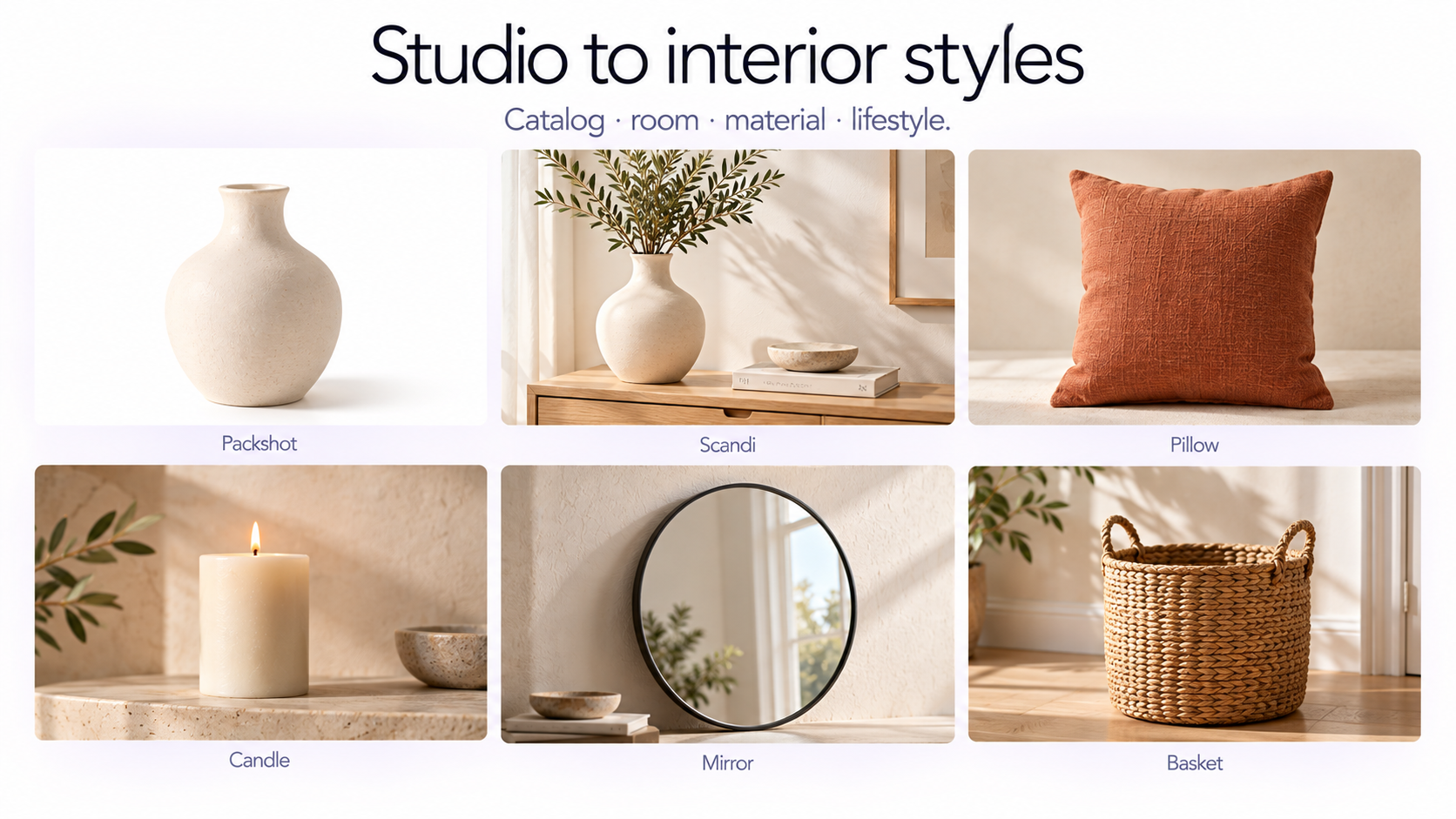
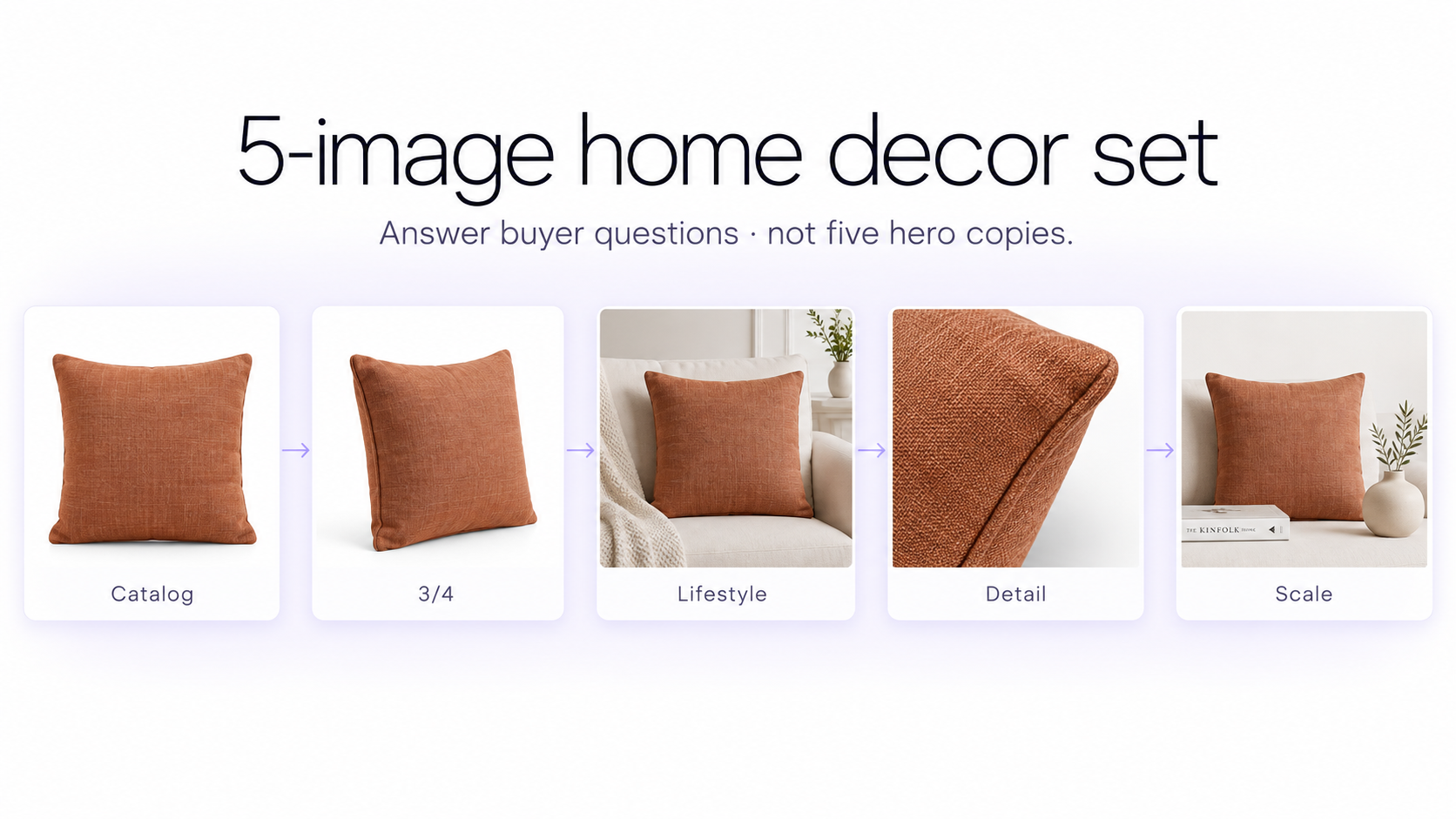
A clean studio image answers: What exactly am I buying? A three-quarter image explains the object's physical form. A close-up communicates texture and materials. A lifestyle image shows how it fits into a home. A scale image helps customers understand its size. A hero image makes the listing more compelling.
A strong product page therefore benefits from a set of complementary images rather than five variations of the same styled hero shot. For more listing-gallery planning, see 50 product photography ideas and product photography backgrounds.
A useful 5-image set for selling home decor
For most home decor products, a practical image set is: 1. Clean catalog or white-background image 2. Three-quarter product view 3. Simple lifestyle interior 4. Close material or detail image 5. Product-in-use or scale image
You can then add one stronger campaign or hero image for collection pages, ads, email, or social content.
How to keep the product accurate
Home decor often contains details that generative models can accidentally simplify: ceramic glaze variation, woven patterns, lamp shades, handles, rug motifs, pillow seams, carved details, glass thickness, metallic hardware, handmade irregularities, or small decorative elements.
When those details matter, explicitly tell the model to preserve them. The environment can be flexible; the sellable product should remain visually faithful.
Let the product determine the placement
A reusable home-decor prompt should not force every object into the same composition.
A lamp might belong on a bedside table. A rug belongs on the floor. A mirror may need to be wall-mounted or leaned against a wall. A pillow should interact naturally with seating or bedding. A vase, candle, ceramic object, or tray might belong on a console, shelf, dining table, or coffee table.
Giving the AI permission to adapt placement according to the uploaded product makes the same prompt useful across a much wider category.
Avoid over-styling the scene
One of the most common AI product photography mistakes is filling the room with decorative props simply because the model can.
For ecommerce, the uploaded item should still be obvious within a second or two. Keep surrounding furniture and accessories restrained, leave enough negative space, and use styling primarily to establish context rather than compete with the product.
You do not need prompts to create these home decor photos
Detailed prompts are useful when you want to direct every aspect of the photography yourself. But they are not required.
GenImagePro includes a dedicated Home & Furniture category inside Product Photoshoot with ready-made photography templates designed to adapt to different furniture and home products.
Upload your vase, lamp, pillow, rug, candle, mirror, ceramic item, basket, planter, tableware, decor object, or other home product and choose a visual direction instead of describing the entire composition manually. You can start from AI product photography or the lifestyle product photo generator.
Once the first image is created, you can continue refining it conversationally. For example: “Make the room brighter.” “Remove the books beside the product.” “Use a warmer wall color.” “Make the scene less styled.” “Keep the product unchanged and use softer morning light.”
Prompt vs. template: Which should you use?
Use a template when you want a proven composition quickly. Use a prompt when you already have a specific room, lighting setup, material palette, or commercial direction in mind.
For many ecommerce workflows, the easiest process is to choose a template first, generate the base image, and then use conversational editing for smaller corrections.
Frequently Asked Questions
What is a good AI prompt for home decor product photography?
Tell the AI to use the uploaded item as the exact product, preserve its design and materials, place it naturally according to its real-world function, create an appropriate interior or studio setting, and use professional product-focused lighting.
Can the same AI prompt work for different home decor products?
Yes. A product-agnostic prompt can work across vases, lamps, pillows, rugs, mirrors, candles, ceramics, baskets, planters, and other home products if it tells the AI to adapt placement and scale according to the uploaded item's real function.
What photos should I create for a home decor product listing?
A useful set usually includes a clean catalog image, a three-quarter view, a realistic lifestyle image, a material or detail close-up, and an image showing scale or real-world use.
How do I make AI home decor photography look realistic?
Use believable scale, correct physical placement, natural perspective, realistic contact shadows, restrained props, material-aware lighting, and interiors that match how the product would actually be used.
How do I stop AI from changing my product?
Specify that the uploaded item is the exact product reference and preserve its silhouette, dimensions, color, material, pattern, texture, hardware, seams, handles, finish, and other distinctive details.
What backgrounds work best for home decor products?
For ecommerce, useful options include pure white, warm beige, soft colored studios, Scandinavian interiors, warm modern rooms, Japandi spaces, Mediterranean interiors, natural wood, plaster, and stone environments. The best choice depends on the product and brand.
Should home decor product photos include props?
A small number of props can help communicate context and scale, but they should remain secondary. Too many surrounding objects can make the product harder to identify and reduce the usefulness of the image for ecommerce.
Can AI show the scale of a home decor product?
Yes. Place the product beside familiar appropriately sized furniture or household objects and preserve realistic perspective. Exact dimensions should still be communicated separately when they matter to the purchase.
Do I need to write prompts in GenImagePro?
No. GenImagePro includes a Home & Furniture category in Product Photoshoot with ready-made templates. You can upload your product, select a visual direction, generate the image, and then refine it conversationally if needed.