How to use GenImagePro in ChatGPT
Add GenImagePro to ChatGPT, attach a product photo and ask for studio shots, fashion model images, edits, templates and short videos, with your own GenImagePro account and credits.
The GenImagePro server URL. You paste it once when you connect.
In review for ChatGPT's plugin directory
GenImagePro has been submitted to OpenAI. When it is listed, you will find it by searching GenImageProin ChatGPT's plugins and selecting Connect, and you can skip steps 1 and 2 below. Until then, add it in Developer mode. It is the same server either way.
Set it up in five steps.
You need ChatGPT Plus, Pro, Business, Enterprise or Edu on chatgpt.com, and a GenImagePro account. Creating images and videos uses your GenImagePro credits.
- STEP 01
Turn on Developer mode
On chatgpt.com, open Settings, then Security and login, and switch on Developer mode. ChatGPT shows a short notice about apps you add yourself; accept it to continue.
Can't find it? Developer mode is web-only and not on the free plan. On Business or Enterprise, ask your workspace admin to enable it.
- STEP 02
Create the GenImagePro app
Open Plugins in ChatGPT, select + and choose Create app. Fill in:
- Name: GenImagePro
- MCP server URL: the URL below
- Authentication: OAuth. Leave client ID and secret empty.
Confirm you trust the app if asked, then select Create.
Menu names move as ChatGPT updates. If you see Settings → Apps & Connectors → Create instead, use that; the fields are the same.
- STEP 03
Approve access on GenImagePro
ChatGPT opens a GenImagePro page. Sign in with Google or email, check the list of what ChatGPT will be able to do, and select Allow. You return to ChatGPT with GenImagePro connected.
No GenImagePro account yet? You can create one on the same page.
- STEP 04
Add GenImagePro to a conversation
In a new chat, type @ and pick GenImagePro, or select + and switch it on. Selecting it makes sure ChatGPT uses GenImagePro and not its own image tool.
- STEP 05
Attach a photo and ask
Attach a product, garment or room photo and say what you want, or describe a new image from scratch. ChatGPT may ask you to confirm before it creates anything.
- A GenImagePro card appears and fills in when the image is ready, usually in under a minute.
- Open full size on the card opens the original file.
- Every result is saved to your GenImagePro library.
What to ask ChatGPT for.
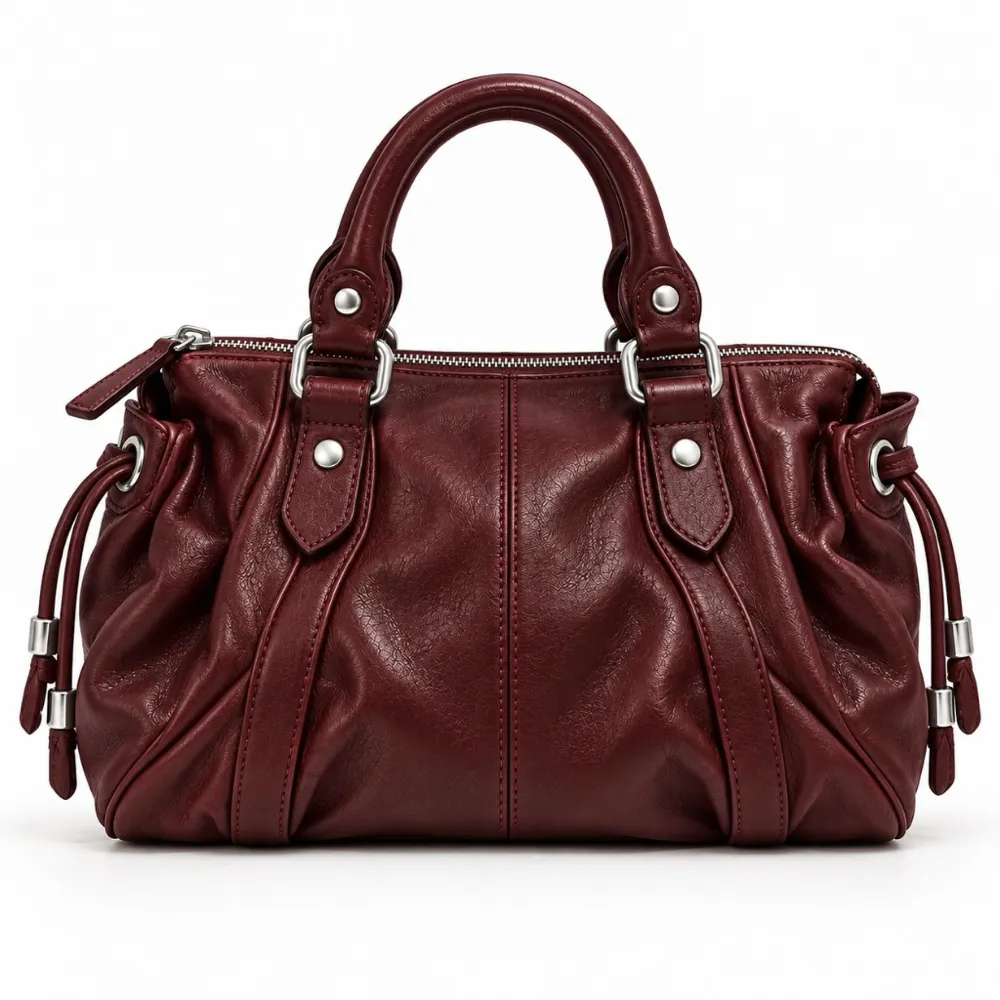
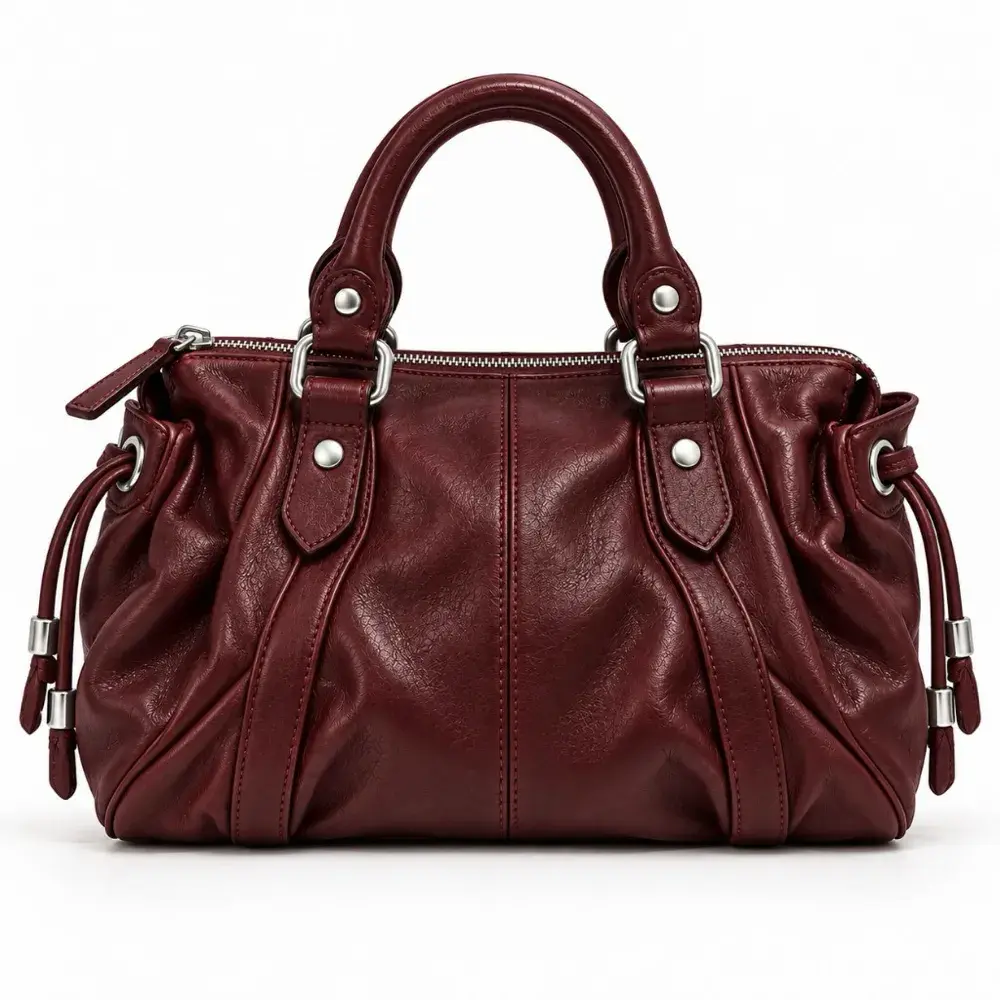
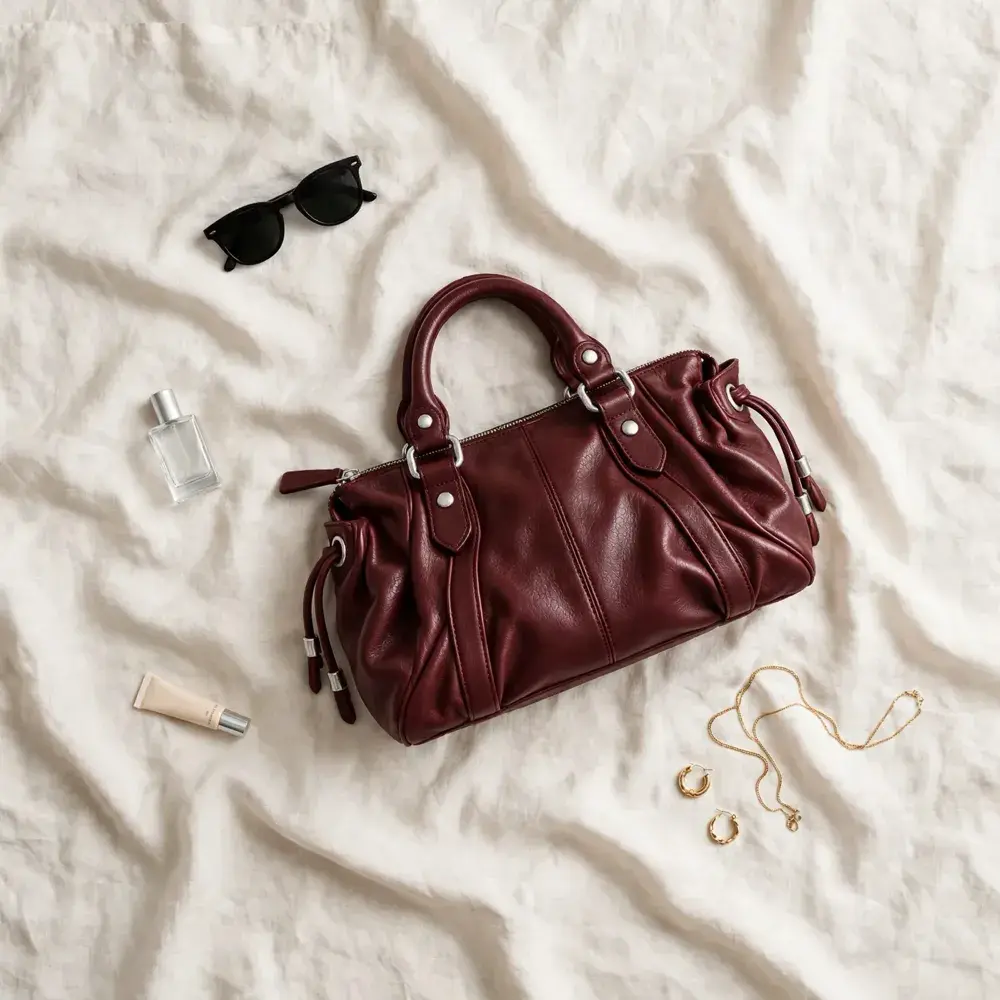
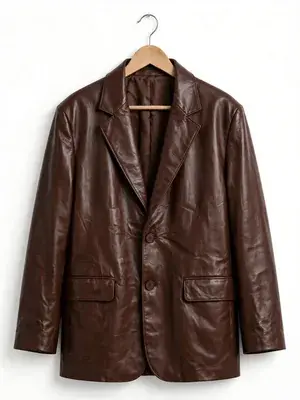
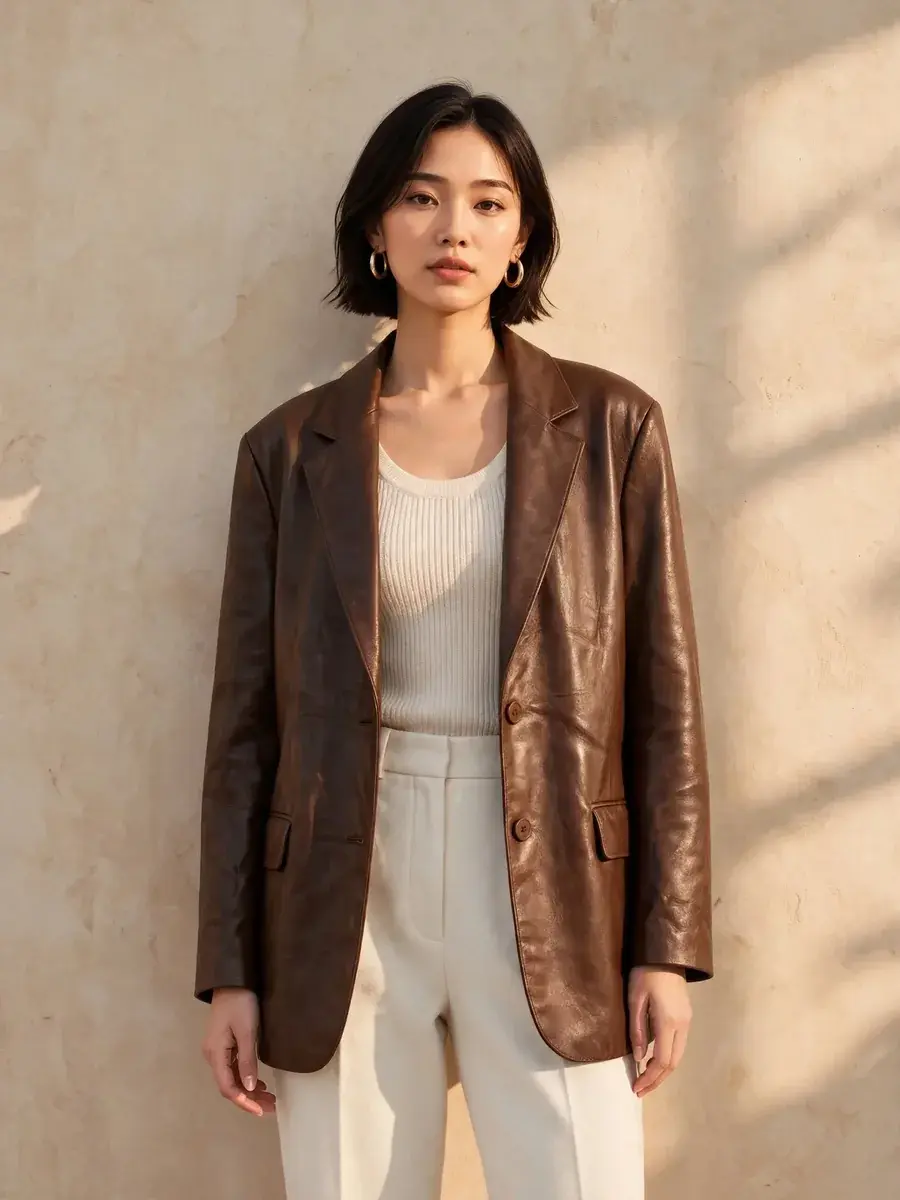
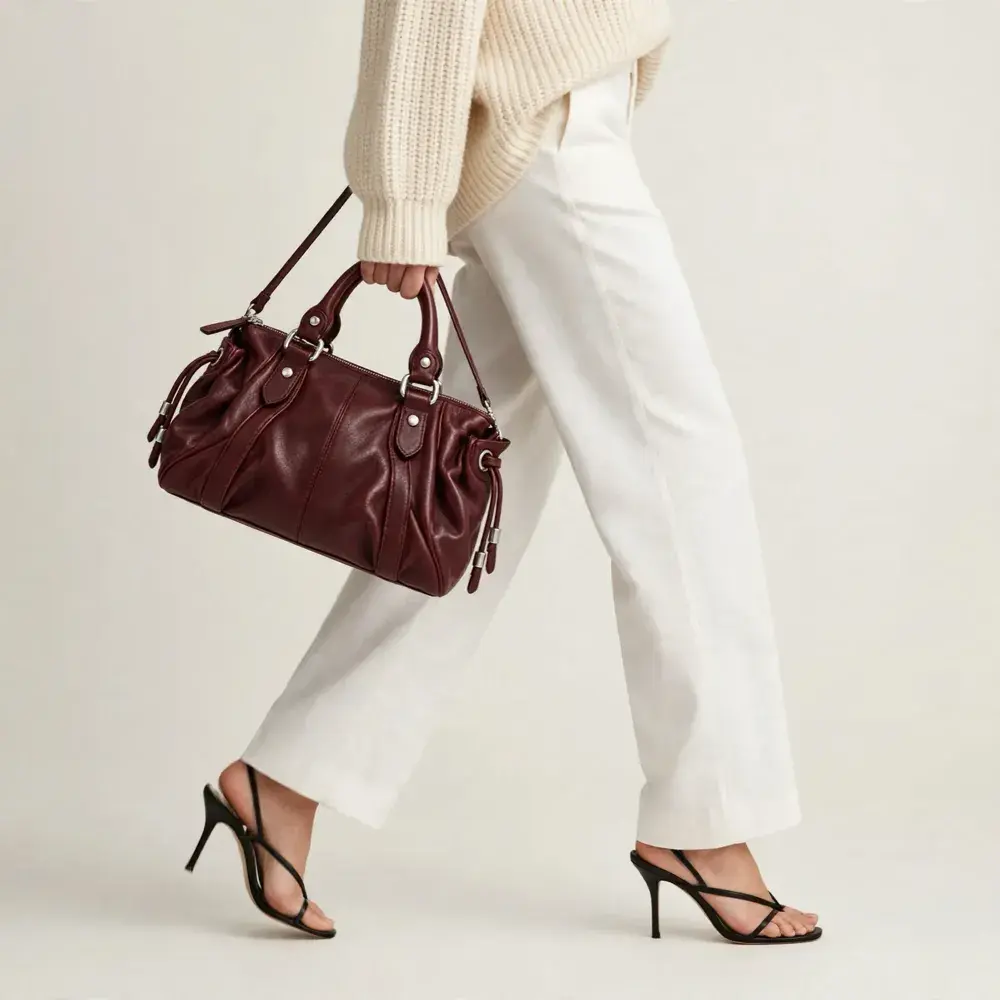
Real GenImagePro results. On the left is the photo you give the assistant, on the right is what comes back.
 You send
 You get
“Make a lifestyle flat lay of this bag on linen, soft daylight.”
 You send
 You get
“Show this blazer on a female model, warm studio light.”
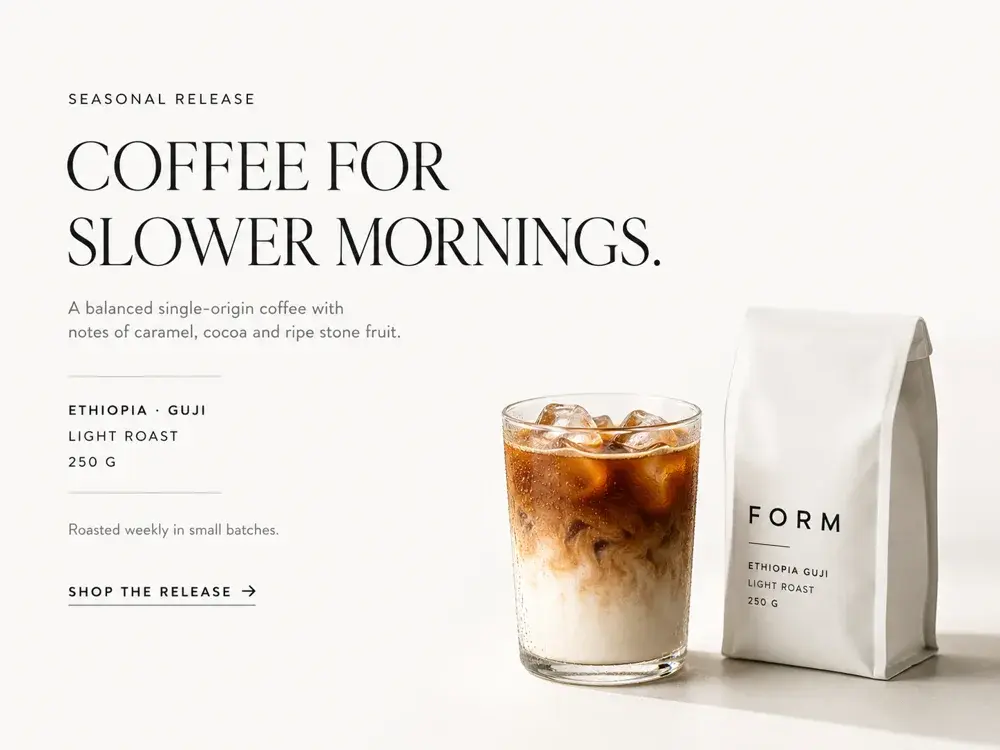 You send
 You get
“Translate the text in this banner into Japanese.”
Prompts to try in ChatGPT
Copy one into a chat after you connect. Mentioning GenImagePro the first time helps the assistant choose it.
If something doesn't work.
- Couldn't connect: check the URL is exactly https://mcp.genimagepro.com/mcp, with /mcp at the end, and that Authentication is OAuth with the client ID and secret left empty.
- ChatGPT used its own image tool: type @, pick GenImagePro and send the request again.
- The card says the app timed out: start a new chat and try once more. The image is still saved in your library.
- The photo was rejected: use a PNG, JPEG or WebP under 15 MB.
- Not enough credits: ask “how many GenImagePro credits do I have?” to see your balance.
- Review or remove access any time under Connected apps in GenImagePro.
Every tool the assistant can use.
16 tools. The ones marked Create make something and use credits (uploading doesn't). The ones marked Read only look things up.
create_imageCreateMake an image from a description, or edit a photo in plain words. Also removes backgrounds, upscales, enhances, resizes and crops.product_studioCreateTurn one product photo into a product shot with your choice of style, background, camera angle, framing and color, or a ready-made look such as Amazon listing images.fashion_modelCreateShow a garment on an AI model, on your own model photo, or on the person already wearing it. One image or a set of up to five.apply_templateCreateApply one of hundreds of ready-made templates to a photo: interior staging, headshots, makeup, jewelry, food, cars, pets and film effects.create_videoCreateAnimate an image into a short clip (4, 6 or 8 seconds, vertical or wide), from an upload or a previous result.translate_imageCreateTranslate the text inside ads, packaging, banners and menus into other languages and keep the layout.generate_with_styleCreateCreate an image in one of your own trained styles.train_styleCreateTrain a new style from your reference images.upload_imageCreatePrepare an upload for a local image file, for assistants that work in a terminal such as Claude Code. Uses no credits.list_templatesReadSearch the template catalog by what you want to make.list_studio_optionsReadThe styles, backgrounds, angles, scenes, poses and model presets that Product Studio and Fashion Model accept.list_video_presetsReadMotion presets for image to video.list_stylesReadYour trained styles and the featured shared ones.list_historyReadYour recent creations with status and links.get_generationReadStatus and result of one creation.get_account_usageReadYour plan and remaining credits.
You stay in control.
- You approve access on a GenImagePro page. The assistant never sees your password.
- It can only do what the consent page lists: browse templates and options, see and create your images and videos, and read your plan and credits.
- It can't change your plan, payment method or account details, and it never shows prices or purchase links.
- Every request runs through the same content checks as the GenImagePro app.
- Disconnect any time under Account → Connected apps. Access stops immediately.
- How data is handled is in section 5 of the Privacy Policy.
GenImagePro in ChatGPT: questions
Is GenImagePro in ChatGPT's plugin directory?
It has been submitted and is in review. Once it is listed you will be able to search for GenImagePro in ChatGPT and select Connect. Until then, add it yourself in Developer mode with the steps on this page. It is the same server and the same features either way.
Which ChatGPT plans can use it today?
Developer mode is available on chatgpt.com for Plus, Pro, Business, Enterprise and Edu accounts. On Business and Enterprise workspaces an admin may need to allow Developer mode first. It isn't available on the free plan.
Why do I see a warning about Developer mode?
ChatGPT shows it for any app you add yourself, because OpenAI hasn't finished reviewing it. GenImagePro connects only to your own GenImagePro account after you approve access on a GenImagePro page, and you can disconnect at any time.
ChatGPT made the image with its own image tool. How do I get GenImagePro?
Select GenImagePro in the message box (type @ and pick it) or start your message with "Use GenImagePro to…". Once it has been used in a conversation, ChatGPT usually keeps using it.
ChatGPT asks me to confirm before creating. Is that normal?
Yes. ChatGPT confirms actions that create something. Review the request and approve it; you can ask ChatGPT to remember your choice for the rest of the conversation.
Does it work in the ChatGPT mobile or desktop app?
Apps added in Developer mode run on chatgpt.com in the browser. Your images are available everywhere in your GenImagePro library.
Is GenImagePro an official Claude or ChatGPT app?
GenImagePro is an independent AI photo studio. In ChatGPT it is in review for the plugin directory, and you can already add it yourself in Developer mode. In Claude you add it as a custom connector with the server URL on this page. Either way it connects only to your own GenImagePro account.
Does it cost extra to use GenImagePro inside Claude or ChatGPT?
No. Connecting is free. Images and videos use the credits on your GenImagePro account at the same rate as in the GenImagePro app. Your Claude or ChatGPT plan is billed separately by Anthropic or OpenAI as usual.
Do I need a GenImagePro account?
Yes. The first time you connect, a GenImagePro page opens where you sign in or create an account and approve access. The assistant never sees your password.
Where do my images go?
Into your GenImagePro library, exactly like images made in the app. The chat shows the result as well, with a link to the full-size file.
How long does an image take?
Most images are ready in under a minute. Videos and sets of several images take longer. You can keep chatting while they finish.
Can I use my own photos?
Yes. In ChatGPT, attach the photo to your message. In Claude, paste a public link to the image. In Claude Code, point to a file on your computer and it uploads it for you, or use a link. PNG, JPEG and WebP up to 15 MB.
What happens when I run out of credits?
The assistant tells you the account doesn't have enough credits for the request and nothing is created. You can check your balance any time by asking.
How do I disconnect?
Open Account, then Connected apps in GenImagePro and select Disconnect next to the assistant. Access stops immediately. You can also remove the connector in Claude or ChatGPT.
Use Claude as well?
Claude and Claude Code connect to the same GenImagePro account with one URL.
Ready to create with ChatGPT?
Create your GenImagePro account, add it to ChatGPT and attach your first product photo.