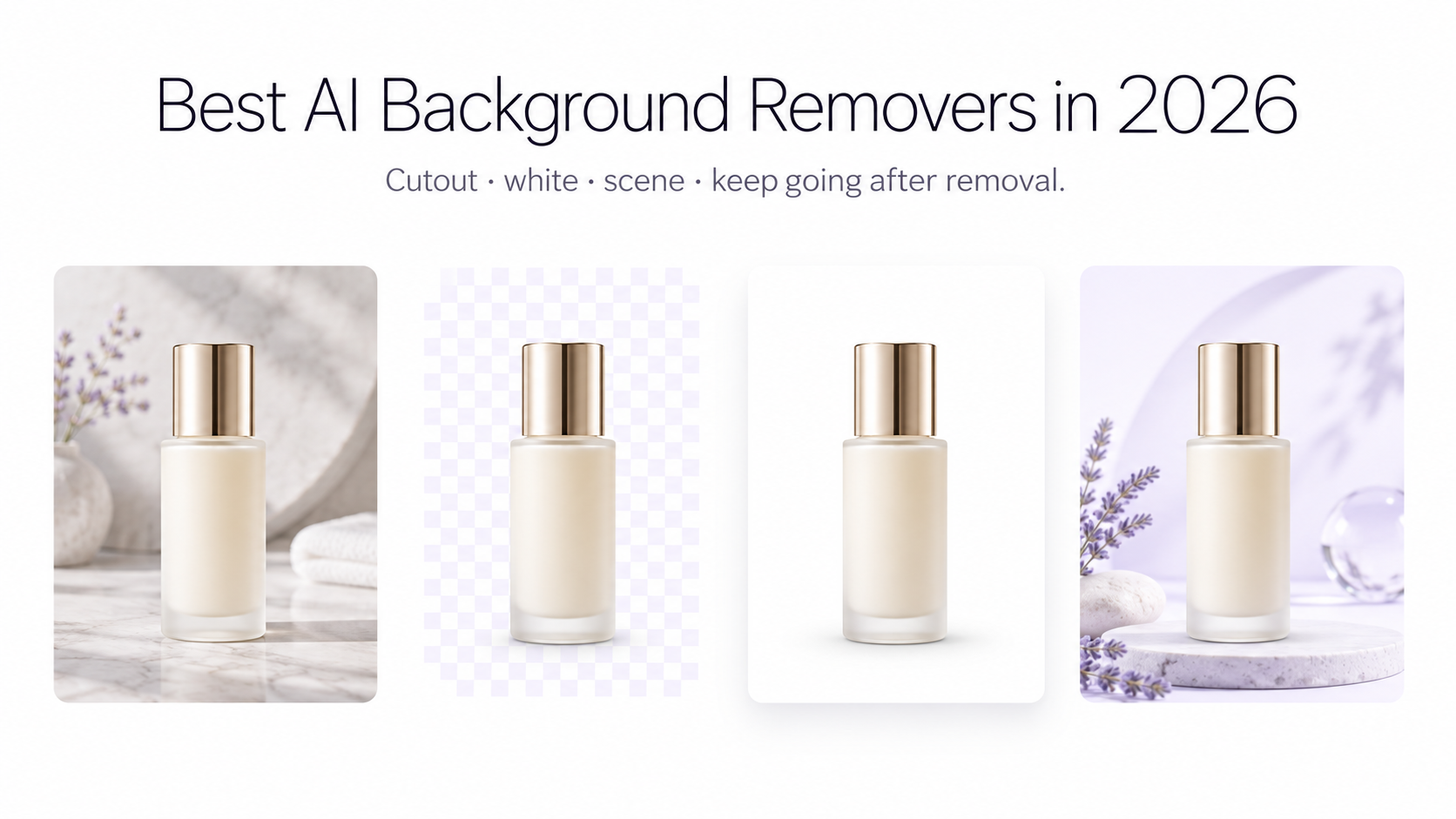
Removing a background is no longer the difficult part. In 2026, most capable AI background removers can isolate a clear product or person in seconds. The bigger difference is what happens next: Can you process an entire catalog? Preserve full resolution? Correct difficult edges? Generate a realistic new environment? Turn the same product into multiple campaign images? Or automate the process through an API?
That is why this comparison looks beyond basic cutout quality. We compared nine popular background removal tools based on their documented workflows, batch capabilities, output options, background replacement features, ecommerce functionality, and automation tools.
Disclosure: This guide is published by GenImagePro. GenImagePro is included in the comparison, but we have separated documented features from subjective recommendations and highlighted cases where competing tools are a better fit.
Quick comparison: Best AI background removers in 2026
• GenImagePro — Best for all-in-one AI product photography. Batch: up to 10 images in app. AI background replacement: Yes. API: No. Main advantage: remove a background and continue into product photoshoots, templates, editing, fashion workflows, and video. • Photoroom — Best for ecommerce catalogs and teams. Batch: Yes. AI background replacement: Yes. API: Yes. Main advantage: mature commerce-focused editing ecosystem. • Pixelcut — Best for very large browser-based batches. Batch: up to 10,000 images. AI background replacement: Yes. API: Yes. Main advantage: extremely large batch workflows. • remove.bg — Best for background-removal automation. Batch: Yes. AI background replacement: Yes. API: Yes. Main advantage: established API and integration ecosystem. • Fotor — Best free batch background removal. Batch: up to 50 images. AI background replacement: Yes. API: Yes. Main advantage: strong free editing and batch feature set. • Adobe Express — Best for general design workflows. Batch: primarily editor workflow. AI background replacement: Yes. API: not the main focus. Main advantage: strong integration with Adobe Express editing tools. • Canva — Best for brand and social design. Batch: not its main strength. AI background replacement: Yes. API: not the main focus. Main advantage: background removal inside a broad design platform. • Picsart — Best for social content and creative batch editing. Batch: up to 50 images. AI background replacement: Yes. API: available across Picsart services. Main advantage: creative editing ecosystem and mobile tools. • Clipdrop — Best for lightweight multi-image removal. Batch: up to 10 files. AI background replacement: limited compared with full editors. API: available through Jasper APIs. Main advantage: simple background-removal-first workflow.
What should you look for in an AI background remover?
For occasional use, almost any competent one-click background remover may be enough. Product sellers, agencies, designers, and content teams should look deeper.
Edge handling
Hair, fur, jewelry, thin straps, spokes, glass, translucent materials, and objects with colors similar to the original background are substantially harder than a dark bottle photographed against a white wall. Good segmentation matters most on these edge cases.
Original image quality
A clean cutout is less useful if the service reduces its dimensions or locks high-resolution exports behind another workflow. Ecommerce sellers should check both input limits and export resolution.
Batch processing
Removing one background takes seconds. Repeating the process manually for 200 SKUs does not. Batch processing becomes one of the most important features as a catalog grows.
What happens after removal
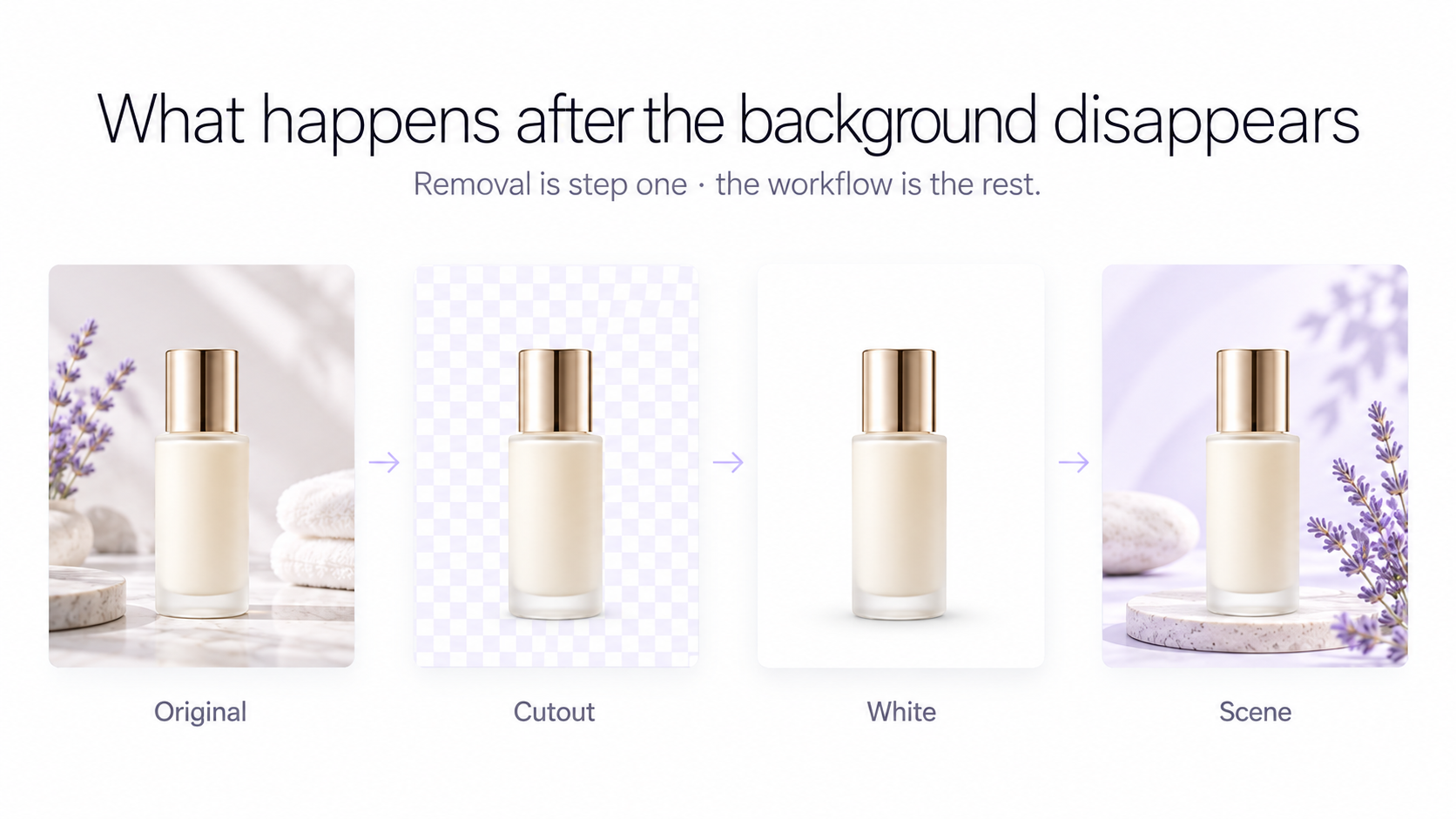
This is increasingly the biggest difference between tools. Some primarily return a transparent PNG. Others let you add a color or stock image. More complete AI photography platforms can place the preserved subject into generated studio, lifestyle, seasonal, advertising, or editorial scenes.
Automation and API access
If background removal needs to happen automatically when a seller uploads a photo, an API can matter more than the visual editor itself. remove.bg, Photoroom, Pixelcut, and Fotor are particularly relevant to developer-led workflows.
1. GenImagePro — Best for an all-in-one AI product photography workflow
GenImagePro approaches background removal as the beginning of an image workflow rather than the final result. You can use the free background remover at /remove-background without creating an account, automatically isolate the subject, and download the result without a watermark.
The remover preserves the original image resolution, supports files up to 10 MB, works on mobile browsers, and can export common formats including PNG, JPG, and WebP. It is designed to work across products, people, fashion, food, cars, furniture, animals, and other subjects, including images containing multiple subjects.
Inside the GenImagePro app, batch background removal supports up to 10 images at once. Users can then replace the removed background with a solid color, upload another background, or create a new AI-generated setting.
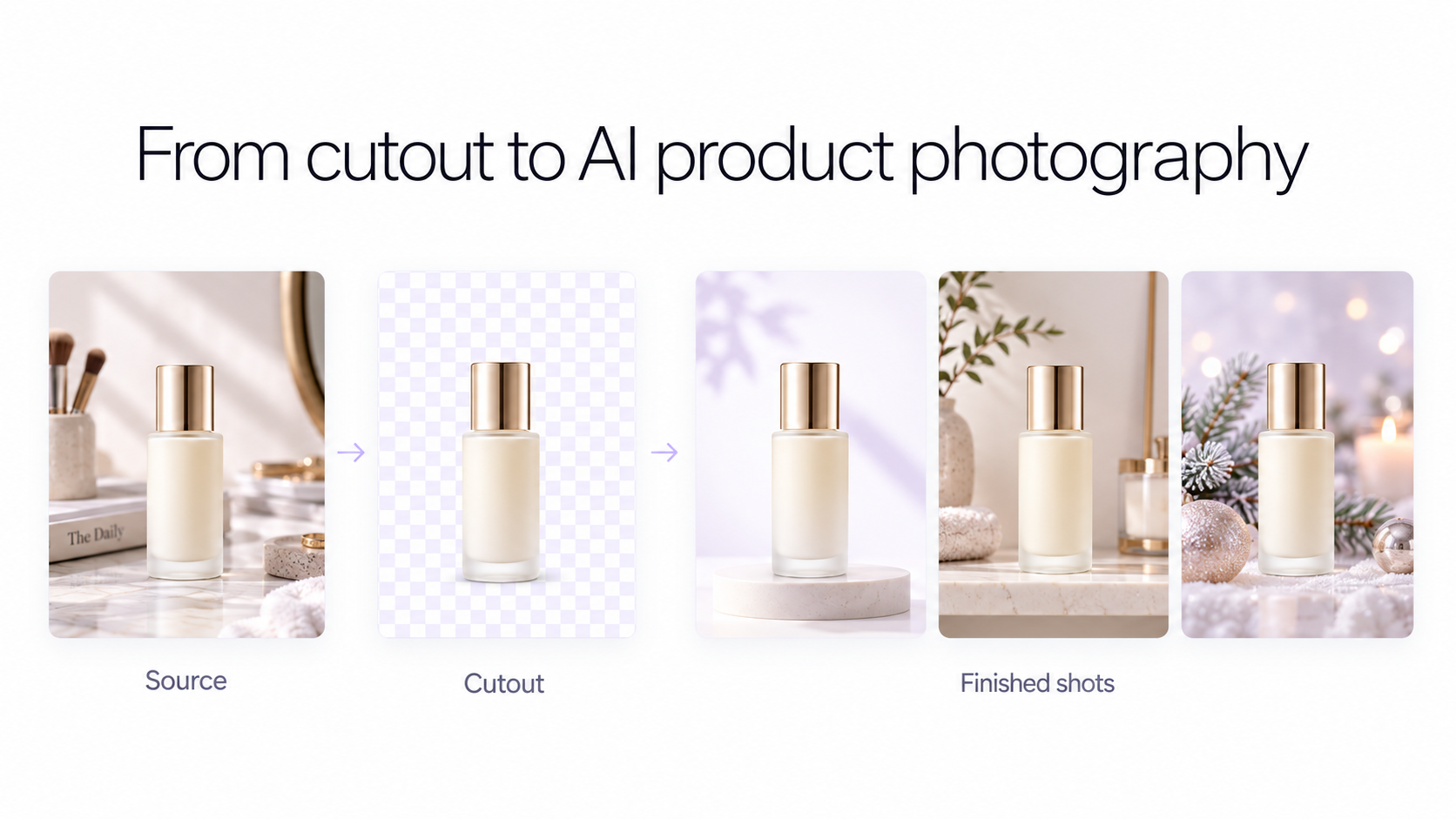
The more important difference is what can happen after that. The isolated product or subject can continue into GenImagePro workflows for product photoshoots, fashion and model photoshoots, AI image editing, visual templates, background replacement, and image-to-video creation. This makes the background remover especially useful when the actual goal is not a transparent PNG, but finished ecommerce or campaign imagery.
GenImagePro strengths
• Free background removal on the public tool • No signup required for the landing-page remover • No watermark • Full-resolution output • Automatic subject detection • PNG, JPG, and WebP output options • Up to 10 images per batch inside the app • Handles products, people, fashion, cars, food, furniture, animals, and multiple subjects • Background colors, uploaded backgrounds, and AI-generated backgrounds inside the app • Continues into product photography, templates, AI editing, fashion workflows, and image-to-video • Background removal itself does not consume GenImagePro generation credits
GenImagePro limitations
GenImagePro does not currently expose a background removal API, so developers building automated image pipelines should consider tools such as remove.bg, Photoroom, Pixelcut, or Fotor instead. Manual erase-and-restore edge refinement is also not available yet, although it is planned.
Best for: Ecommerce sellers, small brands, marketers, and creators who want to turn ordinary source photography into multiple finished product visuals rather than stopping at background removal.
2. Photoroom — Best for established ecommerce catalog workflows
Photoroom is one of the most ecommerce-focused tools in this comparison. Its background remover automatically isolates products, people, and objects, while the wider platform includes AI backgrounds, retouching, resizing, templates, virtual models, batch editing, and an API.
Its Batch workflow is particularly relevant for stores with larger catalogs. Photoroom supports bulk background changes and can apply transparent backgrounds, colors, regular images, or AI backgrounds to multiple product photos. Paid plans control export allowances and access to some batch functionality.
Photoroom also has a dedicated Remove Background API, which makes it more suitable than GenImagePro when removal needs to be embedded into an ecommerce platform or automated backend.
Best for: Established ecommerce operations that prioritize catalog consistency, batch processing, and API access.
3. Pixelcut — Best for extremely large browser-based batches
Pixelcut combines a free single-image background remover with one of the largest documented browser batch workflows in this comparison. Its bulk remover supports batches of up to 10,000 images.
Bulk users can apply transparent, solid-color, custom-image, or AI-generated backgrounds, standardize sizing and padding, and export a complete batch. Pixelcut also provides manual refinement for individual images and a developer API.
The regular Pixelcut background remover offers free HD downloads without signup or a watermark. Its bulk product is different: users can preview a limited number of batch results for free, while processed batch downloads require a subscription.
Best for: Large catalogs where processing hundreds or thousands of images in one browser workflow is more important than having a specialized product-creation pipeline.
4. remove.bg — Best for background-removal APIs and integrations
remove.bg remains one of the most recognizable dedicated background removal services. Its current offering includes background removal, erase-and-restore controls, AI backgrounds, bulk editing, API access, and integrations.
The main reason to choose remove.bg is specialization. If the workflow primarily needs reliable cutouts and an established automation layer rather than a complete creative studio, its API and integration ecosystem are compelling.
Maximum-quality exports and higher-volume automation are part of its paid credit and subscription system, so its value proposition differs from completely free no-signup tools.
Best for: Developers and companies that need dedicated background removal integrated into an existing application or production workflow.
5. Fotor — Best free option for larger batches
Fotor has become a particularly strong option for users who want free background removal with broader editing functionality. Its public remover advertises free HD downloads, no watermark, and no signup requirement.
Its bulk background remover handles up to 50 images at once. Fotor can create transparent backgrounds, white or custom backgrounds, and AI-generated scenes. It also includes a manual brush for restoring or erasing parts of a cutout.
Fotor accepts files up to 60 MB and supports common formats including JPG, PNG, WebP, HEIC, and HEIF. It also offers an API for businesses that need programmatic processing.
Best for: Users who want generous free background-removal features and batches larger than GenImagePro's current 10-image app workflow.
6. Adobe Express — Best for users already working in Adobe's design ecosystem
Adobe Express provides a free image background removal workflow and then sends the result into the broader Express editor, where users can add another image, colors, graphics, text, and other design elements.
The public background-changing workflow accepts JPEG, JPG, PNG, and WebP images up to 40 MB. Transparent PNG export is supported, and users can continue editing immediately after removal.
Adobe's own documentation notes that fine details or low-contrast areas may sometimes be removed and recommends reviewing the cutout before finalizing it. That is useful practical guidance for any automatic remover, not just Adobe Express.
Best for: Designers and marketers already using Adobe Express who want background removal integrated with a general-purpose design editor.
Canva's Background Remover works directly inside its familiar design editor and can isolate people, animals, and objects. Once removed, a subject can be combined with Canva's templates, graphics, stock assets, text, brand elements, and uploaded backgrounds.
Canva promotes unlimited Background Remover usage as part of Canva Pro, alongside transparent-background downloads and its wider premium design toolkit.
Canva is therefore less compelling as a specialized ecommerce processing engine than Photoroom or Pixelcut, but much more useful when the end result is a social post, banner, presentation, advertisement, flyer, or other designed asset.
Best for: Existing Canva users who want background removal as one step inside a broader brand-design workflow.
Picsart combines automatic background removal with AI background generation and a broad collection of creative editing tools. Its Batch Editor can process up to 50 photos and apply operations including background removal, background replacement, resizing, enhancement, effects, and AI-generated backgrounds.
The platform is particularly useful for creators who want to move from a cutout into more stylized content rather than standardized ecommerce catalog photography. Batch tools are also available in Picsart's mobile apps.
Best for: Social creators and teams that want background removal combined with creative image manipulation and mobile editing.
9. Clipdrop — Best for simple multi-file removal
Clipdrop keeps the workflow simple. Its current background remover allows users to drop up to 10 files and is designed for portraits, products, drawings, and images containing small details.
Clipdrop is now part of Jasper, and background-removal technology is also available through Jasper APIs. Compared with platforms such as Photoroom, Picsart, or GenImagePro, the public experience remains more focused on individual AI image operations.
Best for: Users who want a focused multi-image background remover without a large product-photography workflow around it.
Which background remover should you choose?
Choose based on the job that comes after background removal.
If you want a free, no-signup remover and plan to turn the same product into new AI photoshoots, advertising scenes, templates, edits, or videos, GenImagePro offers the most direct workflow in this comparison.
If you regularly process substantial ecommerce catalogs, Photoroom provides a mature combination of batch editing, product-focused tools, and API access.
If batch size is the deciding factor, Pixelcut's browser workflow supports up to 10,000 images, while Fotor and Picsart both document batch workflows of up to 50 images.
If background removal needs to run inside your own software, prioritize API-oriented options such as remove.bg, Photoroom, Pixelcut, or Fotor.
If the cutout is going straight into a social post, presentation, banner, or branded design, Canva and Adobe Express integrate naturally with broader design workflows.
Background removal is becoming a workflow, not a feature
AI has made the first step increasingly commoditized. A clean transparent cutout that once required careful Photoshop masking can now often be produced automatically in seconds.
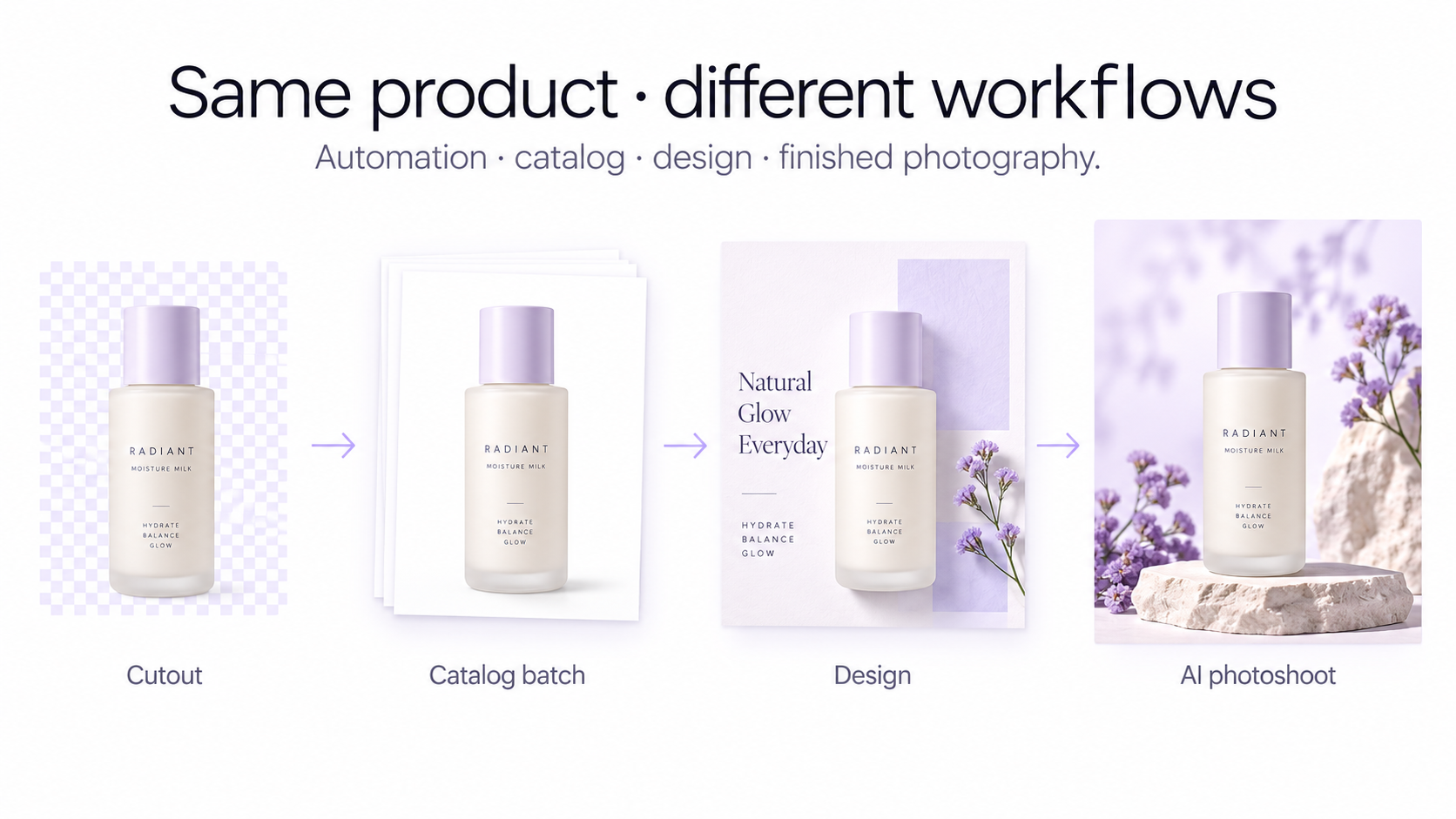
For ecommerce in particular, the more interesting question is what you can create from that cutout. A seller rarely needs transparency for its own sake. They need a white marketplace image, a premium studio photograph, a lifestyle scene, a seasonal campaign, a social creative, a model image, or a short product video.
This is the direction behind GenImagePro's workflow: remove the distracting source environment while keeping the product, then reuse that product across different visual outputs without organizing a new physical photoshoot for every creative variation.
How to remove a background with GenImagePro
1. Open the GenImagePro background remover at /remove-background. 2. Upload your product, portrait, fashion image, car, furniture photo, food image, or other supported photo up to 10 MB. 3. GenImagePro automatically detects the subject and removes the original background. 4. Download the result without a watermark, or continue in the app. 5. Inside GenImagePro, use a transparent background, choose a color, upload a replacement, or generate a new AI scene. 6. Continue into product photography, templates, AI image editing, fashion/model photography, or image-to-video workflows when you need more than a cutout.
How we compared these tools
This comparison is based on publicly documented product functionality available in September 2026, including official feature pages, pricing pages, help documentation, batch-editing information, and API documentation where available.
We did not assign synthetic accuracy scores because there is no single neutral 2026 benchmark covering every tool in this list under identical conditions. Claims about batch limits, export options, API availability, and workflow features are based on published product information rather than an invented ranking.
Frequently Asked Questions
What is the best AI background remover in 2026?
There is no single best tool for every workflow. GenImagePro is particularly useful when background removal is the first step toward AI product photography. Photoroom is strong for ecommerce catalog workflows, Pixelcut for very large batches, remove.bg for API automation, and Canva or Adobe Express for general design.
What is the best free background remover without a watermark?
GenImagePro offers free automatic background removal from its public tool without requiring signup or adding a watermark. Pixelcut and Fotor also currently advertise free single-image background removal with HD or high-quality watermark-free downloads.
What is the best background remover for product photography?
Look beyond the transparent cutout itself. GenImagePro is designed for users who want to remove a product background and then continue into AI product photoshoots, background generation, templates, editing, and video. Photoroom is another strong product-focused option, particularly for larger ecommerce catalog workflows.
Which background remover supports the largest batches?
Among the tools compared here, Pixelcut documents browser batches of up to 10,000 images. Fotor and Picsart support up to 50 images in their documented batch workflows, while GenImagePro currently supports up to 10 images at once inside the app.
Can AI remove backgrounds around hair and fur?
Modern AI removers are designed to recognize difficult boundaries including hair and fur, but these remain harder than simple solid objects. If a particular image has very fine or low-contrast details, choose a tool with manual erase and restore controls so you can refine the automatic mask when necessary.
Can I replace the background after removing it?
Yes. Most full editing platforms now let you replace transparency with a solid color, another uploaded image, or a generated background. GenImagePro, Photoroom, Pixelcut, Fotor, Picsart, Adobe Express, and Canva all provide broader background or editing workflows.
Can I remove product backgrounds on my phone?
Yes. GenImagePro's web background remover works on mobile browsers, while platforms including Photoroom, Picsart, Canva, Adobe Express, Pixelcut, and Fotor also provide mobile-compatible experiences or native apps.
Does removing a background reduce image quality?
It depends on the service and export settings. A good background remover should preserve the resolution and detail of the original subject. GenImagePro preserves the uploaded image resolution, while other services may apply different export limits depending on the plan or workflow.
Is background removal the same as AI background generation?
No. Background removal isolates the original subject and creates transparency. AI background generation creates a new environment around that subject. For product photography, combining the two can turn a basic source image into studio, lifestyle, seasonal, or advertising imagery.
Does GenImagePro have a background removal API?
Not currently. The background remover is available through the GenImagePro website and app. Developers who specifically require API-based background removal should currently consider services such as remove.bg, Photoroom, Pixelcut, or Fotor.