If a picture looks blurry, simply increasing a traditional sharpening slider is not always enough. The image may suffer from missed focus, motion blur, low resolution, compression, noise, or several problems at the same time. GenImagePro gives you a simpler AI workflow: upload the image and describe the result you want. The platform can handle the enhancement as an image-editing task rather than requiring you to choose and configure separate restoration tools manually.
This is particularly useful when the image needs more than basic sharpening. GenImagePro can be used to improve perceived focus, reconstruct useful fine detail, clean artifacts, enhance resolution, and preserve the important visual characteristics of the source image in the same workflow. You can simply ask for a clearer version or give more precise instructions when faces, products, text, clothing, or other details need special care.
How to Make a Blurry Picture Clear with GenImagePro
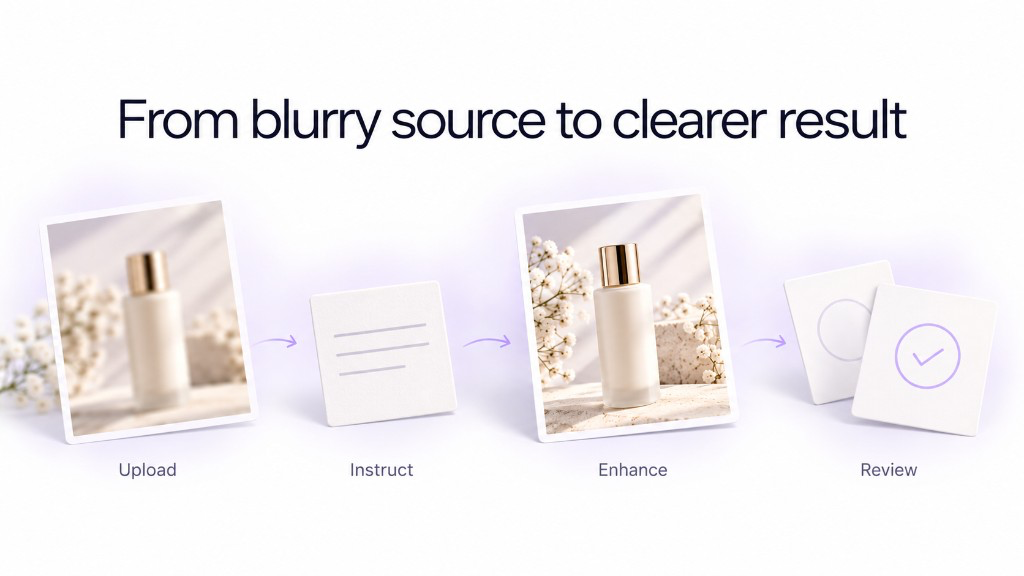
Make your picture clearer in a few steps
Upload your blurry picture
Open GenImagePro and upload the best-quality version of your image you have available.
Tell GenImagePro what you want
A simple instruction such as "make this photo clearer and improve the detail while keeping everything else unchanged" is enough to start.
Let GenImagePro handle the enhancement
You do not need to choose separate sharpening, upscaling, denoising, or restoration tools. GenImagePro is designed to apply the appropriate AI image-editing workflow for the requested result.
Inspect the result
Check important details such as faces, hair, product labels, textures, edges, and small objects.
Refine with another instruction if needed
If one area still needs work, tell GenImagePro exactly what to improve instead of starting the entire editing process again.
The Fastest Way: Ask GenImagePro to Make the Image Clearer
You do not necessarily need a complicated prompt. After uploading the photo to GenImagePro, start with a straightforward instruction. GenImagePro uses your original image as the visual reference, so the edit can focus on clarity while retaining the photograph you uploaded.
Why Use GenImagePro Instead of Just Sharpening the Photo?
A normal sharpening tool mainly increases contrast around edges that already exist. That can help a slightly soft photograph, but it does much less when the source is low resolution, compressed, noisy, or missing visible fine detail. GenImagePro approaches the request as an AI image edit, allowing the workflow to improve several aspects of image quality together rather than relying on one sharpening operation.
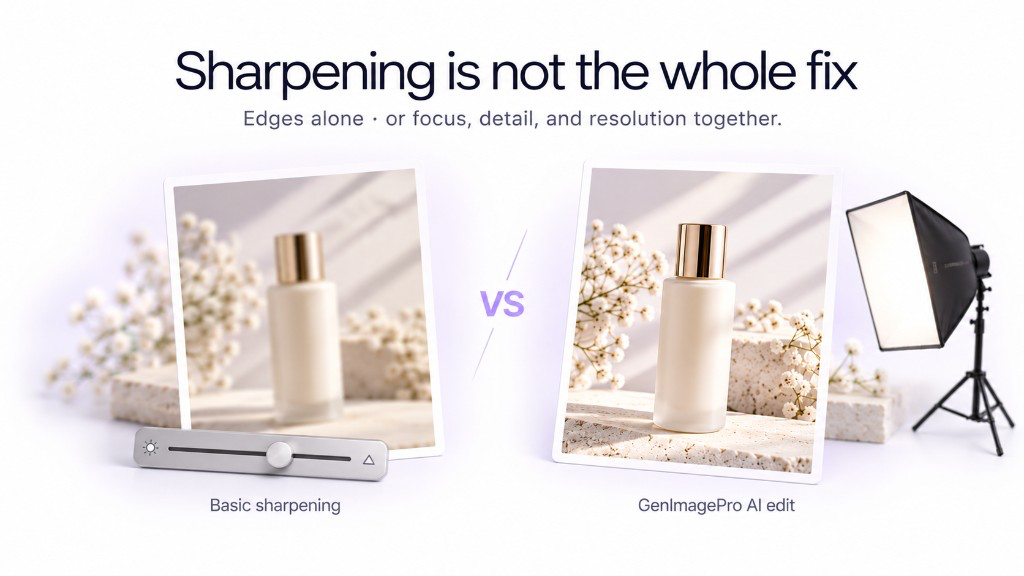
| Problem | Basic sharpening | GenImagePro workflow |
|---|---|---|
| Slight softness | Can increase edge contrast | Can improve focus, texture, edges, and overall detail together |
| Low resolution | Does not create meaningful resolution | Can combine enhancement with detail reconstruction and higher-resolution output |
| Compression artifacts | Can make artifacts more visible | Can clean artifacts while improving the surrounding detail |
| Blurry face | Sharpens the blur itself | Can improve facial detail while using the uploaded person as the identity reference |
| Product photo | Applies generic sharpening | Can improve photographic quality while being instructed to preserve the exact product |
| Several quality problems at once | Requires multiple manual adjustments | Can address the requested improvements through one AI editing workflow |
Use GenImagePro when blur comes with low resolution, compression, noise, or missing fine detail — not only slight softness.
Make a Blurry Face Clear with GenImagePro
Faces are one of the cases where using the original image as a reference matters most. Upload the photograph directly to GenImagePro rather than generating a new portrait from scratch. This gives the AI the actual person, expression, hairstyle, proportions, and surrounding image as context while you ask it to improve clarity.
Make a Blurry Product Photo Clear with GenImagePro
GenImagePro is also useful when the blurry image is a product photograph because clarity alone is not enough: the product still has to remain accurate. Upload the actual product image and tell GenImagePro to improve photographic quality while preserving its shape, packaging, materials, colors, label placement, and other defining details.
Make a Low-Resolution Picture Clearer with GenImagePro
Low resolution and blur often appear together. Enlarging the file conventionally only creates more pixels from the same limited information. With GenImagePro, you can request a higher-quality version while simultaneously asking the AI to improve fine visual detail, edges, textures, and photographic clarity.
Restore an Old Blurry Photo with GenImagePro
Old photographs rarely have only one quality problem. They can combine low scanning resolution, fading, softness, scratches, grain, damaged contrast, and compression. Rather than applying one generic filter, you can upload the photograph to GenImagePro and ask for a complete but conservative restoration.
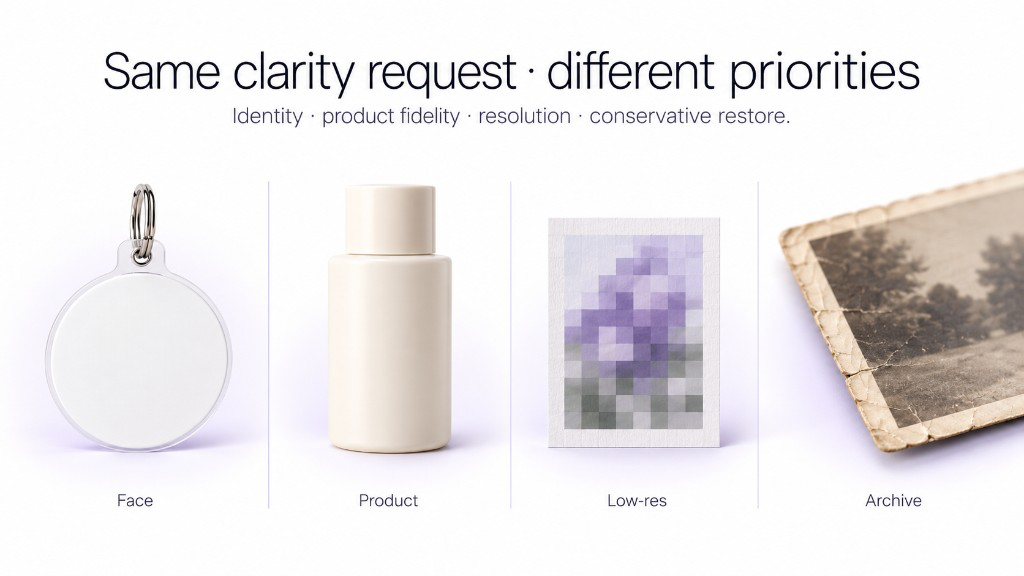
You Can Tell GenImagePro Exactly What Matters
One advantage of using a prompt-based image editor is that "make it clearer" does not have to mean the same thing for every image. If the photograph contains a person, you can prioritize identity. If it contains a product, you can prioritize product fidelity. If the background already looks good, you can explicitly ask GenImagePro not to alter it. This gives you substantially more control than applying the same enhancement preset to every file.
Useful instructions to add in GenImagePro
- "Keep the person's face exactly the same."
- "Do not change the product or its label."
- "Only improve the blurry main subject."
- "Keep the background unchanged."
- "Improve the resolution without making the image look oversharpened."
- "Keep natural skin texture."
- "Remove compression artifacts and restore clean edges."
Do You Need to Know Which AI Enhancement Method to Use?
No. That is one of the reasons to use GenImagePro for this workflow. A user should not have to decide whether an image first needs denoising, deblurring, enhancement, generative reconstruction, upscaling, or another specialized operation. GenImagePro is designed around the requested visual result: provide the source image, explain what you want improved, and let the platform handle the AI editing workflow.
You still retain control over the important part: the result. If the first version needs more detail in one area or less modification in another, continue with a more precise instruction. This makes enhancement iterative rather than forcing you through a technical image-processing workflow.
Frequently Asked Questions
Can GenImagePro make a blurry picture clear?
Yes. Upload the blurry picture to GenImagePro and ask it to improve the clarity. Depending on the image, the editing workflow can improve focus, visible detail, edges, texture, resolution, noise, and compression while using your uploaded image as the source.
Do I need to choose an AI model to unblur my photo?
No. GenImagePro is designed so you can focus on the result rather than selecting and configuring individual AI models or image-processing techniques. Upload the image and describe what you want to improve.
Do I need to know whether my image needs sharpening or upscaling?
No. You can simply ask GenImagePro to make the image clearer and higher quality. If you know the specific problem, you can mention it, but you do not need to understand the underlying enhancement technique.
Can I tell GenImagePro not to change my face?
Yes. When editing a portrait, explicitly ask GenImagePro to preserve the person's exact identity, facial structure, skin tone, hairstyle, age, expression, and distinctive features while improving clarity.
Can GenImagePro enhance blurry product photos?
Yes. Upload the original product photo and ask GenImagePro to improve clarity and resolution while preserving the exact product shape, materials, packaging, colors, labels, and other defining details.
Can I continue editing the image after making it clearer?
Yes. After improving the image, you can continue refining it in GenImagePro with additional instructions or use other image-editing and visual-creation workflows instead of treating enhancement as an isolated step.
Can AI perfectly recover everything that was missing from a blurry photo?
No. When information is completely absent from the source, any AI system may need to reconstruct a plausible detail rather than recover the exact original detail. This is why important faces, text, labels, and factual information should be checked after enhancement.