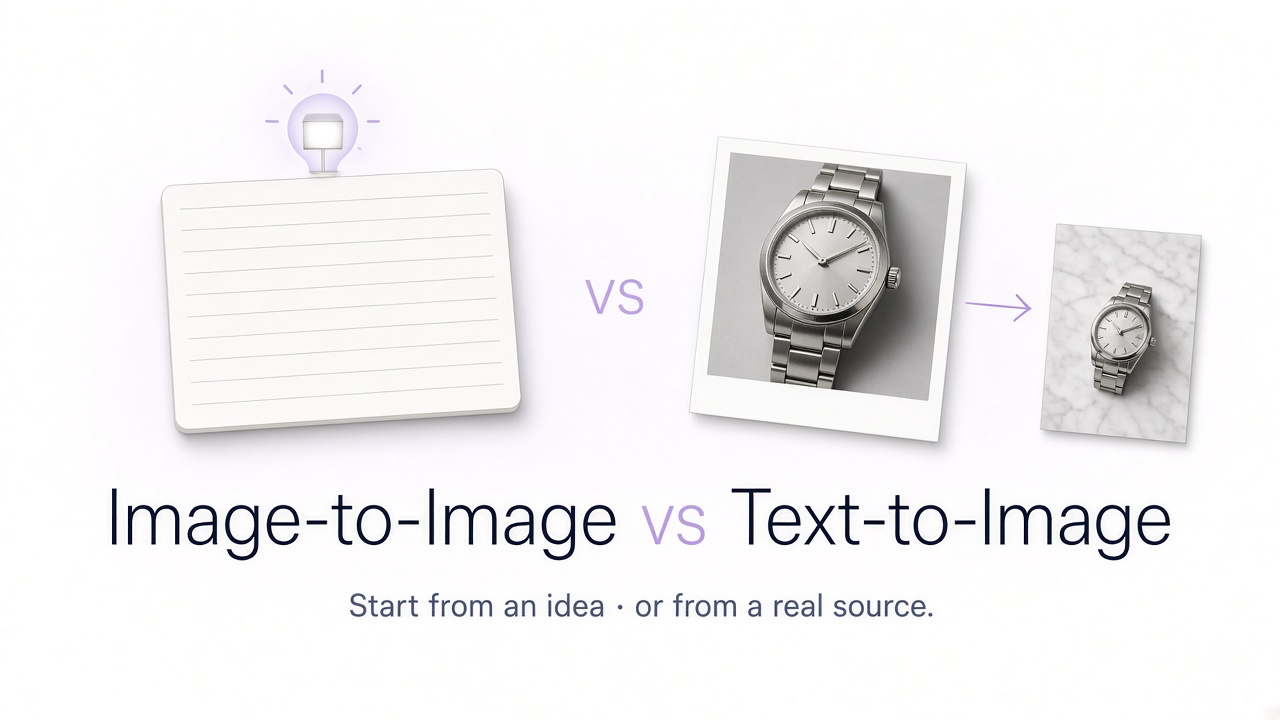
Text-to-image and image-to-image are two of the most important workflows in generative AI, but they solve different problems. If you have only an idea, text-to-image is often the natural starting point. If you already have a photograph, product, person, room, or visual composition that should influence the result, image-to-image usually gives you substantially more control.
GenImagePro brings both workflows into the same visual creation platform. You can generate an image from a written idea, upload an existing photo and transform it, start from a ready-made template, or continue refining a generated result. You do not need to think in terms of separate technical AI pipelines every time—you can focus on what you want the final image to become.
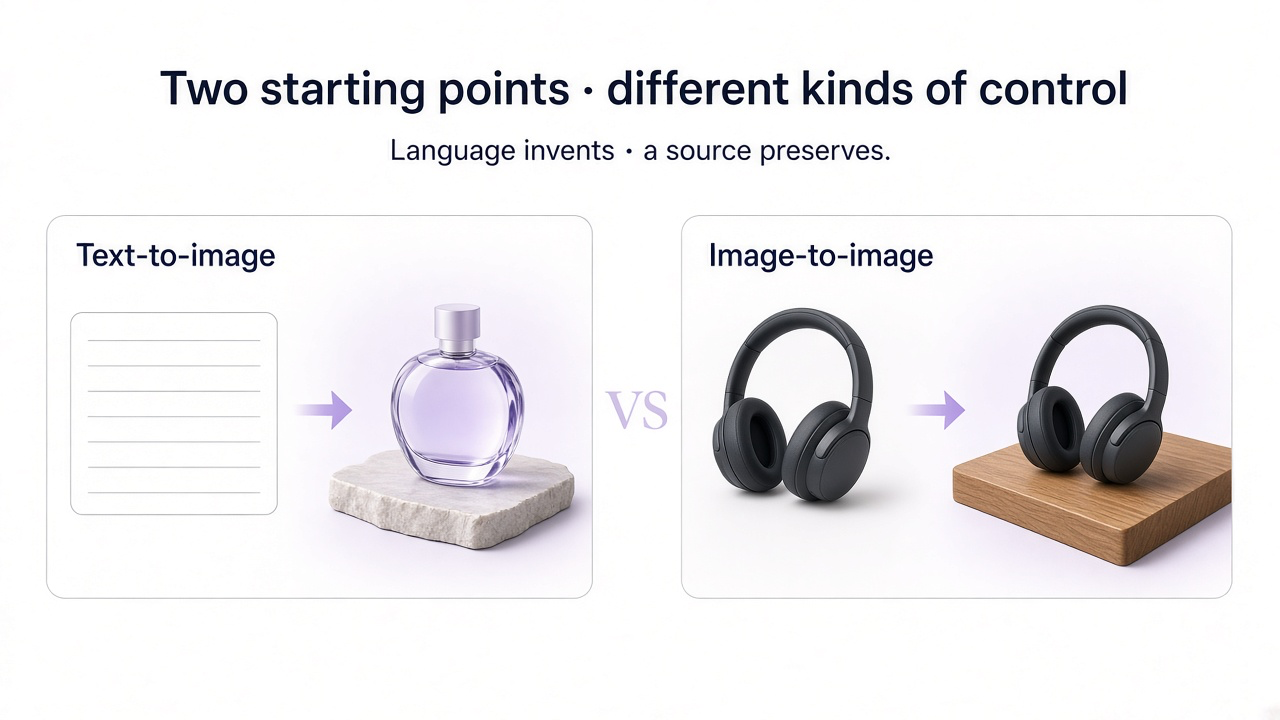
Image-to-Image vs Text-to-Image at a Glance
| Feature | Text-to-image | Image-to-image |
|---|---|---|
| Starting point | Written prompt | Existing image + instruction |
| Best for | Creating new concepts | Transforming or editing something that already exists |
| Visual control | Mostly controlled through language | Source image provides visual structure and context |
| Product consistency | Harder when describing an exact existing product | Better suited when the real product image is provided |
| Identity consistency | Limited without a visual reference | Source photo provides identity information |
| Composition reference | Described through the prompt | Can use the original composition as a starting point |
| Creative freedom | Very high | Can range from subtle edit to major transformation |
Choose based on whether the important part already exists as a photo — or only as an idea.
What Is Text-to-Image AI?
Text-to-image generation creates an image from a written description. You describe the subject, environment, composition, lighting, style, camera perspective, colors, and other characteristics, and the AI creates a visual interpretation of those instructions.
For example, you could ask GenImagePro for a minimal editorial photograph of a sculptural perfume bottle on pale stone in soft morning light. No starting photograph is required—the image is built from the concept described in the prompt.
What Is Image-to-Image AI?
Image-to-image generation begins with an existing image. The AI uses that image as visual context while following an instruction about what should change.
The source can provide information that would be difficult to communicate perfectly through text alone: the shape of a specific product, a person's facial features, the architecture of a room, the plating of a dish, the design of a garment, or the existing composition of a photograph.
In GenImagePro, you can upload that real image and describe the transformation. Depending on your goal, the result can remain very close to the source or move into a substantially different creative direction.
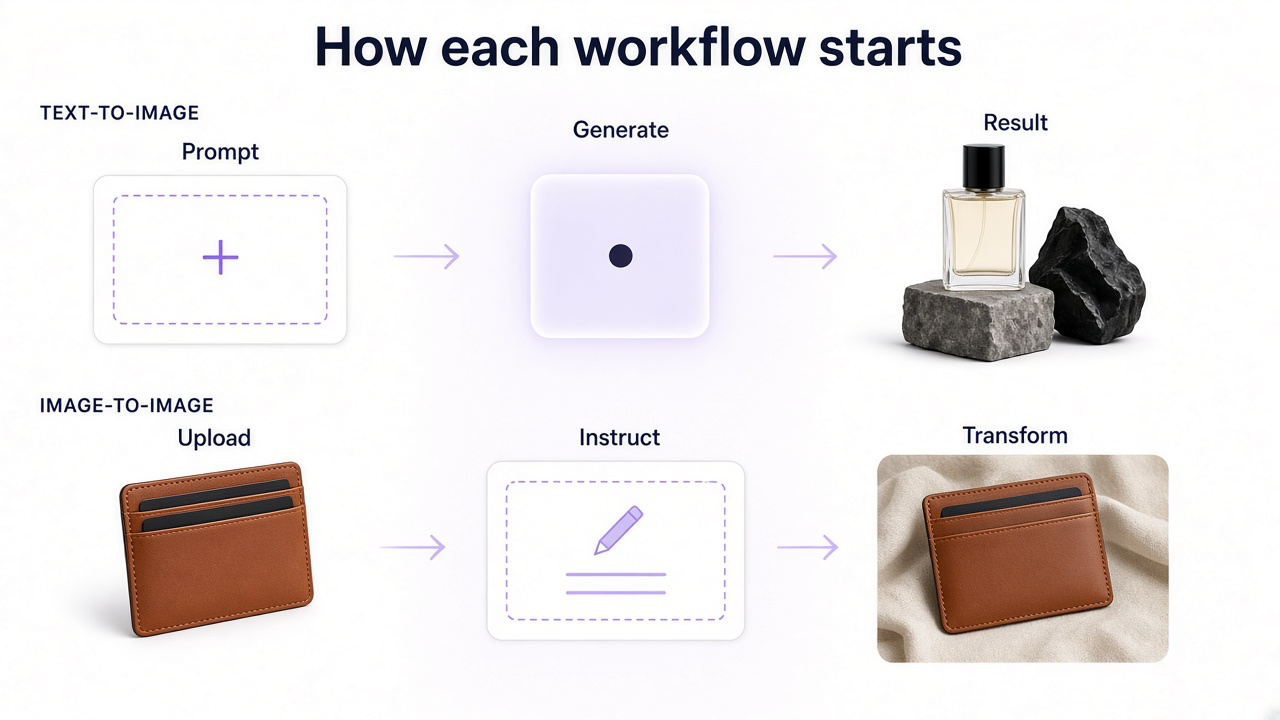
How Text-to-Image Works
Basic text-to-image workflow
Describe the subject
Tell the AI what should appear in the image.
Define the environment
Describe the setting, background, location, or scene.
Specify the visual direction
Add lighting, composition, perspective, photographic treatment, color palette, or style.
Generate the image
The AI interprets the written description and creates a new visual.
Refine the result
Adjust your instruction or continue editing the generated image in GenImagePro.
How Image-to-Image Works
Basic image-to-image workflow
Upload the source image
Use the product, portrait, room, food photograph, or other visual you want to transform.
Decide what should remain
Identify important elements such as identity, product design, composition, furniture, clothing, or dish structure.
Describe what should change
Request a new background, lighting direction, style, environment, composition, material, or other edit.
Generate the transformation
GenImagePro uses the source image together with your instruction to create the result.
Continue refining
Give additional instructions if you want to preserve more, change less, or explore another direction.
When Should You Use Text-to-Image?
Text-to-image is strongest when you want visual exploration and do not need to preserve a specific real-world subject.
Good text-to-image use cases
Creating a visual concept from scratch
Useful when you have an idea but no existing source image.
Exploring campaign directions
Generate different environments, compositions, and art directions quickly.
Creating concept art
Visualize scenes, characters, objects, or environments that do not yet exist.
Generating decorative or editorial imagery
Useful when exact real-world fidelity is not the main requirement.
Early creative ideation
Turn written ideas into visual references before production.
Creating completely fictional scenes
No real source photograph is required.
When Should You Use Image-to-Image?
Image-to-image becomes more useful when the starting visual contains information you want the AI to keep.
Good image-to-image use cases
Product photography
Keep the real product while changing its background, environment, or photographic direction.
Portrait editing
Use the actual person as an identity reference while changing styling, lighting, or environment.
Interior design
Transform an existing room while using its architecture and layout as the starting point.
Food photography
Keep the actual dish and plating while improving the photographic environment.
Fashion photography
Use existing garments, subjects, or compositions as visual references.
Photo restoration
Improve an existing old or damaged photograph rather than creating a replacement scene from scratch.
Background replacement
Preserve the subject and generate a different environment around it.
Creative restyling
Transform the visual direction while retaining important structure from the source.
Image-to-Image Is Usually Better for Real Products
Suppose you sell a specific skincare serum. With text-to-image, you could describe the bottle in great detail, but the generated product may still differ from the real item in shape, cap size, typography, colors, label placement, or materials.
With image-to-image, you can upload the real bottle to GenImagePro and tell the AI to preserve those product details while changing the photography around it. This makes image-to-image a much more natural starting point for ecommerce product visualization.
Image-to-Image Is Usually Better for Identity
The same principle applies to people. If you need a portrait that resembles a particular person, their photograph contains substantially more identity information than a text description such as hair color, eye color, age, or face shape.
In GenImagePro, using the real photo as the source gives the editing workflow visual information about facial proportions, hairstyle, skin tone, expression, and other recognizable characteristics. You can then ask for a new professional setting, photographic style, wardrobe direction, or lighting treatment.
Text-to-Image Gives You More Freedom from the Starting Point
The biggest strength of text-to-image is freedom. There is no original photograph constraining the composition or visual structure. You can describe a completely new environment, object, character, or concept and allow the AI to interpret it.
That makes text-to-image particularly useful for brainstorming. You might generate several campaign ideas with text first, decide which visual direction works best, and then use a real product image in an image-to-image workflow to create a more product-specific version.
You Can Combine Text-to-Image and Image-to-Image
The two workflows are not competitors. In many practical creative processes, they work best together.
Example hybrid workflow in GenImagePro
Explore with text-to-image
Generate several broad campaign concepts from written descriptions.
Choose the strongest direction
Select the lighting, environment, styling, or composition that fits your goal.
Upload the real source
Provide the actual product, person, room, garment, or other important visual reference.
Use image-to-image
Recreate or adapt the selected direction while preserving the real subject.
Refine the result
Continue editing in GenImagePro until the final image has the right balance of creativity and fidelity.
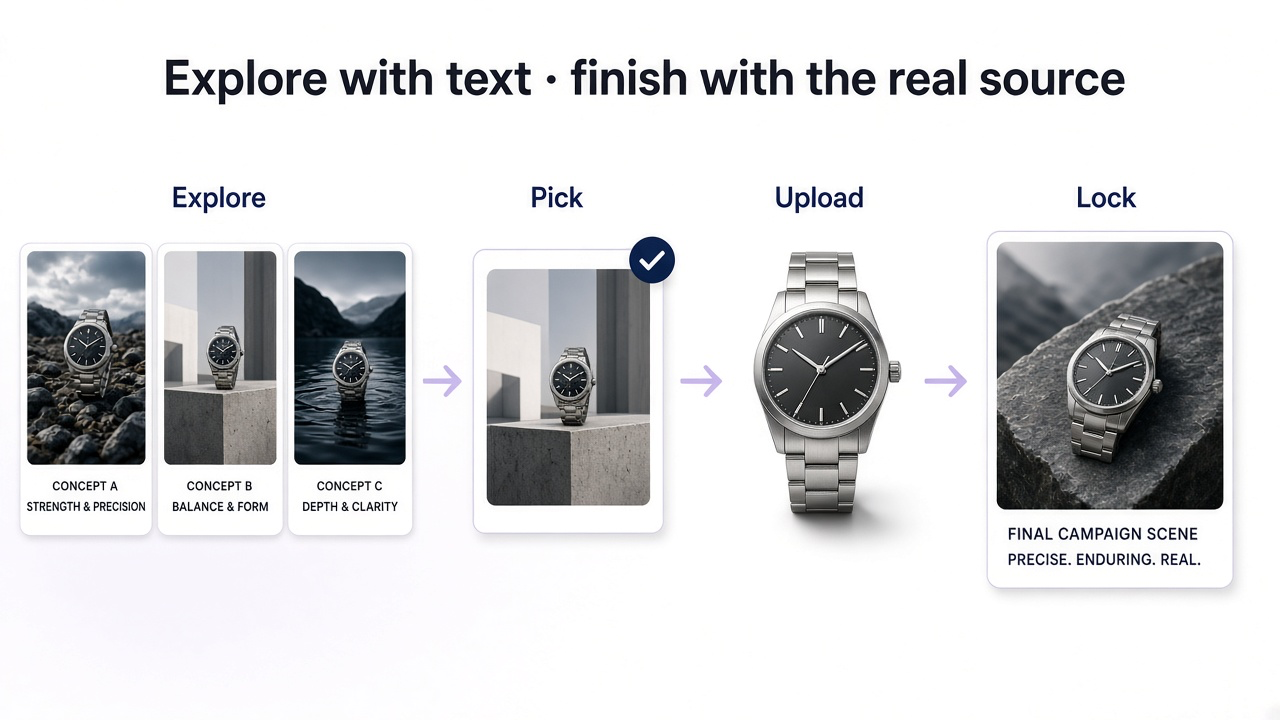
Image-to-Image vs Text-to-Image for Product Photography
| Task | Better starting point | Why |
|---|---|---|
| Invent a fictional product concept | Text-to-image | No real product needs to be preserved |
| Create a new background for a real product | Image-to-image | The actual product becomes the visual reference |
| Explore campaign art direction | Text-to-image | Fast way to explore broad concepts |
| Create lifestyle images for an existing product | Image-to-image | Product fidelity matters |
| Generate visual moodboards | Text-to-image | Creative variety is more important than exact subject consistency |
| Turn a packshot into a campaign image | Image-to-image | The source product already contains the important visual information |
Use text for invention and moodboards; use image-to-image when the real SKU must stay true.
Image-to-Image vs Text-to-Image for Interior Design
If you want to imagine an entirely fictional living room, text-to-image works well. You can specify architectural style, furniture, colors, materials, lighting, and atmosphere without providing a source.
If you want to redesign your actual living room, image-to-image is more useful. Uploading the room gives GenImagePro information about the existing walls, windows, room shape, floor, perspective, and layout, which can then guide the redesign.
Image-to-Image vs Text-to-Image for Portraits
Use text-to-image when you need a fictional person or a general portrait concept. Use image-to-image when the result needs to remain recognizable as a particular person.
For professional headshots, personal branding, fashion portraits, or other identity-sensitive uses, uploading the real person to GenImagePro generally provides a better foundation than attempting to recreate their appearance entirely through text.
Image-to-Image vs Text-to-Image for Food Photography
Text-to-image can create an entirely fictional restaurant dish or food concept. That can be useful for creative ideation, moodboards, or visual experimentation.
If you need marketing imagery for the dish you actually serve, image-to-image is the safer starting point. Upload the real dish to GenImagePro and change the lighting, surface, styling, or environment while asking the model to preserve the plate, ingredients, portion, and food structure.
Image-to-Image vs Text-to-Image for Photo Editing
For editing an existing photograph, image-to-image is naturally the relevant workflow. The source image defines what already exists, while your instruction defines what should change.
Examples
- Replace a background
- Change the lighting
- Make a blurry photo clearer
- Restore an old photograph
- Restyle a product photo
- Redesign a room
- Change the environment around a person
- Improve realism in an existing AI-generated image
What Are the Advantages of Text-to-Image?
Start with nothing except an idea.
Explore highly imaginative concepts.
Generate visual directions quickly.
Experiment with subjects that do not exist yet.
Create references and moodboards before production.
Change the entire visual concept through language.
What Are the Advantages of Image-to-Image?
Use real visual information as the starting point.
Preserve recognizable products or subjects.
Communicate complex shapes and compositions without describing every detail.
Transform an existing photograph instead of recreating it.
Make targeted edits while keeping other parts unchanged.
Create many variations from one useful source asset.
What Are the Limitations of Text-to-Image?
The main limitation is that a text prompt cannot perfectly describe every visual detail of an existing object or person. The model interprets your words rather than seeing the exact reference you have in mind.
This becomes especially important for branded products, exact identities, architecture, packaging, specific garments, or any situation where visual fidelity matters.
What Are the Limitations of Image-to-Image?
Image-to-image provides stronger visual grounding, but it does not guarantee perfect preservation. Generative editing can still alter labels, faces, materials, geometry, text, or small details, particularly when the requested transformation is large.
How GenImagePro Handles Both Workflows
GenImagePro is not limited to one type of generation. You can create from scratch with text, upload an image and transform it, use a ready-made template, or continue editing a result with additional instructions.
The platform is designed around the visual outcome rather than forcing you to understand the underlying technical pipeline. Depending on what you are creating, the task may involve generation, image-to-image editing, enhancement, reconstruction, background changes, or other AI image operations. GenImagePro uses strong current image technology for these workflows so you can focus on describing and refining the result.
Choose your GenImagePro starting point
Have only an idea?
Start with text-to-image and describe what you want to create.
Have a product or photo?
Upload it and use image-to-image so the source becomes part of the instruction.
Do not want to write a prompt?
Start from a GenImagePro template and use your uploaded image where appropriate.
Already generated something?
Continue editing the result instead of starting over.
Which Should You Choose?
| If you... | Use |
|---|---|
| Have an idea but no source image | Text-to-image |
| Have a real product that must remain recognizable | Image-to-image |
| Want to create a fictional concept | Text-to-image |
| Want to redesign an existing room | Image-to-image |
| Want a portrait of a specific person | Image-to-image |
| Want to brainstorm campaign concepts | Text-to-image |
| Want to turn a product packshot into a lifestyle scene | Image-to-image |
| Want maximum flexibility | Use both |
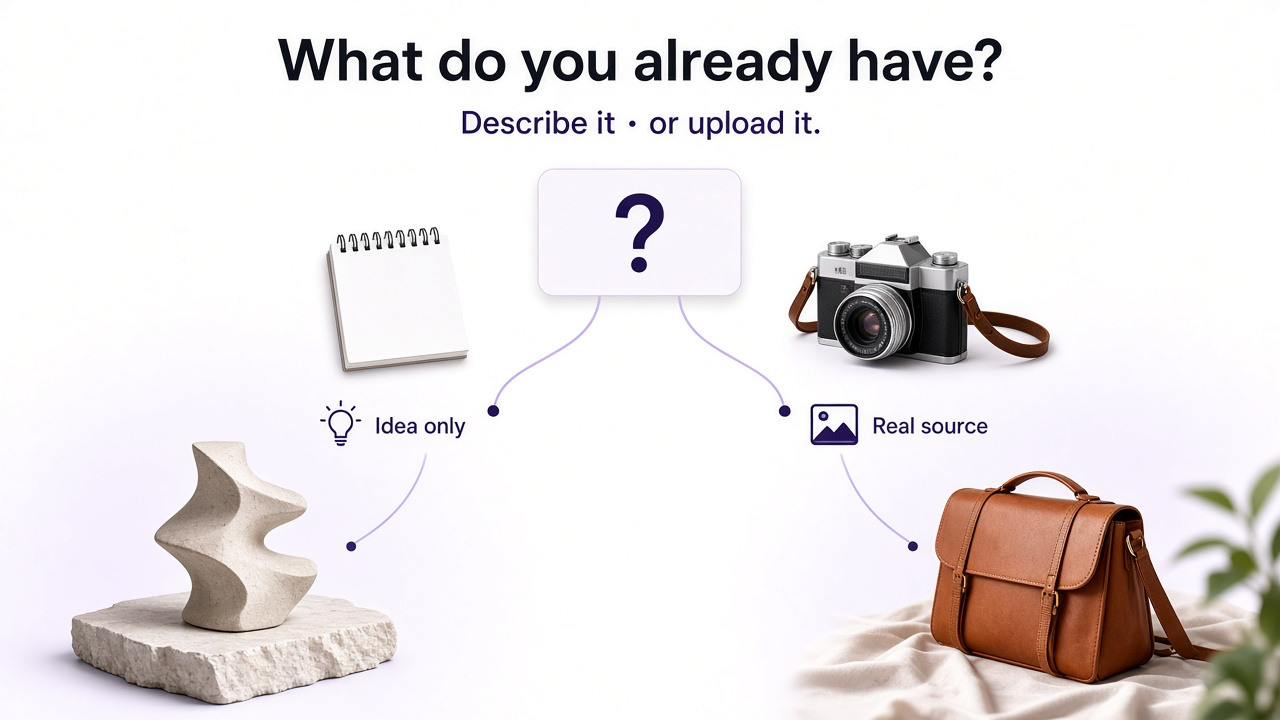
If something important already exists as a photo, upload it. If not, describe it.
Frequently Asked Questions
What is the difference between image-to-image and text-to-image?
Text-to-image creates a new visual primarily from a written prompt. Image-to-image uses an existing image as visual context together with an instruction describing what should change or how the image should be transformed.
Is image-to-image better than text-to-image?
Neither is universally better. Image-to-image is usually more useful when you need to preserve a specific person, product, room, dish, garment, or composition. Text-to-image is usually better when you want to create something new from an idea.
Can I use both text-to-image and image-to-image in GenImagePro?
Yes. GenImagePro supports creating images from written ideas as well as workflows where you upload a source image and transform or edit it.
Which is better for product photography?
Image-to-image is generally the better starting point for an existing commercial product because you can upload the real item and ask GenImagePro to preserve its design while changing the environment, lighting, or photographic direction.
Which is better for portraits?
If the portrait should resemble a specific person, image-to-image gives the system the person's actual photograph as visual context. Text-to-image is more suitable when creating a fictional person or general portrait concept.
Can image-to-image completely change the source?
Yes. Image-to-image can be used for subtle editing or much larger transformations. How much of the source remains depends on your instruction and the type of transformation you request.
Do I need a prompt for image-to-image?
Usually you provide at least a simple instruction describing what should change. Because the image itself already supplies visual context, the instruction can often be much simpler than a text-to-image prompt.
Can I use a template instead of writing prompts in GenImagePro?
Yes. GenImagePro includes ready-made visual workflows and templates, so you can start from a predefined direction and use your uploaded image without building every instruction from scratch.
Can I generate with text first and then edit the image?
Yes. That is one of the most useful combined workflows: create an initial concept with text-to-image, then treat that result as a visual starting point and continue refining it with image-based edits.
Does GenImagePro choose the underlying AI workflow?
GenImagePro is designed around the visual result you request, so you do not need to manually select a separate technical process for every task. You can focus on whether you want to create something new or transform something you already have.