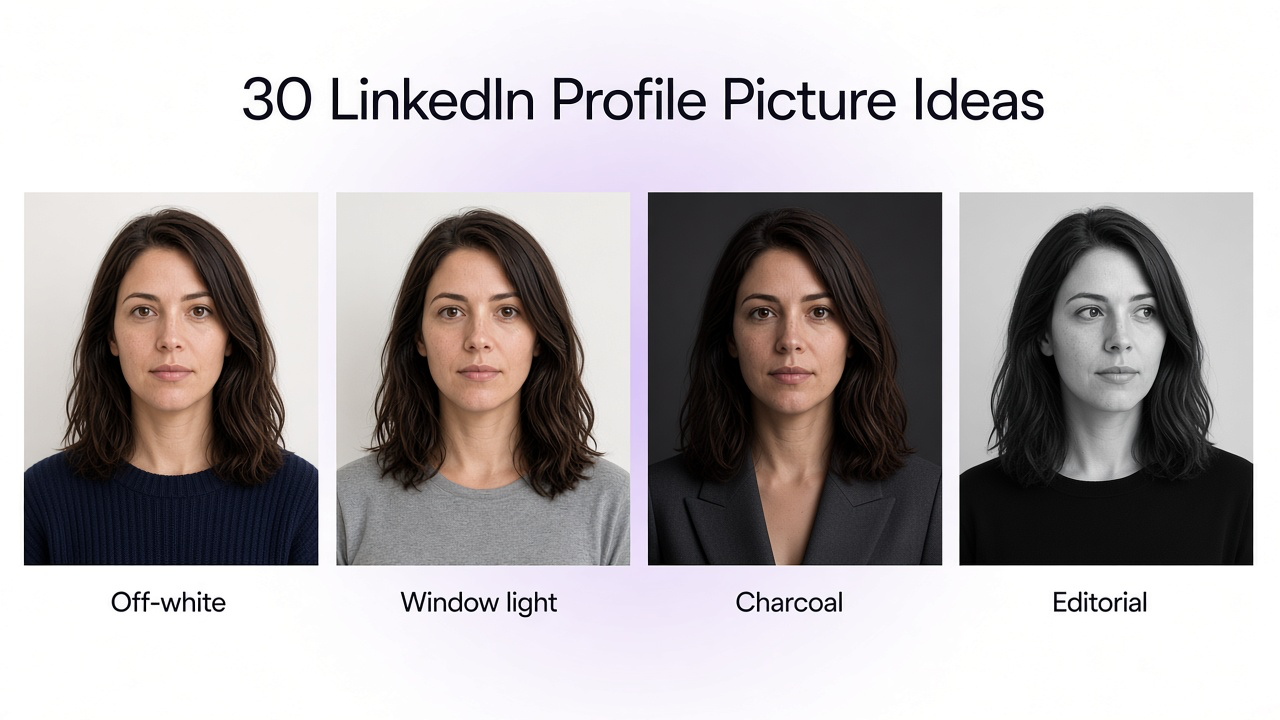
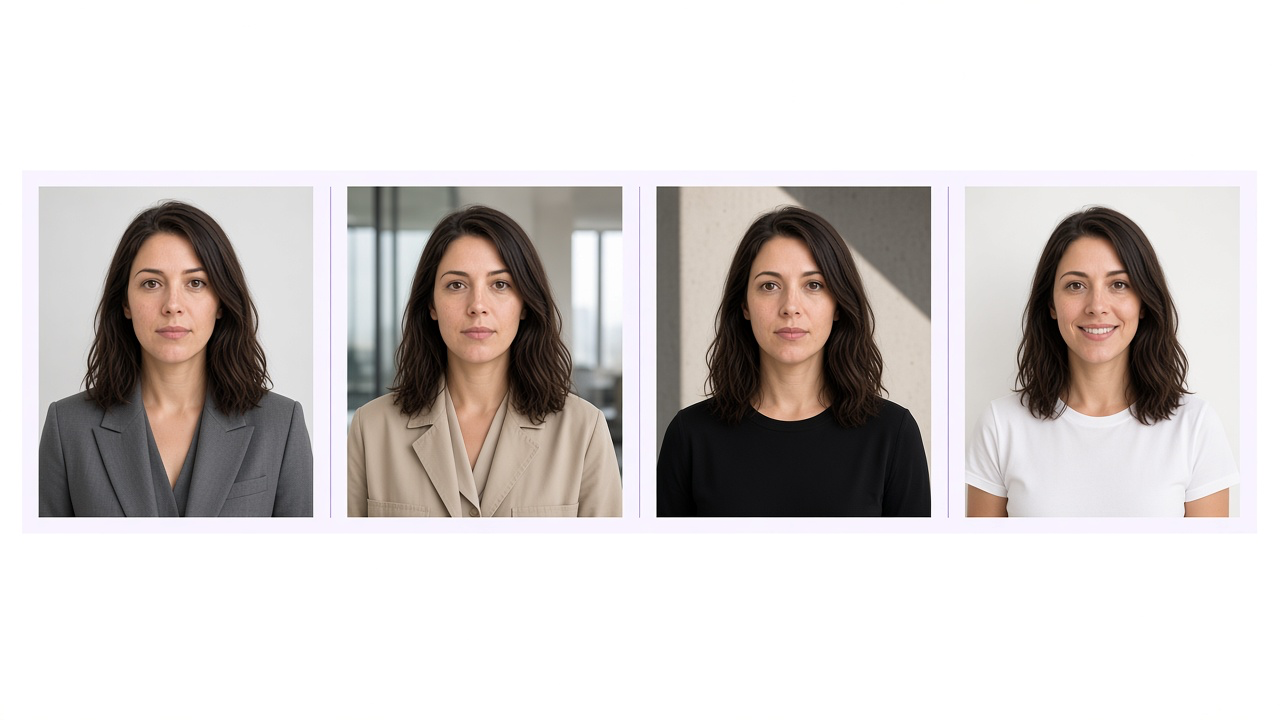
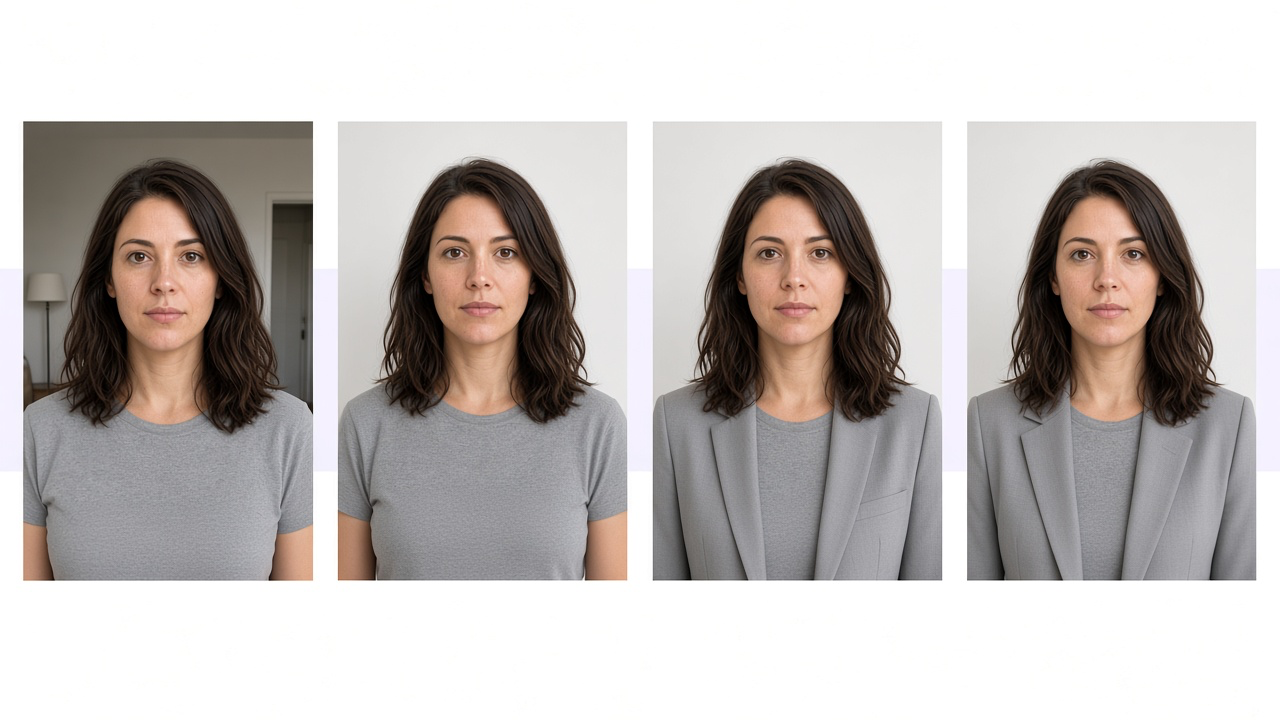
The useful difference is the photograph: light, background, clothes, and crop. The person stays the same.
A consultant may want a restrained gray studio portrait. A founder may prefer window light. A designer may want a black-and-white editorial frame. Those are different photographs, not different job titles on the same picture.
The 30 directions below are for image-to-image editing. Upload a clear photo to GenImagePro, choose a look, and use the prompt. Lighting, clothing, phone setup, and a full crop guide live in the LinkedIn profile picture guide.
Choose a direction, not a job costume
Choose the formality you actually wear to work. A lawyer can use window light. A designer can use a gray studio. The roles below are examples of who often uses a look, not a rule about who must.
What you want
Try
Safest professional option
Clean off-white studio or the universal headshot
More senior or formal
Soft gray corporate or dark charcoal
Modern and relaxed
Window light or a bright workspace
More distinctive
Black-and-white editorial or a soft color background
More approachable
A natural smile in daylight
More of a place
Office, architecture, bookshelf, or an outdoor background
Corporate, founder, creative, and approachable. The face stays the same.
How to use the prompts
1
Upload a clear photo
Use a recent picture where your face, hair, and eyes are easy to see.
2
Choose a look
Pick one direction below. Change the background, light, and clothes, not your face.
3
Generate and check likeness
Compare the result with your photo before you crop it for LinkedIn.
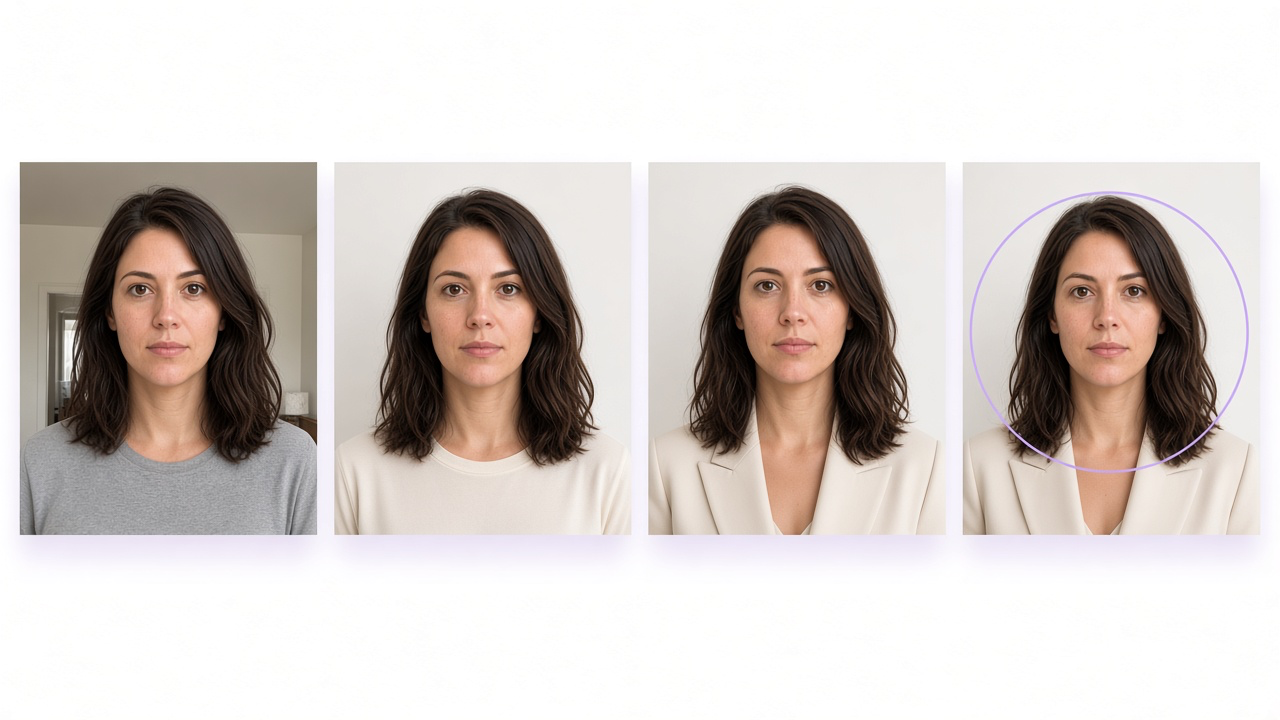
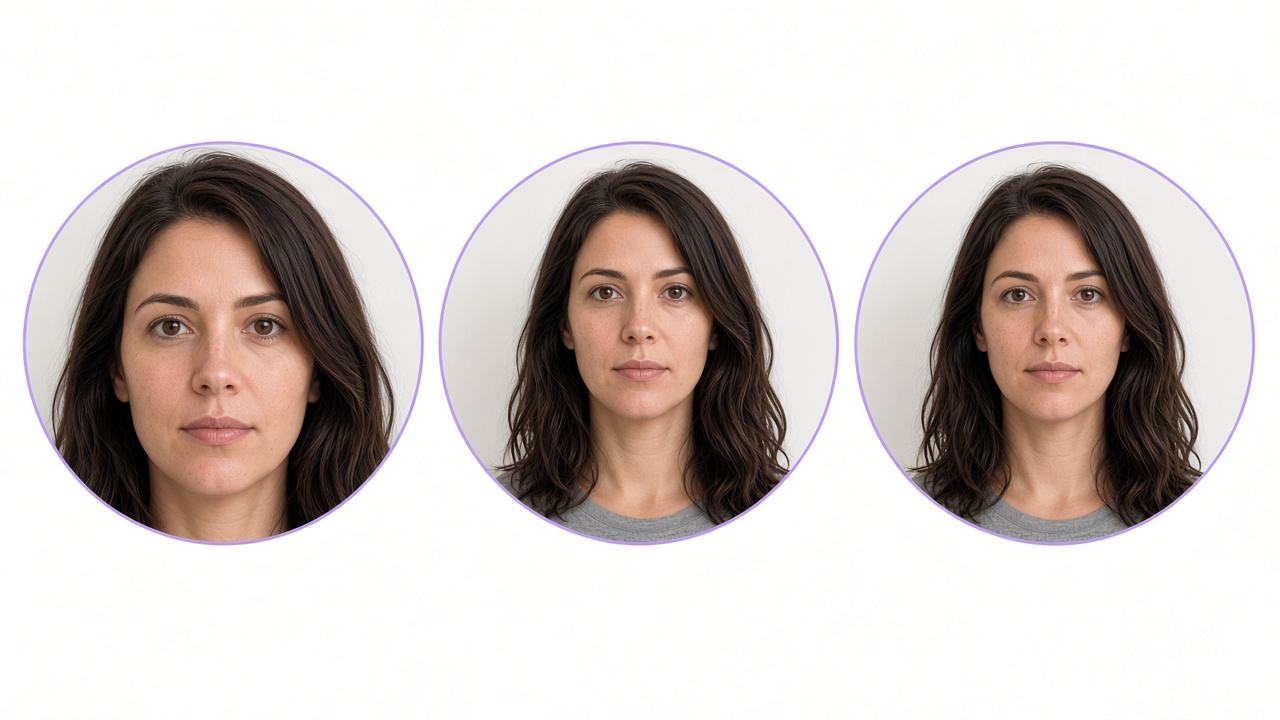
Start with a clear photo, clean the light and clothes, then check that the face still fits the circle.
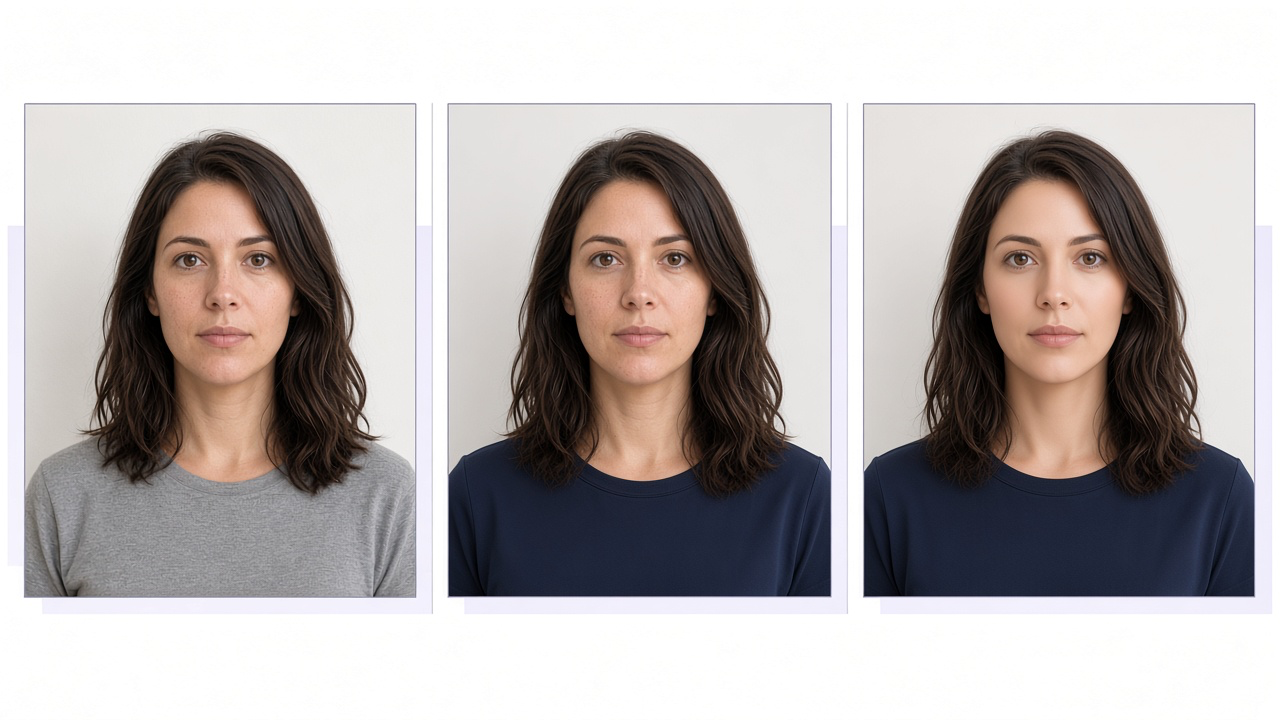
The middle portrait is still her. The right one has been smoothed into someone else.
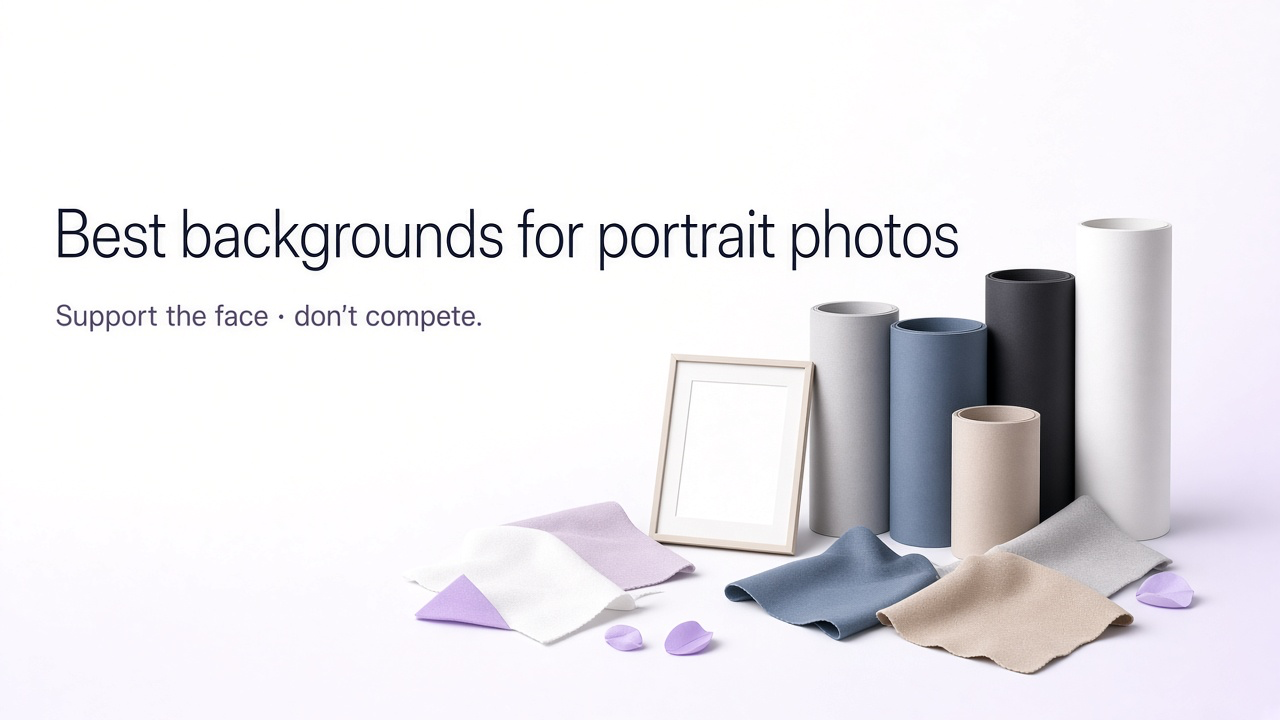
Seamless studio backgrounds
1. Clean Off-White Studio
Best for: Job seekers, technology, operations, and general business.
2. Soft Gray Corporate
Best for: Consulting, finance, law, and leadership.
3. Bright White Headshot
Best for: Healthcare, education, and anyone who wants the simplest field.
4. Warm Taupe Studio
Best for: Founders, coaches, and consultants who want something warmer than gray.
5. Dark Charcoal Executive
Best for: Executives, founders, and speakers.
6. Soft Color-Block Headshot
Best for: Creators, marketers, and personal brands.
7. Subtle Brand-Color Background
Best for: Creators, entrepreneurs, and personal brands.
Formality, clothes, and setting can change. The crop and the light stay disciplined.
Daylight and outdoor looks
8. Natural Window-Light Portrait
Best for: Founders, creators, product, and startups.
9. Natural Window-Light Interior
Best for: Anyone who wants a real room without a café scene.
10. Natural Home-Studio Portrait
Best for: Independent professionals who work from a simple room.
11. Soft Overcast Outdoor
Best for: Coaches, consultants, and approachable profiles.
12. Outdoor Urban Portrait
Best for: Founders, consultants, and personal brands.
Workspaces and architecture
13. Bright Contemporary Office
Best for: Tech, SaaS, product, and sales.
14. Modern Tech and Product Workspace
Best for: Engineering, product, data, SaaS, and operations.
15. Modern Architectural Background
Best for: Architecture, real estate, design, and consulting.
16. Minimal Creative Studio
Best for: Designers, creative directors, and marketing.
17. Quiet Bookshelf
Best for: Researchers, writers, advisors, and academics.
Framing and finish
18. Three-Quarter Professional Portrait
Best for: Anyone who wants a less frontal, still crop-safe photo.
19. Black-and-White Editorial
Best for: Creative professionals, speakers, and founders.
20. Closer Face Crop
Best for: Profiles that must stay clear as a small thumbnail.
21. Off-Center Editorial Frame
Best for: Designers, founders, and personal brands.
22. Seated Portrait
Best for: Advisors and founders who want a little environment.
Wardrobe and expression
23. Tailored Suit on Gray
Best for: Finance, law, leadership, and formal workplaces.
24. Knit or Overshirt
Best for: Product, startups, and creative operations.
25. Open Collar, No Jacket
Best for: Founders, engineers, and offices that do not wear jackets.
26. Monochrome Outfit
Best for: Design, editorial, and personal brand portraits.
27. Natural Smile in Daylight
Best for: Sales, recruiting, customer-facing roles, and approachable profiles.
28. Calm Direct Gaze
Best for: Executives and specialists who do not want a smile.
29. Warm Indoor Lamp Light
Best for: Coaches and founders who want an evening look.
A safe default
30. Universal Professional Headshot
Best for: Any role when you do not want a specific scene.
Want to create your own variation?
Use one of the prompts above as the base, then change only the part you want to be different: background, light, clothes, expression, or crop. Keep the identity line the same so you can compare results from one photo.
Change the room, then the clothes, then the light. Do not change the person.
Before you publish
Too close cuts the hair. Too far shrinks the face. The right-hand circle leaves room above the head.
The full walkthrough of crop, expression, lighting, backgrounds, clothing, phone photos, and retouching is in the LinkedIn Profile Picture Guide.
Frequently Asked Questions
Can I use these prompts in GenImagePro?
Yes. Upload a clear photo of yourself, choose one look, and run that prompt. Compare the face with your original before you download it.
Can AI improve an existing LinkedIn picture?
Yes. Image-to-image editing can change lighting, background, clothes, and crop while your current photo stays the reference for your face.
Can I change clothes with AI?
Yes. Ask for a specific garment you would actually wear, such as a navy knit or an open-collar shirt. Skip outfits that do not match how you show up in person.
Can I use an AI-generated headshot on LinkedIn?
Yes, if it still shows you. LinkedIn’s profile photo rules require the image to reflect your likeness. Do not publish a result that changes your face, age, or other features people use to recognize you.
What should I avoid?
Avoid a new face, heavy skin smoothing, unreadable tiny text, neon color, props that cover you, and a crop that cuts off the top of your head in the circle.
Which look should I try first?
Start with Clean Off-White Studio if you want the safest option. Use Natural Window-Light Portrait for a more relaxed photo, or Dark Charcoal Executive if you want a darker, more formal frame.