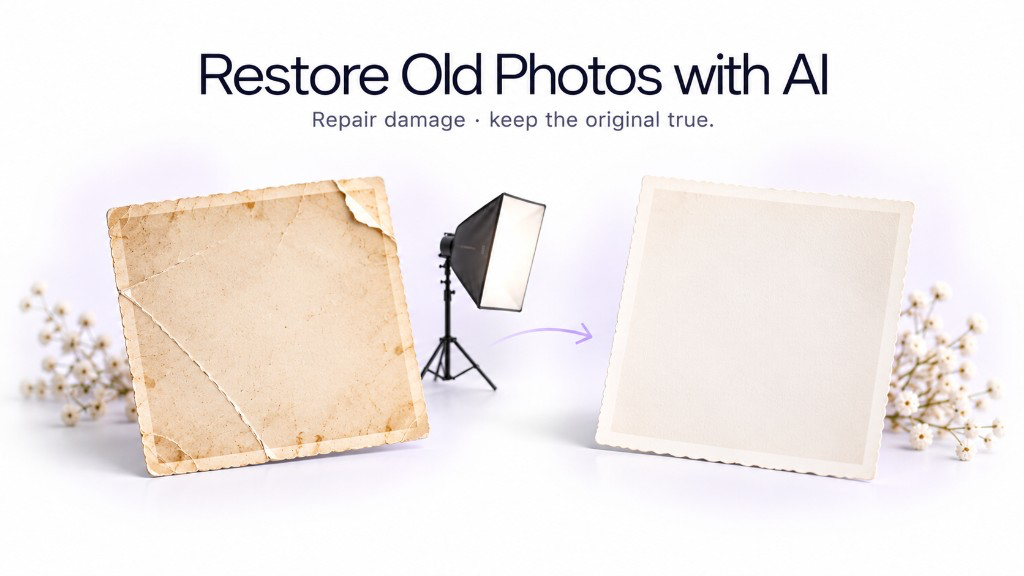
Old photographs rarely have only one problem. A single image may be faded, scratched, blurry, low resolution, badly scanned, noisy, discolored, and partially damaged at the same time. Traditional photo editors can fix some of these issues, but doing so often requires several tools and a fair amount of manual work. With GenImagePro, you can upload the original photograph, describe what needs to be restored, and let the AI handle the image-restoration workflow.
GenImagePro is designed to use strong current image-generation and image-editing technology for the requested task instead of making you choose a technical restoration method yourself. That means you can focus on the result: keep the people recognizable, repair visible damage, improve clarity, recover natural contrast, and create a cleaner high-resolution version of the same photograph.
How to Restore an Old Photo with GenImagePro
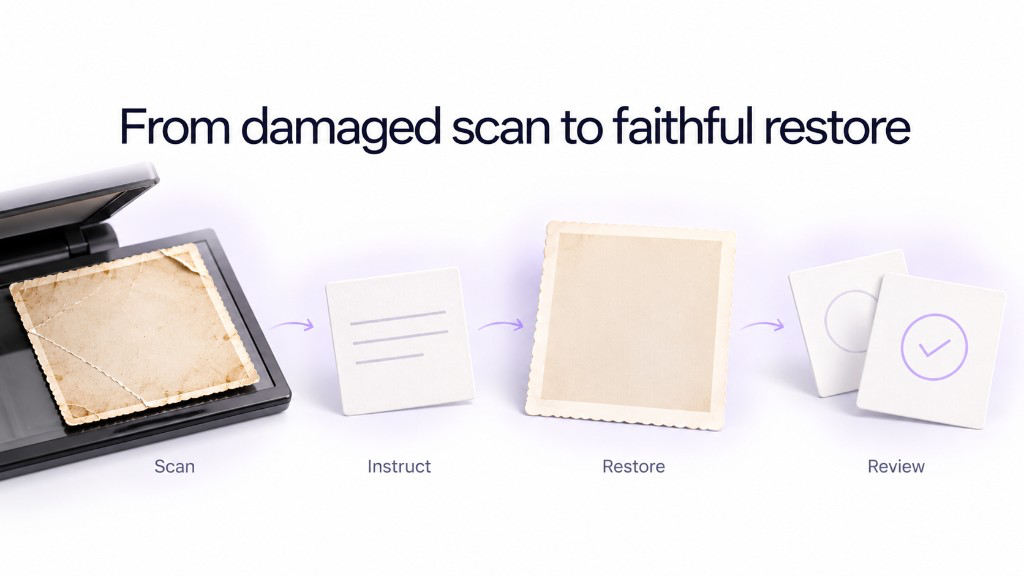
Restore an old photograph in a few steps
Scan or photograph the original
Use the highest-resolution version available. A clean scan usually gives GenImagePro more real detail to work with than a compressed screenshot.
Upload it to GenImagePro
Use the old photograph itself as the source image so the people, setting, clothing, and composition remain grounded in the original.
Describe what needs restoration
Ask GenImagePro to repair scratches, improve clarity, reduce noise, restore contrast, recover facial detail, fix fading, or address several problems together.
Let GenImagePro handle the restoration workflow
You do not need to decide whether the photo requires denoising, sharpening, upscaling, reconstruction, or another technical process. Describe the desired result and let the platform handle the image-editing workflow.
Inspect faces and historical details
Compare the restored version with the original and check faces, clothing, jewelry, architecture, text, objects, and other details that should remain faithful.
Refine specific areas if necessary
If one part needs more restoration, give GenImagePro a more targeted instruction instead of applying increasingly aggressive enhancement to the whole image.
Use This GenImagePro Prompt to Restore an Old Photo
For a general restoration, start with one comprehensive instruction. You can then make the request more specific if the photograph has severe scratches, faded colors, missing detail, or damaged faces.
What Can GenImagePro Restore in an Old Photograph?
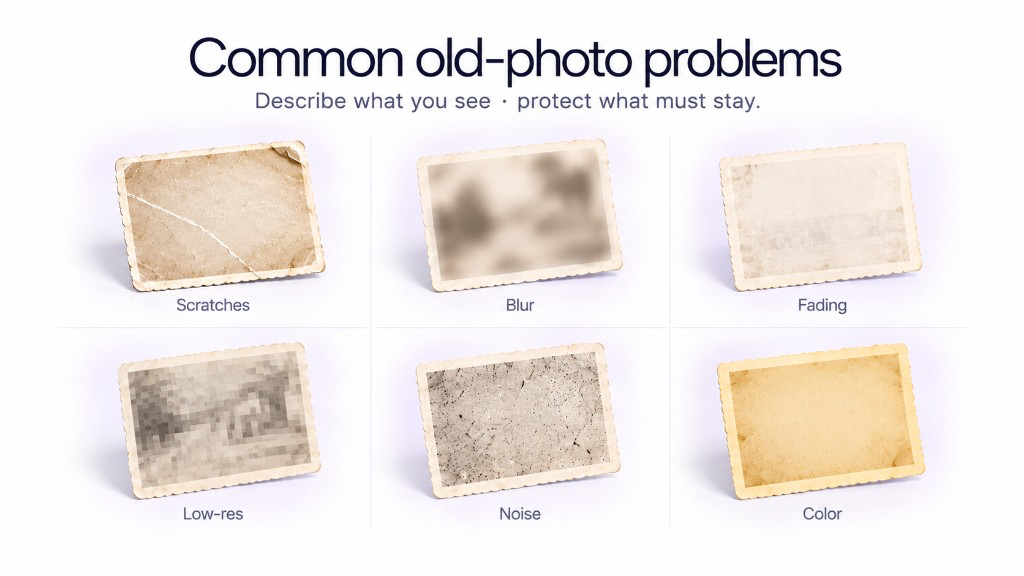
| Problem | What you may see | What to ask GenImagePro to do |
|---|---|---|
| Scratches and dust | White lines, dark marks, spots, or surface damage | Repair visible damage while preserving the underlying photograph |
| Blur and soft focus | Faces and objects lack definition | Improve local detail, focus, and edge clarity conservatively |
| Faded contrast | Image looks washed out or flat | Restore natural tonal range and contrast |
| Low resolution | Pixelation or lack of detail when enlarged | Create a cleaner high-resolution version while preserving the original scene |
| Noise and grain | Heavy speckles or rough scanned texture | Reduce distracting noise without removing all authentic photographic grain |
| Color fading | Old color photo has weak or shifted colors | Recover balanced natural color without making the image look modern |
| Damaged faces | Eyes, hair, or facial edges are partially obscured | Restore facial clarity while prioritizing identity preservation |
Ask GenImagePro for the specific repair while telling it what must stay historically faithful.
Restore Scratched and Damaged Photos with AI
Scratches, creases, dust marks, stains, and damaged emulsion are common in physical photographs. GenImagePro can be used to clean these distractions while keeping the underlying photograph recognizable. The safest approach is to explicitly ask for damage repair rather than a complete redesign of the image.
Restore Blurry Faces in Old Photos
Facial restoration is one of the most sensitive parts of old-photo repair. A result can look clearer while subtly changing the person. That is why GenImagePro should be given the original photograph as its visual reference and told explicitly to preserve identity.
Improve the Resolution of an Old Photo
Many old photographs survive today only as small scans or compressed digital copies. GenImagePro can be used to create a cleaner, higher-resolution version while improving softness, edges, textures, and visible detail in the same workflow.
Restore Faded Old Photos
Age, sunlight, storage conditions, and chemical deterioration can leave photographs washed out or uneven. Instead of applying a generic contrast filter, you can ask GenImagePro to restore tonal separation while preserving the original photographic mood.
Restore Old Color Photos
Old color photographs often develop color casts, weak saturation, or uneven fading. GenImagePro can be instructed to rebalance the image while keeping the colors restrained and appropriate to the source rather than turning it into a highly saturated modern photograph.
Can GenImagePro Colorize a Black-and-White Old Photo?
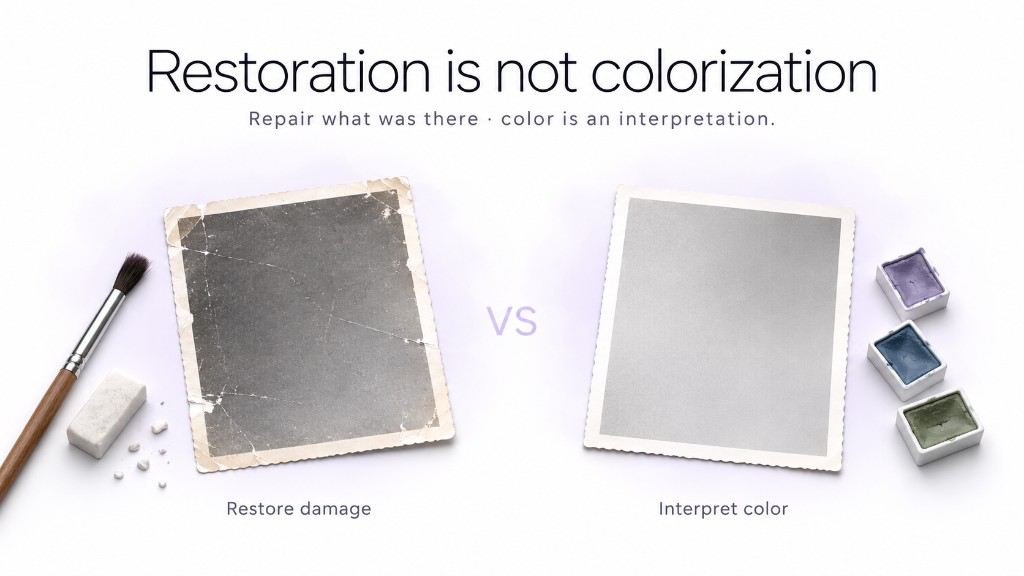
Yes, you can also ask GenImagePro to create a colorized interpretation of a black-and-white photograph. This is different from restoration because the original image does not contain the actual historical color information. The colors are therefore an informed AI interpretation, not a verified recovery of the original colors.
Why Use GenImagePro for Old Photo Restoration?
Old-photo restoration can involve several different image-processing problems at once. One photo may need damage repair, face enhancement, denoising, sharpening, tonal correction, and upscaling. A traditional workflow can therefore mean moving through multiple tools and adjusting each operation manually.
GenImagePro simplifies this by making the desired result the starting point. Upload the photograph and explain what needs to be fixed. The platform is built around modern AI image-generation and editing technology and can handle the appropriate restoration workflow behind the request, while you control what must remain unchanged.
Why this workflow is useful
One uploaded photo can be the basis for the full restoration.
You do not need to recreate the people or scene from a text description.
You can describe the result instead of choosing technical filters.
Ask for clearer faces, repaired damage, restored contrast, or a higher-resolution image in natural language.
Different defects can be addressed together.
Old photographs often contain blur, fading, noise, scratches, and low resolution simultaneously.
You can specify exactly what must remain unchanged.
Protect identity, clothing, jewelry, architecture, objects, and other historically important details.
You can refine the same result iteratively.
If one area still needs work, give GenImagePro a targeted follow-up instruction rather than restarting from scratch.
Do You Need to Choose the Best AI Model for Photo Restoration?
You should not have to. Different restoration problems may benefit from different image-editing approaches, but that technical choice should not become the user's job. GenImagePro is designed to use strong available AI technology for the requested visual task so you can concentrate on what the final photograph should look like.
This also means you do not have to know whether a particular image needs restoration, enhancement, denoising, generative reconstruction, or upscaling before you begin. Upload the image, describe what is wrong and what should stay unchanged, then evaluate the result visually.
How to Get Better Old Photo Restoration Results
Old photo restoration checklist
Use the highest-quality scan available.
More source detail gives the restoration workflow more genuine information to preserve.
Keep the photograph flat when scanning.
Reflections, perspective distortion, and shadows can make restoration unnecessarily difficult.
Mention identity preservation.
This is especially important when restoring faces.
Describe visible damage.
Tell GenImagePro about scratches, stains, blur, fading, tears, noise, or low resolution when those problems are obvious.
Preserve historical details.
Ask the AI not to modernize clothing, hairstyles, architecture, furniture, vehicles, or other period-specific elements.
Avoid excessive beautification.
The goal is restoration, not turning an old family portrait into a modern beauty photograph.
Compare before and after.
Check faces, jewelry, patterns, text, objects, and other details against the source.
What AI Photo Restoration Cannot Guarantee
AI restoration can produce impressive results, but it is important to distinguish between recovering visible information and generating a plausible replacement for information that has been lost completely. If half of a person's face is physically missing from a photograph, for example, an AI system can create a plausible reconstruction, but it cannot know with certainty exactly what the missing pixels originally contained.
For ordinary family-photo restoration this may be acceptable when used carefully. For archives, historical research, evidence, identification, or other situations where exact factual accuracy matters, keep the original image and clearly distinguish AI-restored versions from the unedited source.
Frequently Asked Questions
Can I restore old photos with GenImagePro?
Yes. Upload your old photograph to GenImagePro and ask it to repair problems such as scratches, blur, fading, noise, low resolution, damaged areas, or soft facial detail while preserving the original people and scene.
Does GenImagePro automatically choose how to restore the image?
GenImagePro is designed around the visual result you request, so you do not need to manually choose separate sharpening, denoising, upscaling, or restoration tools. Describe what needs to improve and what should remain unchanged.
Can GenImagePro restore blurry faces in old photos?
Yes. For the best identity consistency, upload the original photograph and explicitly ask GenImagePro to preserve facial structure, age, expression, hairstyle, and other recognizable characteristics while improving clarity.
Can AI remove scratches from old photos?
AI can often repair scratches, dust marks, creases, stains, and small damaged regions by reconstructing surrounding visual information. Large missing areas require more inference and should be checked carefully.
Can GenImagePro improve the resolution of an old photo?
Yes. You can ask GenImagePro to create a clearer high-resolution version while preserving the original people, composition, objects, clothing, and overall photographic character.
Can AI restore faded colors?
Yes. AI can correct color casts and improve weak or faded colors in old color photographs. Ask for restrained, historically plausible color rather than aggressive modern grading.
Can GenImagePro colorize black-and-white photos?
You can ask GenImagePro to create a colorized version, but the colors should be considered an AI interpretation because a black-and-white source does not contain the original color information.
Will an AI-restored photo be historically exact?
Not necessarily. When original information is visible, AI can preserve and enhance it. When information has been completely lost, the system may generate plausible replacement detail rather than recover the exact historical original.
Do I need photo-editing experience to restore an old picture?
No. With GenImagePro, you can upload the photograph and describe the result in natural language. You do not need to manually work through professional restoration filters or understand the underlying image-processing techniques.