Fashion photography is not simply portrait photography with better clothes. The garment, the person wearing it, the styling, the environment, the light, and the intended use of the photograph all have to work together.
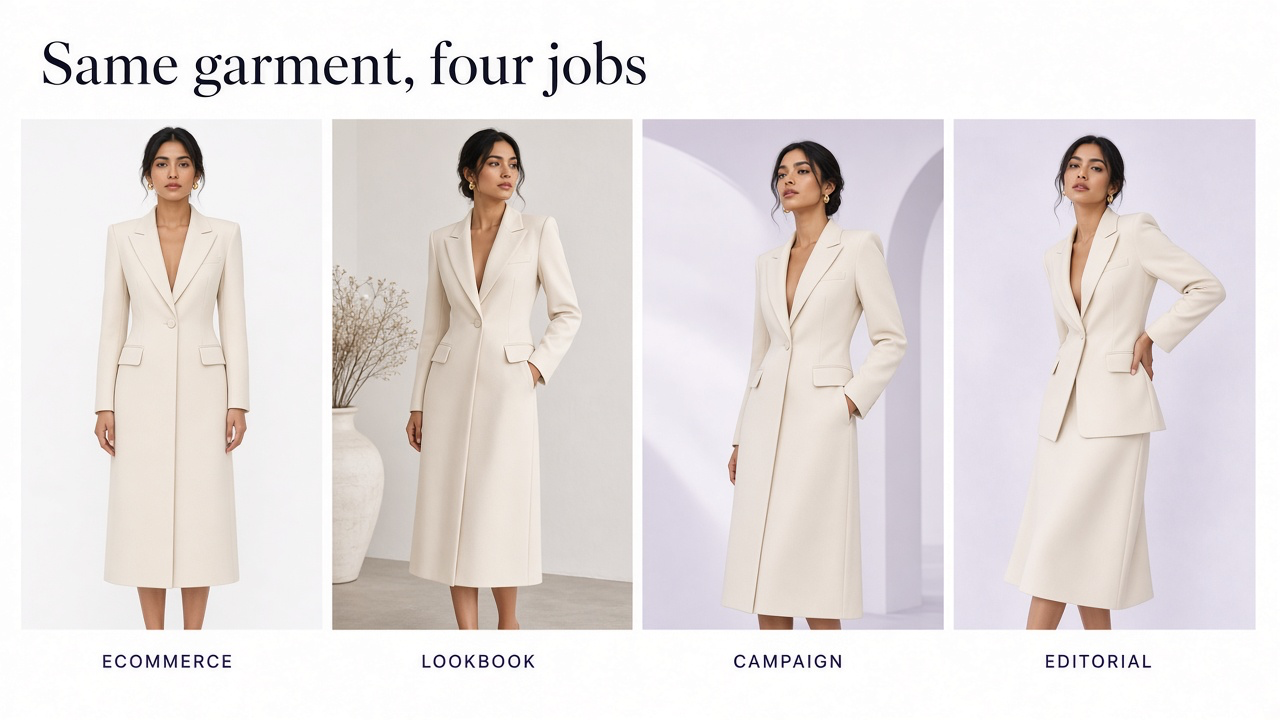
A photograph for a clothing product page has a very different job from a magazine editorial or a seasonal campaign. The ecommerce image needs to help someone understand what they are buying. The editorial image can prioritize concept, mood, gesture, and storytelling.
The most effective workflow is therefore not to choose a camera setting first. Start by deciding what the image needs to communicate, then make technical and creative choices around that purpose.
What is fashion photography?
Fashion photography sits between portrait photography, product photography, and visual storytelling. The person matters, but so does the clothing. A successful image should make both feel intentional.
In commercial work, fashion photography can include ecommerce catalog images, lookbooks, social assets, campaigns, editorials, advertising, collection launches, street-style imagery, accessories, footwear, beauty-adjacent images, and brand content.
Ecommerce vs. lookbook vs. campaign vs. editorial
One of the most important decisions is determining which type of fashion image you are making. Trying to create all four at once usually leads to images that are neither informative enough for ecommerce nor distinctive enough for a campaign.
| Type | Main job | Typical priorities |
|---|---|---|
| Ecommerce | Help shoppers evaluate the garment | Accurate color, fit, length, silhouette, details, consistency |
| Lookbook | Present a collection as one visual story | Styling, cohesion, collection identity, repeatable art direction |
| Campaign | Create attention and communicate brand direction | Concept, stronger styling, memorable composition, adaptable crops |
| Editorial | Tell a visual fashion story | Mood, experimentation, pose, narrative, photography as creative expression |
Plan the fashion shoot before picking up the camera
Strong fashion shoots are usually planned before the model reaches the set. A short visual brief helps the photographer, stylist, model, hair and makeup team, and brand work toward the same result.
You do not need a fifty-page treatment. For many shoots, a concise mood board and shot list are enough.
Define these before the shoot
Final use
PDP, lookbook, ad, social campaign, homepage, editorial, marketplace, or several of these.
Garment priority
What details must remain visible and accurate?
Color palette
Backgrounds, props, styling, skin tones, and overall grading.
Lighting direction
Clean studio, soft daylight, hard directional light, low-key, or another intentional system.
Model energy
Neutral, elegant, relaxed, energetic, assertive, playful, or experimental.
Composition
Full body, portrait crop, wide campaign frame, square social composition, or product-focused.
Build a useful mood board
A mood board should clarify decisions rather than collect attractive photographs with no common direction.
Organize references by what you are borrowing from them: lighting, model pose, background, framing, styling, hair and makeup, or color. You may like the lighting in one reference and the body language in another.
Prepare the clothing properly
Fashion photography can fail before the first exposure if the garment has not been prepared properly.
Garment preparation checklist
Steam or press visible wrinkles
Remove lint, dust, loose fibers, and stray threads
Check buttons, zippers, hooks, drawstrings, and closures
Confirm the correct SKU, size, and color
Arrange collars, cuffs, hems, straps, and belts consistently
Keep logos, embroidery, patterns, and construction details unobstructed where they matter
Check the garment again after major pose changes
Small styling problems become much more visible in high-resolution photography. Fixing a twisted seam on set is easier than repairing twenty images afterward.
Choose how the clothing should be shown
| Method | Best for |
|---|---|
| Flat lay | Simple shape, pattern, collections, accessories, social and catalog imagery |
| Hanger | Lightweight presentation and simple storefront assets |
| Ghost mannequin | Garment structure without visible model |
| On-model | Fit, proportion, length, scale, drape, styling |
| Lifestyle | Use context, audience, personal style, brand positioning |
| Editorial | Concept, artistic direction, storytelling, publication and campaign imagery |
For ecommerce, a combination is usually more informative than relying on one presentation method. A clean product image may show construction clearly, while an on-model image communicates fit and scale.
For garment-only catalog methods, see Clothing Photography for Ecommerce.
Choose the model for the garment and brief
Model choice should support the brand, target audience, garment proportions, and intended visual story.
For ecommerce, the model's role is partly functional: the shopper should be able to understand how the garment sits on a body. For campaign and editorial work, presence, expression, movement, and compatibility with the art direction become equally important.
Where sizing or fit information matters, record the model's relevant measurements and the garment size worn rather than expecting photographs alone to communicate exact fit.
Fashion photography lighting
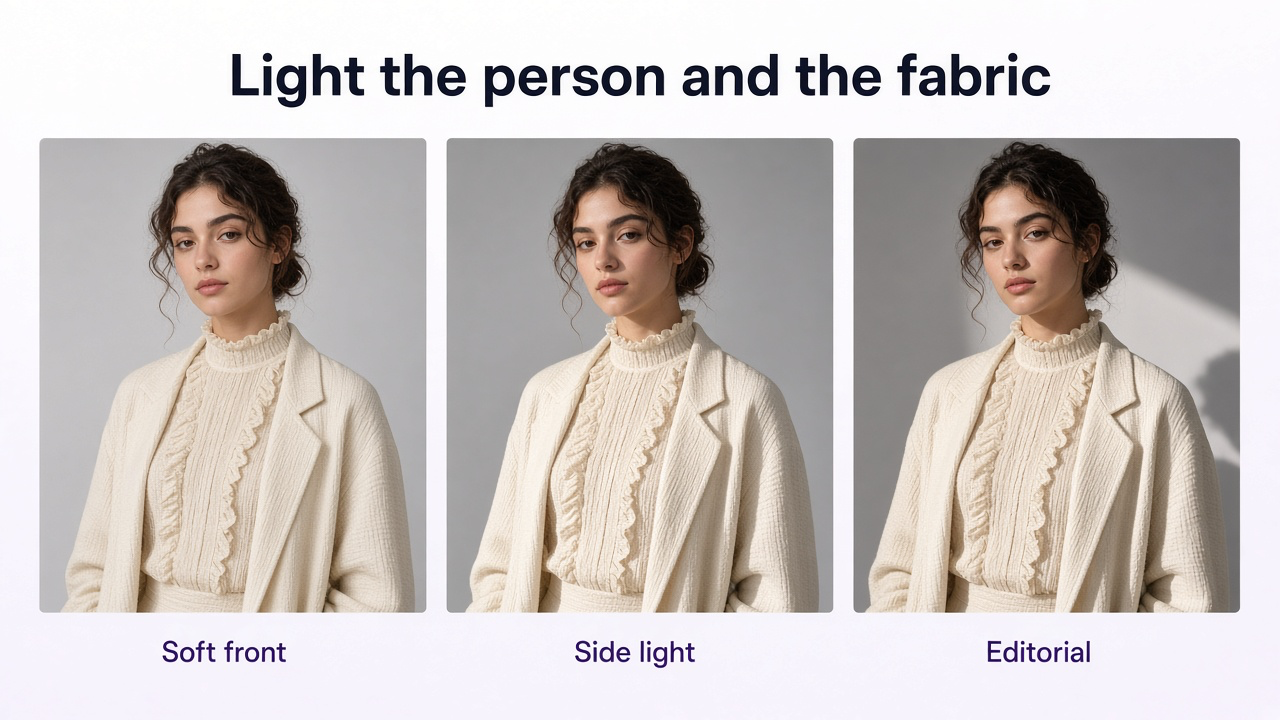
Fashion lighting has two subjects: the person and the clothing. A flattering portrait that destroys fabric texture is not always good fashion photography, and perfect garment lighting can still create an unappealing portrait.
| Lighting | Effect | Useful for |
|---|---|---|
| Large soft frontal light | Low contrast and clear garment visibility | Ecommerce, catalog, clean lookbook |
| Soft side light | Adds shape and reveals fabric texture | Lookbooks, premium ecommerce, editorial |
| Hard directional light | Stronger shadow, geometry, drama | Editorial and campaign work |
| Backlight or rim light | Subject separation and translucent fabric detail | Editorial and selective campaign use |
| Window light | Natural, accessible, softer mood | Small shoots, lifestyle, creator content |
For ecommerce collections, repeatability is especially important. If the light changes dramatically between products, color and material become harder to compare.
Protect garment color accuracy
Color is a commercial product characteristic, not simply part of the grading style.
Mixed daylight and warm room lighting can create uneven color casts. Strong colored walls and surfaces can also reflect color back onto white, cream, or pale garments.
For more reliable color
Avoid unnecessary mixed light sources
Use consistent white balance across a product set
Keep a reference image or color target where accuracy is critical
Review garments on a calibrated or reasonably neutral display where possible
Do not use a dramatic grade on PDP images if it materially changes the clothing color
Camera settings for fashion photography
There is no universal set of fashion-photography camera settings. The correct exposure depends on the light source, movement, depth of field, camera, and creative goal.
Instead of memorizing one recipe, use the settings to solve the scene.
Think about settings this way
- Shutter speedUse a speed fast enough for the amount of model and garment movement unless intentional motion blur is part of the concept.
- ApertureChoose enough depth of field for the important garment and facial details to remain sharp.
- ISOUse as low an ISO as practical for the lighting and required shutter speed, without sacrificing the image to avoid noise at all costs.
- FocusKeep the eyes reliable in portrait-led images while confirming the clothing areas that matter commercially are also sufficiently sharp.
Which lens should you use?
No single lens is the best fashion lens. Focal length changes how much environment appears, how close you need to stand, and how perspective feels.
| Lens range | Typical use |
|---|---|
| Around 35mm | Environmental fashion, full-body frames, street and editorial context |
| Around 50mm | Flexible full-body and medium fashion portraits with relatively natural perspective |
| Around 85mm | Portrait-led fashion, beauty-adjacent crops, flattering working distance |
| 70–200mm | Compressed perspective, outdoor campaigns, runway-style or distant portrait framing |
How to pose models for fashion photography
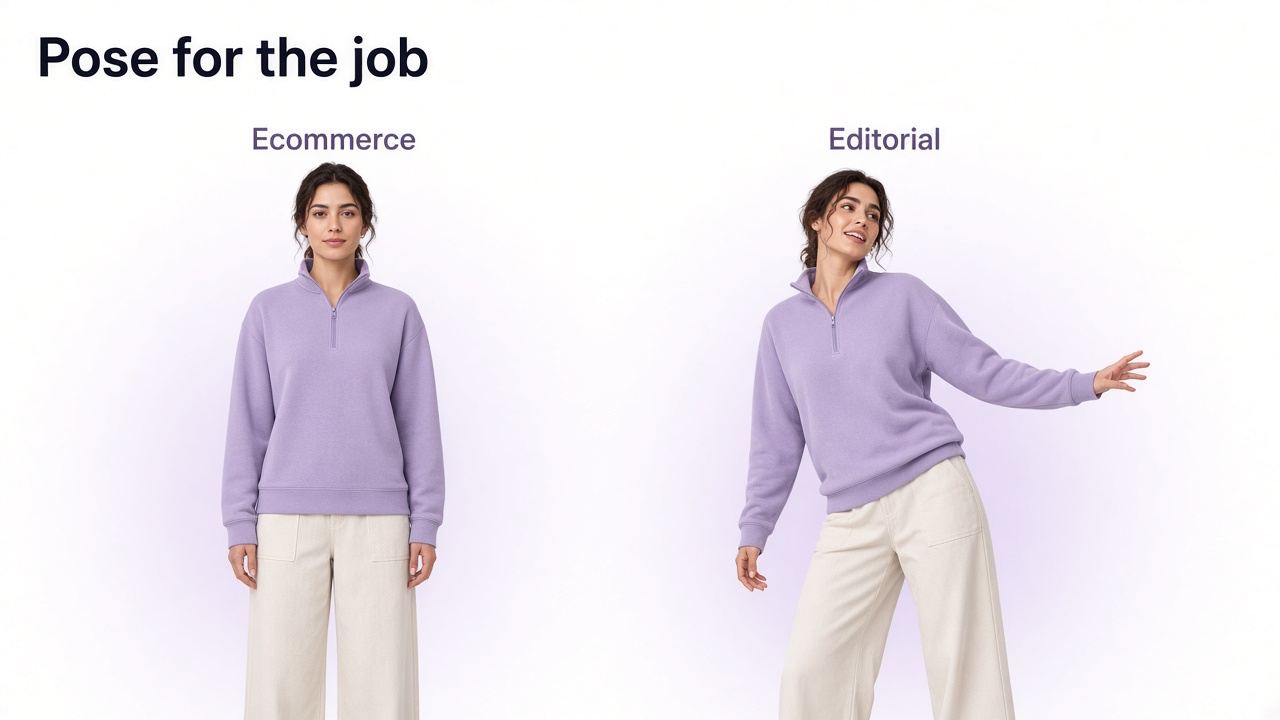
Posing should come from the purpose of the photograph. Ecommerce posing and editorial posing solve different problems.
For ecommerce
Include a clear neutral front view
Keep the garment silhouette visible
Avoid arms covering waistlines, pockets, logos, or construction
Show sleeve and trouser lengths clearly
Include back and side information where useful
Keep at least one image relatively unstyled so fit is easy to interpret
For editorial and campaigns
Use stronger body angles and asymmetry
Direct hands intentionally
Let the model interact with the garment
Use movement and gesture
Experiment with foreground, crop, perspective, and negative space
Allow expression and body language to support the concept
Show the fit—don't hide it
For ecommerce fashion, the model is partly a scale and fit reference.
Baymard's apparel UX testing found that human-model imagery helps shoppers understand fit, scale, proportion, length, and drape. It also found that styling can accidentally hide useful information—for example, rolled sleeves making sleeve length impossible to judge.
This does not mean every photograph must look stiff. It means that at least some of the gallery should clearly communicate what the garment looks like before stronger styling choices are introduced.
Use movement to show the garment
Movement can reveal information that static posing cannot. A dress, coat, wide trouser, skirt, or lightweight fabric changes shape while the model walks or turns.
Simple movement directions
- Walk toward or across the camera
- Turn and settle back into position
- Swing a coat or jacket naturally
- Take one step rather than holding a frozen walking pose
- Use light wind or controlled fabric movement where appropriate
Use a faster shutter speed when you want clean fabric definition. Use intentional slower shutter speeds only when motion blur contributes to the concept.
Choose backgrounds and locations that support the clothing
Background choice should be deliberate. A clean seamless background keeps the garment easy to evaluate. A real environment can communicate lifestyle and brand identity. An editorial location can become part of the story.
Check contrast between clothing and environment. A black coat against a dark wall may lose its outline. A patterned dress against a busy background may become visually difficult to read.
Also watch for background lines crossing the model awkwardly, distracting signs, visible brands, reflective surfaces, or architecture that appears to grow from the head or shoulders.
Styling, hair, makeup, and accessories
Fashion photography is collaborative. Hair, makeup, shoes, jewelry, bags, belts, and other styling choices affect how the clothing itself is read.
On-set styling checks
Hair is not unintentionally covering important necklines, collars, earrings, or garment details
Accessories support rather than compete with the hero garment
Belts, bags, and jewelry do not hide important construction details
Shoes are included when the full-body styling requires them
Wrinkles and garment positioning are checked after each major pose
Temporary clips or pins do not materially misrepresent the fit
Fashion ecommerce shot list
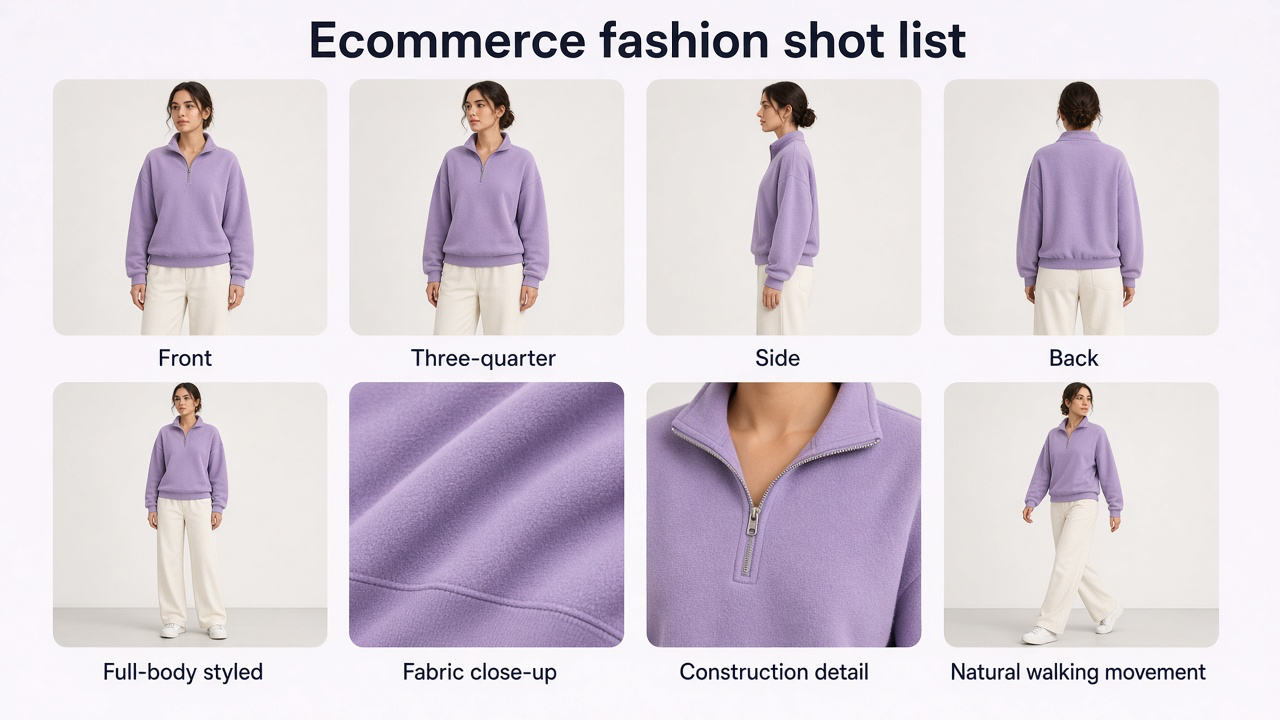
There is no universal number of images every garment needs. The goal is to answer the shopper's important visual questions without filling the gallery with redundant angles.
Useful ecommerce fashion shots
- Clean front viewShows the primary silhouette, length, neckline, and overall fit.
- Three-quarter viewAdds shape and dimension without obscuring the garment.
- Side viewUseful for volume, fit, pockets, side seams, and depth.
- Back viewImportant when the back construction differs meaningfully.
- Full-body styled viewShows garment proportions as part of a complete outfit.
- Fabric or texture close-upShows weave, knit, leather grain, stitching, print, or finish.
- Feature close-upZipper, button, embroidery, pocket, closure, logo, or unusual construction.
- Movement imageShows drape and behavior while walking or turning.
- Lifestyle imageAdds context once the core fit information is covered.
Fashion editorial and campaign shot list
Campaign and editorial shoots need more compositional variety because the same production may feed banners, social posts, advertisements, press, landing pages, and editorial layouts.
- Hero campaign frame
- Strong full-body image
- Medium portrait or waist-up frame
- Detail crop
- Movement frame
- Alternative pose or composition
- Wide horizontal frame with negative space
- Vertical social or advertising crop
Keep a fashion collection visually consistent
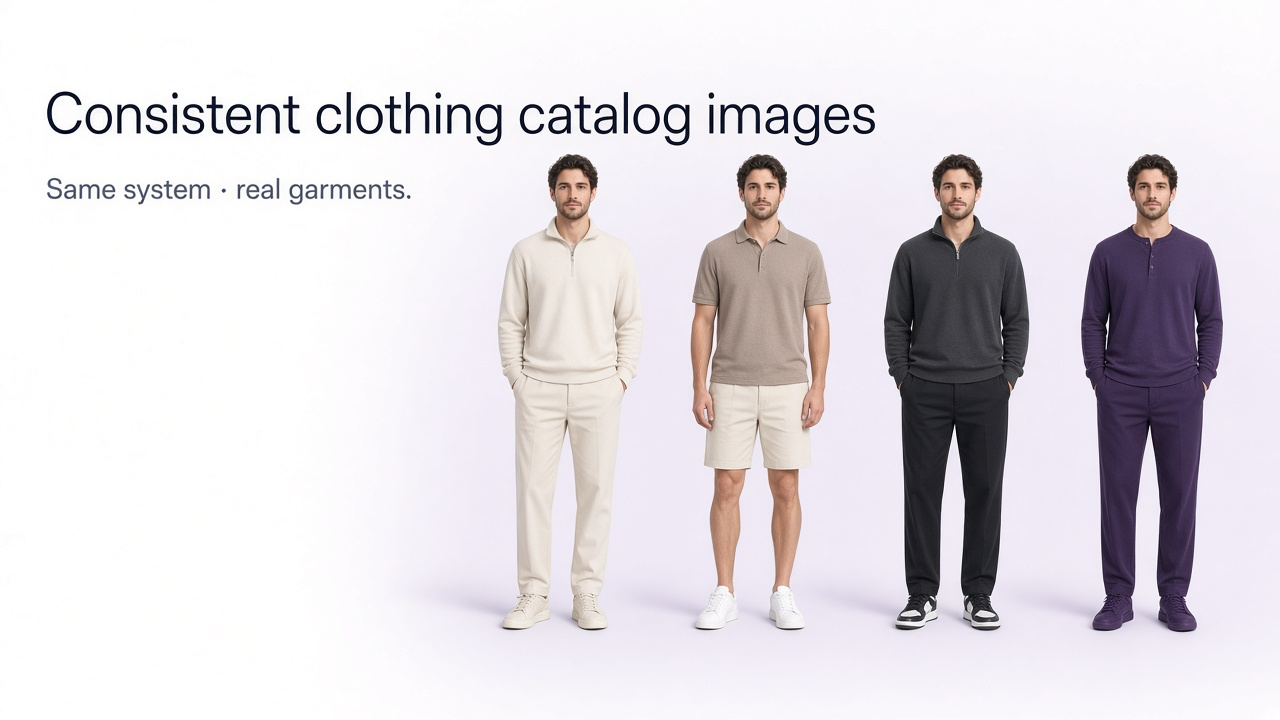
For ecommerce and lookbooks, quality is not only about each individual photograph. The collection needs to behave as a system.
Keep these stable across the collection
Camera height
Model position
Hero crop
Background
Lighting direction and contrast
White balance and color treatment
Approximate garment scale in frame
Gallery sequence
Edit fashion photos without misrepresenting the garment
Retouching is normal in fashion photography. Exposure correction, background cleanup, temporary skin blemish removal, stray hair cleanup, dust removal, color balancing, and crop refinement are ordinary parts of production.
Problems begin when editing changes what the customer believes the garment actually is.
Be careful about edits that
- Change garment color
- Alter silhouette or length
- Hide the real fabric texture
- Remove important seams or construction
- Change pattern placement
- Make the garment fit differently from the original photograph
- Add or remove buttons, zippers, hardware, branding, or other components
Use GenImagePro after you have an accurate garment reference
A fashion brand does not necessarily need to physically build every environment or campaign direction once it has accurate source imagery.
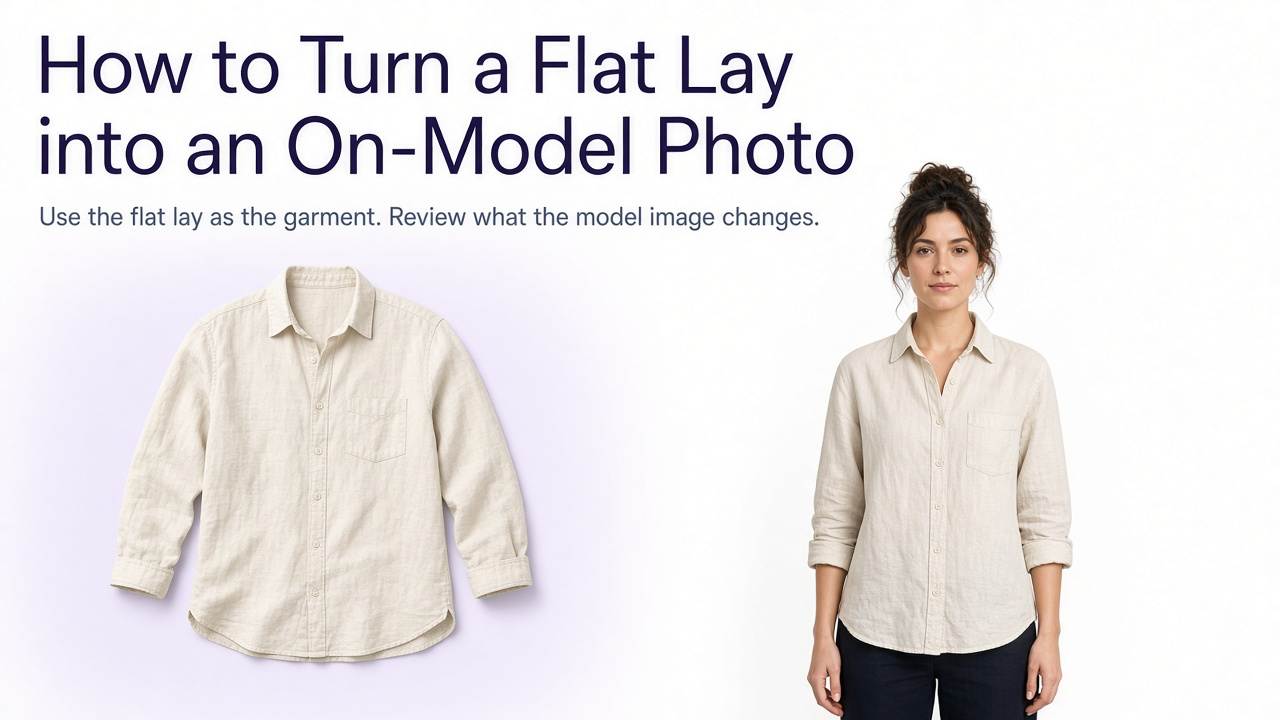
A practical hybrid workflow is to photograph the garment accurately first—its color, silhouette, fabric, texture, construction, front, back, and important details—then use GenImagePro to expand the creative production around that source.
GenImagePro can use uploaded fashion imagery as the reference for additional studio, lifestyle, editorial, street-style, seasonal, or campaign directions. The garment remains the anchor while the photographic presentation changes.
| Capture accurately | Create additional directions |
|---|---|
| Exact garment color | New campaign environment |
| Fabric and texture | Editorial styling direction |
| Silhouette and proportions | Lifestyle photography |
| Pattern and construction | Seasonal campaign |
| Important product details | Alternative commercial composition |
| Reliable on-model reference | Additional creative fashion directions |
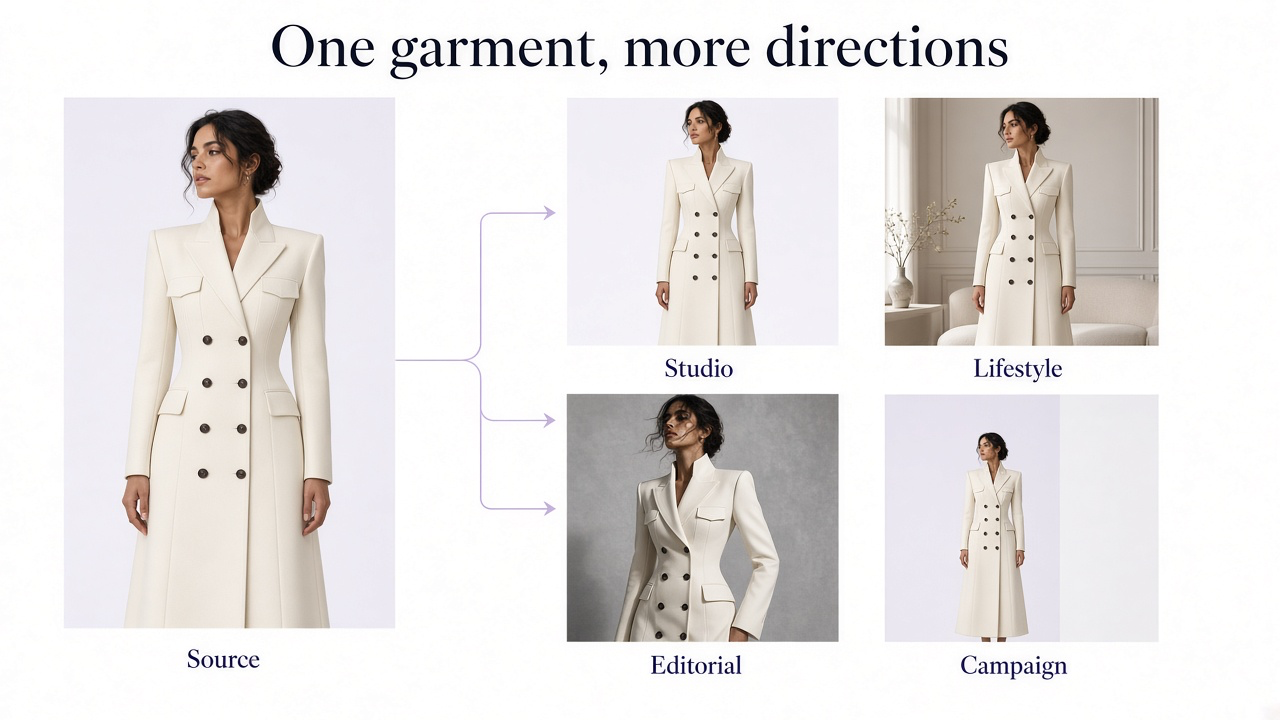
What should you photograph for GenImagePro?
The more commercially important a garment detail is, the more important it is to capture it clearly in the real source material.
Clear full garment
Front construction
Back construction where different
Accurate color
Fabric and texture
Print or pattern
Logos and typography
Buttons, zippers, buckles, embroidery, or other hardware
Important fit reference where fit is part of the intended image
Prompt: clean fashion studio
Prompt: fashion editorial
Prompt: fashion lifestyle
Prompt: fashion campaign
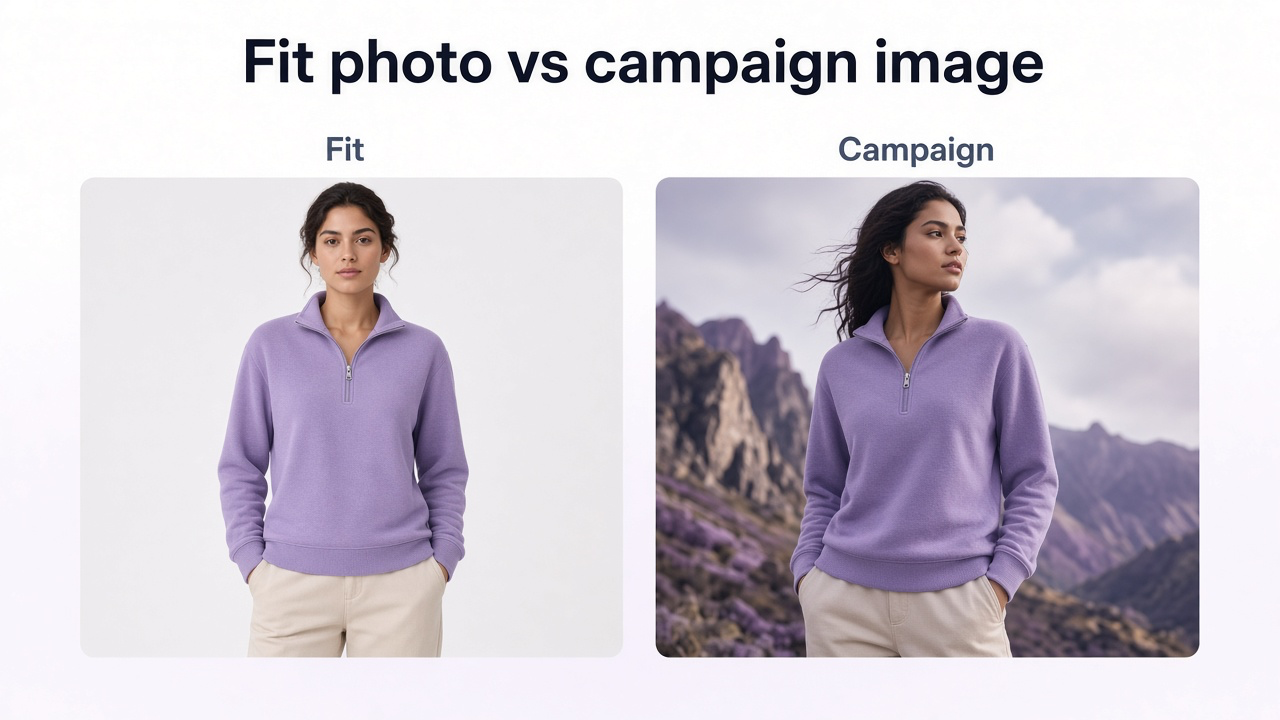
AI fashion images are not automatically fit photography
AI fashion imagery can be useful for campaign visualization, styling concepts, backgrounds, additional creative directions, and scalable commercial content.
That does not mean every generated on-model image should be treated as proof of exact fit.
Even current virtual try-on systems describe their results as visualization rather than exact sizing information. If the customer's buying question is specifically how a garment fits a real body, accurate real fit photography, measurements, size information, and relevant model information remain valuable.
Google Shopping and fashion ecommerce images
If fashion images are also being sent to shopping feeds or marketplaces, creative quality is only part of the job. The files need to satisfy the current destination requirements.
Google currently recommends high-quality fashion images, on-model imagery for apparel where appropriate, complete visibility of the garment, and additional views that show details and angles. Product images should also match the exact color, pattern, material, and finish of the variant being sold.
Do not assume the strongest campaign image is automatically the strongest shopping-feed image. A clean product-first or model image may identify the item faster in a small product grid.
For channel-specific preparation, see How to Prepare Product Images for Multiple Marketplaces.
Common fashion photography mistakes
- Beginning the shoot without knowing whether the images are for ecommerce, campaign, or editorial use
- Using poses that hide the garment's fit or construction
- Letting hair, hands, or accessories cover important product details
- Using dramatic lighting that destroys fabric texture in a product-focused image
- Allowing mixed light sources to change clothing color
- Shooting too close with a wide lens and distorting proportions
- Photographing a collection with inconsistent camera height, crop, or lighting
- Forgetting to check garment wrinkles and styling after each pose
- Creating many similar poses but missing back, side, detail, or movement information
- Retouching the garment until it no longer represents the real product
- Using AI-generated fashion imagery without checking garment fidelity
- Treating AI visualization as definitive proof of exact fit
Fashion photography checklist
Correct garment is clean, and at least one pose shows fit clearly
Light and color stay true to the fabric
Useful views are covered: front, and back, side, or detail where they matter
The set looks like one collection
Edits and AI images still match the real garment
Frequently Asked Questions
What is fashion photography?
Fashion photography is photography centered on clothing, accessories, styling, and fashion presentation. It includes ecommerce catalogs, lookbooks, campaigns, editorials, social content, advertising, and other brand imagery.
What is the difference between fashion photography and portrait photography?
Portrait photography primarily centers the person. Fashion photography has to consider the person and the clothing together, including garment fit, silhouette, fabric, styling, accessories, and how the product or collection is being communicated.
What is the best lens for fashion photography?
There is no single best lens. Wider focal lengths such as around 35mm are useful for environmental fashion, 50mm is flexible, 85mm is popular for portrait-led fashion, and longer lenses can create more compressed campaign or outdoor compositions.
What camera settings should I use for fashion photography?
Choose settings based on the light and amount of movement. Use a shutter speed appropriate to model movement, enough depth of field for important garment details, and the lowest practical ISO that still supports the required exposure.
How should models pose for ecommerce fashion photography?
Include straightforward poses that keep the silhouette, sleeve length, garment length, waist, pockets, construction, and fit visible. More expressive poses can be added after the essential product information is covered.
What photos should a clothing product page include?
A useful set can include a clear front image, three-quarter view, side, back where relevant, full-body styled image, fabric detail, important feature detail, and a movement or lifestyle image where it adds useful information.
Can GenImagePro create fashion photography from an existing garment image?
Yes. You can upload the garment or an existing fashion photo to GenImagePro and create additional studio, lifestyle, editorial, seasonal, or campaign directions while using the uploaded garment as the visual reference.
What should I photograph before using GenImagePro?
Capture the garment clearly enough to establish its real color, silhouette, fabric, texture, pattern, construction, logos, hardware, front and back details, and any commercially important fit information.
Can AI fashion images replace fit photography?
AI imagery can expand visual production and help create campaign, lifestyle, and styling directions, but generated images should not automatically be treated as exact evidence of garment fit or sizing. Use accurate fit photography and measurements when that information matters to the purchase.
How do I keep a fashion collection visually consistent?
Keep core production variables stable across the collection: camera height, model position, crop, background, lighting, white balance, garment scale, image order, and editing treatment.