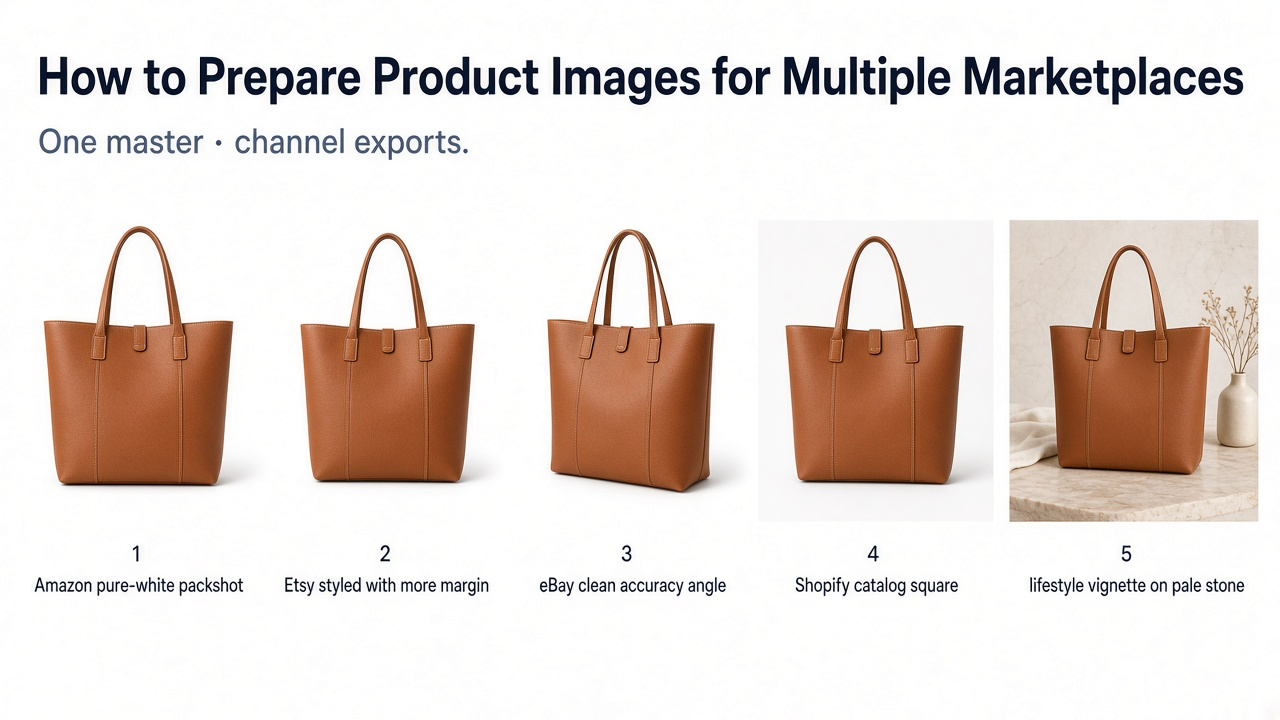
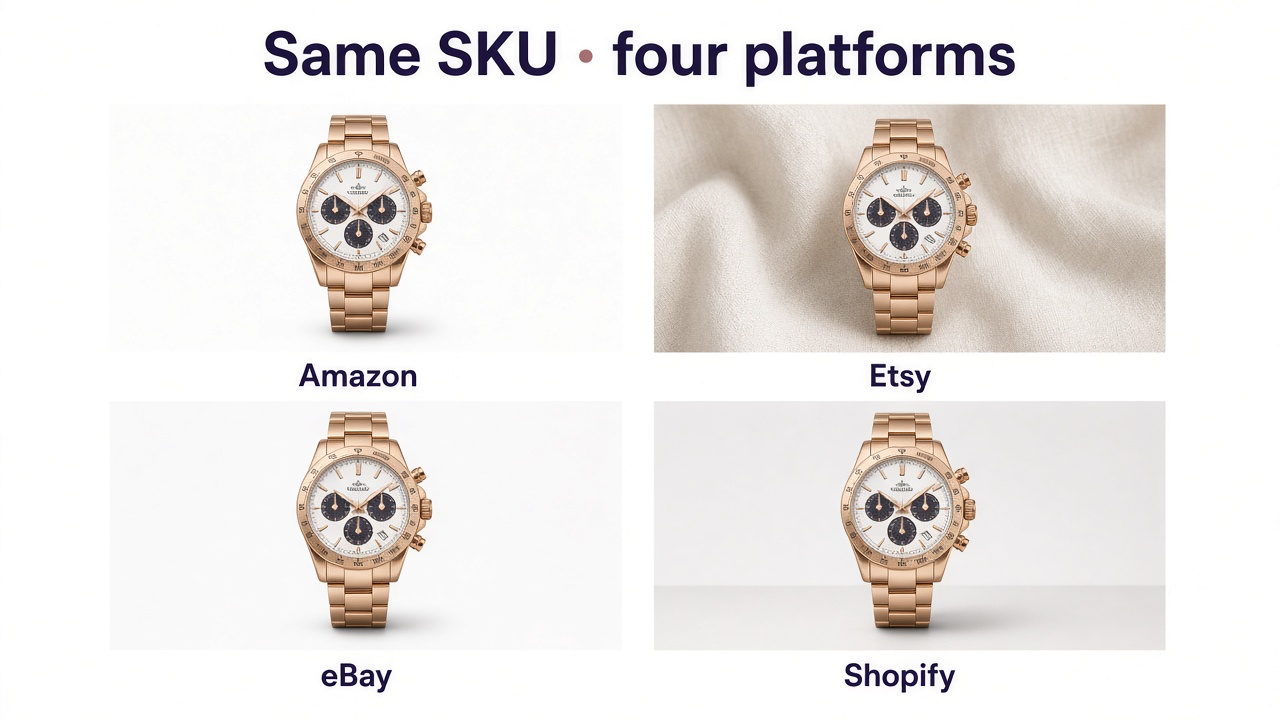
If you sell the same SKU on more than one storefront, the image problem is rarely “need a prettier photo.” It is that Amazon, Etsy, eBay, and Shopify ask different things of the first image shoppers see. A tight white packshot can fail as an Etsy thumbnail. A styled lifestyle hero can fail Amazon’s main-image rules. Resizing one finished square does not solve that.
The workable system is simple: protect a crop-safe master, then make deliberate exports. For which shot types belong in a gallery at all, see product photography types for ecommerce.
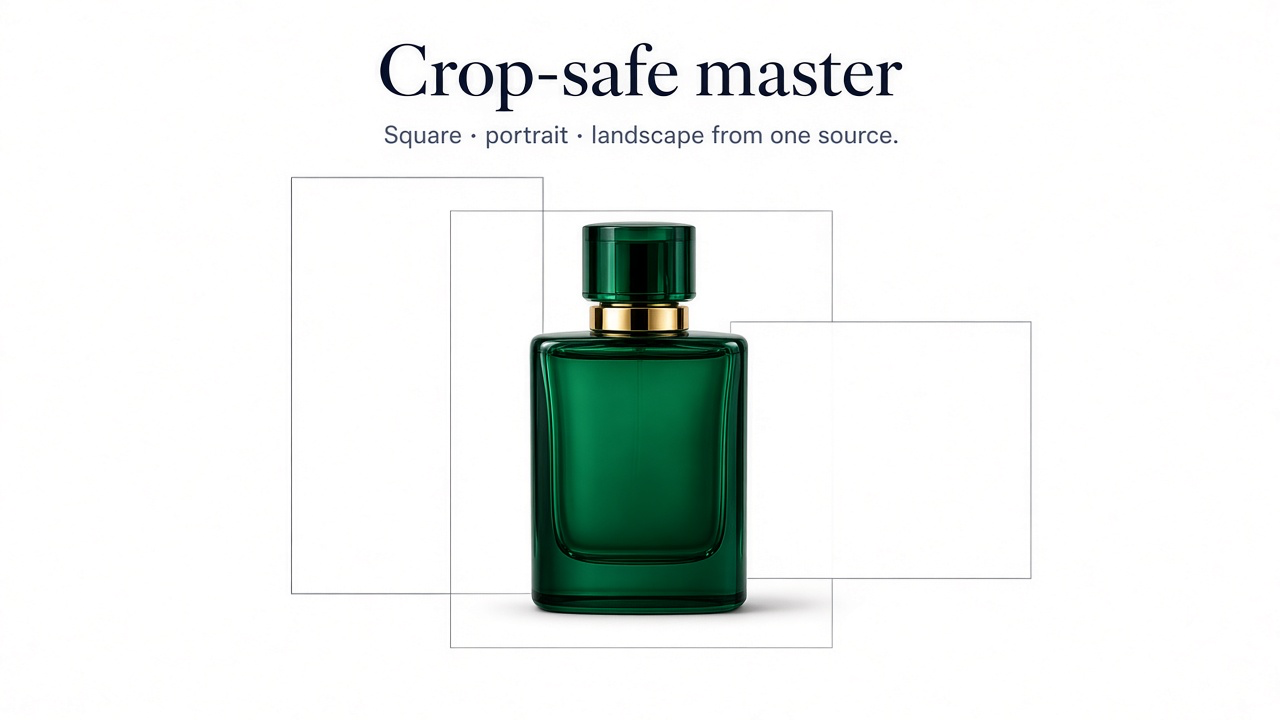
Start from a crop-safe master, not a finished listing photo
Treat your original as a source file, not a marketplace upload. It should show the complete product clearly, keep color and proportions honest, and leave extra space around the item so you can later cut square, landscape, or tighter “product fills the frame” crops without chopping edges.
Keep in the master set
One high-resolution clean product view with breathing room
The alternate angles your category actually needs
Detail frames for materials, labels, stitching, or hardware
The uncropped original—never only a channel export
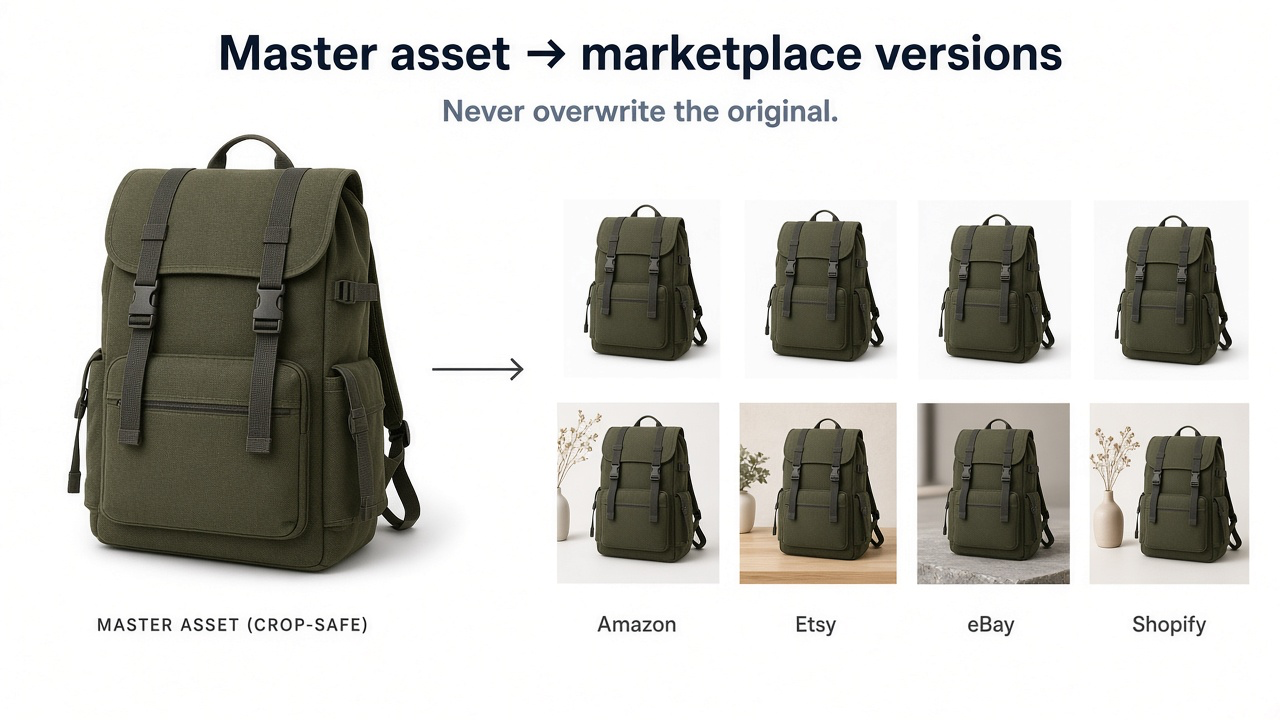
Platform docs also mix hard requirements with soft recommendations. A minimum pixel size is not the same as a good internal production size. Keep a large master; export what each channel needs.
What each marketplace actually needs from the first image
Pixel numbers change. Policies get updated. Use the current Seller Center / Help docs before you publish—and treat the points below as the practical differences that usually drive your exports.
Amazon: a compliant main image
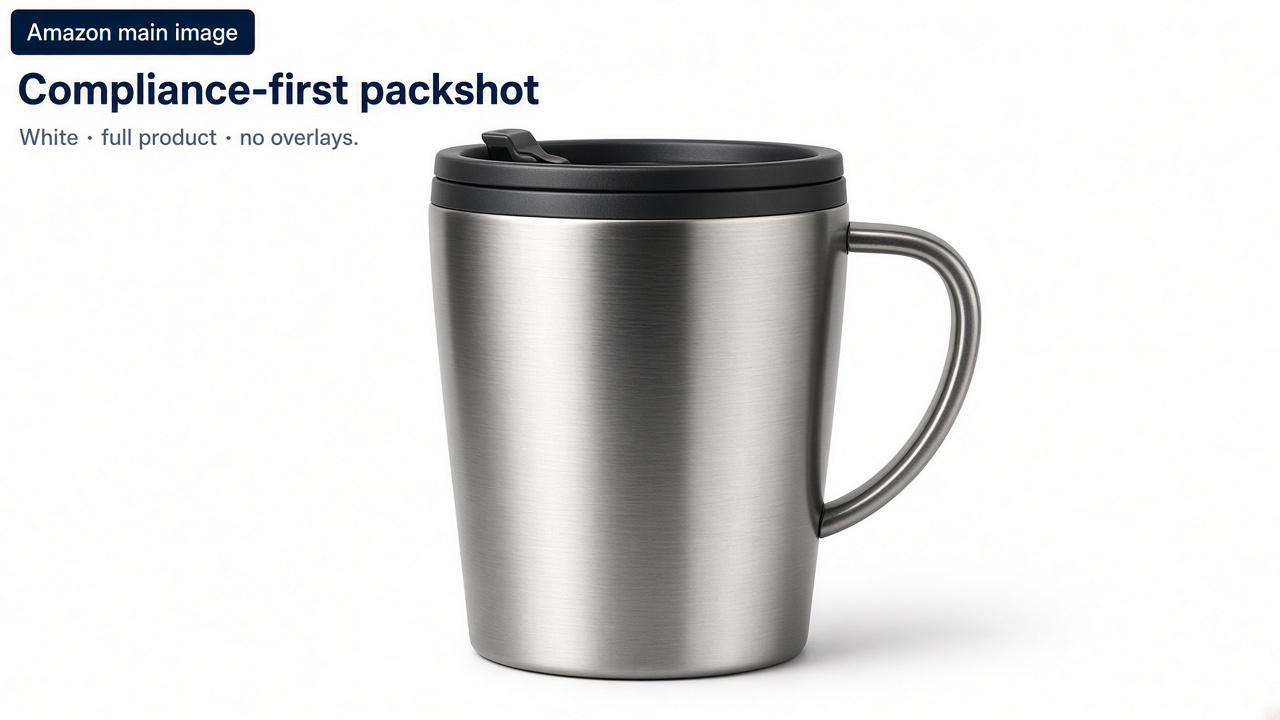
Amazon’s main image is there to identify the product in search and on the detail page. For most categories that means a pure white background (RGB 255, 255, 255), the complete product filling most of the frame, accurate color and quantity, and no promotional text, badges, or unrelated props. Secondary slots are where lifestyle, scale, detail, and packaging belong.
Etsy: survive the thumbnail crop
Etsy allows more styling than Amazon, but the first listing photo appears in several thumbnail shapes. Keep the product near the center, leave real negative space, and avoid putting critical details near the edges. High resolution helps; composition matters more. Brand personality is fine if the item is still obvious at small size.

eBay: show what the buyer will receive
eBay leans hard on accuracy—especially for used, refurbished, or collectible inventory. Use a clean background, multiple useful angles, and no borders, watermarks, or marketing graphics. If the item has wear, show it. Do not use editing to make a damaged product look new.
Shopify: consistency across the catalog
On Shopify you control the theme, so there is no single marketplace crop to obey. The real failure mode is a messy collection grid: mixed ratios, wildly different product scales, or mismatched backgrounds. Pick a primary ratio, keep scale roughly consistent, and reserve lifestyle and editorial shots for the product page. For file delivery without wrecking the master, see the product image optimization guide.
Same product, different jobs
| Channel | First-image job | What to export |
|---|---|---|
| Amazon | Identify + comply | Dedicated white main; context in secondary |
| Etsy | Read at thumbnail size | Centered subject + crop-safe margin |
| eBay | Prove the item | Clear angles; disclose wear when relevant |
| Shopify | Fit the brand system | Consistent hero; richer PDP set |
Reuse secondary images; only remake what the channel forces
Most multi-channel waste comes from rebuilding every gallery from scratch. Detail close-ups, alternate angles, packaging views, and many lifestyle scenes can travel across Amazon secondary slots, Etsy galleries, eBay listings, and Shopify PDPs with only light cropping. Remake the asset when the role changes—especially the main/first image—or when fidelity drifts.
Shoppers often see the same SKU on more than one site. Keep color, packaging, labels, materials, and included accessories consistent. Backgrounds and scenes can change; the product cannot. For scene direction: lifestyle product photography guide.
A practical production workflow
The bottleneck is usually volume: enough accurate channel versions without a reshoot for every storefront. If you already have a true product photo, GenImagePro can help generate a clean white main, a wider crop-safe composition, or a lifestyle direction while keeping the uploaded product as the visual reference. Export each version separately—do not overwrite the master.
From one master to channel files
Archive the master
High-res, complete product, crop-safe margins, accurate color.
Export the Amazon main
White background, product-forward framing, no overlays.
Export the Etsy first photo
More surrounding space; subject locked near center.
Build eBay and Shopify sets
eBay: clarity and condition. Shopify: consistent hero plus richer PDP images.
Name files by SKU + channel + role
Example: SKU123-amazon-main.jpg, SKU123-etsy-hero.jpg, SKU123-shopify-lifestyle-02.jpg.
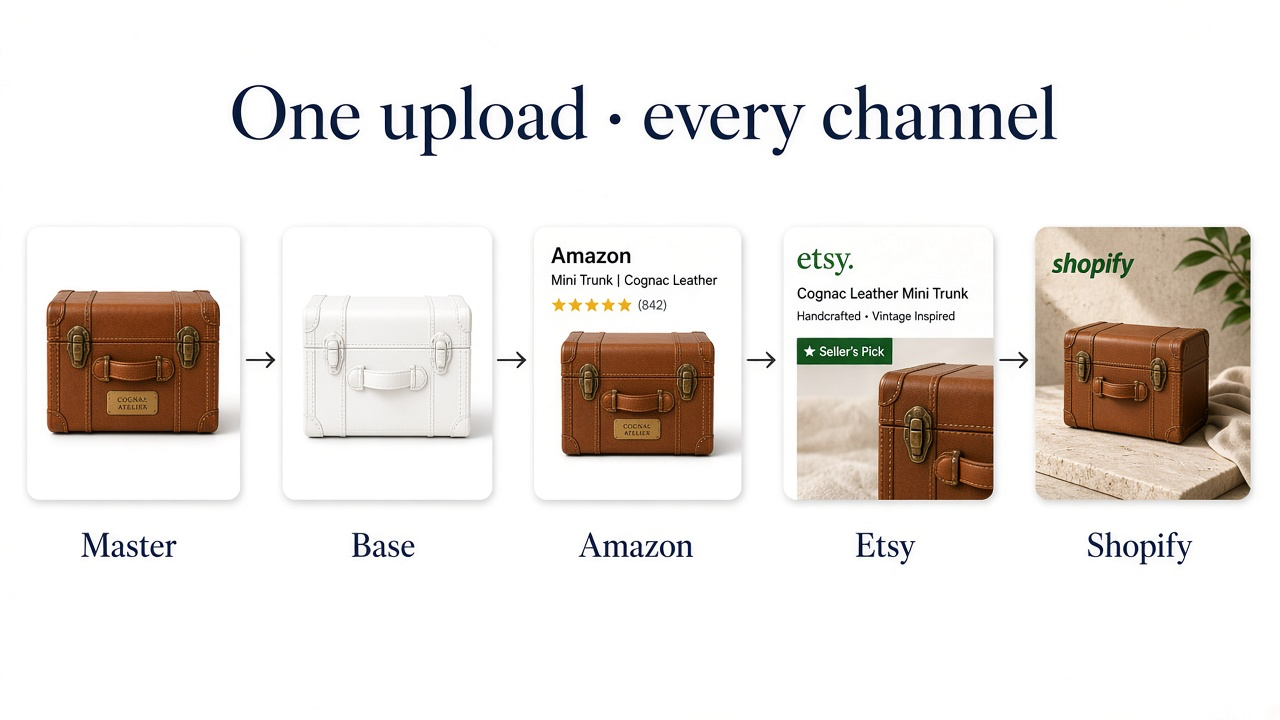
After each platform processes the upload, check the live listing. Compression and cropping can still surprise you—especially thumbnails.
Before you publish
Master is archived separately from marketplace exports
Amazon main matches current category rules
Etsy first image still works as square and horizontal thumbs
eBay images show true condition
Shopify collection images share a coherent system
Product appearance matches across channels
Any AI output was checked against the real SKU
Frequently Asked Questions
Can I use the same product image on Amazon, Etsy, eBay, and Shopify?
You can reuse one master asset. You usually should not upload the exact same finished crop everywhere. Export for each channel’s main-image rules and thumbnail behavior.
What size should a master product image be?
Large enough to stay above every channel’s current minimums, with real detail and crop margin. Exact pixel targets matter less than fidelity and space.
Does Amazon always require a white background?
For most main images, Amazon expects pure white (RGB 255, 255, 255). Limited category exceptions exist—confirm current category guidance before publishing.
Should marketplace product images include text or badges?
Avoid overlays on Amazon mains and eBay listing photos. Keep commerce masters text-free; build separate marketing graphics only where the channel allows them.
Can GenImagePro help with multi-marketplace versions?
Yes. Upload a real product photo and create clean mains, wider crop-safe compositions, lifestyle scenes, and other channel directions—then export without overwriting the master.