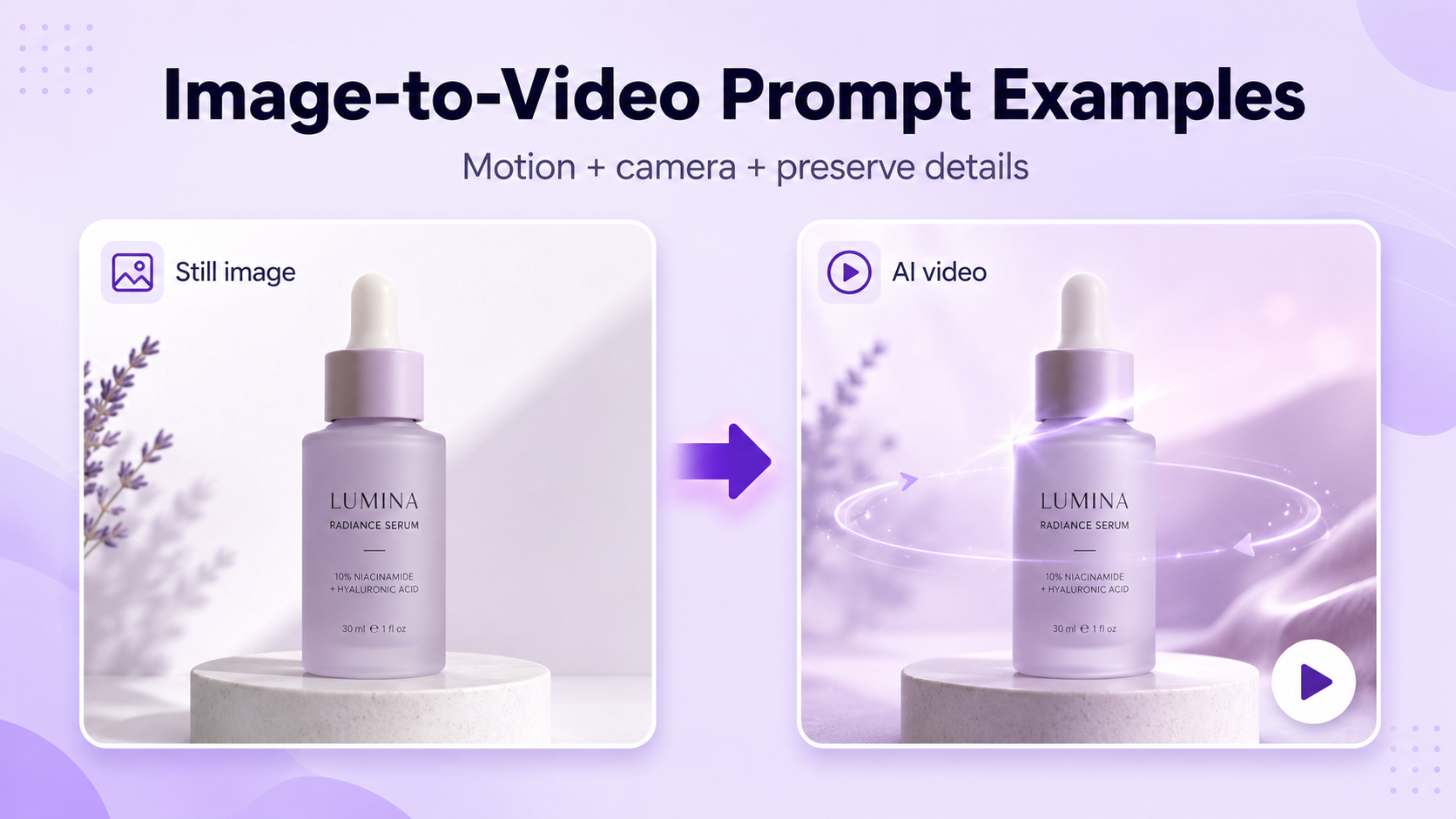
AI product video prompts work best when they describe what should move, how the camera should move, the pacing of the shot, and which parts of the product must stay visually consistent. Vague instructions leave the model free to invent motion, warp branding, or change packaging details.
The examples below are a broad, copy-ready prompt library for turning product images into polished AI videos across multiple visual styles. Adapt them for beauty, fashion, electronics, food, jewelry, home goods, and other categories.
This page focuses on creative prompting and visual style. For conversion-focused marketplace listings, paid ads, and performance ecommerce creative, see our ecommerce product video prompts guide.
GenImagePro starts from a real product photo. On the product photoshoot board, any photo can become a video in 9:16 or 16:9, usually in about a minute. Use these prompts when you want precise control over camera movement, product motion, lighting, and product preservation in image-to-video workflows.
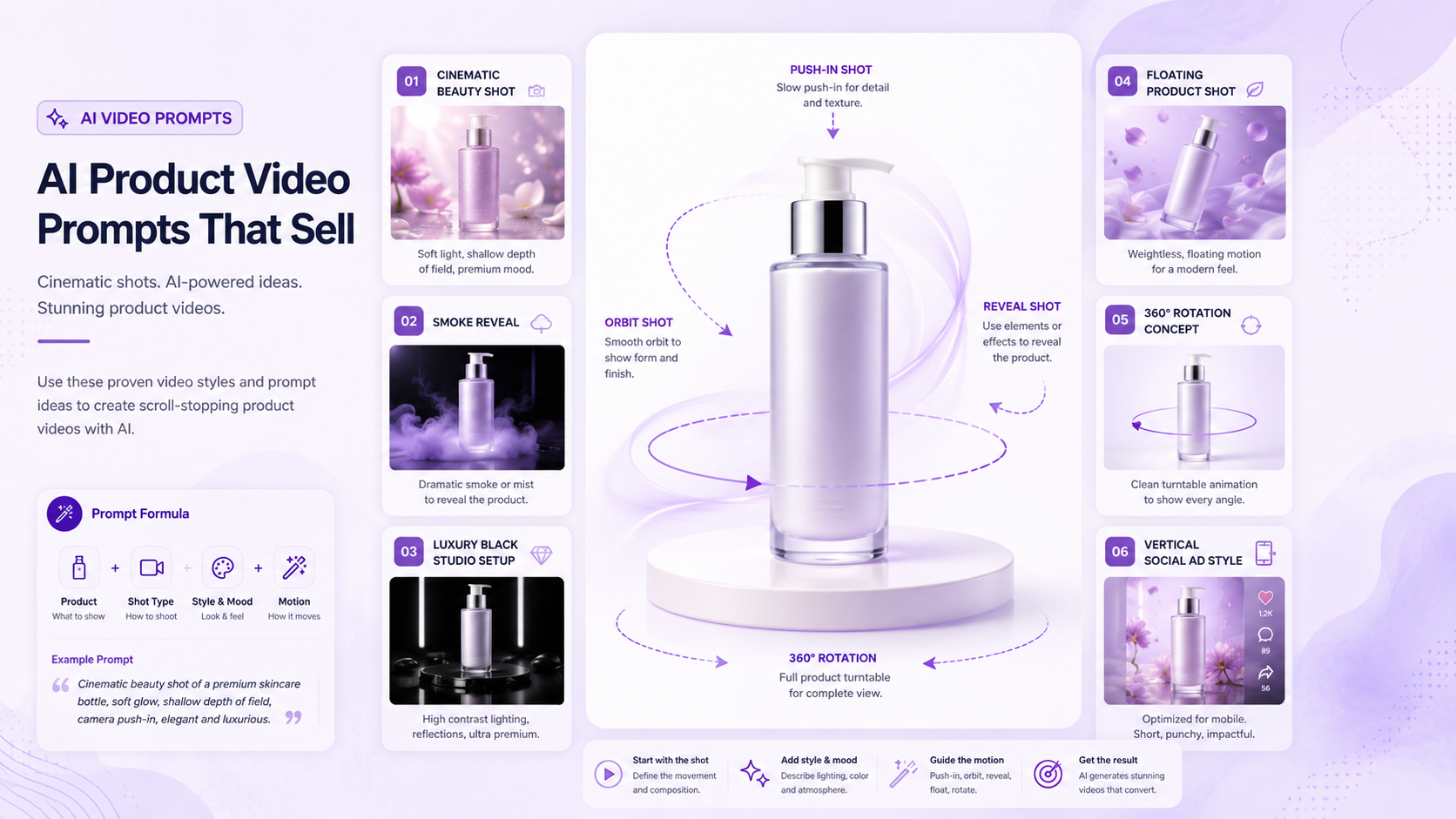
AI Product Video Prompt Formula
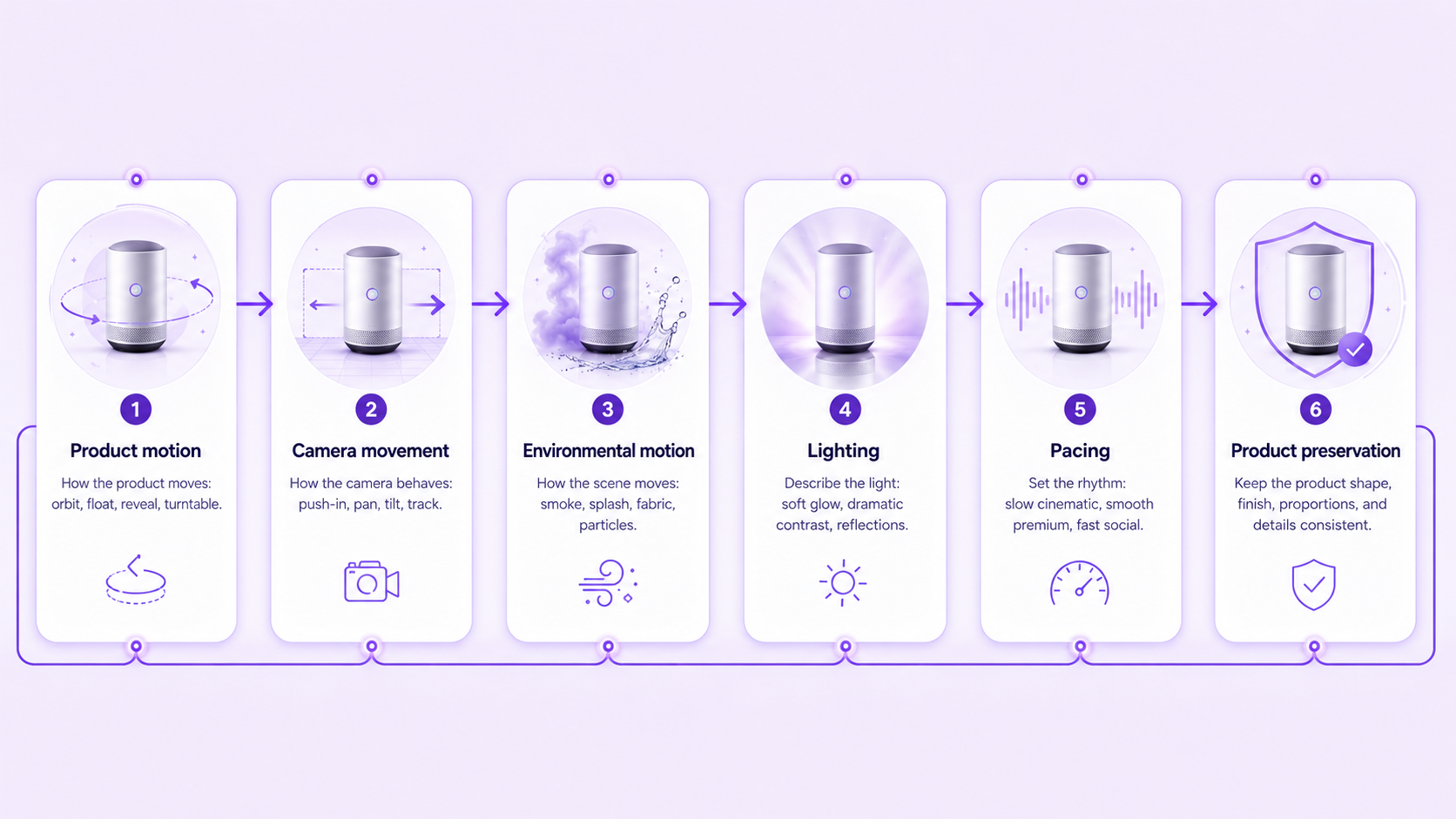
A reliable product-video prompt covers six parts: product motion, camera movement, environmental motion, lighting, pacing, and product preservation.
Example: Keep the uploaded product perfectly consistent in shape, proportions, branding, colors, materials, and label details. Create a cinematic slow camera push toward the product with subtle realistic reflections, gentle environmental movement, premium commercial lighting, smooth motion, and shallow depth of field.
Cinematic AI Product Video Prompts
1. Cinematic Push-In
Create a cinematic product shot with a slow, controlled camera push toward the product. Keep the product perfectly consistent in shape, proportions, branding, colors, materials, and label details. Add subtle realistic reflections and gentle environmental movement. Premium commercial lighting, smooth motion, shallow depth of field, polished advertising look.
2. Slow Product Orbit
The camera performs a smooth slow orbit around the product while the product remains stationary. Preserve the exact product design, packaging, logo, text, colors, and proportions. Use realistic studio lighting with subtle shifting highlights across the surface. Clean premium product-commercial cinematography.
3. Macro Detail Reveal
Begin with an extreme macro view of the product surface and slowly pull back to reveal the complete product. Emphasize realistic material texture, fine details, highlights, and craftsmanship. Keep all branding and physical product features unchanged. Smooth cinematic focus transition and premium commercial lighting.
Product Reveal Video Prompts
4. Dramatic Spotlight Reveal
Start with the product mostly hidden in darkness. A controlled beam of light gradually sweeps across the product, revealing its form, texture, logo, and packaging. Keep the product completely unchanged. Slow cinematic camera movement, deep contrast, premium launch-film aesthetic.
5. Smoke Reveal
Soft atmospheric smoke moves naturally around the product and slowly clears to reveal it. The camera gently pushes forward while subtle rim lighting defines the product silhouette. Preserve the exact product shape, branding, colors, typography, and packaging. Sophisticated cinematic advertising style.
6. Light Sweep Reveal
A narrow streak of light travels smoothly across the product from one side to the other, revealing reflections, edges, and material details. Keep the camera movement minimal and elegant. Preserve all product geometry, labels, logos, colors, and proportions exactly. High-end studio commercial aesthetic.
Luxury Product Video Prompts
7. Luxury Black Studio
Show the product in a dark luxury studio with controlled highlights tracing its silhouette. The camera moves slowly from a three-quarter angle toward the front. Add subtle reflections beneath the product. Preserve the exact product design and branding. Sophisticated, minimal, high-fashion commercial cinematography.
8. Reflective Surface
Place the product on a polished reflective surface with a clean realistic reflection beneath it. Perform a slow cinematic camera slide from left to right. Soft premium lighting creates moving highlights across the product material. Preserve all packaging details, text, proportions, colors, and logos.
9. Golden Hour Luxury
Warm golden light gradually moves across the product while the camera performs a subtle slow push-in. Add soft atmospheric shadows and elegant highlights without changing the product. Preserve exact branding, packaging, colors, materials, and proportions. Premium lifestyle-commercial mood.
Dynamic Product Animation Prompts
10. Floating Product
The product gently rises and floats above the surface with subtle natural rotational movement. The camera remains smooth and controlled while soft shadows respond realistically beneath the product. Preserve the exact product shape, logo, packaging, typography, colors, and materials. Clean modern advertising style.
11. 360-Degree Rotation
The product slowly rotates 360 degrees on its vertical axis while the camera stays fixed. Maintain perfect product consistency throughout the full rotation, including proportions, branding, labels, texture, packaging, and colors. Use soft professional studio lighting and realistic grounding shadows.
12. Fast Commercial Reveal
Create a fast-paced product reveal beginning with a close detail shot, followed by a rapid but smooth camera pullback to reveal the full product. Add controlled light movement and subtle environmental motion. Keep the product completely consistent. Energetic premium commercial suitable for short-form social video.
Create an immediate visually striking opening with a rapid camera push toward the product, followed by a smooth slow-motion hero shot. Use dynamic lighting and subtle background movement while keeping the product unchanged. Preserve all logos, text, colors, proportions, and packaging. Designed for a short vertical social-media advertisement.
14. Minimal Product Ad
Create a clean minimalist product advertisement with the product centered in frame. Use a subtle camera push-in, soft moving shadows, and restrained premium lighting. Keep the background simple and distraction-free. Preserve every product detail exactly, including logo, typography, packaging, colors, shape, and proportions.
15. Product Launch Hero Video
Create a cinematic product launch sequence. Begin with a partially obscured close-up, slowly reveal key product details, then transition into a full hero view with a gentle camera orbit. Use dramatic but refined lighting and realistic reflections. Preserve the exact product design, branding, colors, packaging, typography, and proportions.
How to Write Better AI Product Video Prompts
Describe camera movement explicitly, such as push-in, orbit, pan, tilt, pullback, or static camera. Our AI video camera angles guide covers each move.
Separate product movement (floating, turning on a turntable) from camera movement (push-in, orbit) so the model does not invent unwanted motion.
Describe the speed and pacing of the motion, from slow cinematic to fast commercial.
Specify relevant environmental motion such as smoke, water, reflections, shadows, fabric, particles, or light sweeps.
Tell the model to preserve product geometry, branding, labels, typography, colors, and packaging.
Use physically plausible movement when realism matters.
For image-to-video generation, focus primarily on what should change or move rather than repeatedly describing information already visible in the source image.
How to Turn a Product Image Into an AI Video
Upload a clear product image, then describe the camera movement, product movement, lighting, environmental effects, and pacing. Tell the model to keep the original product design when visual consistency matters.
Start with a sharp, well-lit product photo. Soft blur, cropped branding, or heavy compression makes consistency harder. Generate a few variations of the same motion brief, then keep the take that preserves packaging and brand details most accurately.
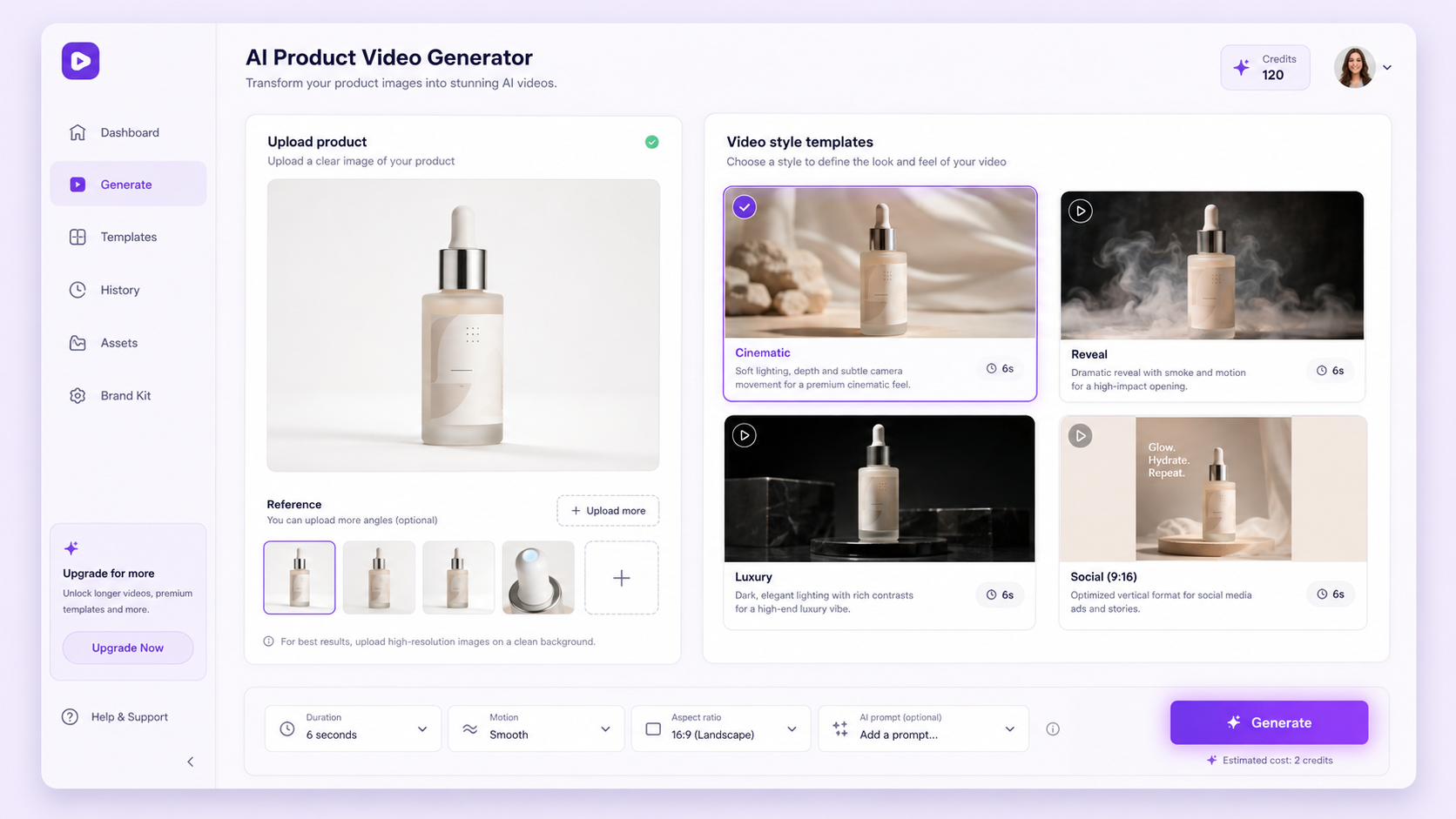
If you need still packshots or lifestyle images before animating, start with AI prompts for product photography, or upload your photo to the product photoshoot board: it reads the product, suggests shot ideas for its type, lets you set the brief, makes every size, and turns any result into a video. Save the steps as a flow and run them on your next product.
FAQ
How do you make a product video with AI?
Upload a clear product photo, then describe the camera movement, product movement, lighting, background motion, and pacing. Tell the model to keep logos, labels, colors, shape, and packaging unchanged. On the GenImagePro product photoshoot board, any photo can become a 9:16 or 16:9 video, usually in about a minute.
What are some product video examples?
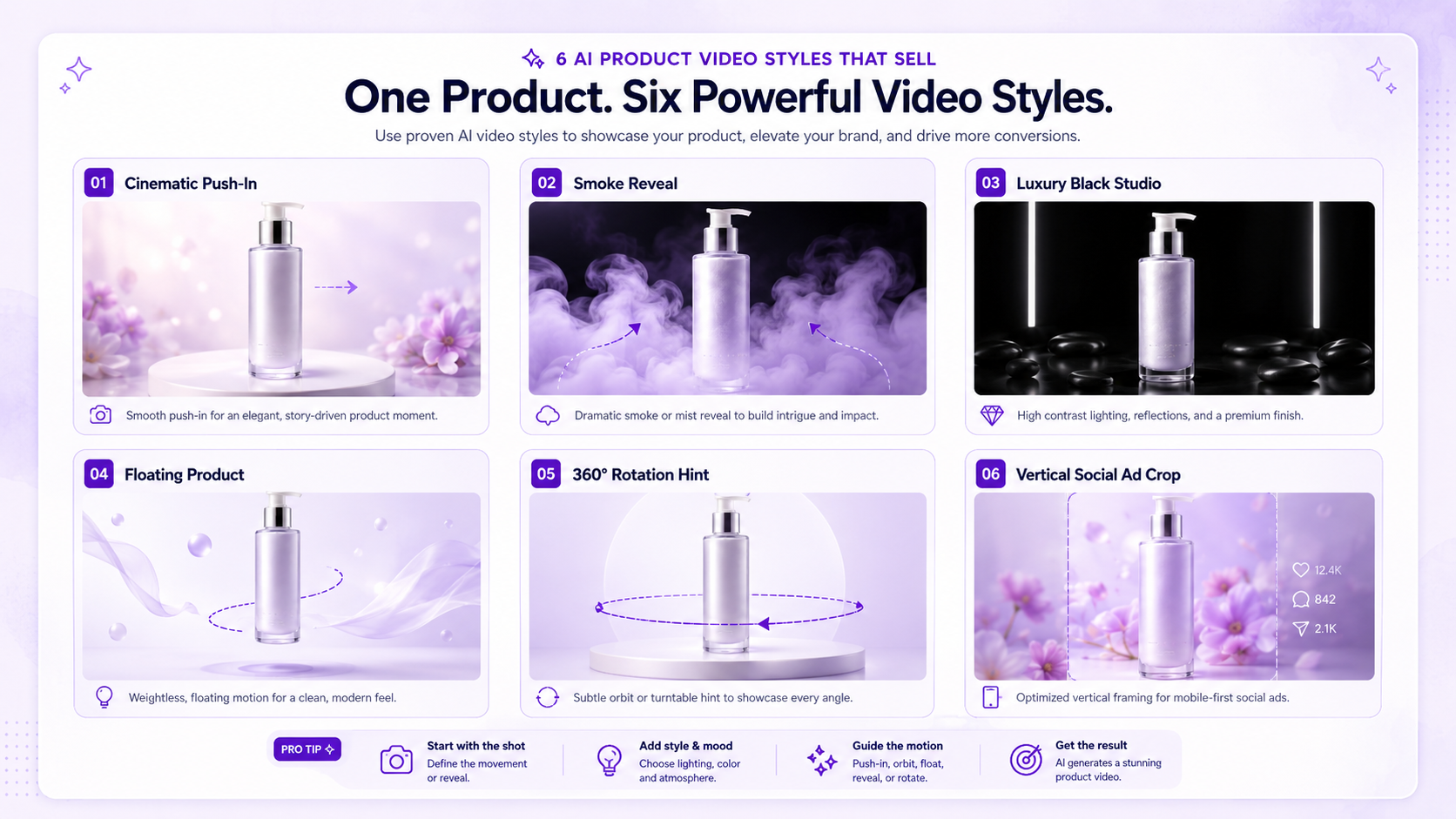
Common product video styles are a slow cinematic push-in, a slow orbit around the product, a macro detail reveal, a spotlight or light-sweep reveal, a smoke reveal, a floating product, a 360-degree rotation, a fast commercial reveal, and a launch hero sequence that ends on a full product view.
What camera movements work best for product videos?
Slow push-ins, smooth orbits, pullbacks from a macro detail, pans, tilts, and a static camera with the product turning all work well. Describe camera movement separately from product movement so the model does not invent unwanted motion, and set the pace from slow cinematic to fast commercial.
How do I stop an AI video from changing my product?
Explicitly instruct the model to preserve the product's shape, proportions, colors, logo, packaging, labels, typography, and material details. Starting from a strong reference image also helps maintain consistency.
What photo works best for an AI product video?
A sharp, well-lit product photo works best. Soft blur, cropped branding, or heavy compression makes it harder for the model to keep the product consistent. Generate a few variations of the same motion and keep the take that preserves the packaging and brand details most accurately.
Can AI product videos be used for ads?
Yes. AI product videos work for paid ads, social media, launches, product reveals, and ecommerce campaigns. For a short vertical social ad, open with a rapid push toward the product and follow with a slow-motion hero shot, while keeping logos, text, colors, and packaging unchanged.
How can I make AI product videos look cinematic?
Use controlled camera movements such as slow push-ins and orbits, realistic depth of field, motivated lighting, subtle environmental movement, and restrained pacing instead of combining too many effects in one shot.