Camera angle is one of the most useful controls you can add to an AI video prompt. It determines where the viewer appears to be positioned relative to the subject and can make the same scene feel powerful, intimate, dramatic, neutral, or unusual.
A low-angle view can make a model or product feel more dominant. A high-angle view can reveal more of the surrounding environment. An overhead shot works well for products, food, and flat-lay compositions, while an eye-level angle usually feels more natural and neutral.
This guide explains 15 useful AI video camera angles and gives prompt examples you can adapt for image-to-video generation, cinematic scenes, products, fashion, portraits, advertising, and creative content.
For a broader introduction to framing, camera movement, lighting, and cinematic prompting, see our cinematic AI video prompts guide.
What Is a Camera Angle in AI Video?
A camera angle describes the position and orientation of the camera relative to the subject. It answers a question such as: Is the viewer looking straight at the subject, looking upward, looking downward, viewing from above, or seeing the scene from one side?
Camera angle is different from shot type and camera movement. Shot type describes how tightly the subject is framed. Camera angle describes viewpoint. Camera movement describes how the camera changes position over time.
For example: Low-angle full shot of a fashion model walking toward camera. In this prompt, full shot describes the framing, while low-angle describes the perspective.
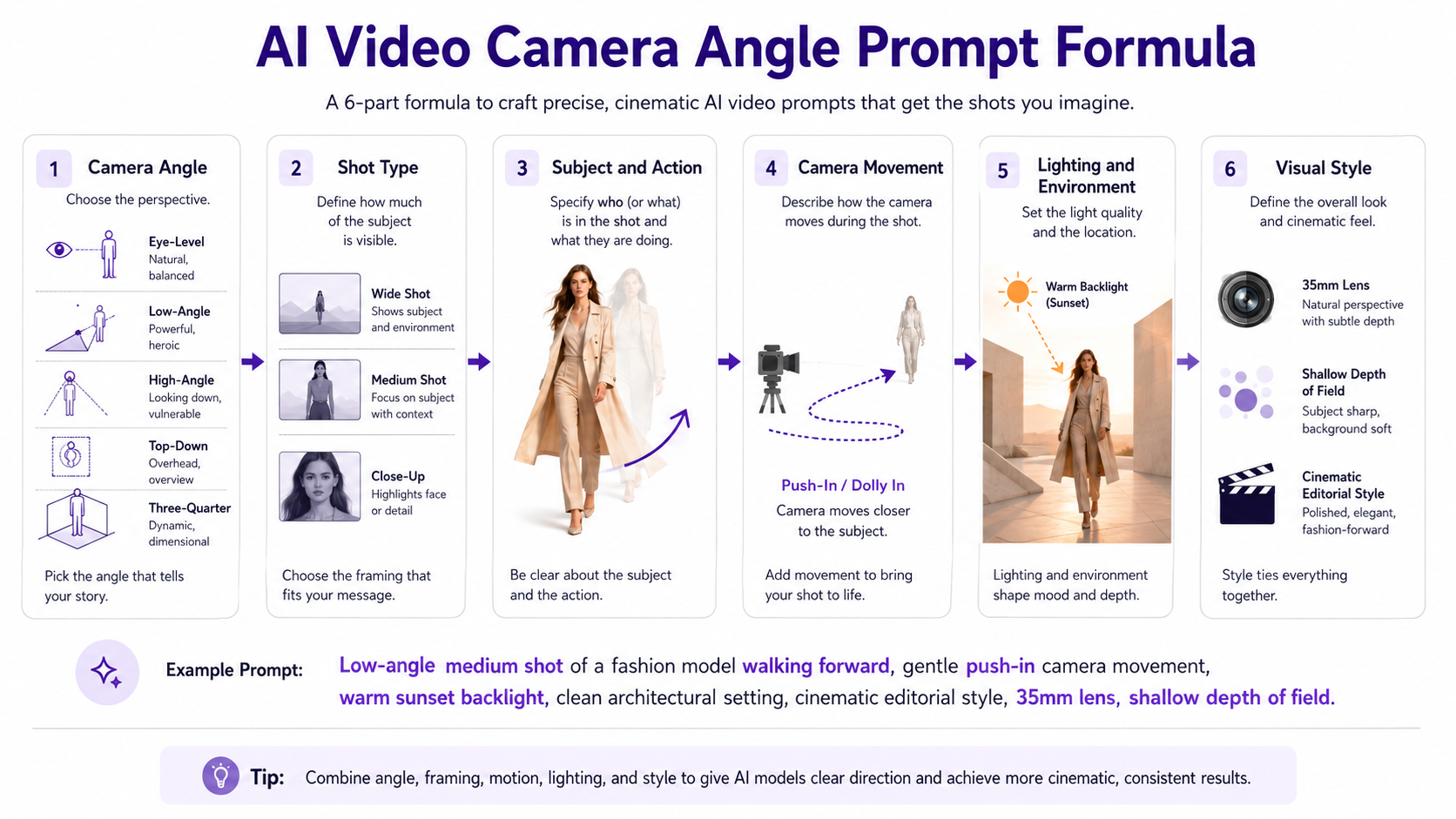
AI Video Camera Angle Prompt Formula
A simple structure is: [Camera angle] + [shot type] of [subject and action] + [camera movement] + [lighting and environment] + [visual style].
Example: Low-angle medium shot of a model turning slowly toward camera, subtle push-in, warm sunset backlight, shallow depth of field, polished editorial fashion-film style.
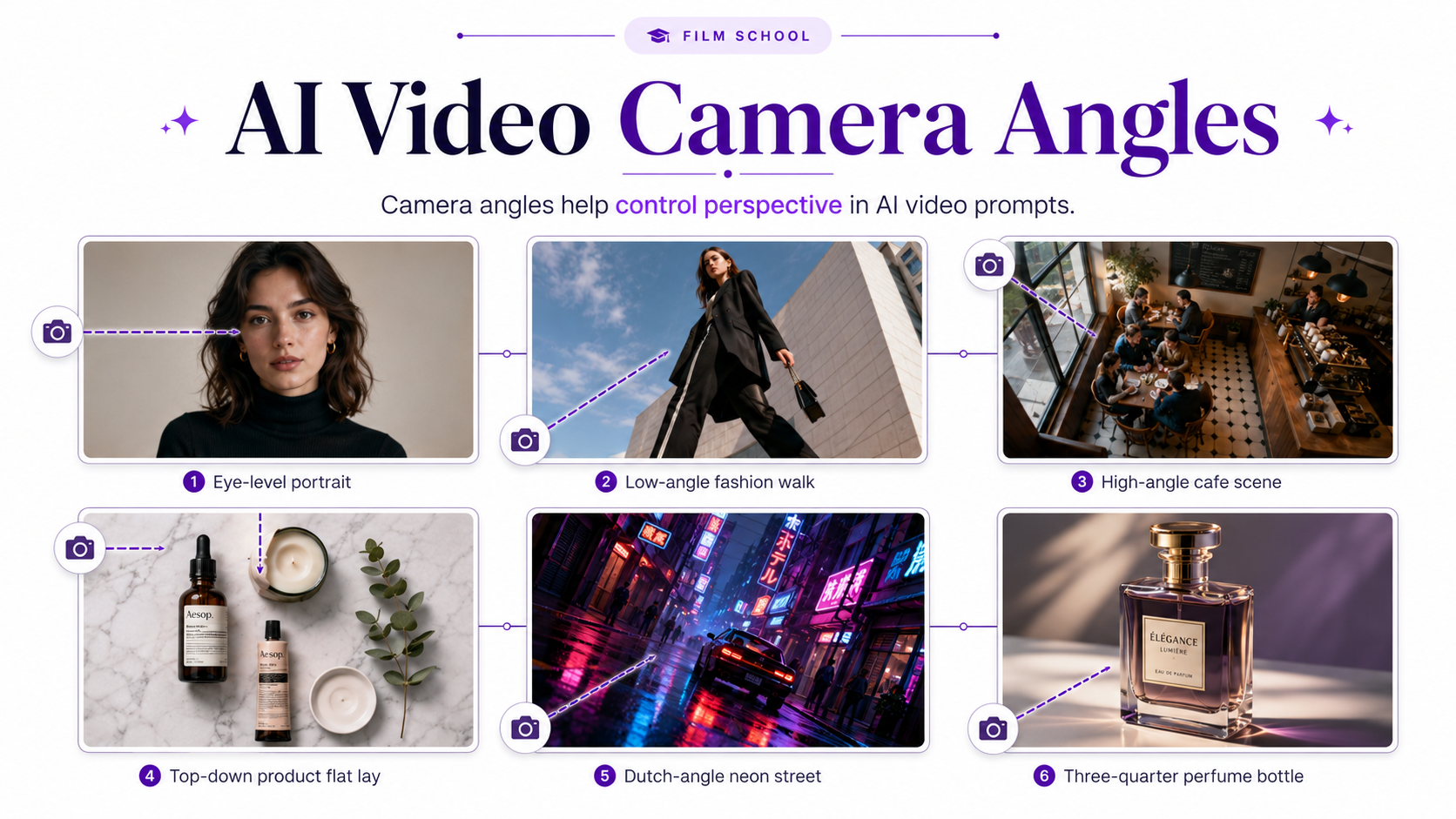
1. Eye-Level Angle
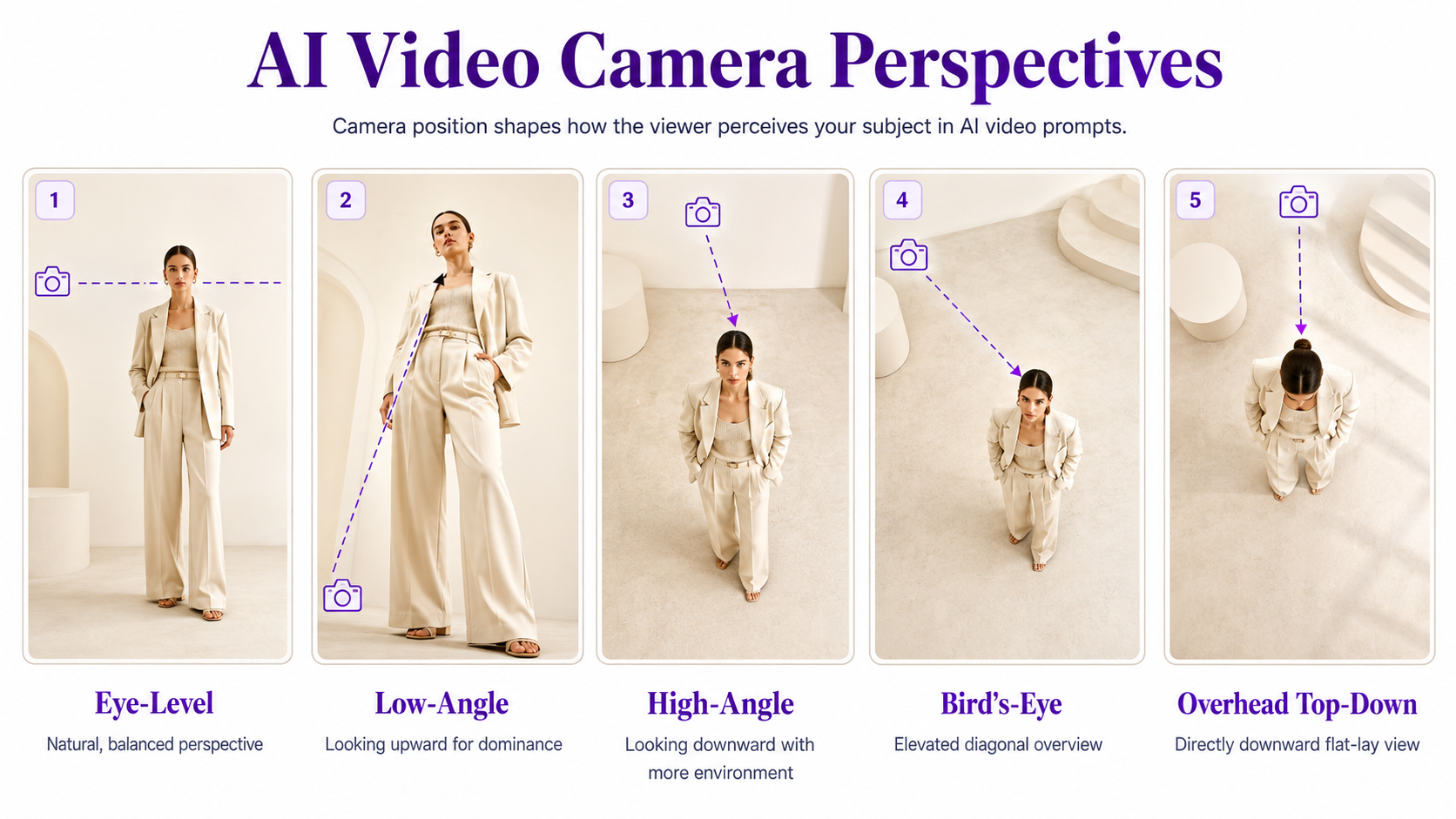
An eye-level angle positions the camera approximately at the subject's natural eye or central viewing height. It creates a balanced and neutral perspective.
Use eye-level framing when you want the viewer to focus on the subject without adding strong psychological emphasis through perspective.
Prompt example: Eye-level medium close-up of a woman looking toward camera, subtle blinking and breathing, gentle push-in, soft diffused daylight, realistic skin texture and natural cinematic color.
2. Low-Angle Shot
A low-angle shot positions the camera below the subject and points upward. It can make people, products, vehicles, architecture, and other subjects appear larger or more imposing.
Prompt example: Low-angle full shot of a fashion model walking confidently toward camera, camera positioned slightly below waist height, subtle backward tracking movement, dramatic sky behind the subject and strong editorial lighting.
3. Extreme Low Angle
An extreme low angle places the camera very close to the ground and looks sharply upward. It creates exaggerated perspective and can make the foreground feel especially dramatic.
Prompt example: Extreme low-angle shot from ground level beneath a futuristic sports car, camera slowly moving forward along the pavement, wheels and body dominating the frame, city lights reflecting across the surface.
4. High-Angle Shot
A high-angle shot places the camera above the subject looking downward. It reveals more of the surrounding surface and environment and can create a softer, smaller, or more observational feeling.
Prompt example: High-angle medium shot of a woman sitting at a cafe table, camera looking downward from slightly above, gentle hand movement around a coffee cup, soft afternoon light and subtle background activity.
5. Bird's-Eye View
A bird's-eye view looks down from a significantly elevated position. Unlike a strict top-down shot, it may still retain perspective rather than pointing perfectly vertically toward the ground.
Prompt example: Bird's-eye cinematic view of a person walking through a geometric city plaza, camera high above and angled downward, long shadows stretching across the ground, slow controlled aerial movement.
6. Overhead or Top-Down Angle
An overhead or top-down angle points the camera almost directly downward at the scene. It is especially effective for product layouts, food, flat lays, workspaces, beauty products, and graphic compositions.
Prompt example: Perfect top-down view of a skincare product arrangement on pale stone, camera drifting slowly from left to right, products maintaining exact geometry and label placement, soft diffused studio shadows.
7. Worm's-Eye View
A worm's-eye view is an exaggerated upward perspective from very close to the ground. It is useful for dramatic architecture, fashion, trees, tall objects, and stylized advertising.
Prompt example: Worm's-eye view looking upward between modern skyscrapers, clouds moving slowly overhead, camera rotating gently while maintaining the upward perspective, crisp architectural lines and cinematic contrast.
8. Three-Quarter Angle
A three-quarter angle views the subject partially from the front and partially from the side. It is one of the most useful perspectives for products, portraits, fashion, vehicles, and objects because it reveals dimensionality.
Prompt example: Three-quarter view of a luxury perfume bottle on dark stone, slow orbit moving slightly farther toward the side, glass edges catching warm highlights, shallow depth of field and premium commercial lighting.
9. Side Profile Angle
A side profile places the camera approximately 90 degrees from the subject's frontal orientation. It can emphasize silhouettes, walking motion, facial profiles, product depth, and directional movement.
Prompt example: Side-profile full shot of a fashion model walking from left to right, camera tracking parallel at the same speed, garment moving naturally, clean architectural background and soft directional sunlight.
10. Rear or Back Angle
A rear angle positions the camera behind the subject. It works well for travel, lifestyle, fashion, walking sequences, reveal shots, and scenes where the viewer should feel as though they are following the subject.
Prompt example: Rear full-body shot of a traveler walking toward a mountain viewpoint, camera following smoothly from behind, jacket moving gently in the wind, warm sunset light ahead and natural cinematic depth.
11. Over-the-Shoulder Angle
An over-the-shoulder angle positions the camera behind one subject while looking toward another person, object, screen, or point of interest.
Prompt example: Over-the-shoulder view from behind a photographer looking toward a fashion model in the studio, photographer softly blurred in the foreground, model remaining sharp, slow push toward the scene and controlled studio lighting.
12. Point-of-View Angle
A point-of-view or POV angle attempts to reproduce what a person or character would see directly. It can make the viewer feel physically present inside the scene.
Prompt example: First-person POV walking slowly through a modern fashion showroom, realistic forward movement with restrained natural head motion, hands occasionally visible at the bottom of frame, soft ambient lighting.
13. Dutch Angle
A Dutch angle rotates the horizon so the frame appears intentionally tilted. It can create tension, energy, unease, or a highly stylized editorial look.
Prompt example: Slight Dutch-angle medium shot of a fashion model under neon city lights, camera slowly pushing closer, rain reflections moving across the street, blue and magenta lighting with an experimental editorial mood.
14. Aerial Oblique Angle
An aerial oblique angle places the camera high above the subject but points diagonally rather than directly downward. This retains both the ground plane and surrounding depth.
Prompt example: Aerial oblique view of a car traveling along a coastal road, camera following from high above and slightly behind, ocean visible beside the road, smooth drone-style motion and warm evening light.
15. Ground-Level Side Angle
A ground-level side angle places the camera close to the floor but directs it horizontally rather than sharply upward. This can emphasize footwear, wheels, walking motion, lower product details, or dramatic foreground elements.
Prompt example: Ground-level side angle focused on a model's shoes while walking across polished stone, camera tracking smoothly beside the feet, natural reflections moving across the floor, premium fashion-commercial lighting.
Camera Angle vs Shot Type vs Camera Movement
These three terms are often combined in AI prompts, but they describe different things.
Camera angle describes viewpoint: low angle, high angle, eye level, overhead, three-quarter, or Dutch angle. Shot type describes framing: wide shot, full shot, medium shot, close-up, or macro shot. Camera movement describes motion: dolly in, pull back, orbit, pan, track, crane, or locked camera.
For example: Low-angle full shot of a model walking toward camera, camera tracking backward slowly. Low-angle is the perspective, full shot is the framing, and tracking backward is the camera movement.
For more examples focused specifically on framing, see our AI video shot types guide.
For camera movement, lighting, and broader cinematic prompt examples, see our cinematic AI video prompts guide.
Best Camera Angles for AI Product Videos
Product videos often work best with angles that show dimensionality while keeping packaging, shape, and branding easy to understand.
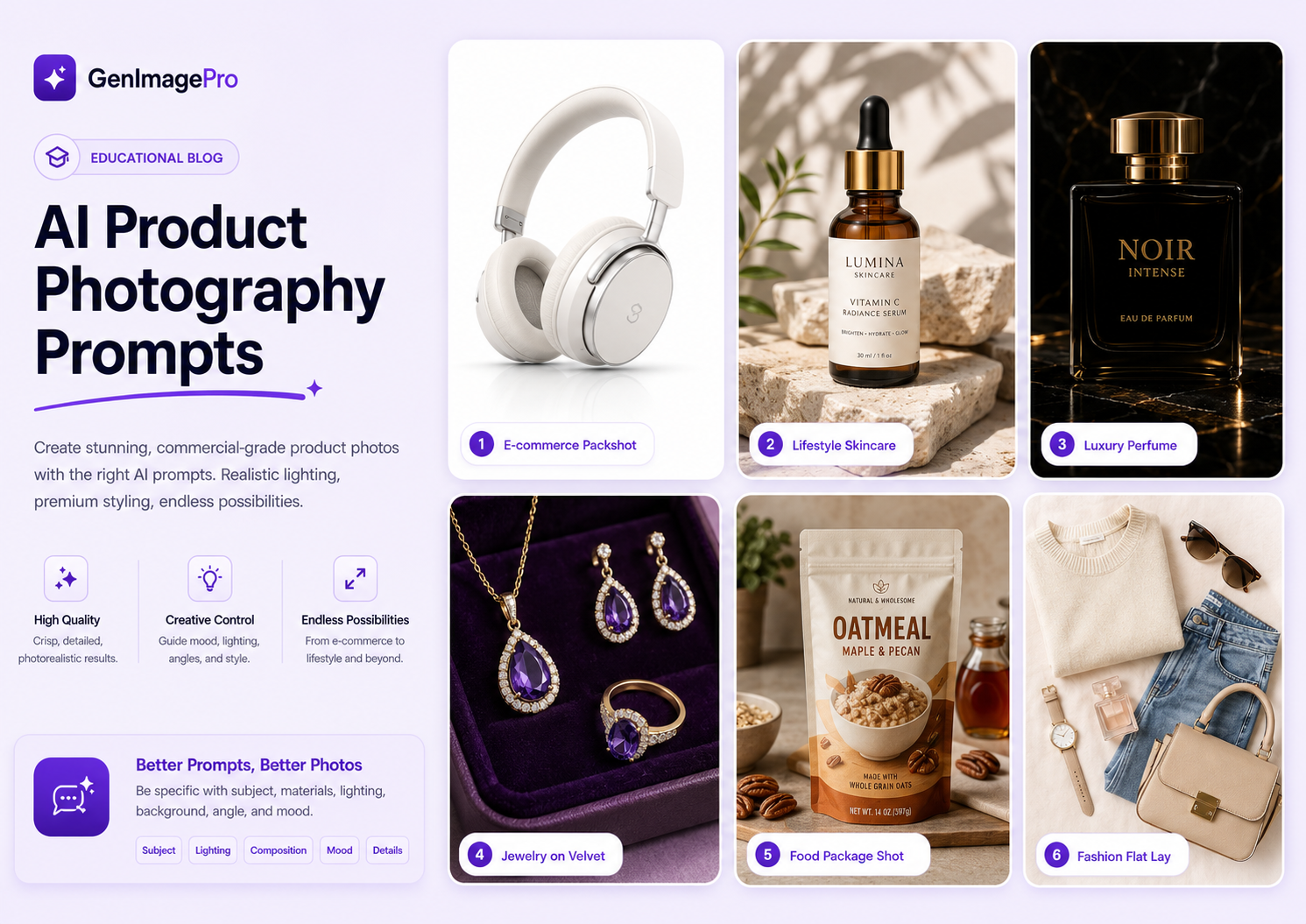
Three-quarter views are especially useful because they reveal the front and side surfaces simultaneously. Eye-level shots work well for clean ecommerce presentation, while low angles can make premium products feel larger and more dramatic.
Top-down angles work particularly well for beauty products, accessories, food, flat lays, and grouped product compositions.
For more commercial examples, see our AI product video prompts guide.
Best Camera Angles for AI Fashion Videos
Fashion content benefits from camera angles that preserve body proportions and make the garment easy to read.
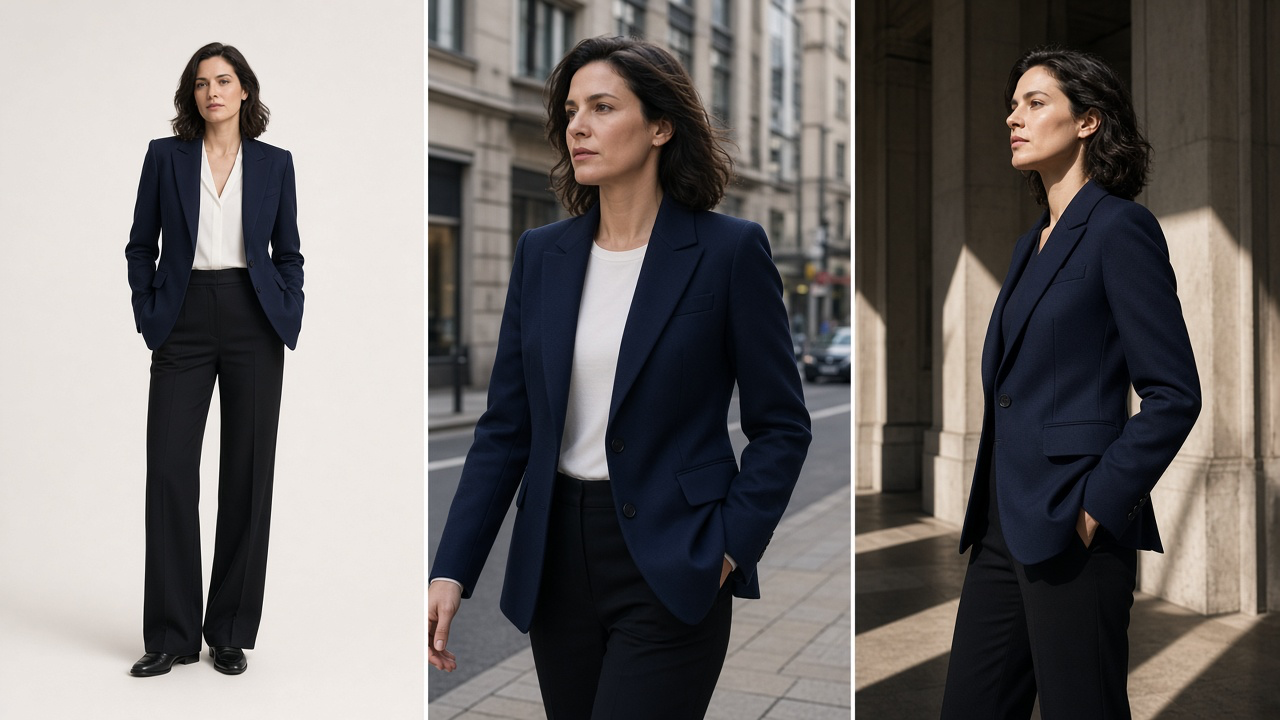
Eye-level and three-quarter angles are reliable for natural editorial footage. Slight low angles can create stronger runway-style presence, while profile angles work particularly well for walking shots and garment movement.
Extreme low or high angles can be visually interesting, but they may distort proportions and should usually be used more selectively when garment accuracy is important.
For fashion-specific motion ideas, see our AI fashion video prompts guide.
Best Camera Angles for Portrait AI Videos
For realistic portrait animation, eye-level and slight three-quarter angles are generally the safest options because they closely resemble normal portrait photography.
Low angles can create a stronger or more editorial look, while high angles often feel softer and more casual. Side profiles can work well when the source image already contains enough facial information from that perspective.
How to Choose a Camera Angle for Image-to-Video
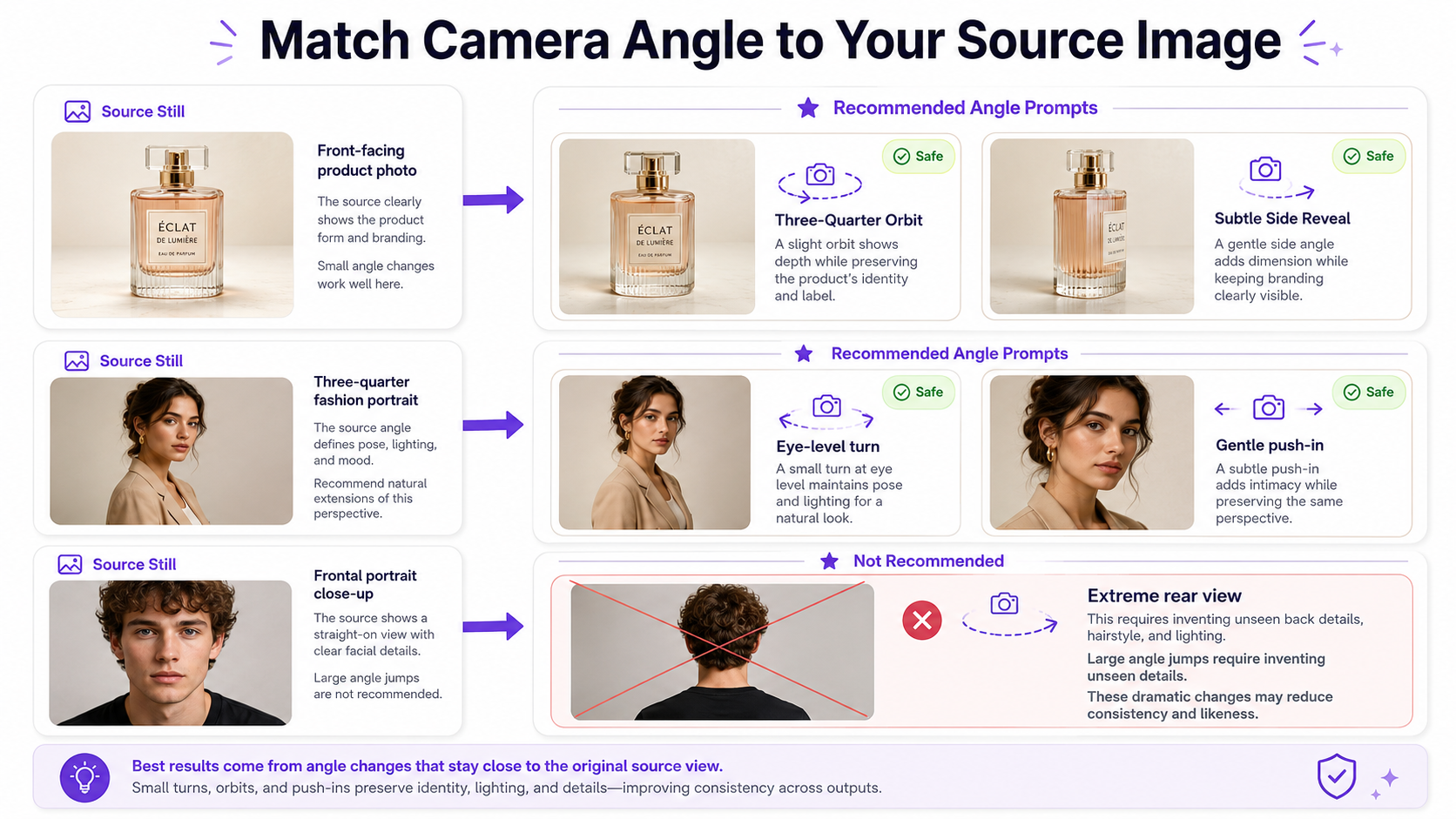
When generating video from an existing image, the source image already establishes a camera angle. Asking the model to make a small perspective change is usually easier than requesting a completely different viewpoint.
For example, a three-quarter product photo can naturally support a small orbit that reveals more of the side. Asking the same model to suddenly show the back of the product requires it to invent visual information that may not exist in the source.
The same applies to portraits and fashion. A frontal portrait does not necessarily contain enough information to reconstruct an accurate full side profile or rear view.
For more guidance on working from source images, see our image-to-video prompts guide.
Create a Better Starting Angle With GenImagePro
The camera angle in your source image matters before video generation begins. A strong first frame can give the video model clearer information about proportions, depth, materials, lighting, and composition.
With GenImagePro, you can create or transform source visuals for product photography, fashion, portraits, food, beauty, and other creative workflows before turning those visuals into motion.
For example, a three-quarter product composition can give you a strong starting point for a subtle orbit, while a clean full-body fashion composition can support tracking shots, walking sequences, and controlled perspective changes.
Common AI Video Camera Angle Mistakes
Requesting an Impossible Perspective Change
Turning a straight-on product image into a complete rear view may require the model to invent labels, packaging, materials, or geometry that were never visible. Use moderate angle changes when identity or product accuracy matters.
Using Multiple Angles in One Short Prompt
Instructions such as low-angle high-angle overhead side view can conflict with one another. Choose one dominant perspective unless you are intentionally describing a continuous camera transition.
Confusing Angle With Movement
Low angle does not mean the camera moves upward, and overhead does not mean the camera cranes down. Describe the angle and movement separately when both matter.
Ignoring Subject Distortion
Extreme angles can exaggerate perspective. That may be desirable for creative work but problematic when you need accurate body proportions, product geometry, logos, or packaging.
AI Video Camera Angle Cheat Sheet
Eye level: neutral and realistic. Low angle: stronger and more dominant. Extreme low angle: highly dramatic. High angle: softer and more observational. Bird's-eye: elevated overview. Top-down: directly overhead. Worm's-eye: exaggerated upward view. Three-quarter: dimensional front-and-side perspective. Side profile: emphasizes silhouette and lateral movement. Rear angle: follows the subject from behind. Over-the-shoulder: establishes foreground and target. POV: places the viewer inside the scene. Dutch angle: tilted and stylized. Aerial oblique: elevated diagonal perspective. Ground-level side angle: emphasizes lower details and foreground motion.
FAQ
What are the main camera angles for AI video?
Common AI video camera angles include eye-level, low-angle, high-angle, overhead, bird's-eye, worm's-eye, three-quarter, side profile, rear, over-the-shoulder, POV, Dutch angle, aerial oblique, and ground-level views.
How do you describe a camera angle in an AI video prompt?
Use a specific physical perspective such as eye-level, low-angle, high-angle, top-down, three-quarter, side profile, or over-the-shoulder. You can then combine it with a shot type, subject action, and camera movement.
What is the difference between camera angle and camera movement?
Camera angle describes the camera's position relative to the subject. Camera movement describes how the camera changes position over time. For example, low-angle is an angle, while dolly-in is a movement.
What is the difference between camera angle and shot type?
Camera angle controls viewpoint, such as low-angle or overhead. Shot type controls framing, such as wide shot, medium shot, or close-up.
What is the best camera angle for AI product videos?
Three-quarter views are particularly useful because they show both the front and side of a product. Eye-level shots are good for clean ecommerce presentation, while top-down angles work well for flat lays, beauty products, food, and grouped products.
What is the best camera angle for AI fashion videos?
Eye-level, three-quarter, and profile angles are generally reliable because they preserve body and garment proportions while still allowing natural movement. Slight low-angle views can create a stronger runway or editorial effect.
Can AI change the camera angle of an existing image?
AI can simulate perspective changes, but larger changes require it to invent visual information that was not present in the original image. Moderate angle changes usually produce more consistent results.
Can GenImagePro help create source images from better camera angles?
GenImagePro can be used to create and transform source visuals for product photography, fashion, portraits, beauty, food, and other workflows. Starting from a composition that already matches your intended video perspective can make the following motion workflow easier to control.