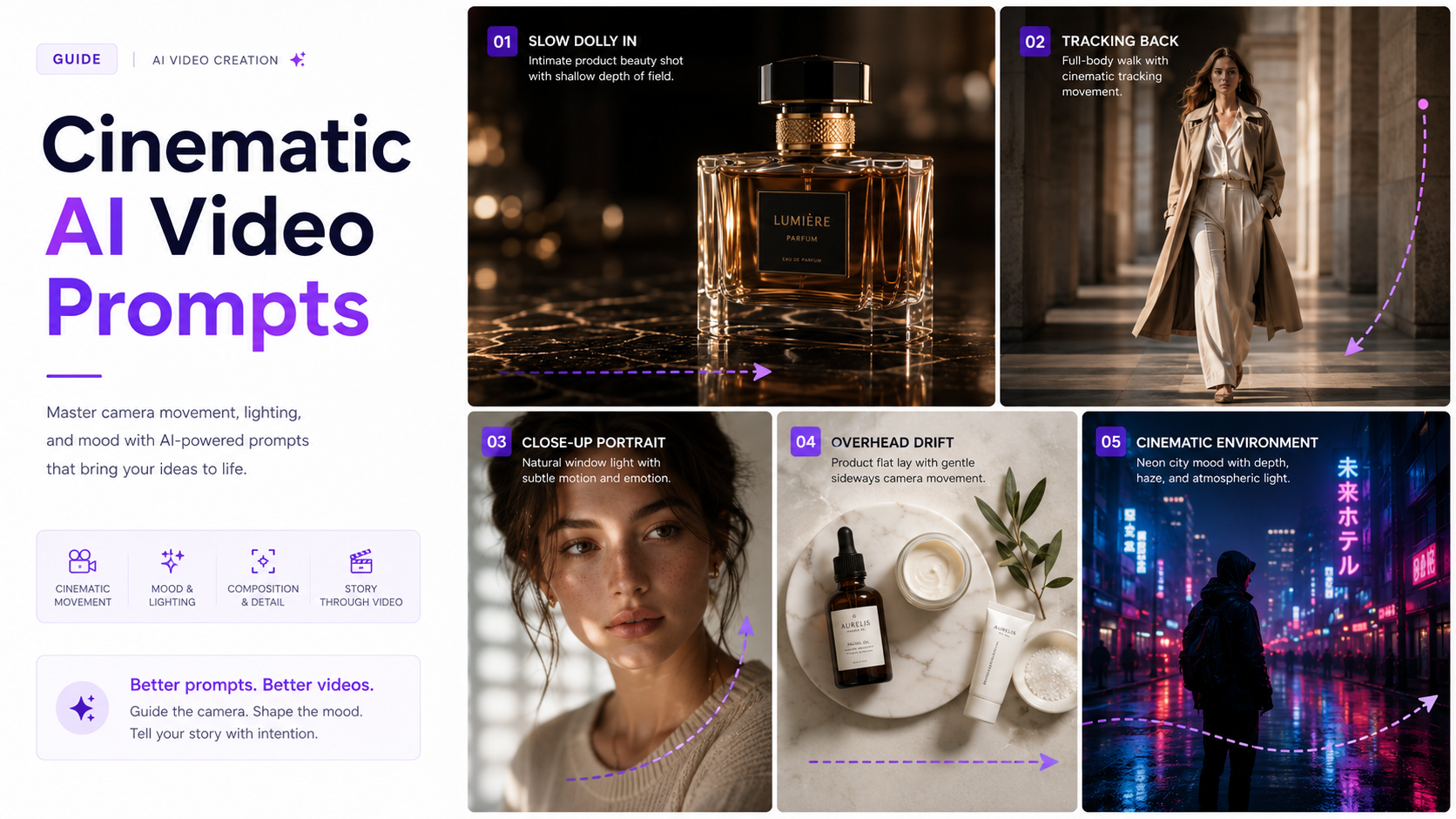
A cinematic AI video prompt does more than describe what should appear in a scene. It tells the video model how the scene should move, how the camera should behave, what kind of light should shape the subject, and what visual language the finished clip should follow.
Instead of writing vague instructions such as cinematic product video or dramatic fashion clip, strong prompts describe things a camera could actually capture: a slow dolly toward the subject, fabric moving gently in the wind, warm sunset light coming from behind, shallow depth of field, or a controlled orbit around a stationary product.
This guide includes more than 30 cinematic AI video prompts you can adapt for image-to-video generation, product videos, fashion content, portraits, environments, advertisements, and creative scenes.
This guide covers camera movement, shot types, angles, lighting, and subject motion together. For dedicated deep dives, see our AI video shot types and AI video camera angles guides.
If you are starting from an existing photo rather than generating a scene from text, see our image-to-video prompt examples for more guidance on preserving the original subject while introducing motion.
How to Write a Cinematic AI Video Prompt
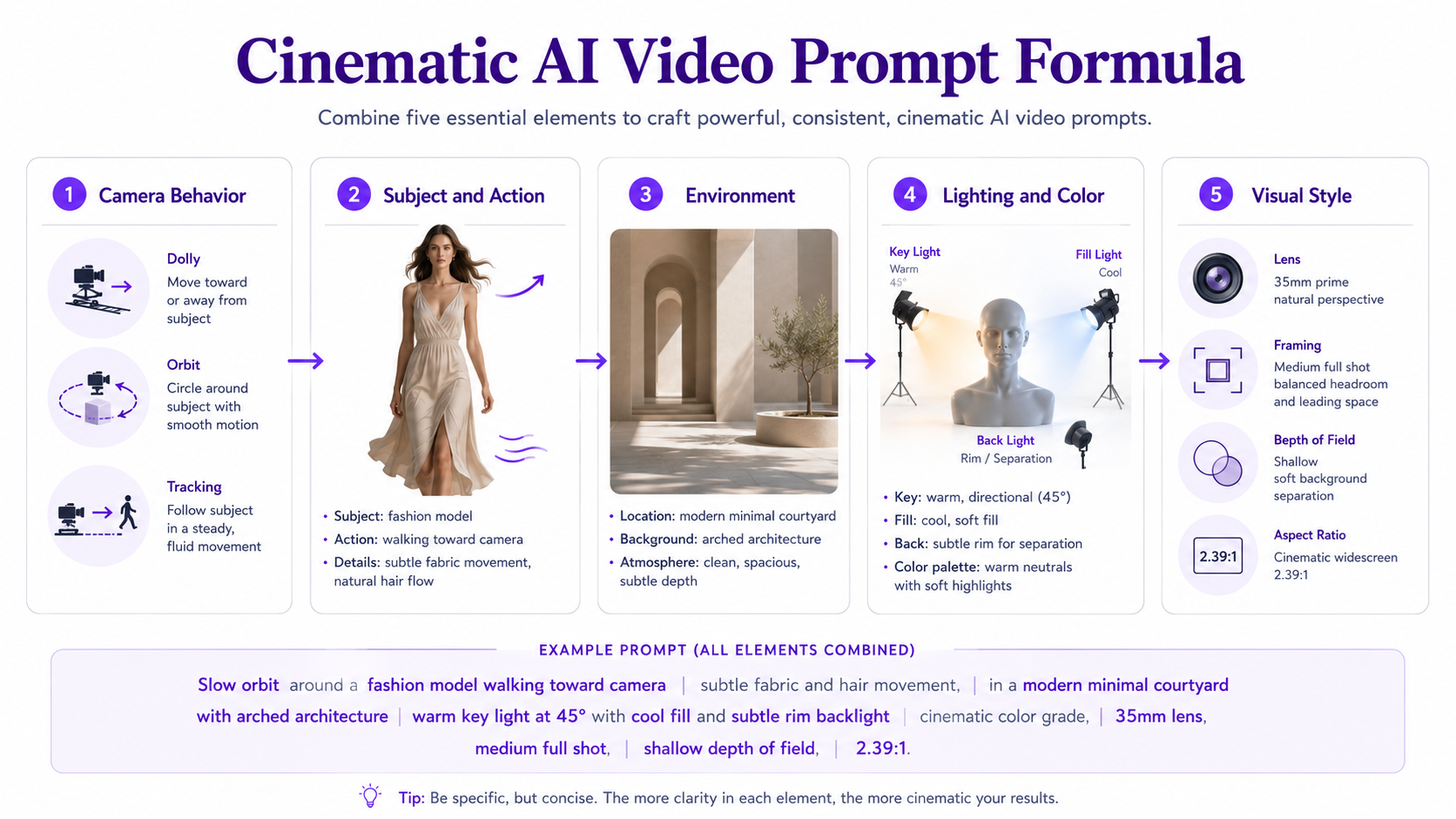
A practical cinematic prompt can usually be built from five elements: camera behavior, subject and action, environment, lighting and color, and visual style.
A useful structure is: Camera movement + subject and action + environment + lighting and color + lens, framing, or cinematic style.
For example: Slow dolly toward a perfume bottle resting on dark reflective stone, subtle mist moving behind the product, narrow beams of warm side light catching the glass edges, shallow depth of field, premium luxury commercial cinematography.
1. Cinematic Camera Movement Prompts
Camera movement is one of the strongest ways to change how an AI-generated video feels. Instead of simply asking for dynamic movement, specify the physical path of the camera.
1. Slow dolly in — Slow cinematic dolly toward the subject, camera moving smoothly forward while the background develops natural parallax, subject remains centered and stable, soft dramatic lighting, shallow depth of field.
2. Slow pull-back reveal — Camera slowly pulls backward from a close-up, gradually revealing the surrounding environment, smooth continuous motion, realistic perspective changes, cinematic lighting and controlled pacing.
3. 180-degree orbit — Camera performs a smooth 180-degree orbit around the subject while maintaining consistent distance and framing, realistic depth and parallax, controlled cinematic movement.
4. Side tracking shot — Camera tracks horizontally beside the moving subject at the same speed, background passing naturally behind them, smooth stabilized movement, cinematic shallow depth of field.
5. Crane-up reveal — Camera begins near the subject and rises gradually upward, revealing more of the surrounding location, smooth vertical movement, expansive cinematic composition.
6. Slow push-in close-up — Subtle forward camera movement toward the subject's face or product detail, increasing intimacy and visual focus while maintaining realistic proportions and natural depth.
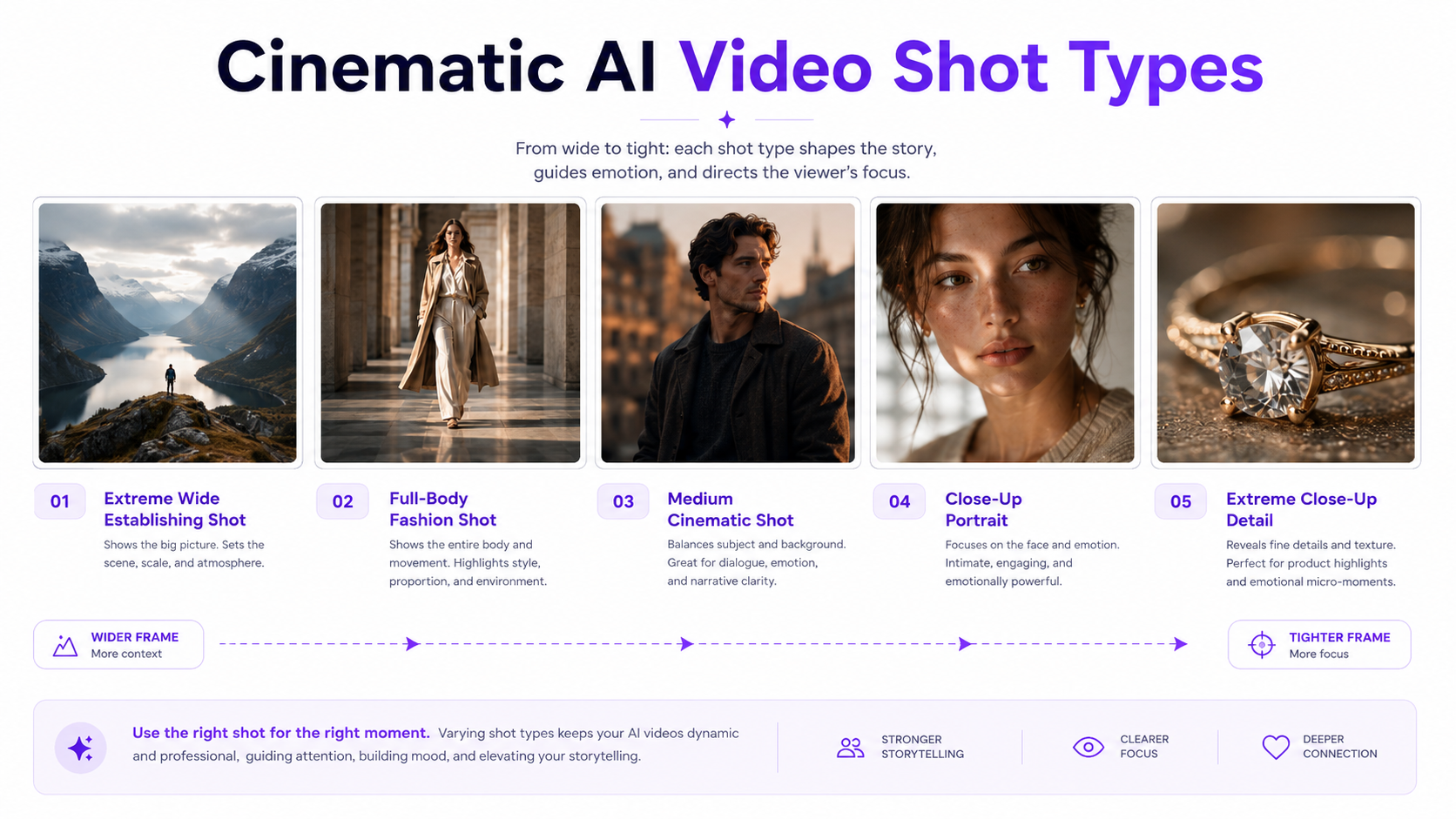
2. Cinematic Shot Type Prompts
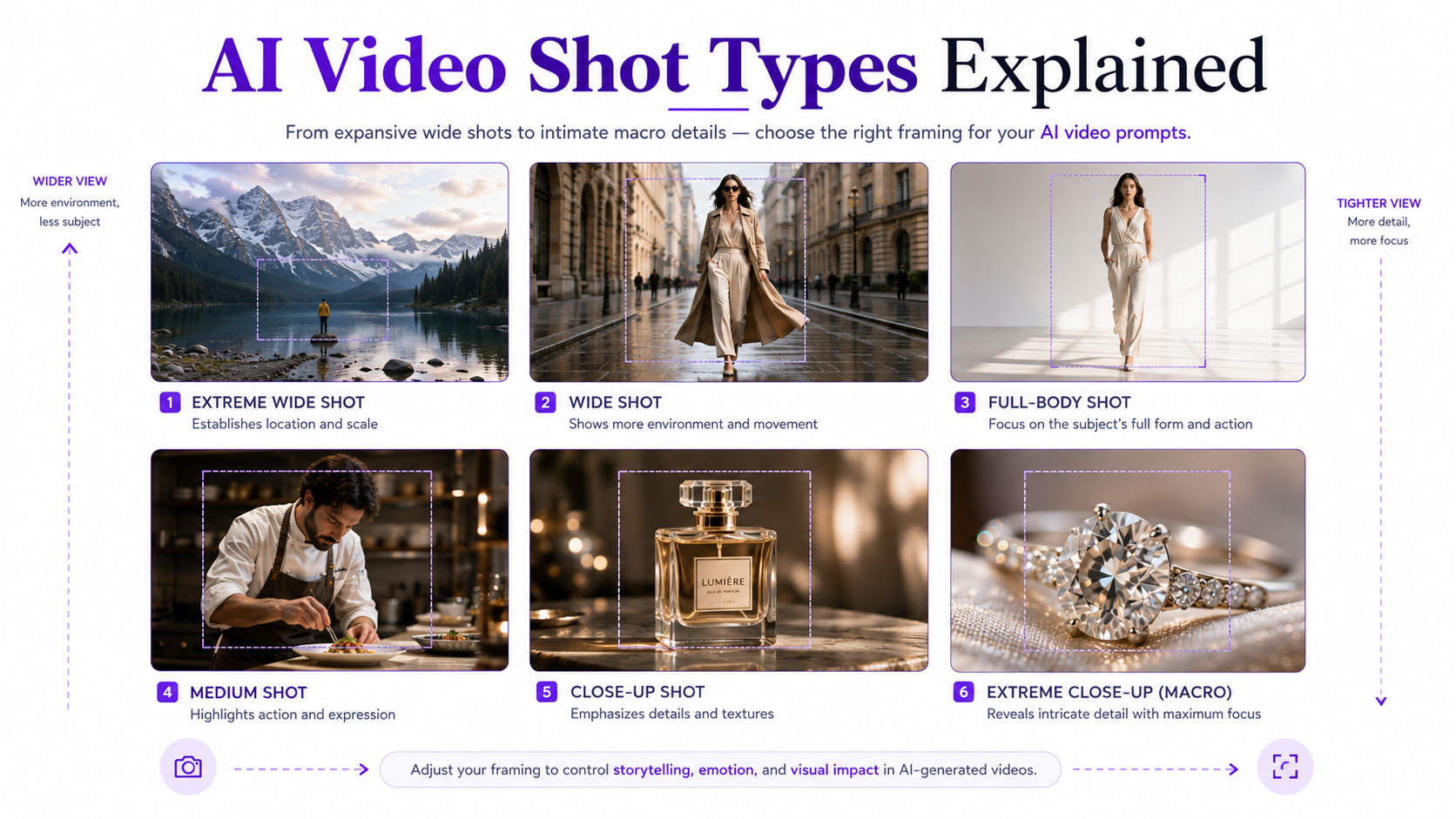
Shot type controls how much of the subject and environment appears in the frame. Combining shot type with motion usually produces more predictable results than describing movement alone. For 15 framing options with copyable prompts, see our AI video shot types guide.
7. Extreme wide establishing shot — Expansive cinematic establishing shot of the subject surrounded by a large environment, subtle atmospheric movement, strong depth, slow controlled camera push forward.
8. Full-body fashion shot — Full-body framing of a model walking naturally toward camera, clothing moving realistically with each step, camera tracking backward smoothly, editorial fashion-film lighting.
9. Medium cinematic shot — Waist-up framing, subject turning slightly toward camera, subtle facial and clothing movement, soft background separation, gentle handheld-style movement without visible shaking.
10. Close-up portrait — Cinematic close-up of the face, subtle blinking and breathing, tiny natural head movement, soft directional window light, extremely shallow depth of field.
11. Extreme close-up detail — Macro cinematic close-up of a small product or facial detail, slow controlled camera slide, precise focus transition, soft highlights and realistic reflections.
12. Over-the-shoulder shot — Camera positioned behind one subject looking toward another, subtle foreground movement creating depth, slow push forward, natural cinematic perspective.
3. AI Video Camera Angle Prompts
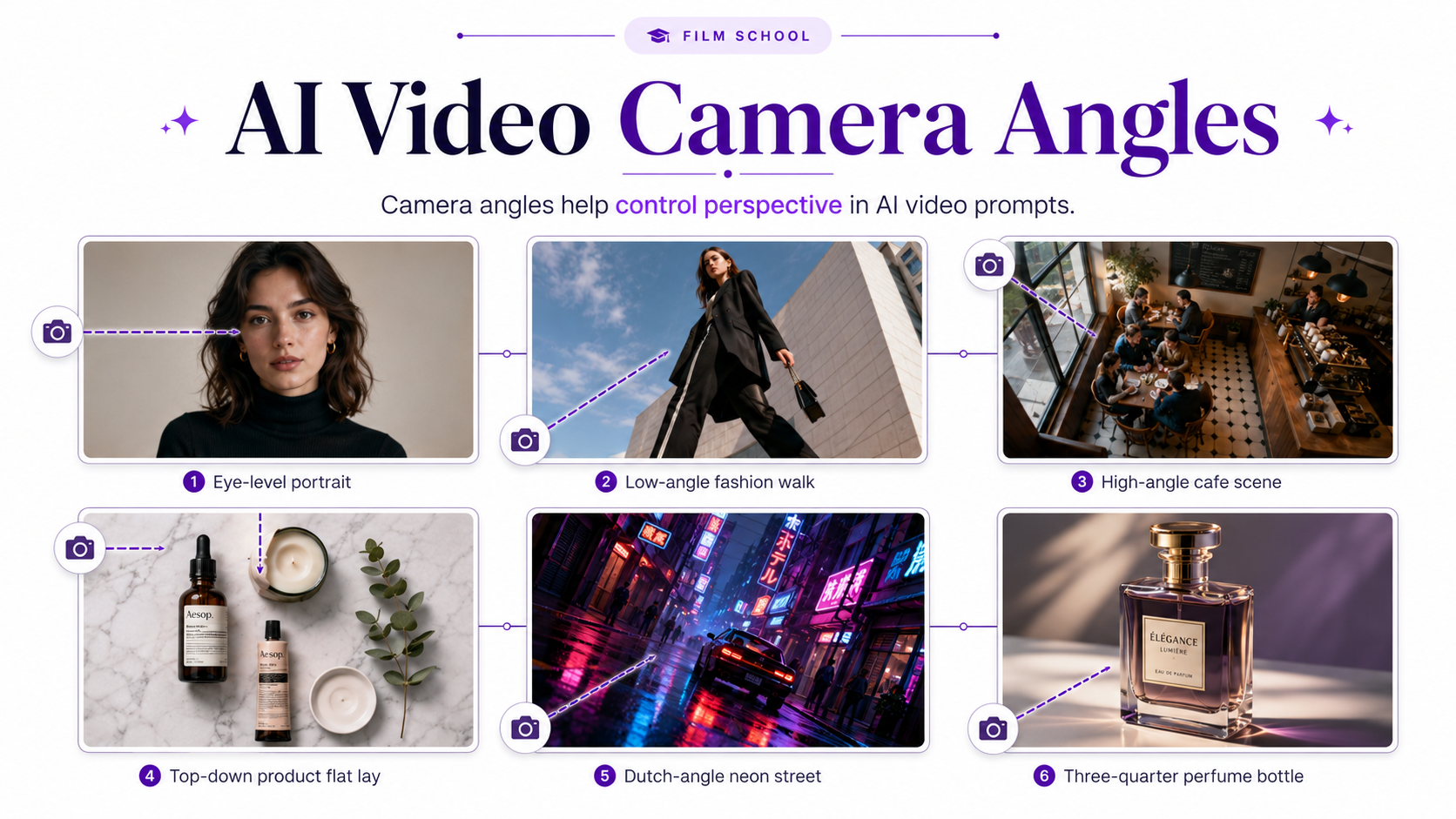
Camera angle refers to where the viewer is positioned relative to the subject. It is different from camera movement: an angle establishes perspective, while movement describes how the camera changes position over time. For 15 angle examples with prompt templates, see our AI video camera angles guide.
13. Low-angle cinematic shot — Camera positioned slightly below the subject looking upward, subject appearing strong and dominant, slow forward push, dramatic background separation and controlled highlights.
14. High-angle shot — Camera looking downward toward the subject from above eye level, gentle movement across the scene, soft cinematic shadows and realistic environmental depth.
15. Top-down product shot — Perfect overhead view of the product arrangement, camera slowly drifting sideways, objects remaining geometrically stable, soft controlled studio lighting.
16. Ground-level perspective — Camera positioned extremely close to the ground as the subject moves through the scene, strong foreground perspective, dramatic depth and realistic parallax.
17. Three-quarter angle — Subject viewed from a natural three-quarter perspective, gentle orbit toward the side, realistic dimensionality, cinematic soft lighting and shallow depth of field.
18. Dutch-angle creative shot — Slightly tilted camera perspective, slow controlled movement toward the subject, dramatic lighting and deliberate visual tension, polished cinematic composition.
4. Cinematic Subject Motion Prompts
When using image-to-video AI, subject motion is often more important than adding dramatic camera movement. Small physical actions tend to look more convincing than asking every part of the frame to move at once.
19. Natural portrait motion — Subject remains mostly in place, subtle breathing, one natural blink, tiny head adjustment and slight hair movement, realistic human timing, locked cinematic camera.
20. Model walking — Model takes several confident natural steps forward, realistic weight transfer through the legs, clothing reacting naturally to movement, camera smoothly tracking backward.
21. Fashion turn — Model slowly turns from a three-quarter position toward camera, garment follows the body naturally with slight fabric inertia, stable facial identity and editorial lighting.
22. Hair and fabric movement — Subject remains mostly still while hair and loose fabric react gently to a soft breeze, restrained realistic motion, camera remains steady.
23. Product rotation — Product rotates slowly on its vertical axis while maintaining exact proportions, logo position, materials and packaging details, camera locked in place with premium studio lighting.
24. Beverage motion — Condensation glistens subtly on the bottle while tiny bubbles rise through the drink, soft mist moves in the background, slow camera push-in, polished beverage-commercial cinematography.
5. Cinematic Lighting Prompts for AI Video
Lighting should describe direction, softness, color, and change over time. A specific lighting description usually gives an AI model more useful visual information than simply adding cinematic lighting at the end of the prompt.
25. Golden-hour backlight — Warm sunset light enters from behind the subject, creating a soft golden rim around the silhouette, subtle lens bloom, natural shadows and gentle atmospheric movement.
26. Moody side light — Narrow soft light enters from one side of the frame, gradually revealing facial or product contours while the opposite side falls into controlled shadow, slow cinematic push-in.
27. Luxury studio lighting — Dark controlled environment with narrow highlights tracing the product edges, subtle reflections across premium materials, slow orbiting camera and deep contrast.
28. Soft daylight — Large diffused window light illuminates the subject naturally, gentle shadow movement, neutral realistic skin tones, subtle camera drift and clean editorial color.
29. Neon cinematic lighting — Blue and magenta environmental light reflects across the subject as the camera slowly tracks sideways, soft haze creating visible light separation and atmospheric depth.
30. Spotlight reveal — Subject initially remains partially hidden in darkness as a controlled beam of light gradually reveals the surface, camera slowly pushes closer, dramatic premium commercial mood.
6. Cinematic AI Video Prompts for Products, Fashion, and Creative Content
The best cinematic structure also depends on the purpose of the video. A product clip usually benefits from controlled camera motion and accurate preservation, while fashion content can use more subject movement and editorial framing.
31. Luxury perfume commercial — Slow cinematic orbit around a premium glass perfume bottle standing on dark reflective stone, subtle mist drifting in the background, warm edge lighting illuminating the glass, shallow depth of field, elegant luxury advertising style.
32. Skincare product reveal — Camera slowly pushes toward a skincare bottle on pale stone as soft morning light moves across the surface, delicate plant shadows shift in the background, minimal premium beauty campaign aesthetic.
33. Fashion editorial walk — Model walks confidently through a minimalist architectural space, garment moving naturally with each step, camera tracks smoothly from the side, high-fashion editorial lighting and restrained cinematic color grade.
34. Jewelry macro commercial — Extreme close-up of a diamond ring, camera slides slowly around the jewelry while tiny highlights travel across the facets, dark elegant background, shallow macro focus and premium advertising cinematography.
35. Food commercial — Close cinematic view of a freshly prepared dish, subtle steam rising naturally, camera performing a slow curved push-in, warm directional restaurant lighting, realistic texture and shallow depth of field.
36. Cinematic travel portrait — Subject stands overlooking a dramatic landscape while wind moves clothing and hair gently, camera slowly pulls backward to reveal the environment, soft sunset backlight and natural atmospheric haze.
For ecommerce-specific examples, our AI product video prompts guide focuses more heavily on product preservation, commercial camera movement, reveals, rotations, macro shots, and advertising use cases.
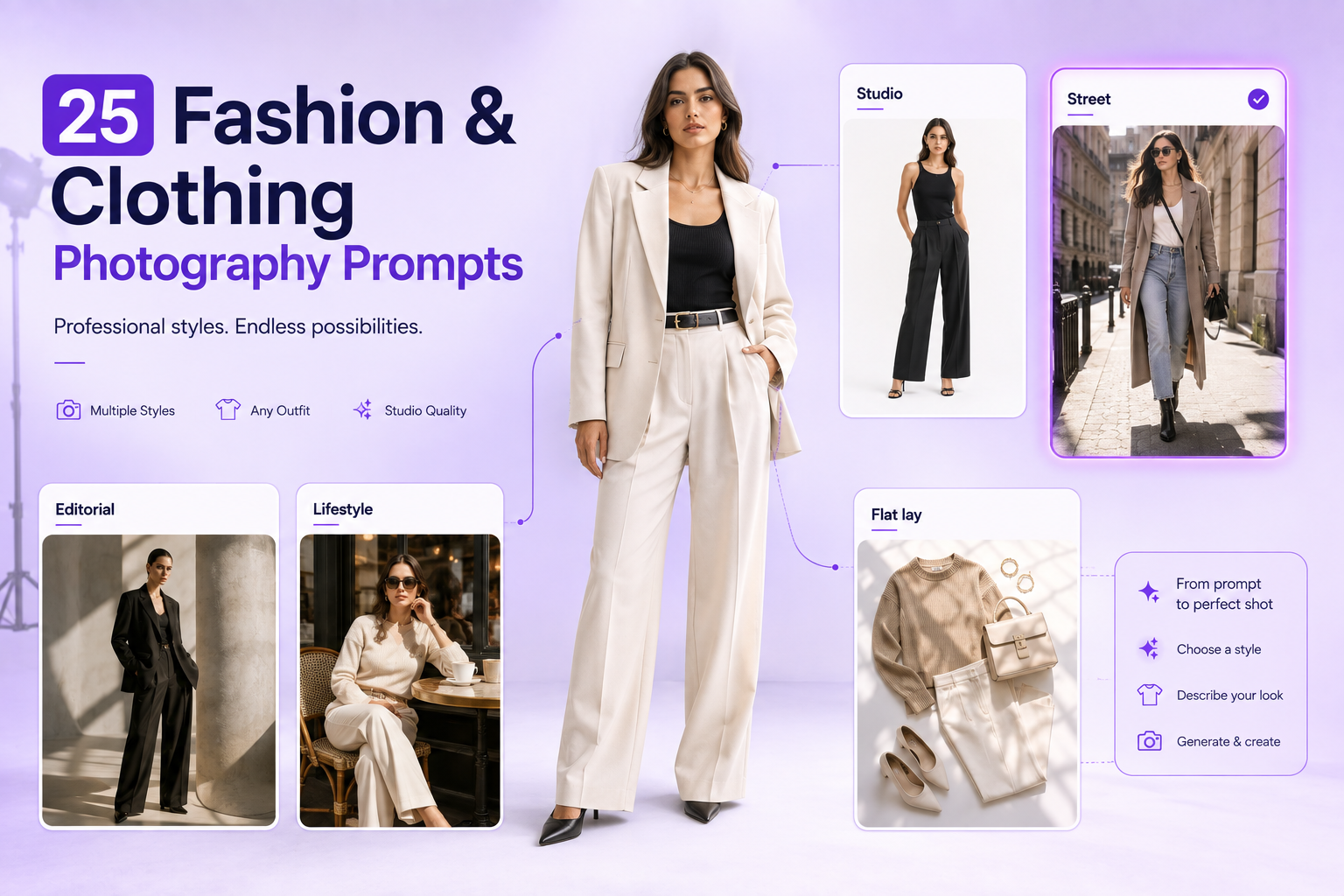
For clothing and model movement, see our AI fashion video prompts, which covers walking, turns, garment motion, editorial scenes, and fashion-specific image-to-video prompting.
How to Turn a Basic Prompt Into a Cinematic Prompt
Basic prompt: A woman walking through a city.
Cinematic version: Full-body tracking shot of a woman walking naturally through a quiet city street at golden hour, camera moving backward at the same pace, coat and hair reacting subtly to the breeze, warm backlight around the subject, shallow depth of field, restrained editorial color grade.
The subject has not changed. The difference comes from adding framing, physical movement, camera behavior, light, environmental reaction, and visual style.
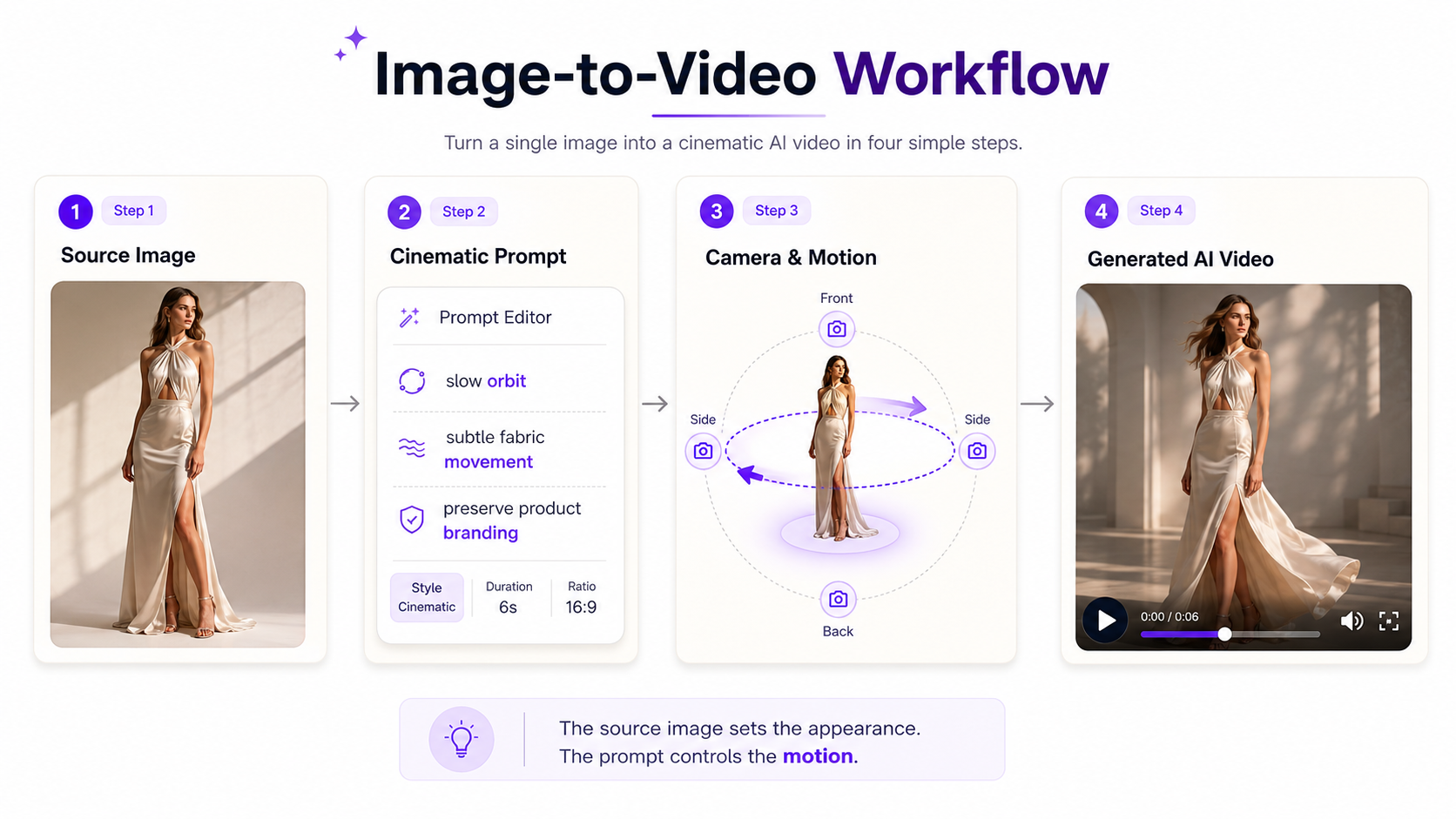
How to Use Cinematic Prompts for Image-to-Video
When an image is already providing the subject, clothing, product, background, and composition, you usually do not need to describe every visible detail again. Focus your prompt on what should change after the first frame.
For example, if you upload a fashion photo, instead of rewriting the model's appearance you could prompt: The model takes two natural steps toward camera while the dress responds gently to the movement, subtle hair motion, smooth backward tracking camera, maintain the same person, outfit, proportions, colors, and environment.
For a product image: Camera performs a slow 120-degree orbit around the stationary bottle, realistic parallax develops in the background, subtle highlights travel across the glass, preserve the exact product shape, branding, cap, label, materials, and colors.
Use GenImagePro to Build the Source Visual First
Cinematic video generation usually becomes easier when the first frame is already strong. A clean source image gives the video model clearer information about the subject, composition, materials, lighting, and environment before motion begins.
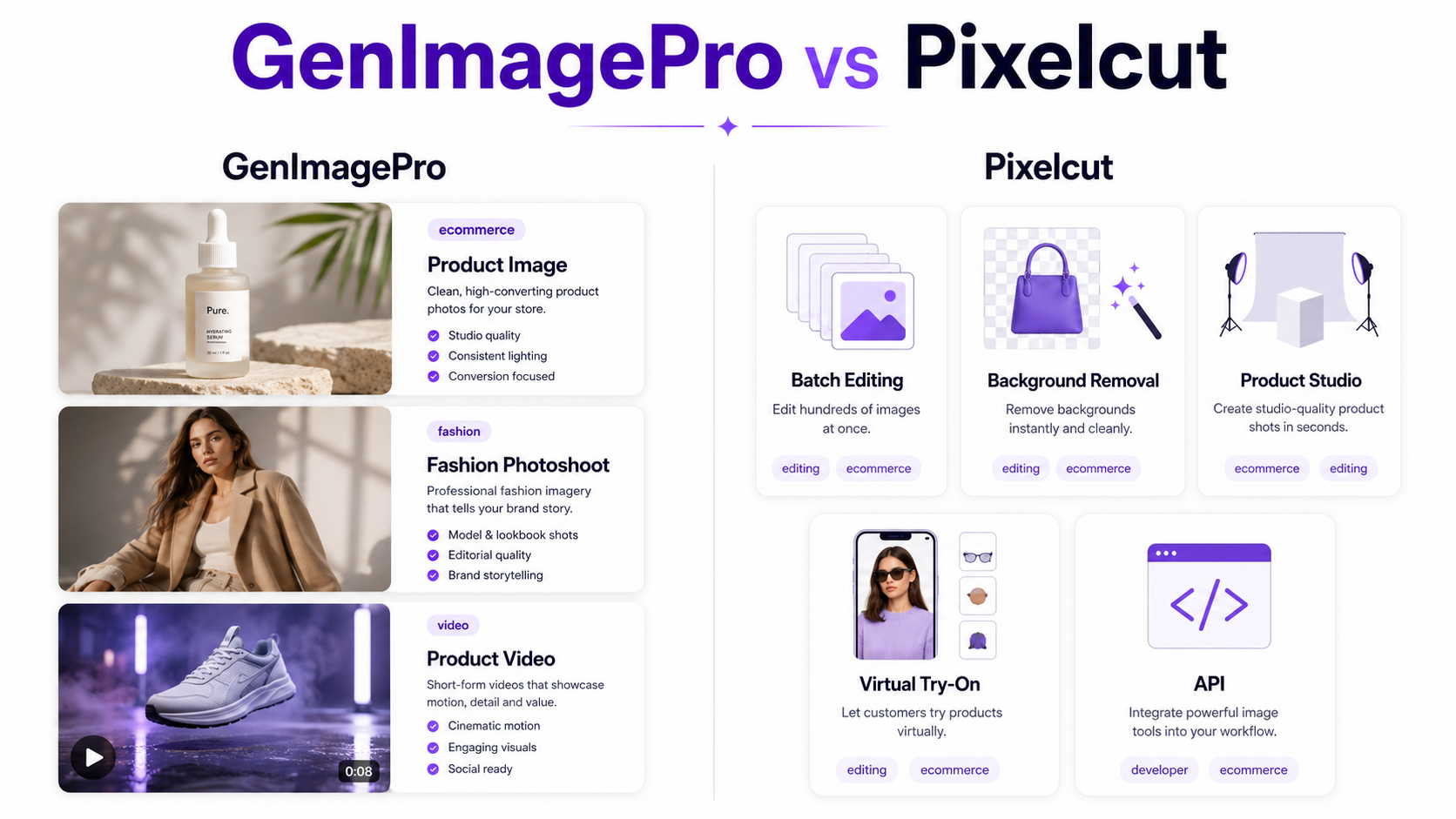
With [GenImagePro](/), you can create or transform source visuals for product photography, fashion campaigns, portraits, food images, and other commercial scenes before developing them into motion-focused creative workflows.
For example, you could begin with a simple uploaded product photo, create a premium studio or lifestyle visual in GenImagePro, and then use a cinematic motion prompt that focuses only on the camera path, environmental motion, lighting behavior, and product preservation.
Common Cinematic AI Video Prompt Mistakes
Using Too Many Movements at Once
A prompt asking the subject to walk, rotate, gesture, change expression, interact with an object, while the camera simultaneously orbits, zooms, pans, and rises can become difficult for a video model to resolve. Start with one dominant subject action and one dominant camera movement.
Using Cinematic as the Entire Direction
Cinematic is a useful style word, but it does not explain what should physically happen. Add measurable visual directions such as slow dolly in, low-angle close-up, warm backlight, or subtle handheld movement.
Describing the Image Instead of the Motion
For image-to-video, the model already receives the source image. Repeating every visible object can waste prompt space and sometimes encourage unwanted changes. Prioritize movement, timing, camera behavior, preservation, and environmental reactions.
Making Every Part of the Frame Move
Real cinematography often contains surprisingly little motion. A stationary subject with a slow camera push, changing reflection, drifting mist, or small fabric movement can feel more cinematic than an aggressively animated scene.
Forgetting What Must Stay Unchanged
When accuracy matters, explicitly preserve important visual information. For products this may include shape, logo, packaging, materials, and color. For fashion it may include identity, clothing construction, pattern, fit, and accessories.
Cinematic AI Video Prompt Template
You can adapt this template to most cinematic video concepts: [Shot type and camera angle] of [subject] [performing action]. Camera [movement and speed]. [Environmental or secondary motion]. [Lighting direction and quality]. [Depth, lens, or focus behavior]. [Visual style]. Preserve [important elements that should remain unchanged].
Example: Three-quarter close-up of a model slowly turning toward camera. Camera performs a subtle push-in at a steady speed. Hair and loose fabric move gently in a soft breeze. Warm sunset backlight creates a narrow rim around the subject. Shallow depth of field with natural background separation. Editorial fashion-film aesthetic. Preserve the same person, facial features, garment, accessories, and colors.
Quick Cinematic Prompt Checklist
Before generating, check whether your prompt answers these questions: What is the primary subject? What physically moves? How does the camera move? What shot type and angle are being used? What should the light look like? What happens in the background? What visual style are you aiming for? What details must remain unchanged?
You do not need every element in every prompt. The goal is clarity, not length. A short prompt with one deliberate camera movement and one clear subject action can outperform a long prompt filled with conflicting cinematic terminology.
FAQ
What is a good cinematic AI video prompt?
A good cinematic AI video prompt describes visible actions rather than relying only on style words. Include the subject action, camera movement, shot type or angle, lighting, environment, and any important details that should remain consistent.
How do I make an AI video look more cinematic?
Use deliberate framing, controlled camera movement, directional lighting, realistic subject motion, depth, and restrained pacing. Slow push-ins, tracking shots, orbits, shallow depth of field, and motivated environmental motion are common cinematic techniques.
What is the best structure for an AI video prompt?
A useful structure is camera movement plus subject and action plus environment plus lighting and color plus framing, lens, or visual style. For image-to-video, also describe anything that should remain unchanged.
Should I describe camera movement in AI video prompts?
Yes, when camera motion is important to the result. Use physical terms such as slow dolly in, orbit around the subject, tracking shot, crane upward, pan left, or locked camera rather than vague instructions such as dynamic camera.
What is the difference between a camera angle and a shot type?
Shot type describes how tightly the subject is framed, such as wide shot, medium shot, or close-up. Camera angle describes the viewer's position relative to the subject, such as low angle, high angle, eye level, or overhead.
How should I prompt image-to-video AI?
Let the source image establish appearance and composition, then use the prompt mainly to describe what changes over time: subject movement, camera motion, environmental movement, lighting behavior, and details that should remain consistent.
Can I use cinematic AI prompts for product videos?
Yes. Product prompts work particularly well with slow orbits, push-ins, macro camera slides, controlled product rotation, moving reflections, subtle mist, and precise instructions to preserve packaging, logos, colors, and materials.
Can GenImagePro help create visuals for cinematic AI video workflows?
Yes. GenImagePro can be used to create and transform source visuals for product photography, fashion, portraits, food, and other creative scenes. A polished first frame can provide a stronger visual starting point before motion is introduced.